Workout-Log
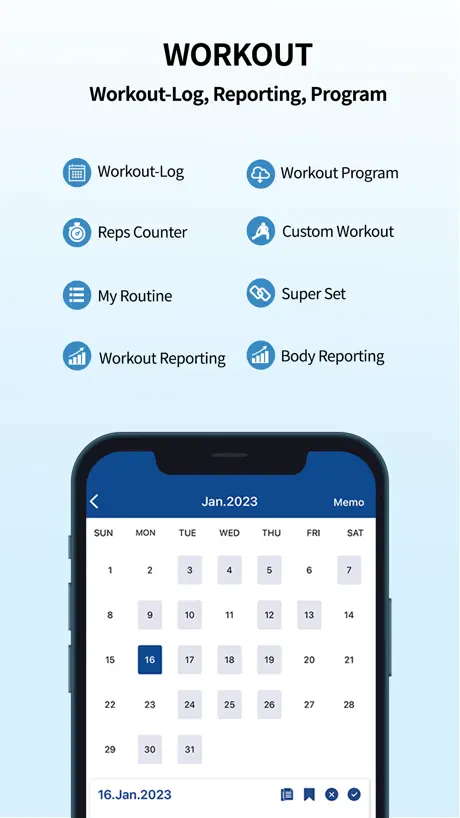
Workout Log, Report, Program
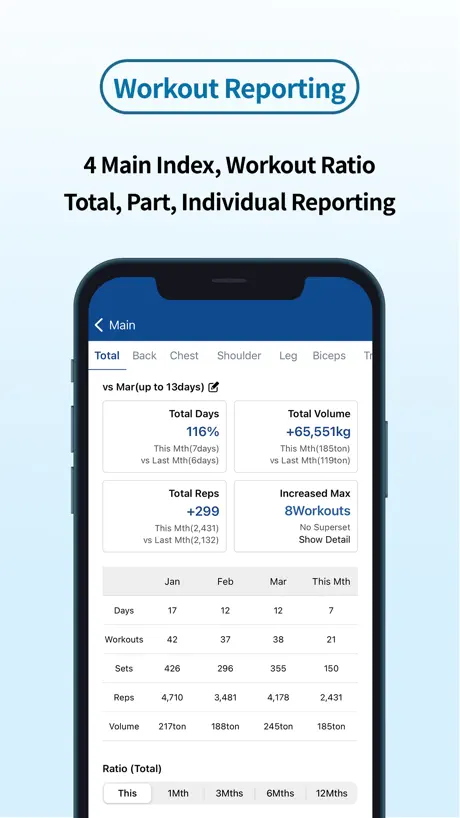
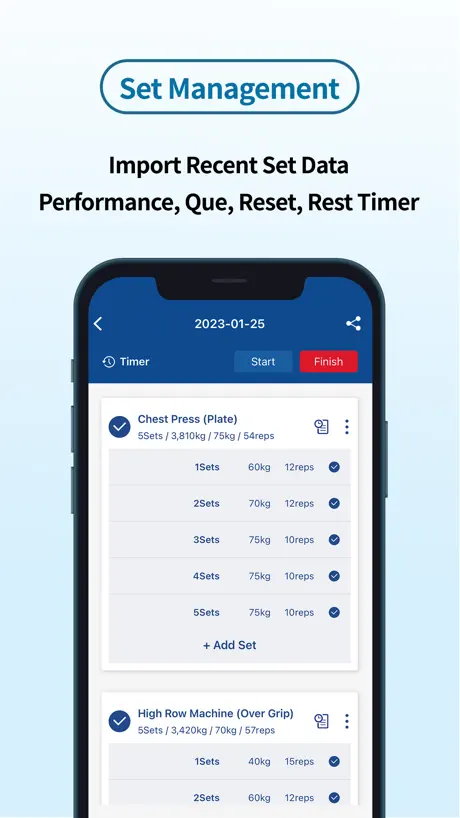
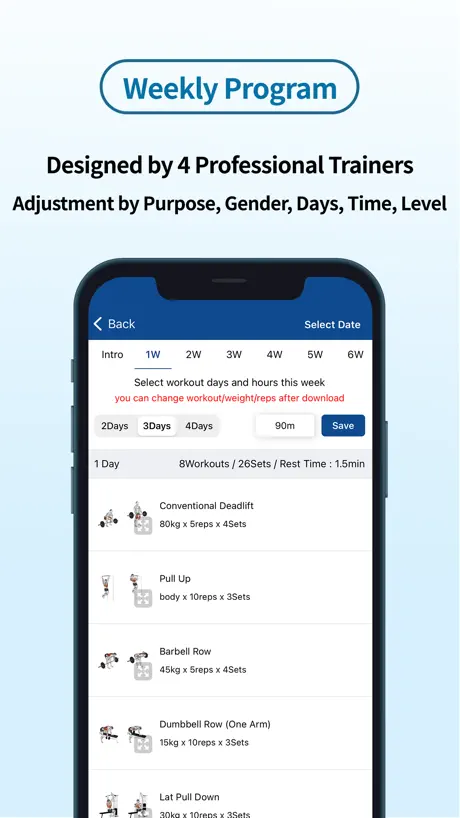
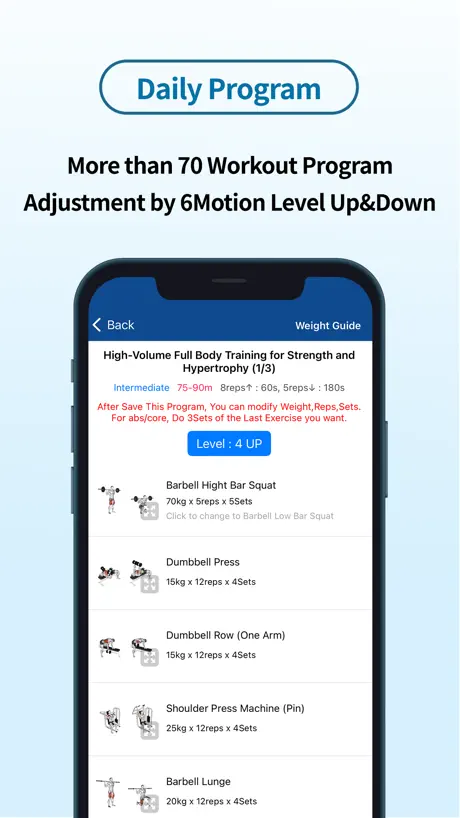
How much does Workout-Log cost?
Prices are current as of 29 Sept 2026.
2 subscriptions from $0.99
In the United States, Workout-Log has 2 subscriptions priced $0.99 – 3.99. It comes with a 3 days free trial.
| Subscription | Period | Price |
|---|---|---|
| 프리미엄 모드 정기 결제 | Monthly | $0.99 |
| 운동 프로그램 구독 | MonthlyTrial: 3 days | $3.99 |
10+ alternatives to Workout-Log
| Workout-Log | 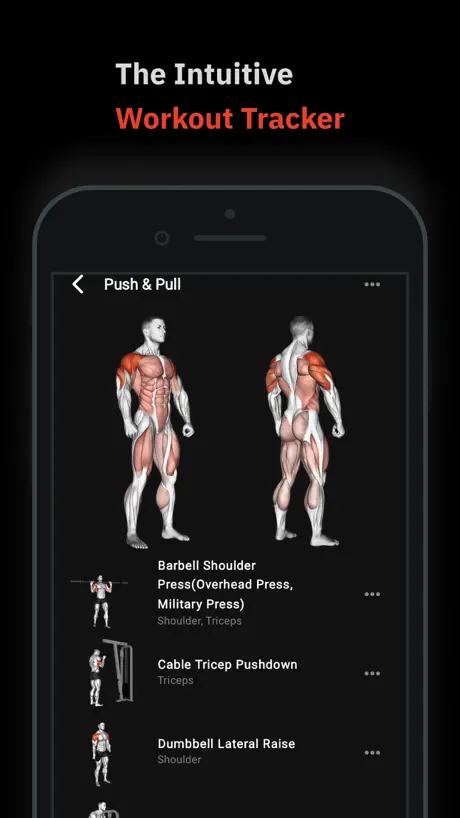  Fleek - Workout Tracker, Log Fleek - Workout Tracker, Log | 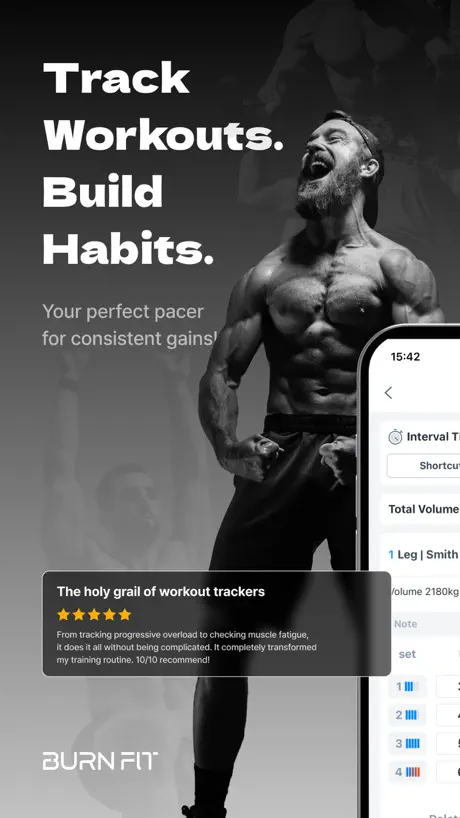  BurnFit: Workout Log & Tracker BurnFit: Workout Log & Tracker | 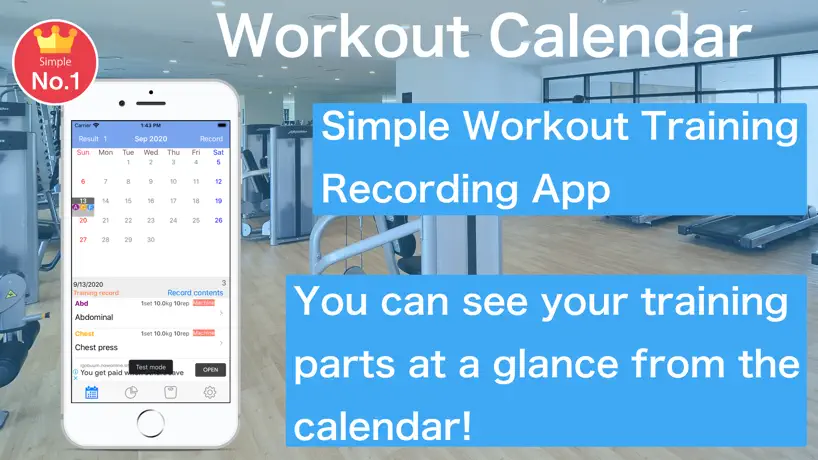  Fitness Workout Log Calendar Fitness Workout Log Calendar |   오늘의 운동 - 운동일지 운동기록 헬스루틴 헬스기록 오늘의 운동 - 운동일지 운동기록 헬스루틴 헬스기록 |   라이프에이드: 체형교정, 스트레칭, 마사지, 운동 사전 라이프에이드: 체형교정, 스트레칭, 마사지, 운동 사전 |   Selfit - Fitness Planner Selfit - Fitness Planner |   Sprint - Food & Workout App Sprint - Food & Workout App |   FitnessKit: PT Client Coach FitnessKit: PT Client Coach |   Gym Diary: Workout Tracker Log Gym Diary: Workout Tracker Log |   Workout Log-Track Gym Progress Workout Log-Track Gym Progress | |
|---|---|---|---|---|---|---|---|---|---|---|---|
| Rating / 5 | 4.4 | 4.7 | 4.8 | 4.4 | 4.7 | 4.8 | 4.6 | 4.7 | 4.6 | 4.3 | 4.4 |
| Reviews | 1.5K | 14K | 11K | 5K | 2.9K | 1.7K | 1.1K | 1K | 375 | 338 | 206 |
| Released | 2020 | 2021 | 2020 | 2018 | 2019 | 2020 | 2020 | 2020 | 2018 | 2018 | 2017 |
| Monthly price | $0.99 | $2.99 | $9.99 | $2.99 | $1.99 | $4.99 | $0.49 | — | — | — | — |
| Annual price | — | $23.99 | $59.99 | $17.99 | $6.99 | $49.99 | $5.99 | — | — | — | — |
| One-time price | — | $59.99 | — | — | $3.99 | $7.99 | — | — | — | — | — |
The going rate for each plan in United States, in its own currency, shaded from the cheapest price on the row to the dearest.
Workout-Log reviews
4.4 out of 5, based on 1,466 reviews.
What people like
- Simple and easy to log workouts
- Developers listen to user feedback
- Works well with Apple Watch
What they complain about
- App crashes constantly when viewing history
- Ads interrupt your workout flow
- Unit conversion settings do not save
잘 쓰고있습니다
정말 운동기록하기 쉽고 잘 쓰고있습니다 다만 몇가지 개선이 필요합니다 딥스나 풀업 어시스트시에 무게 마이너스 기능 인터벌자전거, 로잉머신 칼로리별 세트기능 이 두가지만 피드백 반영됐으면 좋겠습니다~
앱 좀 고쳐라
지난 기록 볼려고 하면 튕긴다 좀 고쳐라 짜증나게 하지 말고
공유버튼 누를 시 튕김
다 좋은데 왜 공유버튼 누르면 튕기나요
운동 기록 12개월 누르면 팅김
운동 종목 선택 후 과거 중량보려구 몇개월 전 누르면 팅김 깔고 다시 깔아도 똑같음
기능 에러
전월 기록 보는 기능 안됨
자잘한 에러
다 좋은데 운동일지 가면 아직도 계속 꺼집니다 ㅠㅠ
개팅기네 진짜
운동기록한거볼라하면 팅기고
백업이 안돼서
전에쓰던거 다 날라갔네요😂
광고.. 잘쓰고 있었는데 아쉽습니다
운동 추가하면 광고 뜨니까 흐름이 딱 끊겨서 쓰기 싫어졌습니다
운동시작 누르고 어느새 보면 취소(?) 되어 있어서 운동시작시간을 다시 역산헤서 입력해야 합니다
제목과 같습니다
운동일지 기록하기 오류
운동일지 기록하러가길 누르면 어플이 계속 꺼지는현상때문에 사용자체를 못하고있습니다. 무슨오류인가요?
그냥 뻔한 운동 다이어리 그 이상도 이하도 아님
큰 기대 ㄴㄴ 그냥 메모장 수준임.
루틴관리
루틴관리에 종목 넣을때 슈퍼세트는 안뜨는데 넣을수있게 해주세요
메인화면에서
운동 리포팅 바로가기가 안눌려지네요
설문조사 창이 뜨더니 체크를 제대로 해도 다음으로 넘어가질 않습니다
설문조사 때문에 운동일지 사용하지 못하고 있습니다.. 확인 부탁드려요
좋았는데
광고길어지거 별로임
어플에 고객문의함
고객문의할수있는곳이 확인되지 않아 여기남깁니다 업데이트된걸로 확인은 일부되나, 운동항봉>세트상세보기확인시 65lb를 kg으로 전환하여도 65kg 으로 확인됩니다. 해당내용 업데이트 되지않은것으로 확인되어 부탁드립니다 (업데이트 이전것도 적용필요) 추가로 제가 고객센터를 못찾는거라면 경로안내부탁드립니다
아니 ㅡㅡ
왜 자꾸 별좀 달라고 안내문구가 계속 뜨는건가요? 한번 했으먄 된건데 계속 뜨네요 결제하면 뭐합니까 이런것도 리뷰 안달거나 별점 안주면 계속 뜨는데
운동통계 기능 추가 문의
잘 쓰고있습니다! 한 가지 아쉬운 부분이 운동 통계 볼 때에 세트나 운동일수 말고 볼륨을 볼 수 있으면 좋을 것 같아요:)
광고가 꺼지질않아요
혈압재는 광고가 엑스눌러도 꺼지질않아서 어플을 씋수가업네요 앱 끄고 다시들어가도 계속 혈압광고라 혈압올라요
설문지조사
아니운동하러왓는데 설문완료가안되서 운동일지 작성을못햇어요 개선좀해주세요
아이폰 13 사용자 입니다.
가장크게 2가지가 단점으로 꼽힘니다. 1. 운동을 추가할 때 버그/렉 후에 중복으로 2개가 적용되는 알이 많습니다. 한 5종목을 선택하고서 추가를 하면 10종목이 들어오듯이요. 2. 목록을 한번에 보면서 이동은 되지만 삭제하는 기능은 없습니다. 1번은 포함해 두 문제로 매번 앱을 이용할 때 많이 부담스러워집니다. 수정 부탁드립니다.
무게 단위조절도 부탁드려요
외국에서 사용하는데 lbs -> kg 자동으로 바뀌거나 단위를 바꿀 수 있는 방법이 있으면 좋을 것 같네요 아니면 제가 못 찾는 건가요...? ------ 의견 적용 감사합니다 그런데 변경하고 저장을 누르면 다시 kg으로 바뀌어서 저장되는 오류가 있는 것 같아서 확인 부탁드려요!
업뎃하고 운동 시간 연동 안됨
안드로이드에서 시간 설정해도 아이폰에선 반영이 안되고 따로 설정도 안됨. 그리고 이전 기록들도 다 사라짐 이게 젤 중요
워치 동기화가 됐다안됐다하네요
짜증나용 ㅠㅠㅠㅠㅠ
짜놓은 루틴을 애플워치에 연동해주시면 안될까요?
운동중에 애플워치를 차고 늘 수행하고있습니다 기존에 strong 이라는 앱으로 루틴을짜서 심박수 휴식등 전부 관리하고있는데 국내에서 이렇게 좋은 앱을 만들어 주셔서 쓰다보니 애플워치 미지원이 너무 아쉽습니다 힘드시겠지만 업데이트 해주시면 유료라도 구입하겠습니다
너무 느립니다
2년간 잘 썼는데 광고 생겼을때도 참고 썼는데 최근 사용이 힘들 정도로 느려져서 더 이상 못 쓰겠네요
잘 쓰고 있습니다
너무 간단하고 좋은 어플입니다! 다만 세트간에 타이머 종료시 소리가 원래 안나는 건가요? 만약 그렇다면 나게 바꿔 주세요 ㅠㅠ
바로가기 에러
아직도 꺼지네요. 작동이 전혀 안되요.
매우 죠습니다
가끔 UI가 버벅거릴 때가 있긴 하지만 간편해서 좋아요. 무엇보다 김계란같은 셀럽들도 쓰신다고 하니 믿고 쓸만 합니다. 합격목걸이 드릴게요
아이폰에서 튕김현상
안드로이드에서 잘쓰다가 아이폰으로 넘어왔는데 로그인후 운동일지 달력 화면 들어가면 튕기면서 앱이 꺼집니다. 통계화면이나 다른건 멀쩡해요. 도저히 쓸수가 없네요ㅠㅠ
피지컬 갤러리 보고 왔어요
피지컬갤러리에서 보고 왔어요 잘쓸게요 감사합니다
운동일지만 열면 꺼지네요
제발 수정좀 해주세요
Workout-Log price by country
A monthly subscription costs $0.58 in Egypt and $1.55 in Hungary — 3× more for the same thing. Below is the going rate for each plan in every country that sells it — the middle price of what the app charges there, in the country's own currency with the dollar equivalent beneath it.
| Country | Monthly |
|---|---|
| Afghanistan | $0.99 |
| Albania | $0.99 |
| Algeria | $0.99 |
| Angola | $0.99 |
| Anguilla | $0.99 |
| Antigua And Barbuda | $0.99 |
| Argentina | $0.99 |
| Armenia | $0.99 |
| Australia | A$1.99$1.39 |
| Austria | €0.99$1.13 |
| Azerbaijan | $0.99 |
| Bahamas | $0.99 |
| Bahrain | $0.99 |
| Barbados | $0.99 |
| Belarus | $0.99 |
| Belgium | €0.99$1.13 |
| Belize | $0.99 |
| Benin | $0.99 |
| Bermuda | $0.99 |
| Bhutan | $0.99 |
| Bolivia | $0.99 |
| Bosnia & Herzegovina | €0.99$1.13 |
| Botswana | $0.99 |
| Brazil | R$4.90$0.94 |
| British Virgin Islands | $0.99 |
| Brunei Darussalam | $0.99 |
| Bulgaria | €0.99$1.13 |
| Burkina Faso | $0.99 |
| Cambodia | $0.99 |
| Cameroon | $0.99 |
| Canada | CA$0.99$0.70 |
| Cape Verde | $0.99 |
| Cayman Islands | $0.99 |
| Chad | $0.99 |
| Chile | CLP 990$1.03 |
| China | CN¥8.00$1.19 |
| Colombia | COP 4,900$1.48 |
| Congo | $0.99 |
| Congo, Democratic Republic | $0.99 |
| Costa Rica | $0.99 |
| Cote Divoire | $0.99 |
| Croatia | €0.99$1.13 |
| Cyprus | €0.99$1.13 |
| Czech Republic | CZK 29.00$1.35 |
| Denmark | DKK 9.00$1.37 |
| Dominica | $0.99 |
| Dominican Republic | $0.99 |
| Ecuador | $0.99 |
| Egypt | EGP 29.99$0.58 |
| El Salvador | $0.99 |
| Estonia | €0.99$1.13 |
| Fiji | $0.99 |
| Finland | €0.99$1.13 |
| France | €0.99$1.13 |
| Gabon | $0.99 |
| Gambia | $0.99 |
| Georgia | $0.99 |
| Germany | €0.99$1.13 |
| Ghana | $0.99 |
| Greece | €0.99$1.13 |
| Grenada | $0.99 |
| Guatemala | $0.99 |
| Guinea-bissau | $0.99 |
| Guyana | $0.99 |
| Honduras | $0.99 |
| Hong Kong | HK$8.00$1.02 |
| Hungary | HUF 499$1.55 |
| Iceland | $0.99 |
| India | ₹99.00$1.03 |
| Indonesia | IDR 19,000$1.06 |
| Iraq | $0.99 |
| Ireland | €0.99$1.13 |
| Israel | ₪2.90$0.94 |
| Italy | €0.99$1.13 |
| Jamaica | $0.99 |
| Japan | ¥100$0.64 |
| Jordan | $0.99 |
| Kazakhstan | KZT 499.00$1.13 |
| Kenya | $0.99 |
| Kosovo | €0.99$1.13 |
| Kuwait | $0.99 |
| Kyrgyzstan | $0.99 |
| Lao Peoples Democratic Republic | $0.99 |
| Latvia | €0.99$1.13 |
| Lebanon | $0.99 |
| Liberia | $0.99 |
| Libya | $0.99 |
| Lithuania | €0.99$1.13 |
| Luxembourg | €0.99$1.13 |
| Macao | $0.99 |
| Macedonia | $0.99 |
| Madagascar | $0.99 |
| Malawi | $0.99 |
| Malaysia | MYR 4.90$1.20 |
| Maldives | $0.99 |
| Mali | $0.99 |
| Malta | €0.99$1.13 |
| Mauritania | $0.99 |
| Mauritius | $0.99 |
| Mexico | MX$19.00$1.06 |
| Micronesia | $0.99 |
| Moldova | $0.99 |
| Mongolia | $0.99 |
| Montenegro | €0.99$1.13 |
| Montserrat | $0.99 |
| Morocco | $0.99 |
| Mozambique | $0.99 |
| Myanmar | $0.99 |
| Namibia | $0.99 |
| Nauru | $0.99 |
| Nepal | $0.99 |
| Netherlands | €0.99$1.13 |
| New Zealand | NZ$1.99$1.12 |
| Nicaragua | $0.99 |
| Niger | $0.99 |
| Nigeria | NGN 900.00$0.68 |
| Norway | NOK 9.00$0.94 |
| Oman | $0.99 |
| Pakistan | PKR 300$1.08 |
| Palau | $0.99 |
| Panama | $0.99 |
| Papua New Guinea | $0.99 |
| Paraguay | $0.99 |
| Peru | PEN 2.90$0.85 |
| Philippines | ₱49.00$0.78 |
| Poland | PLN 4.99$1.30 |
| Portugal | €0.99$1.13 |
| Qatar | QAR 2.99$0.82 |
| Romania | RON 4.99$1.08 |
| Russia | RUB 99.00$1.17 |
| Rwanda | $0.99 |
| Sao Tome & Principe | $0.99 |
| Saudi Arabia | SAR 4.99$1.33 |
| Senegal | $0.99 |
| Serbia | €0.99$1.13 |
| Seychelles | $0.99 |
| Sierra Leone | $0.99 |
| Singapore | SGD 0.98$0.77 |
| Slovakia | €0.99$1.13 |
| Slovenia | €0.99$1.13 |
| Solomon Islands | $0.99 |
| South Africa | ZAR 19.99$1.22 |
| South Korea | ₩1,500$1.10 |
| Spain | €0.99$1.13 |
| Sri Lanka | $0.99 |
| St. Kitts and Nevis | $0.99 |
| St. Lucia | $0.99 |
| St. Vincent & The Grenadines | $0.99 |
| Suriname | $0.99 |
| Swaziland | $0.99 |
| Sweden | SEK 9.00$0.90 |
| Switzerland | CHF 1.00$1.20 |
| Taiwan | NT$30.00$0.94 |
| Tajikistan | $0.99 |
| Tanzania | TZS 2,900.00$1.10 |
| Thailand | THB 29.00$0.86 |
| Tonga | $0.99 |
| Trinidad and Tobago | $0.99 |
| Tunisia | $0.99 |
| Turkey | TRY 39.99$0.82 |
| Turkmenistan | $0.99 |
| Turks and Caicos | $0.99 |
| Uganda | $0.99 |
| Ukraine | $0.99 |
| United Arab Emirates | AED 2.99$0.81 |
| United Kingdom | £0.99$1.31 |
| United States | $0.99 |
| Uruguay | $0.99 |
| Uzbekistan | $0.99 |
| Vanuatu | $0.99 |
| Venezuela | $0.99 |
| Vietnam | ₫29,000$1.12 |
| Yemen | $0.99 |
| Zambia | $0.99 |
| Zimbabwe | $0.99 |
Workout-Log FAQ
- Is Workout-Log free?
- Yes. The app and its basic features are free, in all 175 countries it sells in. Premium features are paid: they start from $0.99 (US), across 2 subscriptions.
- How much does Workout-Log cost per month?
- 운동 프로그램 구독 is $0.99 – 3.99 (US).
- Does Workout-Log have a free trial?
- Yes — a 3 days free trial (US).
- Where is Workout-Log cheapest?
- A monthly subscription costs EGP 29.99 (≈$0.58) in Egypt and HUF 499 (≈$1.55) in Hungary, its cheapest and dearest countries.
- What are the best alternatives to Workout-Log?
- Fleek - Workout Tracker, Log (4.7 from 13,922 reviews, premium from $2.99), BurnFit: Workout Log & Tracker (4.8 from 10,875 reviews, premium from $9.99) and Fitness Workout Log Calendar (4.4 from 5,029 reviews, premium from $2.99).
Workout-Log download
Last updated 3 months ago.
Workout-Log sells in 175 countries. It was released 6 years and 1 month ago, on 8 Sept 2020. It holds a 4.4 rating from 1,466 reviews.
Supports 2 languages: English, Korean.
How much does Workout-Log make?
Third-party estimates for the last 30 days, worldwide — not the store's own figures, which Apple publishes for nobody.
Revenue by plan
- Monthly 100%
Revenue by country
- South Korea 95%
- United States 3%
- Japan 1%
- Australia 0%