
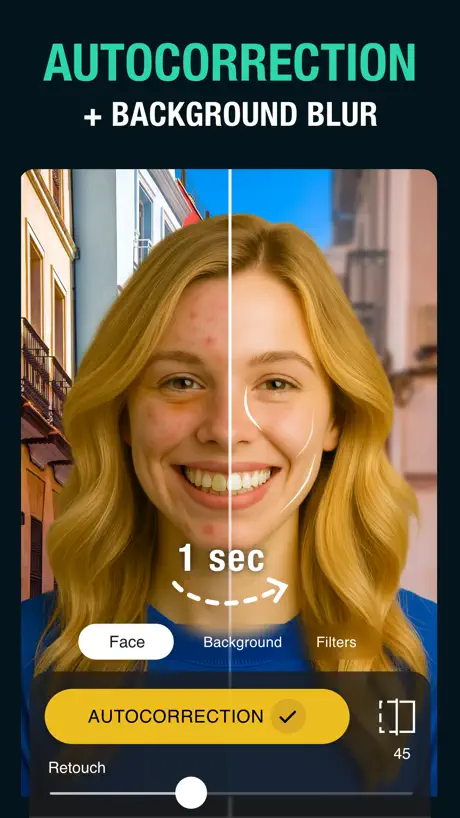
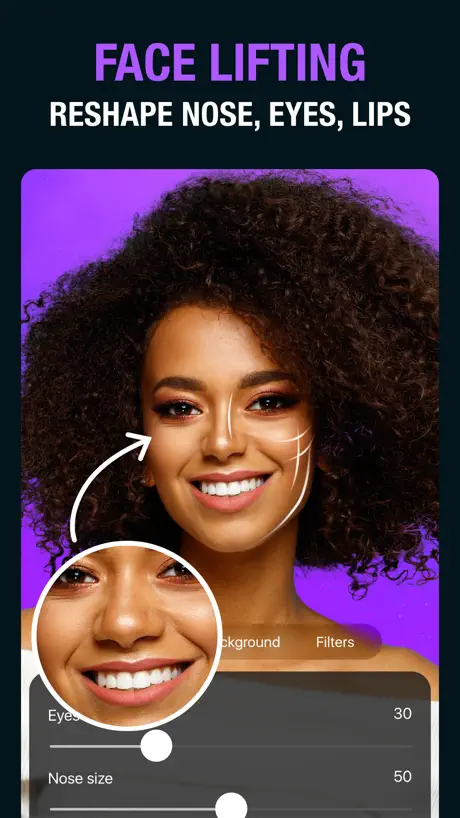
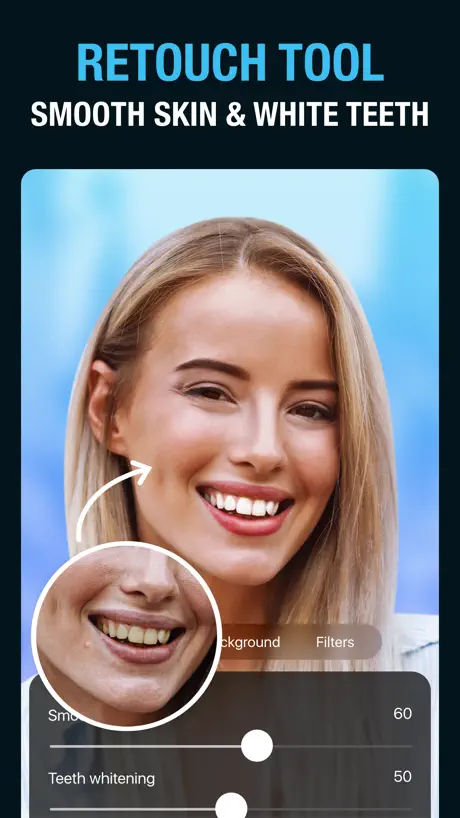
Tingo: AI Face Editor Retouch
Teeth whitener,Photo enhancer



How much does Tingo: AI Face Editor Retouch cost?
Prices are current as of 5 Oct 2026.
3 subscriptions from $4.49
In the United States, Tingo: AI Face Editor Retouch has 3 subscriptions priced $4.49 – 19.99. Free trials run 3 days, 7 days or 14 days.
| Subscription | Period | Price |
|---|---|---|
| Tingo Premium Membership | WeeklyTrial: 3 days | $4.49 |
| Tingo Premium Membership | Monthly | $4.49 |
| Tingo Premium Membership | AnnualTrial: 3, 7, 14 days | $19.99 |
1 one-time purchase from $12.99
In the United States, Tingo: AI Face Editor Retouch has 1 one-time purchase priced $12.99 – 34.99.
| Product | Price |
|---|---|
| Tingo Premium Membership | $12.99 – 34.99 |
See what Tingo: AI Face Editor Retouch costs in all 175 countries →
10+ alternatives to Tingo: AI Face Editor Retouch
| Tingo: AI Face Editor Retouch |   MalibooMake MalibooMake |   Avatan – Photo Editor Avatan – Photo Editor |   Facey: Face Editor &Makeup Cam Facey: Face Editor &Makeup Cam |   Video Filters Photo Editor TON Video Filters Photo Editor TON |   Beauty Editor: Blemish Remover Beauty Editor: Blemish Remover |   Zebra: Photo & Video Editor Zebra: Photo & Video Editor |   Rehancer: AI Photo Enhancer Rehancer: AI Photo Enhancer | 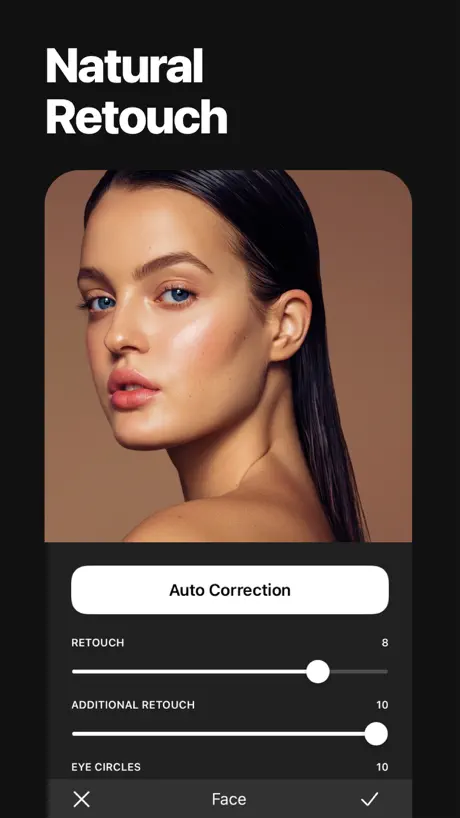  Uplens: Photo & Video Editor Uplens: Photo & Video Editor |   AppForType: Story Templates AppForType: Story Templates | 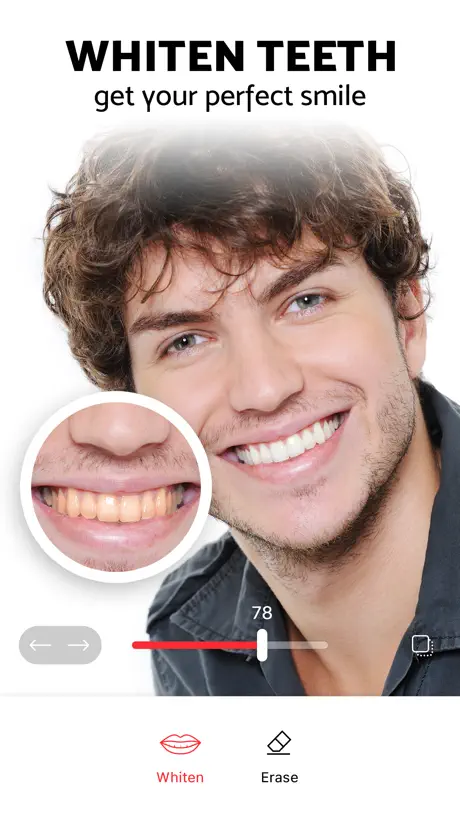  Pixl: Face & Red Eye Corrector Pixl: Face & Red Eye Corrector | |
|---|---|---|---|---|---|---|---|---|---|---|---|
| Rating / 5 | 4.5 | 4.9 | 4.7 | 4.5 | 4.8 | 4.6 | 4.9 | 3.8 | 4.8 | 4.6 | 3.9 |
| Reviews | 3K | 147K | 113K | 111K | 70K | 38K | 34K | 31K | 19K | 17K | 14K |
| Released | 2020 | 2021 | 2014 | 2018 | 2020 | 2018 | 2023 | 2019 | 2021 | 2016 | 2016 |
| Weekly price | $4.49 | $2.99 | — | $2.99 | $4.99 | $5.99 | $5.99 | $2.99 | $3.99 | — | — |
| Monthly price | $4.49 | $5.99 | $6.99 | $4.99 | $9.99 | $9.99 | $5.99 | $7.99 | $5.99 | — | — |
| Annual price | $19.99 | — | $39.99 | $29.99 | $29.99 | $59.99 | $29.99 | $24.99 | $19.99 | — | $23.99 |
| One-time price | $12.99 | — | $0.99 | — | $69.99 | $99.99 | $2.99 | — | $2.99 | $0.99 | $1.99 |
The going rate for each plan in United States, in its own currency, shaded from the cheapest price on the row to the dearest. Plans fewer than four in ten of the priced apps sell are left out.
Tingo: AI Face Editor Retouch reviews
4.5 out of 5, based on 2,952 reviews.
What people like
- Very easy to use for quick edits
- Great results with just one touch
- Good control over face features like nose size
What they complain about
- App crashes constantly and deletes itself
- Charges you even after canceling subscription
- Won't edit photos with more than one person
- Background blur feature stops working without warning
👍👍👍
Очень хорошое приложение, рекомендую
Ужасное приложение
Скачала приложение,предлагали оформить подписку за 49р на 3 дня,итог-списали 299 Прошу вернуть деньги
Пожалуйста
Добавьте видео с эффектами пожалуйста
вылетает
ТА ЧО ОНО ВЫЛЕТАЕТ, РАНЬШЕ ЖЕ НОРМ ВСЁ БЫЛО
Не работает размытие фона
Уже давно подписана на премиальную годовую подписку. Но больше месяца не работает размытие фона. Я обожала это приложение. 2 раза писала Вам. Но ничего не изменилось. Пожалуйста, решите эту проблему. Я с радостью потом поделюсь тем, как быстро Вы реагируете на неполадки.
Отлично!
Все работает отлично !
Ужас!
Приложение ужасное, удалила в первый же день!👎🏻
Отмена продления подписки
Здравствуйте, начался пробный период. Как сделать чтобы подписка не была продлена?
не рекомендую
приложение отказывается редактировать фото на котором ест пара и более лиц) прям тупость но так и пишет « на изображении должно быть не более 1 человека» удалил 👌
5 селфи из 5
Давно пользуюсь этим приложением, проблема с вылетом на iOS 17 решилась последним обновлением приложения, теперь все ок. Спасибо!
Платная версия ничего не дает
После оплаты подписки так и осталось только 5 фото для обработки, к сожалению, не работает опция восстановления покупки
Отмена подписки
Хочу отписаться! Мне не понравилось приложение! Отмените подписку! Я не могу пройти по ссылке!
Все работает отлично!
Спасибо за обновление!
👎🏻👎🏻
Ужасное приложение еще и не удаляется с айфон. Как удалить ? Занимает мою память 😤
Т
Как отменить подписку ???
Best app
Всем советую скачать
Бесплатной версии вообще нет
Пробный период 3 дня
Исправьте
Отменила подписку три раза .все равно программа ворует деньги
👍👍👍
Wow!!!
.
Ужасное приложение, не понимаю откуда столько хороших отзывов, подключила пробную версию на 3 дня, теперь не могу отключить всё на английском. Подскажите как отключить подписку !!!!
Kostet
Es sieht gut aus aber man muss da bezahlen ich kann ja auch bezahlen aber das ist mir zu viel ☹️
One tap selfie editor
This app is so easy to use and best selfie editing app I’ve used so far.
Выкидывает из приложения при загрузке фото
Выкидывает постоянно из приложения, хотя оформила подписку Переустановка приложения не помогла, еще и списали деньги за подписку, прошу вернуть, т к приложением не удалось воспользоваться
awesome!
pretty good editing app :)
Don’t have the app and I have been charged!
I may have tried the app but I just noticed I have been charged $4.49 every week for a year! This is insane! I don’t even see the app on my phone! I am requesting my money back! This is illegally collected!!!! Miriam
Actually Ai Powered
Unlike other apps that claim to do the work for you, this one does. Just move the sliders of how much of your nose or eyes size do you want and boom, you have an awesome picture for your instagram 👌
TOOK MY MONEY
I just downloaded this it made me subscribe and I deleted the app as soon as i seen it subscribed I canceled the subscription and it took all my money for a year subscription :/ I want my money back.
Easy peasy
One touch and my portrait looks great! Will definitely have to try the paid version for extra features, but the basic worked for a guy like me. Awesome app!
I’m impressed for the most part
It does a nice job with the backgrounds, I just wish i had control over sizing the pictures and backgrounds. Also would be nice if there was an option to fix any errors after it automatically cuts out the picture. Sometimes that little piece that’s left ruins everything. ****Update!!!**** I paid for the whole year, 2-3 weeks later app stops working. What happened???
Tingo: AI Face Editor Retouch price by country
A weekly subscription costs $0.61 in Turkey and $6.04 in Switzerland — 10× more for the same thing. Below is the going rate for each plan in every country that sells it — the middle price of what the app charges there, in the country's own currency with the dollar equivalent beneath it.
| Country | Weekly | Monthly | Annual | One-time |
|---|---|---|---|---|
| Afghanistan | $4.49 | $4.49 | $19.99 | $12.99 |
| Albania | $5.39 | $5.39 | $23.99 | $14.99 |
| Algeria | $4.49 | $4.49 | $19.99 | $12.99 |
| Angola | $4.49 | $4.49 | $19.99 | $12.99 |
| Anguilla | $4.49 | $4.49 | $19.99 | $12.99 |
| Antigua And Barbuda | $4.49 | $4.49 | $19.99 | $12.99 |
| Argentina | $4.49 | $4.49 | $19.99 | $12.99 |
| Armenia | $4.49 | $4.49 | $19.99 | $14.99 |
| Australia | A$7.49$5.20 | A$7.49$5.20 | A$31.99$22.22 | A$19.99$13.88 |
| Austria | €4.99$5.61 | €4.99$5.61 | €21.49$24.17 | €14.99$16.86 |
| Azerbaijan | $4.49 | $4.49 | $19.99 | $14.99 |
| Bahamas | $4.49 | $4.49 | $19.99 | $14.99 |
| Bahrain | $4.49 | $4.49 | $19.99 | $14.99 |
| Barbados | $4.49 | $4.49 | $19.99 | $14.99 |
| Belarus | $4.49 | $4.49 | $19.99 | $14.99 |
| Belgium | €4.99$5.61 | €4.99$5.61 | €21.49$24.17 | €14.99$16.86 |
| Belize | $4.49 | $4.49 | $19.99 | $12.99 |
| Benin | $4.49 | $4.49 | $19.99 | $14.99 |
| Bermuda | $4.49 | $4.49 | $19.99 | $12.99 |
| Bhutan | $4.49 | $4.49 | $19.99 | $12.99 |
| Bolivia | $4.49 | $4.49 | $19.99 | $12.99 |
| Bosnia & Herzegovina | €4.99$5.61 | €4.99$5.61 | €21.49$24.17 | €14.99$16.86 |
| Botswana | $4.49 | $4.49 | $19.99 | $12.99 |
| Brazil | R$18.90$3.62 | R$18.90$3.62 | R$82.90$15.88 | R$79.90$15.31 |
| British Virgin Islands | $4.49 | $4.49 | $19.99 | $12.99 |
| Brunei Darussalam | $4.49 | $4.49 | $19.99 | $12.99 |
| Bulgaria | €4.79$5.39 | €4.99$5.61 | €20.99$23.61 | €14.99$16.86 |
| Burkina Faso | $4.49 | $4.49 | $19.99 | $12.99 |
| Cambodia | $4.49 | $4.49 | $19.99 | $14.99 |
| Cameroon | $4.49 | $4.49 | $19.99 | $14.99 |
| Canada | CA$5.99$4.22 | CA$5.99$4.22 | CA$26.49$18.65 | CA$17.99$12.67 |
| Cape Verde | $4.49 | $4.49 | $19.99 | $12.99 |
| Cayman Islands | $4.49 | $4.49 | $19.99 | $12.99 |
| Chad | $4.49 | $4.49 | $19.99 | $12.99 |
| Chile | CLP 3,200$3.24 | CLP 3,200$3.24 | CLP 14,500$14.68 | CLP 14,990$15.17 |
| China | CN¥33.00$4.92 | CN¥33.00$4.92 | CN¥143.00$21.31 | CN¥88.00$13.11 |
| Colombia | COP 18,900$5.71 | COP 18,900$5.71 | COP 82,900$25.05 | COP 59,900$18.10 |
| Congo | $4.49 | $4.49 | $19.99 | $14.99 |
| Congo, Democratic Republic | $4.49 | $4.49 | $19.99 | $12.99 |
| Costa Rica | $4.49 | $4.49 | $19.99 | $12.99 |
| Cote Divoire | $4.49 | $4.49 | $19.99 | $14.99 |
| Croatia | €5.04$5.67 | €5.04$5.67 | €21.90$24.63 | €14.99$16.86 |
| Cyprus | €4.99$5.61 | €4.99$5.61 | €21.49$24.17 | €14.99$16.86 |
| Czech Republic | CZK 129.00$5.94 | CZK 129.00$5.94 | CZK 559.00$25.72 | CZK 349.00$16.06 |
| Denmark | DKK 39.00$5.86 | DKK 39.00$5.86 | DKK 169.00$25.41 | DKK 99.00$14.89 |
| Dominica | $4.49 | $4.49 | $19.99 | $12.99 |
| Dominican Republic | $4.49 | $4.49 | $19.99 | $12.99 |
| Ecuador | $4.49 | $4.49 | $19.99 | $12.99 |
| Egypt | EGP 72.99$1.40 | EGP 74.99$1.44 | EGP 319.99$6.12 | EGP 699.99$13.40 |
| El Salvador | $4.49 | $4.49 | $19.99 | $12.99 |
| Estonia | €4.99$5.61 | €4.99$5.61 | €21.49$24.17 | €14.99$16.86 |
| Fiji | $4.49 | $4.49 | $19.99 | $12.99 |
| Finland | €4.99$5.61 | €4.99$5.61 | €21.49$24.17 | €14.99$16.86 |
| France | €4.99$5.61 | €4.99$5.61 | €21.49$24.17 | €14.99$16.86 |
| Gabon | $4.49 | $4.49 | $19.99 | $12.99 |
| Gambia | $4.49 | $4.49 | $19.99 | $12.99 |
| Georgia | $4.49 | $4.49 | $19.99 | $14.99 |
| Germany | €4.99$5.61 | €4.99$5.61 | €21.49$24.17 | €14.99$16.86 |
| Ghana | $4.49 | $4.49 | $19.99 | $14.99 |
| Greece | €4.99$5.61 | €4.99$5.61 | €21.49$24.17 | €14.99$16.86 |
| Grenada | $4.49 | $4.49 | $19.99 | $12.99 |
| Guatemala | $4.49 | $4.49 | $19.99 | $12.99 |
| Guinea-bissau | $4.49 | $4.49 | $19.99 | $12.99 |
| Guyana | $4.49 | $4.49 | $19.99 | $12.99 |
| Honduras | $4.49 | $4.49 | $19.99 | $12.99 |
| Hong Kong | HK$33.00$4.20 | HK$38.00$4.84 | HK$153.00$19.49 | HK$98.00$12.48 |
| Hungary | HUF 1,790$5.46 | HUF 1,790$5.46 | HUF 7,790$23.77 | HUF 5,990$18.28 |
| Iceland | $5.57 | $5.57 | $24.79 | $14.99 |
| India | ₹369.00$3.83 | ₹389.00$4.04 | ₹1,649.00$17.11 | ₹1,299.00$13.48 |
| Indonesia | IDR 65,000$3.63 | IDR 65,000$3.63 | IDR 279,000$15.57 | IDR 249,000$13.90 |
| Iraq | $4.49 | $4.49 | $19.99 | $12.99 |
| Ireland | €4.99$5.61 | €4.99$5.61 | €21.49$24.17 | €14.99$16.86 |
| Israel | ₪15.90$5.23 | ₪15.90$5.23 | ₪69.90$22.99 | ₪39.90$13.13 |
| Italy | €4.99$5.61 | €4.99$5.61 | €21.49$24.17 | €14.99$16.86 |
| Jamaica | $4.49 | $4.49 | $19.99 | $12.99 |
| Japan | ¥480$3.04 | ¥500$3.17 | ¥2,100$13.31 | ¥2,000$12.68 |
| Jordan | $4.49 | $4.49 | $19.99 | $12.99 |
| Kazakhstan | KZT 1,750.00$3.90 | KZT 1,790.00$3.99 | KZT 7,790.00$17.36 | KZT 7,990.00$17.80 |
| Kenya | $4.49 | $4.49 | $19.99 | $14.99 |
| Kosovo | €4.99$5.61 | €4.99$5.61 | €21.49$24.17 | €14.99$16.86 |
| Kuwait | $4.49 | $4.49 | $19.99 | $12.99 |
| Kyrgyzstan | $4.49 | $4.49 | $19.99 | $14.99 |
| Lao Peoples Democratic Republic | $4.49 | $4.49 | $19.99 | $14.99 |
| Latvia | €4.99$5.61 | €4.99$5.61 | €21.49$24.17 | €14.99$16.86 |
| Lebanon | $4.49 | $4.49 | $19.99 | $12.99 |
| Liberia | $4.49 | $4.49 | $19.99 | $12.99 |
| Libya | $4.49 | $4.49 | $19.99 | $12.99 |
| Lithuania | €4.99$5.61 | €4.99$5.61 | €21.49$24.17 | €14.99$16.86 |
| Luxembourg | €4.99$5.61 | €4.99$5.61 | €21.49$24.17 | €14.99$16.86 |
| Macao | $4.49 | $4.49 | $19.99 | $12.99 |
| Macedonia | $4.49 | $4.49 | $19.99 | $12.99 |
| Madagascar | $4.49 | $4.49 | $19.99 | $12.99 |
| Malawi | $4.49 | $4.49 | $19.99 | $12.99 |
| Malaysia | MYR 19.90$4.88 | MYR 19.90$4.88 | MYR 87.90$21.54 | MYR 59.90$14.68 |
| Maldives | $4.49 | $4.49 | $19.99 | $12.99 |
| Mali | $4.49 | $4.49 | $19.99 | $12.99 |
| Malta | €4.99$5.61 | €4.99$5.61 | €21.49$24.17 | €14.99$16.86 |
| Mauritania | $4.49 | $4.49 | $19.99 | $12.99 |
| Mauritius | $4.49 | $4.49 | $19.99 | $14.99 |
| Mexico | MX$89.00$4.89 | MX$89.00$4.89 | MX$389.00$21.39 | MX$299.00$16.44 |
| Micronesia | $4.49 | $4.49 | $19.99 | $12.99 |
| Moldova | $4.49 | $4.49 | $19.99 | $14.99 |
| Mongolia | $4.49 | $4.49 | $19.99 | $12.99 |
| Montenegro | €4.99$5.61 | €4.99$5.61 | €21.49$24.17 | €11.99$13.49 |
| Montserrat | $4.49 | $4.49 | $19.99 | $12.99 |
| Morocco | $4.49 | $4.49 | $19.99 | $14.99 |
| Mozambique | $4.49 | $4.49 | $19.99 | $12.99 |
| Myanmar | $4.49 | $4.49 | $19.99 | $12.99 |
| Namibia | $4.49 | $4.49 | $19.99 | $12.99 |
| Nauru | $4.49 | $4.49 | $19.99 | $12.99 |
| Nepal | $4.49 | $4.49 | $19.99 | $14.99 |
| Netherlands | €4.99$5.61 | €4.99$5.61 | €21.49$24.17 | €14.99$16.86 |
| New Zealand | NZ$8.49$4.77 | NZ$8.49$4.77 | NZ$35.99$20.22 | NZ$22.99$12.92 |
| Nicaragua | $4.49 | $4.49 | $19.99 | $12.99 |
| Niger | $4.49 | $4.49 | $19.99 | $12.99 |
| Nigeria | NGN 1,600.00$1.20 | NGN 1,700.00$1.28 | NGN 7,100.00$5.33 | NGN 19,900.00$14.95 |
| Norway | NOK 49.00$5.09 | NOK 55.00$5.72 | NOK 225.00$23.39 | NOK 179.00$18.61 |
| Oman | $4.49 | $4.49 | $19.99 | $12.99 |
| Pakistan | PKR 700$2.52 | PKR 720$2.59 | PKR 3,100$11.17 | PKR 3,500$12.61 |
| Palau | $4.49 | $4.49 | $19.99 | $12.99 |
| Panama | $4.49 | $4.49 | $19.99 | $12.99 |
| Papua New Guinea | $4.49 | $4.49 | $19.99 | $12.99 |
| Paraguay | $4.49 | $4.49 | $19.99 | $12.99 |
| Peru | PEN 14.90$4.31 | PEN 15.90$4.60 | PEN 66.90$19.34 | PEN 59.90$17.31 |
| Philippines | ₱239.00$3.82 | ₱239.00$3.82 | ₱1,050.00$16.77 | ₱799.00$12.76 |
| Poland | PLN 21.99$5.64 | PLN 21.99$5.64 | PLN 97.99$25.13 | PLN 59.99$15.38 |
| Portugal | €4.99$5.61 | €4.99$5.61 | €21.49$24.17 | €14.99$16.86 |
| Qatar | QAR 16.99$4.67 | QAR 16.99$4.67 | QAR 72.99$20.05 | QAR 49.99$13.73 |
| Romania | RON 22.99$4.84 | RON 23.99$5.05 | RON 102.99$21.68 | RON 69.99$14.73 |
| Russia | RUB 299.00$3.57 | RUB 299.00$3.57 | RUB 1,290.00$15.39 | RUB 999.00$11.92 |
| Rwanda | $4.49 | $4.49 | $19.99 | $12.99 |
| Sao Tome & Principe | $4.49 | $4.49 | $19.99 | $12.99 |
| Saudi Arabia | SAR 17.99$4.80 | SAR 17.99$4.80 | SAR 77.99$20.80 | SAR 59.99$16.00 |
| Senegal | $4.49 | $4.49 | $19.99 | $14.99 |
| Serbia | €4.99$5.61 | €4.99$5.61 | €21.49$24.17 | €14.99$16.86 |
| Seychelles | $4.49 | $4.49 | $19.99 | $12.99 |
| Sierra Leone | $4.49 | $4.49 | $19.99 | $12.99 |
| Singapore | SGD 6.48$5.06 | SGD 6.98$5.45 | SGD 28.98$22.64 | SGD 19.98$15.61 |
| Slovakia | €4.99$5.61 | €4.99$5.61 | €21.49$24.17 | €14.99$16.86 |
| Slovenia | €4.99$5.61 | €4.99$5.61 | €21.49$24.17 | €14.99$16.86 |
| Solomon Islands | $4.49 | $4.49 | $19.99 | $12.99 |
| South Africa | ZAR 79.99$4.80 | ZAR 79.99$4.80 | ZAR 349.99$21.01 | ZAR 249.99$15.01 |
| South Korea | ₩6,000$4.46 | ₩6,000$4.46 | ₩26,000$19.34 | ₩22,000$16.36 |
| Spain | €4.99$5.61 | €4.99$5.61 | €21.49$24.17 | €14.99$16.86 |
| Sri Lanka | $4.49 | $4.49 | $19.99 | $12.99 |
| St. Kitts and Nevis | $4.49 | $4.49 | $19.99 | $12.99 |
| St. Lucia | $4.49 | $4.49 | $19.99 | $12.99 |
| St. Vincent & The Grenadines | $4.49 | $4.49 | $19.99 | $12.99 |
| Suriname | $4.49 | $4.49 | $19.99 | $14.99 |
| Swaziland | $4.49 | $4.49 | $19.99 | $12.99 |
| Sweden | SEK 55.00$5.48 | SEK 55.00$5.48 | SEK 245.00$24.40 | SEK 179.00$17.83 |
| Switzerland | CHF 5.00$6.04 | CHF 5.00$6.04 | CHF 21.00$25.36 | CHF 10.00$12.08 |
| Taiwan | NT$150.00$4.71 | NT$150.00$4.71 | NT$670.00$21.02 | NT$390.00$12.24 |
| Tajikistan | $4.49 | $4.49 | $19.99 | $14.99 |
| Tanzania | TZS 10,500.00$3.97 | TZS 10,500.00$3.97 | TZS 45,900.00$17.34 | TZS 39,900.00$15.07 |
| Thailand | THB 139.00$4.14 | THB 139.00$4.14 | THB 609.00$18.14 | THB 499.00$14.86 |
| Tonga | $4.49 | $4.49 | $19.99 | $12.99 |
| Trinidad and Tobago | $4.49 | $4.49 | $19.99 | $12.99 |
| Tunisia | $4.49 | $4.49 | $19.99 | $12.99 |
| Turkey | TRY 29.99$0.61 | TRY 30.99$0.63 | TRY 132.99$2.71 | TRY 699.99$14.24 |
| Turkmenistan | $4.49 | $4.49 | $19.99 | $12.99 |
| Turks and Caicos | $4.49 | $4.49 | $19.99 | $12.99 |
| Uganda | $4.49 | $4.49 | $19.99 | $14.99 |
| Ukraine | $4.49 | $4.49 | $19.99 | $14.99 |
| United Arab Emirates | AED 16.99$4.63 | AED 17.99$4.90 | AED 74.99$20.43 | AED 49.99$13.62 |
| United Kingdom | £4.49$5.94 | £4.49$5.94 | £19.49$25.78 | £12.99$17.18 |
| United States | $4.49 | $4.49 | $19.99 | $12.99 |
| Uruguay | $4.49 | $4.49 | $19.99 | $12.99 |
| Uzbekistan | $4.49 | $4.49 | $19.99 | $14.99 |
| Vanuatu | $4.49 | $4.49 | $19.99 | $12.99 |
| Venezuela | $4.49 | $4.49 | $19.99 | $12.99 |
| Vietnam | ₫109,000$4.20 | ₫109,000$4.20 | ₫459,000$17.69 | ₫399,000$15.38 |
| Yemen | $4.49 | $4.49 | $19.99 | $12.99 |
| Zambia | $4.49 | $4.49 | $19.99 | $14.99 |
| Zimbabwe | $4.49 | $4.49 | $19.99 | $14.99 |
Tingo: AI Face Editor Retouch FAQ
- Is Tingo: AI Face Editor Retouch free?
- Yes. The app and its basic features are free, in all 175 countries it sells in. Premium features are paid: they start from $4.49 (US), across 3 subscriptions and 1 one-time purchase.
- How much does Tingo: AI Face Editor Retouch cost per month?
- Tingo Premium Membership is $4.49 (US). The annual plan works out cheaper per month: $19.99 a year.
- Does Tingo: AI Face Editor Retouch have a free trial?
- Yes — free trials of 3 days, 7 days or 14 days (US), depending on the plan.
- Where is Tingo: AI Face Editor Retouch cheapest?
- A weekly subscription costs TRY 29.99 (≈$0.61) in Turkey and CHF 5.00 (≈$6.04) in Switzerland, its cheapest and dearest countries.
- What are the best alternatives to Tingo: AI Face Editor Retouch?
- MalibooMake (4.9 from 146,807 reviews, premium from $2.99), Avatan – Photo Editor (4.7 from 112,980 reviews, premium from $0.99) and Facey: Face Editor &Makeup Cam (4.5 from 110,569 reviews, premium from $2.99).
Tingo: AI Face Editor Retouch download
Last updated 1 year ago.
Tingo: AI Face Editor Retouch sells in 175 countries. It was released 6 years and 3 months ago, on 3 Jul 2020. It holds a 4.5 rating from 2,952 reviews.
Supports 11 languages: English, French, German, Indonesian, Italian, Japanese, Korean, Portuguese, Russian, Chinese, Spanish.
How much does Tingo: AI Face Editor Retouch make?
Third-party estimates for the last 30 days, worldwide — not the store's own figures, which Apple publishes for nobody.
Revenue by plan
- Weekly 50%
- Annual 31%
- Monthly 12%
- One-time 8%
Revenue by country
- Russia 90%
- United States 7%
- Germany 1%
- Saudi Arabia 0%