FastCam - Timestamp Camera
Photo & VideoUtilities

FastCam - Timestamp Camera
Monocraft · released 9 Dec 2020 · Open in App Store ↗

Revenue 30d not estimated
Downloads 30d not estimated
Rating 4.39 67 reviews

No in-app products collected for this app.

Rating
South Korea34%234.26
United States22%154.33
Saudi Arabia7%54.80
China4%35.00
United Kingdom4%32.67
Egypt3%25.00
Indonesia3%25.00
Japan3%25.00
Vietnam3%23.50
Australia1%15.00
Canada1%15.00
Spain1%15.00
Hong Kong1%14.00
India1%14.00
Italy1%15.00
Jordan1%15.00
Russia1%15.00
Thailand1%15.00
South Africa1%14.00

The store shows a different set in every country

Description

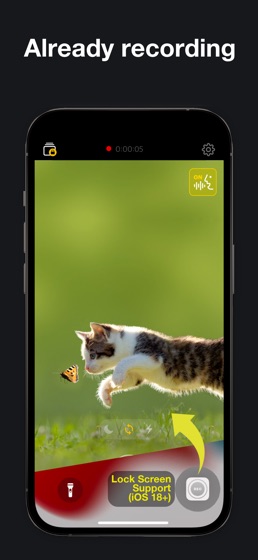
Recording starts the moment you open the app.

The date and time are burned into the video itself, so you can prove when it was taken.

Like a dash cam. Like evidence. A camera for moments you can't afford to miss.

■ Instant recording

Open the app and it is already rolling. No button to find.

If a call comes in or you leave the app by accident, the recording is saved automatically.

■ One tap from the Lock Screen (iOS 18 and later)

Put FastCam on a Lock Screen button or in Control Center. One press and you are already recording.

No opening a camera, switching to video mode and looking for the record button. In an accident, those few seconds are everything.

■ A timestamp burned into the video

The current date and time are written into the frames as you record, not a caption added later.

Choose the font

Sync real time - matches internet time, so the stamp stays correct even if your device clock is off

Save GPS location into the video file

■ Hands-free voice commands

Say "Go", "Stop" or "Pause" to start, stop or pause recording.

Set your own command words, and use your AirPods microphone if you prefer.

■ Landscape recording (NEW)

Turn your phone sideways and the video follows. It records the way you are holding the device, regardless of the rotation lock.

■ Quality on your terms

4K / 1080p / 720p at 30 or 60fps

Codec: H.264 or HEVC

Stabilization and mirror mode

Front or rear camera (wide, ultra wide, telephoto)

Pinch to zoom (NEW)

■ Change settings while you record (NEW)

Tap the gear and settings open right over the preview. Adjust the timestamp, quality or voice commands without stopping the recording.

■ A private album only you can open

Keep recordings in the in-app album and lock it with a passcode, or save straight to your Photos library instead.

■ Record discreetly

Dim the screen with the screen-off button and keep recording. You can also swipe to adjust brightness.

Use it for

Car accidents and road incidents

Contracts, consultations, important meetings

Construction, repairs, delivery condition

Damage, defects and lost-item proof

Everyday moments you don't want to lose

■ Your videos never leave your device

FastCam has no server. Everything you record stays on your device. No ads, no tracking. Completely free.

Permissions

Camera and Microphone (required) - to record video

Speech Recognition (optional) - voice commands

Photos (optional) - save to your library, or import into the in-app album

Location (optional) - record where the video was taken