
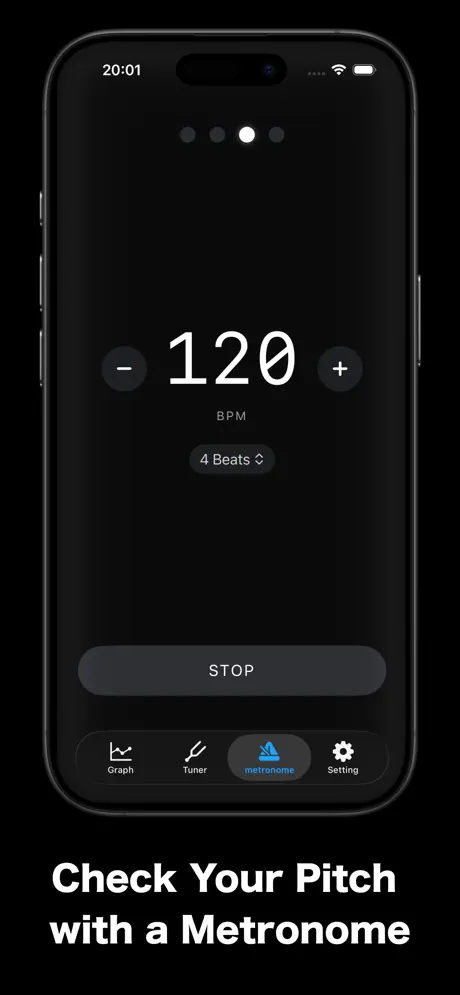
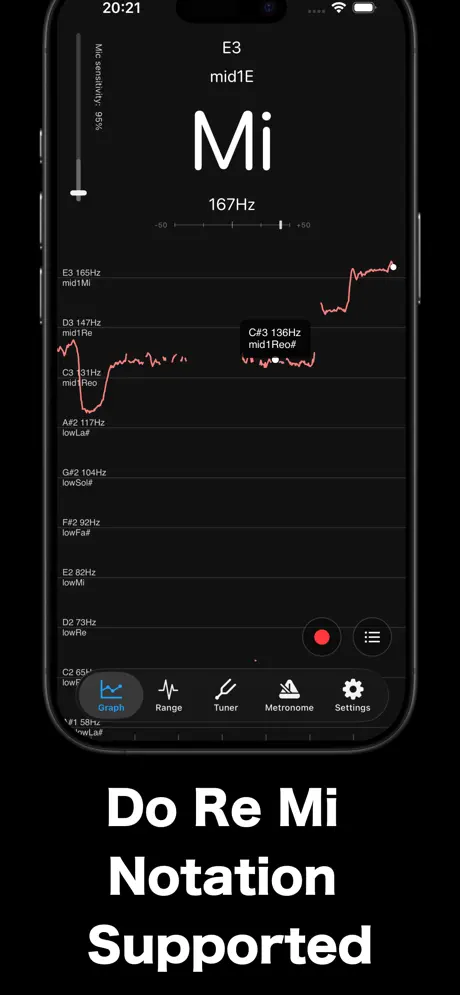
Pitch Checker: Chromatic Tuner
Chromatic Tuner & Voice Pitch
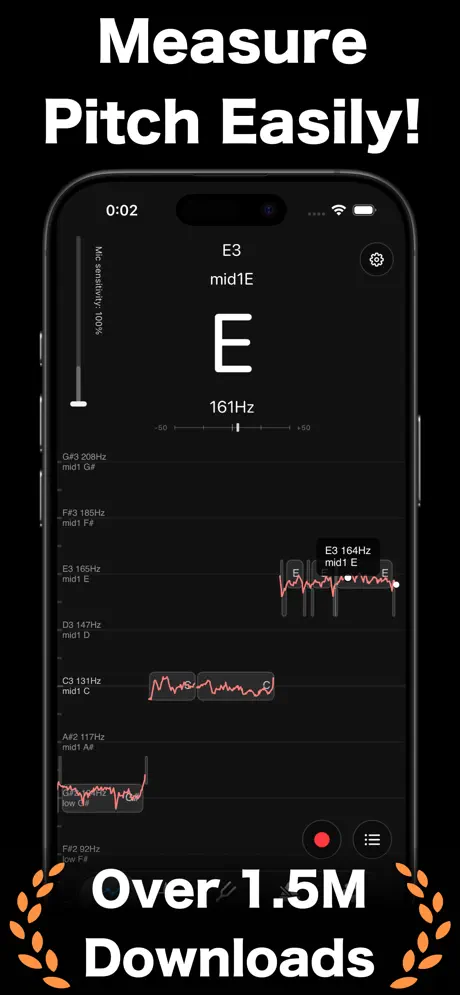
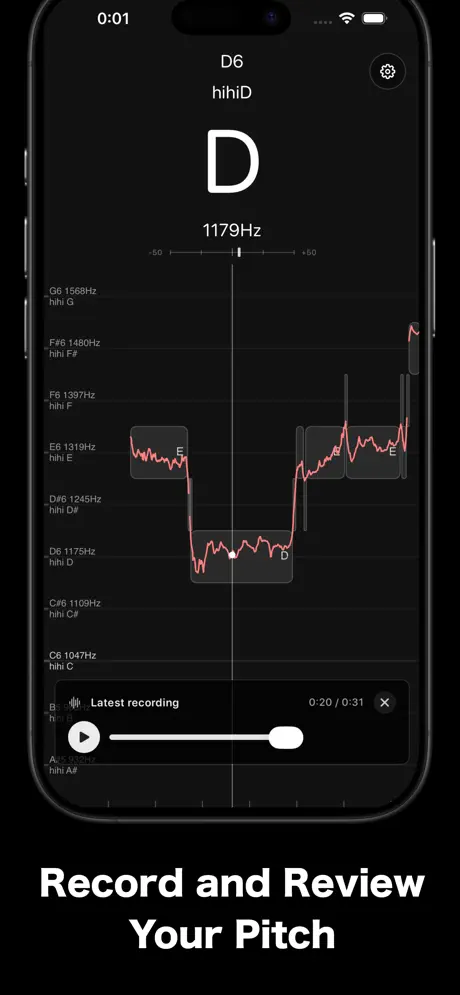
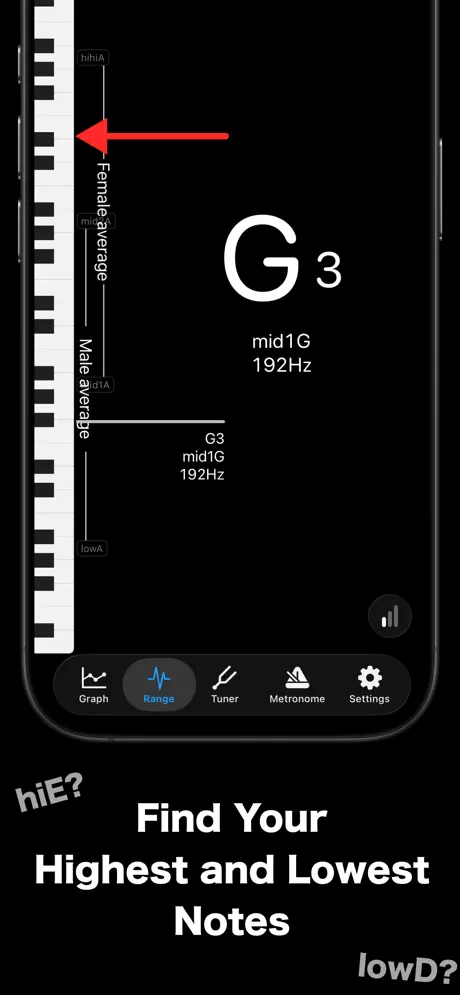
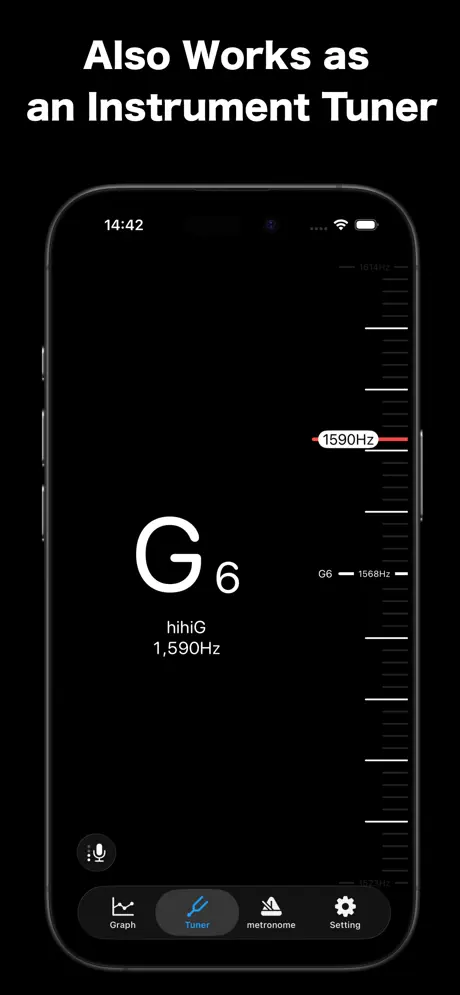
How much does Pitch Checker: Chromatic Tuner cost?
Prices are current as of 7 Oct 2026.
2 subscriptions from $3.99
In the United States, Pitch Checker: Chromatic Tuner has 2 subscriptions priced $3.99 – 39.99.
| Subscription | Period | Price |
|---|---|---|
| Ad Hiding Plan+Graph Function | Monthly | $3.99 |
| Ad Hiding Plan+Graph Function | Annual | $39.99 |
See what Pitch Checker: Chromatic Tuner costs in all 175 countries →
10+ alternatives to Pitch Checker: Chromatic Tuner
| Pitch Checker: Chromatic Tuner |   Tone - Learn Perfect Pitch! Tone - Learn Perfect Pitch! |   Flat: Sheet Music Maker & Tabs Flat: Sheet Music Maker & Tabs |   Pitched Tuner - Tuning App Pitched Tuner - Tuning App |   Karaoke Range & Voice Training Karaoke Range & Voice Training |   Free METRONOME by Yamaha Free METRONOME by Yamaha |  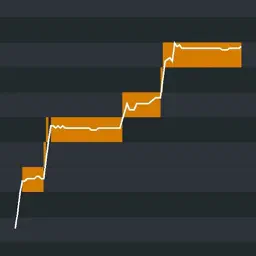 Nail the Pitch - Vocal Monitor Nail the Pitch - Vocal Monitor | 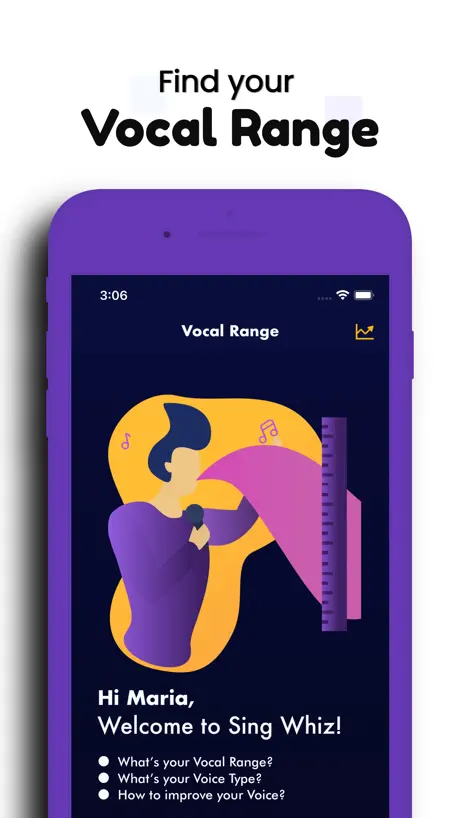  Vocal Range Finder - Sing Whiz Vocal Range Finder - Sing Whiz | 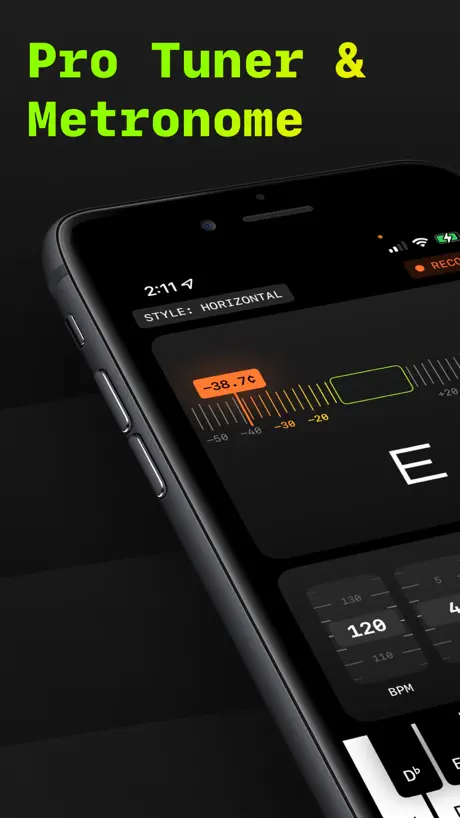  Pitch Pro Tuner & Metronome Pitch Pro Tuner & Metronome | 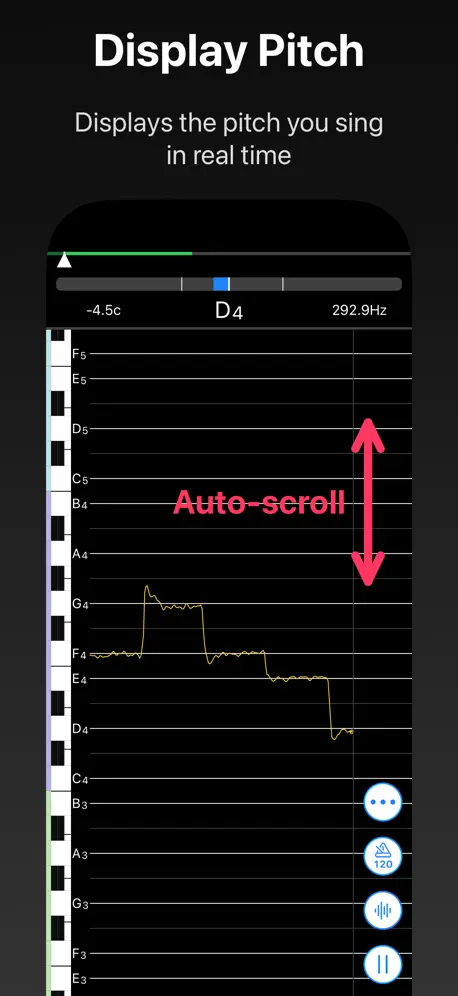  VocalTuner - Pitch Training VocalTuner - Pitch Training |   Pocket Pitch - The Singer App Pocket Pitch - The Singer App | |
|---|---|---|---|---|---|---|---|---|---|---|---|
| Rating / 5 | 4.5 | 4.5 | 4.5 | 4.6 | 4.2 | 4.6 | 4.6 | 4.5 | 4.6 | 4.5 | 4.6 |
| Reviews | 9.2K | 22K | 21K | 14K | 12K | 9.3K | 6.2K | 5K | 3.8K | 3.7K | 2.4K |
| Released | 2019 | 2016 | 2017 | 2019 | 2017 | 2022 | 2019 | 2022 | 2016 | 2020 | 2015 |
| Monthly price | $3.99 | $9.99 | $9.99 | — | — | — | — | $8.99 | $9.99 | — | $0.99 |
| Annual price | $39.99 | $99.99 | $39.99 | — | — | — | — | $29.99 | $49.99 | — | $8.99 |
| One-time price | — | $2.99 | $119.00 | $3.99 | — | — | $11.99 | — | $2.99 | $8.99 | — |
The going rate for each plan in United States, in its own currency, shaded from the cheapest price on the row to the dearest. Plans fewer than four in ten of the priced apps sell are left out.
Pitch Checker: Chromatic Tuner reviews
4.5 out of 5, based on 9,205 reviews.
What people like
- Detects extremely high and low frequencies well
- Helpful for practicing singing and vocal range
- Very simple, precise, and transparent interface
- Great value for the price offered
What they complain about
- Ads or porn banners ruin the experience
- Pitch readings jump around and feel unstable
- Does not detect audio even with permissions
- Interface is hard to read or use
Very helpful for begginer an de advance
Beginners see your scale easily on this app
あ
mid1A〜mid1Bが何故か1オクターブ下判定にされています。早急に治していただけると嬉しいです。
わがまま
音の感度をよくして欲しいです(今でも十分良いと思いますが、僕と同じ思いをしてる人もいると思うので)
Interesting, but can’t read the Japanese fonts.
App seems pretty good but despite changing both note displays to CDEFGAB I still get large Japanese characters on the range function.
Essential app!
I like the app a lot! It catches all frequencies and notes. A few suggestions though: - Adding a better, adjustable noise gateway - Adding a setting where you can type in your vocal range (e.g. Your highest and lowest note), which can then be used to display the highest and lowest note you hit during the recording. Important is, that the note must last at least maybe 2 seconds long to make sure you don’t count background noise. The vocal range can also be used to filter utterly unrealistic background notes (e.g. 2+ Octaves difference between the background noise-note and your actual vocal range out of the graph. - Most importantly, I suggest to add a time stamp for the graph. It should just be displayed at the bottom of the screen so you know how long your hold a certain note straight or how much time actually passed. Because once you stretch the graph, you have no vague idea of how long a note was held anymore. Also, the new update is terrible. Now I have either too much spam on my screen without the noise reduction or can’t catch all notes with the noise reduction. Fix that please! It was good the way it used to be. This just makes it unnecessarily worse and unable to properly train the Vocal Fry…
I’m famous now
I can sing
Full of scam ads now
Garbage
自分は最高音hihihihiF
自分でも驚きました!こんな声が出せるんだなと思えば正直自分が怖いです!(笑笑)次はhihihihiF以上を出せるように頑張ります!!あと自分が今まで出した最高音を表示できるようにして欲しいです!!
動画やボイスメモなどのファイルから音程を読み取る機能を実装してほしい
動画やボイスメモなどのファイルから音程を読み取る機能を実装してほしい。 個人的にはその機能がないなら使う意味がない。
LowLow域
前まではLowLowBとか表示されてたが、LowLowG辺りから音拾ってるのに反応しなくなった。昔から使ってるだけあってちょっと悲しい
Review
Best app
Bad
This used to be a great app until they ruined it with ads you cannot get rid of. Now, it’s unusable.
録音
録音もできたらいいかも その時録音した音を表示しながら
前よりも悪くなった
前まで愛用してたんですけどアップデートが入ったのかな?マイクがあまり反応しなくなってしまって使いにくくなってしまった
Flutters
I wanted to use it to check pitch when playing chords on ukulele, but it flutters back and forth and doesn’t settle. (Admittedly, that could be my playing.) Also, there is a banner of naked pictures across the top.
This is the best pitch app ever! 🤩
1. This App has such a cheap price for pro! But I still don’t pay. 2. This App has such a great microphone even with my door closed it can hear from downstairs! 3. I don’t think there’s any ads!
Needs to be removed
They run porn banners across the top of the screen
良い
基本的な機能は問題ないけどたまにhihihiGに行ったりして「こんな出てないんだけど!?」ってなってしまいます。自分のマイクの問題なのかもしれませんが、たまにめっちゃ上がってビビります笑
Good but only
When it works most of the time it doesn’t like bruh do better 🙄
マイクの設定を有効にするのに時間がかかった。
アプリの機能は求めていたもの通りで良かった。 しかし、最初に起動した時、「マイクの設定を有効にしてください。」と表示され、「設定→アプリ→音程チェッカー」の画面に飛ばされるがそこにはマイクの設定が表示されなくて困った。 「設定→スクリーンタイム→コンテンツとプライバシーの管理→マイク」で「変更の許可」を設定していないとそもそもマイクの設定が出ないのでまずはそちらの画面に飛ばされるようにしてほしかった。
It’s very useful app
I love it I’m using since one week
Penis Adverts - not appropriate
I downloaded this app for free but was confronted with unexpected adverts displaying penises. This isn’t appropriate for any age group and especially not my 12 year old daughter!
正確ではあるけど…
見づらいです
音程がブレる
以前は安定していたが音程が直近は上下に大きくブレる 機種変更を挟んでも同じ挙動なのでiOS起因かもしれないが、残念ながら使える状況にない
マイク感度を高くするとノイズに弱い
背景のノイズに敏感に反応し、超低音や高音の音程が表示されてしまうため、音程のチェックに向いていません。
Nice!
Love the features!
Often doesn't show pitch despite picking up audio
Despite picking up audio, does not display pitch past the 1sec mark of the playing. It's too bad
App works well but can’t change language
The app works great for what I need it too but I can’t seem to change the language anywhere. I click on the settings button because that’s where it says I can change it but because everything is in Japanese I can not find where I am supposed to click to go to English. I’ve clicked on everything possible and nothing changes the language. And I can’t report this bug because the form is in Japanese. Please fix this.
あまり分からない
高音を出した時はすごくわかりやすいけど,常に上がったり下がったりしていてよく分からないです
Great app!
For those that want to check their singing notes, or to know what note an artist is singing on their favourite song, this is a great app.
Doesn’t pitch vocal fry
If you’re training your bass range don’t get this app. It measures vocal-fry like chest voice, and the pitch jumps all over the place. Suggestion for the creators, add a setting for vocalists where they can select the register that they are singing in, making the pitching more accurate
発声練習には便利です
発声練習の時に、声が届いているか知るには非常に役に立ちます。 追記 高音の「H」(シ)と「C」(ド)の音が、ともに日本語表記で、「ド」と表記されてしまう。一瞬あれっと思ってしまうので、ぜひ改善してほしい。
もっと要素欲しい
要素増やして欲しい(無料)
Best thing since the flatted 5th
Simple, Precise, Transparent. 🔥🎶
Doesn’t work at all
doesn’t detect anything, even after mic permissions are given
微妙
D7のはずがD6になってたりしていました。 表記が間違えていませんか?
good app
ever tried to learn a tune you made in your head on piano? this app helps a lot with that
tracks you
equivalent options out there that don't
Very useful app! The pitch recognition is AMAZING!
I have been looking for an app that can measure extreme pitches, and this one, out of every single one I can find out there, this one is the best. This app can not only detect pitches instantly, but it can recognize a few pitches above and below the human range of hearing! It can also recognize pitches on a pipe organ with a 32’ stop. This app is the only one that does it. It can recognize pitches as low as 14 Hz, and as high as 21,500 Hz. The range that this app can recognize is the broadest of all pitch checking apps, from A-1 to E10. If you are looking for an app to use as a tuner, and an app for measuring pitch for anything, definitely buy this app! You will love it! :D ❤️ 🥳 💕
Doesn’t work
App is some boof
Pitch Checker: Chromatic Tuner price by country
A monthly subscription costs $1.52 in Japan and $6.06 in Colombia — 4× more for the same thing. Below is the going rate for each plan in every country that sells it — the middle price of what the app charges there, in the country's own currency with the dollar equivalent beneath it.
| Country | Monthly | Annual |
|---|---|---|
| Afghanistan | $3.99 | $39.99 |
| Albania | $4.99 | $49.99 |
| Algeria | $3.99 | $39.99 |
| Angola | $3.99 | $39.99 |
| Anguilla | $3.99 | $39.99 |
| Antigua And Barbuda | $3.99 | $39.99 |
| Argentina | $3.99 | $39.99 |
| Armenia | $4.99 | $49.99 |
| Australia | A$5.99$4.16 | A$59.99$41.66 |
| Austria | €3.99$4.47 | €44.99$50.44 |
| Azerbaijan | $4.99 | $49.99 |
| Bahamas | $3.99 | $39.99 |
| Bahrain | $3.99 | $39.99 |
| Barbados | $4.99 | $49.99 |
| Belarus | $4.99 | $49.99 |
| Belgium | €3.99$4.47 | €44.99$50.44 |
| Belize | $3.99 | $39.99 |
| Benin | $4.99 | $49.99 |
| Bermuda | $3.99 | $39.99 |
| Bhutan | $3.99 | $39.99 |
| Bolivia | $3.99 | $39.99 |
| Bosnia & Herzegovina | €3.99$4.47 | €44.99$50.44 |
| Botswana | $3.99 | $39.99 |
| Brazil | R$24.90$4.96 | R$249.90$49.78 |
| British Virgin Islands | $3.99 | $39.99 |
| Brunei Darussalam | $3.99 | $39.99 |
| Bulgaria | €3.99$4.47 | €44.99$50.44 |
| Burkina Faso | $3.99 | $39.99 |
| Cambodia | $3.99 | $39.99 |
| Cameroon | $4.99 | $49.99 |
| Canada | CA$4.99$3.49 | CA$49.99$34.96 |
| Cape Verde | $3.99 | $39.99 |
| Cayman Islands | $3.99 | $39.99 |
| Chad | $3.99 | $39.99 |
| Chile | CLP 4,990$5.05 | CLP 49,990$50.56 |
| China | CN¥28.00$4.17 | CN¥298.00$44.41 |
| Colombia | COP 19,900$6.06 | COP 199,900$60.83 |
| Congo | $3.99 | $39.99 |
| Congo, Democratic Republic | $3.99 | $39.99 |
| Costa Rica | $3.99 | $39.99 |
| Cote Divoire | $4.99 | $49.99 |
| Croatia | €3.99$4.47 | €44.99$50.44 |
| Cyprus | €3.99$4.47 | €44.99$50.44 |
| Czech Republic | CZK 99.00$4.54 | CZK 999.00$45.80 |
| Denmark | DKK 39.00$5.85 | DKK 349.00$52.32 |
| Dominica | $3.99 | $39.99 |
| Dominican Republic | $3.99 | $39.99 |
| Ecuador | $3.99 | $39.99 |
| Egypt | EGP 199.99$3.81 | EGP 1,999.99$38.15 |
| El Salvador | $3.99 | $39.99 |
| Estonia | €3.99$4.47 | €44.99$50.44 |
| Fiji | $3.99 | $39.99 |
| Finland | €3.99$4.47 | €44.99$50.44 |
| France | €3.99$4.47 | €44.99$50.44 |
| Gabon | $3.99 | $39.99 |
| Gambia | $3.99 | $39.99 |
| Georgia | $4.99 | $49.99 |
| Germany | €3.99$4.47 | €44.99$50.44 |
| Ghana | $4.99 | $49.99 |
| Greece | €3.99$4.47 | €44.99$50.44 |
| Grenada | $3.99 | $39.99 |
| Guatemala | $3.99 | $39.99 |
| Guinea-bissau | $3.99 | $39.99 |
| Guyana | $3.99 | $39.99 |
| Honduras | $3.99 | $39.99 |
| Hong Kong | HK$32.00$4.08 | HK$288.00$36.69 |
| Hungary | HUF 1,790$5.46 | HUF 17,990$54.89 |
| Iceland | $4.99 | $49.99 |
| India | ₹399.00$4.14 | ₹3,999.00$41.49 |
| Indonesia | IDR 69,000$3.86 | IDR 699,000$39.07 |
| Iraq | $3.99 | $39.99 |
| Ireland | €3.99$4.47 | €44.99$50.44 |
| Israel | ₪14.90$4.89 | ₪149.90$49.15 |
| Italy | €3.99$4.47 | €44.99$50.44 |
| Jamaica | $3.99 | $39.99 |
| Japan | ¥240$1.52 | ¥2,500$15.82 |
| Jordan | $3.99 | $39.99 |
| Kazakhstan | KZT 2,490.00$5.46 | KZT 22,990.00$50.38 |
| Kenya | $4.99 | $49.99 |
| Kosovo | €3.99$4.47 | €44.99$50.44 |
| Kuwait | $3.99 | $39.99 |
| Kyrgyzstan | $3.99 | $39.99 |
| Lao Peoples Democratic Republic | $3.99 | $39.99 |
| Latvia | €3.99$4.47 | €44.99$50.44 |
| Lebanon | $3.99 | $39.99 |
| Liberia | $3.99 | $39.99 |
| Libya | $3.99 | $39.99 |
| Lithuania | €3.99$4.47 | €44.99$50.44 |
| Luxembourg | €3.99$4.47 | €44.99$50.44 |
| Macao | $3.99 | $39.99 |
| Macedonia | $3.99 | $39.99 |
| Madagascar | $3.99 | $39.99 |
| Malawi | $3.99 | $39.99 |
| Malaysia | MYR 19.90$4.87 | MYR 199.90$48.88 |
| Maldives | $3.99 | $39.99 |
| Mali | $3.99 | $39.99 |
| Malta | €3.99$4.47 | €44.99$50.44 |
| Mauritania | $3.99 | $39.99 |
| Mauritius | $4.99 | $49.99 |
| Mexico | MX$89.00$4.91 | MX$899.00$49.64 |
| Micronesia | $3.99 | $39.99 |
| Moldova | $4.99 | $49.99 |
| Mongolia | $3.99 | $39.99 |
| Montenegro | €3.99$4.47 | €39.99$44.83 |
| Montserrat | $3.99 | $39.99 |
| Morocco | $3.99 | $39.99 |
| Mozambique | $3.99 | $39.99 |
| Myanmar | $3.99 | $39.99 |
| Namibia | $3.99 | $39.99 |
| Nauru | $3.99 | $39.99 |
| Nepal | $4.99 | $49.99 |
| Netherlands | €3.99$4.47 | €44.99$50.44 |
| New Zealand | NZ$6.99$3.91 | NZ$69.99$39.10 |
| Nicaragua | $3.99 | $39.99 |
| Niger | $3.99 | $39.99 |
| Nigeria | NGN 6,900.00$5.18 | NGN 69,900.00$52.52 |
| Norway | NOK 49.00$5.11 | NOK 499.00$52.03 |
| Oman | $3.99 | $39.99 |
| Pakistan | PKR 1,100$3.97 | PKR 9,900$35.73 |
| Palau | $3.99 | $39.99 |
| Panama | $3.99 | $39.99 |
| Papua New Guinea | $3.99 | $39.99 |
| Paraguay | $3.99 | $39.99 |
| Peru | PEN 17.90$5.20 | PEN 179.90$52.30 |
| Philippines | ₱249.00$3.98 | ₱2,490.00$39.75 |
| Poland | PLN 19.99$5.11 | PLN 199.99$51.15 |
| Portugal | €3.99$4.47 | €44.99$50.44 |
| Qatar | QAR 14.99$4.12 | QAR 149.99$41.21 |
| Romania | RON 19.99$4.20 | RON 199.99$42.01 |
| Russia | RUB 349.00$4.10 | RUB 3,490.00$40.98 |
| Rwanda | $3.99 | $39.99 |
| Sao Tome & Principe | $3.99 | $39.99 |
| Saudi Arabia | SAR 17.99$4.80 | SAR 179.99$48.00 |
| Senegal | $4.99 | $49.99 |
| Serbia | €3.99$4.47 | €44.99$50.44 |
| Seychelles | $3.99 | $39.99 |
| Sierra Leone | $3.99 | $39.99 |
| Singapore | SGD 5.98$4.67 | SGD 59.98$46.86 |
| Slovakia | €3.99$4.47 | €44.99$50.44 |
| Slovenia | €3.99$4.47 | €44.99$50.44 |
| Solomon Islands | $3.99 | $39.99 |
| South Africa | ZAR 79.99$4.80 | ZAR 799.99$48.05 |
| South Korea | ₩5,500$4.10 | ₩55,000$40.96 |
| Spain | €3.99$4.47 | €44.99$50.44 |
| Sri Lanka | $3.99 | $39.99 |
| St. Kitts and Nevis | $3.99 | $39.99 |
| St. Lucia | $3.99 | $39.99 |
| St. Vincent & The Grenadines | $3.99 | $39.99 |
| Suriname | $3.99 | $39.99 |
| Swaziland | $3.99 | $39.99 |
| Sweden | SEK 49.00$4.88 | SEK 499.00$49.70 |
| Switzerland | CHF 3.00$3.61 | CHF 35.00$42.12 |
| Taiwan | NT$120.00$3.77 | NT$1,290.00$40.58 |
| Tajikistan | $3.99 | $39.99 |
| Tanzania | TZS 11,900.00$4.50 | TZS 99,900.00$37.82 |
| Thailand | THB 149.00$4.42 | THB 1,490.00$44.23 |
| Tonga | $3.99 | $39.99 |
| Trinidad and Tobago | $3.99 | $39.99 |
| Tunisia | $3.99 | $39.99 |
| Turkey | TRY 199.99$4.07 | TRY 1,999.99$40.68 |
| Turkmenistan | $3.99 | $39.99 |
| Turks and Caicos | $3.99 | $39.99 |
| Uganda | $4.99 | $49.99 |
| Ukraine | $4.99 | $49.99 |
| United Arab Emirates | AED 14.99$4.08 | AED 149.99$40.87 |
| United Kingdom | £3.99$5.41 | £39.99$54.19 |
| United States | $3.99 | $39.99 |
| Uruguay | $3.99 | $39.99 |
| Uzbekistan | $3.99 | $39.99 |
| Vanuatu | $3.99 | $39.99 |
| Venezuela | $3.99 | $39.99 |
| Vietnam | ₫119,000$4.58 | ₫1,199,000$46.18 |
| Yemen | $3.99 | $39.99 |
| Zambia | $4.99 | $49.99 |
| Zimbabwe | $4.99 | $49.99 |
Pitch Checker: Chromatic Tuner FAQ
- Is Pitch Checker: Chromatic Tuner free?
- Yes. The app and its basic features are free, in all 175 countries it sells in. Premium features are paid: they start from $3.99 (US), across 2 subscriptions.
- How much does Pitch Checker: Chromatic Tuner cost per month?
- Ad Hiding Plan+Graph Function is $3.99 (US). The annual plan works out cheaper per month: $39.99 a year.
- Does Pitch Checker: Chromatic Tuner have a free trial?
- No. None of its offers (US) come with a free trial.
- Where is Pitch Checker: Chromatic Tuner cheapest?
- A monthly subscription costs ¥240 (≈$1.52) in Japan and COP 19,900 (≈$6.06) in Colombia, its cheapest and dearest countries.
- What are the best alternatives to Pitch Checker: Chromatic Tuner?
- Tone - Learn Perfect Pitch! (4.5 from 22,322 reviews, premium from $2.99), Flat: Sheet Music Maker & Tabs (4.5 from 21,055 reviews, premium from $9.99) and Pitched Tuner - Tuning App (4.6 from 14,153 reviews, premium from $3.99).
Pitch Checker: Chromatic Tuner download
Last updated 1 month ago.
Pitch Checker: Chromatic Tuner sells in 175 countries. It was released 6 years and 10 months ago, on 7 Dec 2019. It holds a 4.5 rating from 9,205 reviews.
Supports 5 languages: English, French, Japanese, Chinese, Spanish.
How much does Pitch Checker: Chromatic Tuner make?
Third-party estimates for the last 30 days, worldwide — not the store's own figures, which Apple publishes for nobody.
Revenue by plan
- Monthly 85%
- Annual 15%
Revenue by country
- Japan 80%
- United States 11%
- Australia 1%
- Canada 1%