
AI Enlarger: Image Upscaler
Photo, Anime & Face Enhancer
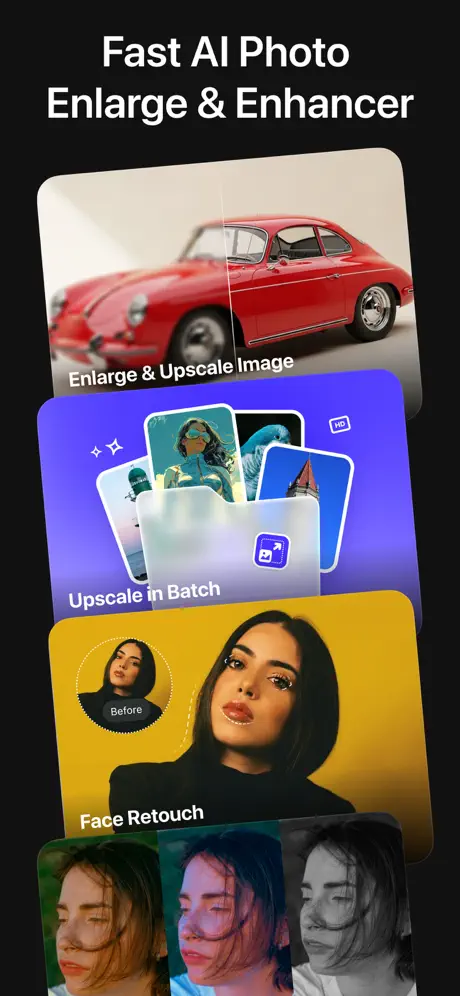
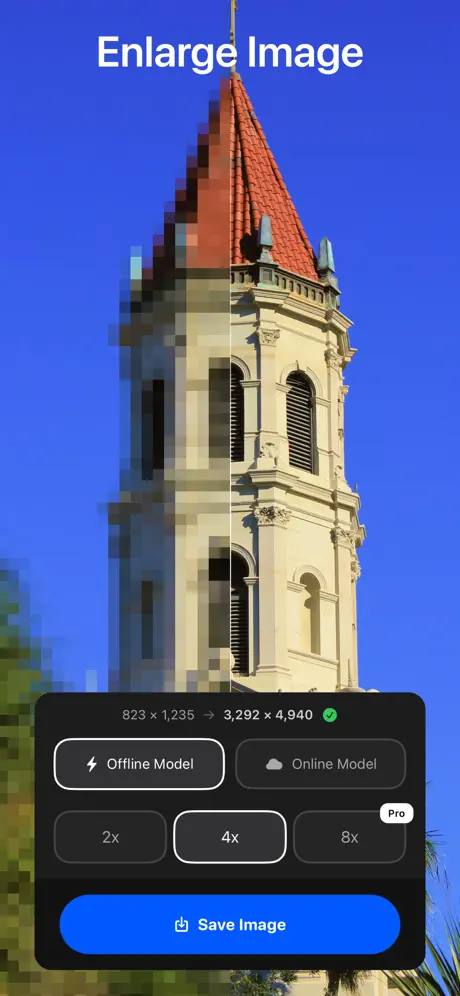
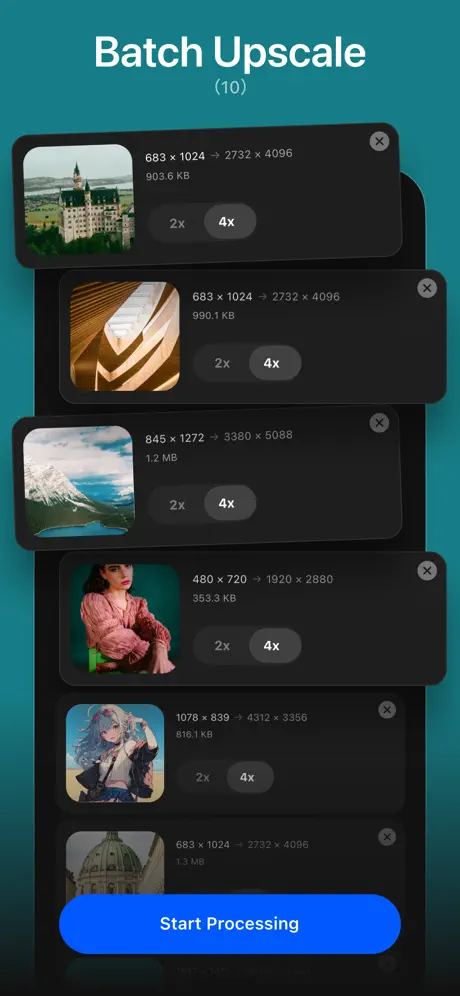
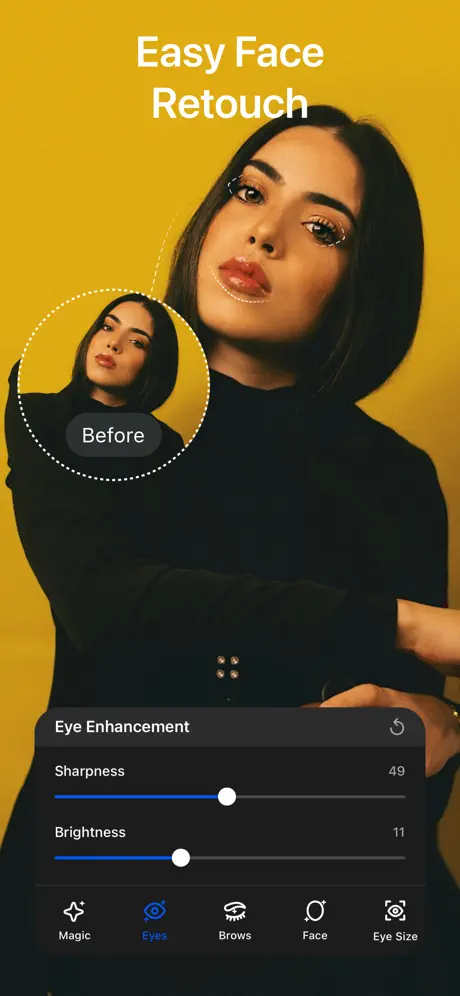
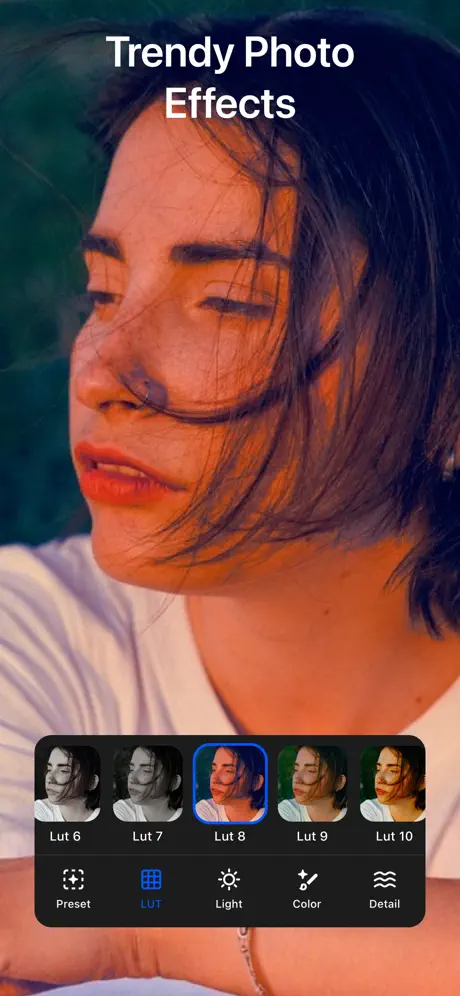
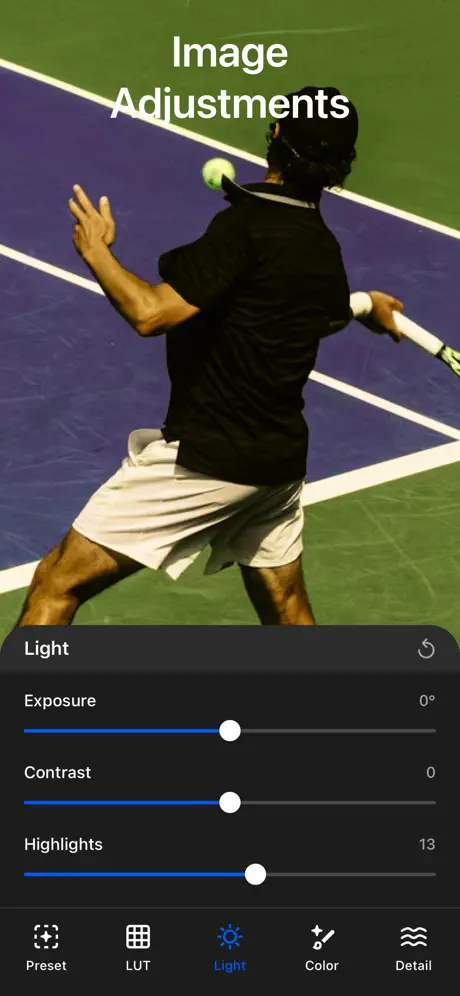
How much does AI Enlarger: Image Upscaler cost?
Prices are current as of 7 Oct 2026.
2 subscriptions from $6.99
In the United States, AI Enlarger: Image Upscaler has 2 subscriptions priced $6.99 – 19.99.
| Subscription | Period | Price |
|---|---|---|
| Monthly Plan | Monthly | $6.99 |
| Yearly Plan | Annual | $19.99 |
1 one-time purchase from $29.99
In the United States, AI Enlarger: Image Upscaler has 1 one-time purchase priced $29.99.
| Product | Price |
|---|---|
| Lifetime Plan | $29.99 |
See what AI Enlarger: Image Upscaler costs in all 174 countries →
10+ alternatives to AI Enlarger: Image Upscaler
| AI Enlarger: Image Upscaler |   Sharp AI: Photo Enhancer Sharp AI: Photo Enhancer |   Pixel+ AI Photo Enhancer 4K Pixel+ AI Photo Enhancer 4K |   Upscale 4x AI:Photo Enlarger Upscale 4x AI:Photo Enlarger |   VideoEnhancer VideoEnhancer |   Nero Lens - AI Photo Enhancer Nero Lens - AI Photo Enhancer |   UpRes: AI Photo Video Upscale UpRes: AI Photo Video Upscale |   Retake - AI Photo Enhancer Retake - AI Photo Enhancer |   AI Upscale: Enlarge Images AI Upscale: Enlarge Images |   Upscale, Unblur Photo Enhancer Upscale, Unblur Photo Enhancer |   Video Upscaler AI Enhancer 16K Video Upscaler AI Enhancer 16K | |
|---|---|---|---|---|---|---|---|---|---|---|---|
| Rating / 5 | 4.6 | 4.4 | 4.5 | 4.5 | 3.9 | 4.5 | 4.8 | 4.4 | 4.6 | 4.8 | 4.0 |
| Reviews | 5K | 8.3K | 4.8K | 3.7K | 1.9K | 1.6K | 1.5K | 957 | 435 | 352 | 348 |
| Released | 2019 | 2022 | 2023 | 2023 | 2023 | 2022 | 2025 | 2022 | 2024 | 2023 | 2020 |
| Weekly price | — | $4.99 | $6.99 | — | — | $4.99 | — | $0.99 | — | — | $4.99 |
| Monthly price | $6.99 | $12.99 | — | — | $9.99 | — | $4.99 | $19.99 | — | — | $12.99 |
| Annual price | $19.99 | $39.99 | $39.99 | — | — | $29.99 | $24.99 | $9.99 | — | — | $24.99 |
| One-time price | $29.99 | $39.99 | $0.99 | $3.99 | $12.99 | $1.99 | — | $19.99 | — | — | $5.99 |
The going rate for each plan in United States, in its own currency, shaded from the cheapest price on the row to the dearest.
AI Enlarger: Image Upscaler reviews
4.6 out of 5, based on 4,959 reviews.
What people like
- Upscaling quality looks natural, not fake.
- Support team is very helpful.
- Face touch-up features work nicely.
- Easy to use and navigate.
What they complain about
- App crashes and fails to load photos.
- Processing takes way too long sometimes.
- Ads interrupt you constantly or stop working.
- Results look blurry instead of sharp.
Easy
I tried this app while testing was s to convert generated images that needed to be enhanced for my n screen presentation afterwards. This app made it so easy. I quickly used it to enhance resolution for multiple images for a project I was working on. I printed 2 in poster size to hang up for routine visual reference. The image held up very well with the larger sizing.
Worked not anymore
It worked fine now suddenly it doesn’t have enough memory etc. has nothing to do with the phone just the app crashing out. Loved it now unusable. Paid for a year.
Très bien
Cela rend un bon résultat, merci
Was Great
This was a great app, one of the best I’ve found, until it suddenly stopped working. No matter what pictures and how I selected them, nothing happened. And I am a pro member too. Hopefully the development team is aware of this and will fix it because I loved this app and it was worth every penny.
一張照片跑了六個小時
六個小時都夠他刪掉了吧
The best upscale app I have used thus far
Simple. Easy to use. And you can upscale on device or on their servers if you need faster processing.
看了广告还不能用
升级后 一直让看广告 修一下 bug 吧
Pretty good now
They fixed the update, but when you go to save your upscaled image, the first one is fine, but every other one after it will pull up the previous image, so you have to press back & click on it again to save, which is pretty annoying. But other than that it’s still worth having if you like to upscale multiple images
Not what it used to be
Just not happy with the end result after the recent changes to the program. Images aren’t nearly as clear after sharpening or the program kicks it out after several minutes without completing the image. ☹️☹️
Photo editor
Good, But misses the option to pay for lifetime, In the subscription options !
More than just upscale
Actually works nicely on face touch up as well like lip color and brows etc. Lots of extra options
Однотипное.
Плохое редактор
會有終身購買?
看不到有終身的連結
Not as good as it was
I’m not overly happy with this app since its latest update. It now only works 50% of the time. Pretty frustrating when you have to wait 10 minutes for the outcome. I’m currently looking for a better app.
很慢
有時候畫質修復那麼久是怎樣?能不能速度快一點?
Pleasant surprise.
I’ve tried a few, with limited or poor results. This works very well. Give it a go!
Not working on 1st 2 tries
Not impressed so far. Last attempt.
Not bad.
It works better than I expected. I am still using the free version but am considering subscribing if it can keep it’s performance. (Had an application fail me right after subscribing, I hope this one can live up to expectation)
Lowers DPI
This is not a full AI image upscale. I have tried other upscalers like GigaPixels that upscale the photo by enlarging and filling in the "missing" pixels. I uploaded a picture with 96 dpi and after upscaling with this app, the picture came out at 72 dpi :/ Do yourself a favor and try a better quality app
When you tap the ? The text says “I Konw” instead of “I know”
…
Realistic results
Every other similar app I tried, produced horrible over-processed fake looking results. This one doesn’t. Great app!
Not working
I am a paid pro member and once again this app is not working and my support tickets are being ignored.
偷偷的把終身購買取消?
原本有終身購買這選項現在取消要人訂閱制? 希望 恢復終身購買
換版超難用
還是原來的版本好用
I have a question.
Hello, when I’m using your website there is Reimagine Upscaler but in the IOS App I can’t find it!
Very good did it in seconds
Very good upscaled my image in seconds without any problems
Upscaling looks like garbage
Doesn’t even look like it’s using AI to upscale images.
Aucune différence
Je l’ai essayé plusieurs fois en pensant que mes photos n’était pas adaptées mais je n’ai pus apercevoir aucune différence entre la première et celle agrandie autant sur la taille que sur la netteté de l’image.
Good but no video option.
I love this but I just wish there was a video option for this.
Hands down up and down quality✋😐🤚
This is app is more than Amazing.. It means so much too that with a few ads, you basically have unlimited use. I was able to Enhance a picture of my parents, using the 4K enhancer and Retouch to Re-Focus on areas, and the result was Perfect. Thank you for this amazing work. Keep it up, and you have my full support!
Has not been working for 24 hours
I have been a long time user and pay monthly just to not be able to use the app for over 24 hours? It will not work on either of my phones nor either of my two iPads!
讀取相簿太久
手機相簿內雖然較多,但其它同功能app無此問題,讀取時間真的實在太久(好幾分鍾),還以為當掉
會員為什麼跑很慢?
我是會員 但放到8的時候為什麼跑得那麼慢? 跑了20幾分鐘都還沒出來? 困擾…
Outstanding software
I find this software ap to be one of the superior up scaling apps out there today. Offers a variety of options, and very easy to navigate and use.
doesn’t load Photos
Doesn’t load photos from camera roll, just and endless spinner. Useless.
Payment?
The enchancer is fine, good even but it didnt even warn me how much tries i had, if i recall. You could also just make us watch ads instead of paying since this app becomes utter useless compared to a pc software for free and dont even need a good computer only takes a long time, probably as long as this ones process time
訂閱後鋭化功能無法使用
已經訂閱一個月都蠻好用的,結果昨天續訂後,鋭化功能突然不能用,請盡快修復
Support team
10/10 awesome support
What happen to your App doesn’t work
Every time I click on watch Add for credit, it doesn’t work anymore. Why when I had credits and clicked on a photo nothing happened and it took away my credits. Please answer, I thought I needed to update the app, now I wish I never updated the app, it’s worse. For now I have to give you one star.
3.5
Doesn’t work with screenshots unfortunately
Where are the other filters 😢
Where are the clarendon, juno, hefe filters?? Those were the best 😭
Worst app. Used once paid $20
Paid $20 because it makes you buy a membership even though it says no credit card needed. Used it once. Will never use it again. Would like a refund. Makes the image blurry when up scaling
不給我下載圖片
我去歷史紀錄看調整好畫質的照片,原本可以下載,後來直接不能下載了
AI Enlarger: Image Upscaler price by country
A monthly subscription costs $2.33 in Nigeria and $10.60 in Colombia — 5× more for the same thing. Below is the going rate for each plan in every country that sells it — the middle price of what the app charges there, in the country's own currency with the dollar equivalent beneath it.
| Country | Monthly | Annual | One-time |
|---|---|---|---|
| Afghanistan | $6.99 | $19.99 | $29.99 |
| Albania | $8.39 | $23.99 | $34.99 |
| Algeria | $6.99 | $19.99 | $29.99 |
| Angola | $6.99 | $19.99 | $29.99 |
| Anguilla | $6.99 | $19.99 | $29.99 |
| Antigua And Barbuda | $6.99 | $19.99 | $29.99 |
| Argentina | $6.99 | $19.99 | $29.99 |
| Armenia | $8.49 | $23.99 | $34.99 |
| Australia | A$10.99$7.69 | A$31.99$22.37 | A$49.99$34.96 |
| Austria | €7.99$8.99 | €22.99$25.86 | €34.99$39.36 |
| Azerbaijan | $6.99 | $19.99 | $34.99 |
| Bahamas | $7.49 | $21.99 | $29.99 |
| Bahrain | $7.49 | $21.99 | $29.99 |
| Barbados | $7.99 | $23.49 | $34.99 |
| Belarus | $8.49 | $23.99 | $34.99 |
| Belgium | €7.99$8.99 | €22.99$25.86 | €34.99$39.36 |
| Belize | $6.99 | $19.99 | $29.99 |
| Benin | $6.99 | $19.99 | $34.99 |
| Bermuda | $6.99 | $19.99 | $29.99 |
| Bhutan | $6.99 | $19.99 | $29.99 |
| Bolivia | $6.99 | $19.99 | $29.99 |
| Bosnia & Herzegovina | €7.99$8.99 | €21.99$24.74 | €34.99$39.36 |
| Botswana | $6.99 | $19.99 | $29.99 |
| Brazil | R$35.90$7.21 | R$102.90$20.66 | R$199.90$40.14 |
| British Virgin Islands | $6.99 | $19.99 | $29.99 |
| Brunei Darussalam | $6.99 | $19.99 | $29.99 |
| Bulgaria | €7.99$8.99 | €21.99$24.74 | €34.99$39.36 |
| Burkina Faso | $6.99 | $19.99 | $29.99 |
| Cambodia | $7.49 | $21.99 | $29.99 |
| Cameroon | $8.49 | $23.99 | $34.99 |
| Canada | CA$8.99$6.33 | CA$25.99$18.30 | CA$39.99$28.16 |
| Cape Verde | $6.99 | $19.99 | $29.99 |
| Cayman Islands | $6.99 | $19.99 | $29.99 |
| Chad | $6.99 | $19.99 | $29.99 |
| Chile | CLP 7,500$7.71 | CLP 20,900$21.50 | CLP 34,990$35.99 |
| Colombia | COP 33,900$10.60 | COP 94,900$29.66 | COP 129,900$40.60 |
| Congo | $6.99 | $19.99 | $34.99 |
| Congo, Democratic Republic | $6.99 | $19.99 | $29.99 |
| Costa Rica | $6.99 | $19.99 | $29.99 |
| Cote Divoire | $6.99 | $19.99 | $34.99 |
| Croatia | €8.36$9.40 | €23.89$26.87 | €34.99$39.36 |
| Cyprus | €7.99$8.99 | €22.49$25.30 | €34.99$39.36 |
| Czech Republic | CZK 199.00$9.18 | CZK 569.00$26.25 | CZK 799.00$36.85 |
| Denmark | DKK 59.00$8.89 | DKK 175.00$26.36 | DKK 249.00$37.50 |
| Dominica | $6.99 | $19.99 | $29.99 |
| Dominican Republic | $6.99 | $19.99 | $29.99 |
| Ecuador | $6.99 | $19.99 | $29.99 |
| Egypt | EGP 129.99$2.48 | EGP 369.99$7.07 | EGP 1,499.99$28.68 |
| El Salvador | $6.99 | $19.99 | $29.99 |
| Estonia | €7.99$8.99 | €22.99$25.86 | €34.99$39.36 |
| Fiji | $6.99 | $19.99 | $29.99 |
| Finland | €7.99$8.99 | €23.49$26.42 | €34.99$39.36 |
| France | €7.99$8.99 | €22.99$25.86 | €34.99$39.36 |
| Gabon | $6.99 | $19.99 | $29.99 |
| Gambia | $6.99 | $19.99 | $29.99 |
| Georgia | $8.49 | $23.49 | $34.99 |
| Germany | €7.99$8.99 | €22.49$25.30 | €34.99$39.36 |
| Ghana | $6.99 | $19.99 | $34.99 |
| Greece | €7.99$8.99 | €23.49$26.42 | €34.99$39.36 |
| Grenada | $6.99 | $19.99 | $29.99 |
| Guatemala | $6.99 | $19.99 | $29.99 |
| Guinea-bissau | $6.99 | $19.99 | $29.99 |
| Guyana | $6.99 | $19.99 | $29.99 |
| Honduras | $6.99 | $19.99 | $29.99 |
| Hong Kong | HK$53.00$6.75 | HK$158.00$20.13 | HK$228.00$29.04 |
| Hungary | HUF 3,390$10.44 | HUF 9,490$29.22 | HUF 12,990$40.00 |
| Iceland | $8.67 | $24.79 | $34.99 |
| India | ₹669.00$6.93 | ₹1,899.00$19.68 | ₹2,999.00$31.09 |
| Indonesia | IDR 119,000$6.65 | IDR 329,000$18.38 | IDR 599,000$33.46 |
| Iraq | $6.99 | $19.99 | $29.99 |
| Ireland | €7.99$8.99 | €23.49$26.42 | €34.99$39.36 |
| Israel | ₪23.90$7.86 | ₪67.90$22.34 | ₪99.90$32.86 |
| Italy | €7.99$8.99 | €23.49$26.42 | €34.99$39.36 |
| Jamaica | $6.99 | $19.99 | $29.99 |
| Japan | ¥950$6.16 | ¥2,700$17.50 | ¥5,000$32.41 |
| Jordan | $6.99 | $19.99 | $29.99 |
| Kazakhstan | KZT 3,590.00$7.95 | KZT 10,290.00$22.78 | KZT 17,990.00$39.82 |
| Kenya | $7.99 | $23.49 | $34.99 |
| Kosovo | €7.99$8.99 | €22.49$25.30 | €34.99$39.36 |
| Kuwait | $6.99 | $19.99 | $29.99 |
| Kyrgyzstan | $7.99 | $22.49 | $29.99 |
| Lao Peoples Democratic Republic | $6.99 | $19.99 | $29.99 |
| Latvia | €7.99$8.99 | €22.99$25.86 | €34.99$39.36 |
| Lebanon | $6.99 | $19.99 | $29.99 |
| Liberia | $6.99 | $19.99 | $29.99 |
| Libya | $6.99 | $19.99 | $29.99 |
| Lithuania | €7.99$8.99 | €22.99$25.86 | €34.99$39.36 |
| Luxembourg | €7.99$8.99 | €21.99$24.74 | €34.99$39.36 |
| Macao | $6.99 | $19.99 | $29.99 |
| Macedonia | $6.99 | $19.99 | $29.99 |
| Madagascar | $6.99 | $19.99 | $29.99 |
| Malawi | $6.99 | $19.99 | $29.99 |
| Malaysia | MYR 32.90$8.04 | MYR 92.90$22.71 | MYR 129.90$31.76 |
| Maldives | $6.99 | $19.99 | $29.99 |
| Mali | $6.99 | $19.99 | $29.99 |
| Malta | €7.99$8.99 | €22.49$25.30 | €34.99$39.36 |
| Mauritania | $6.99 | $19.99 | $29.99 |
| Mauritius | $6.99 | $19.99 | $34.99 |
| Mexico | MX$165.00$9.18 | MX$469.00$26.08 | MX$599.00$33.31 |
| Micronesia | $6.99 | $19.99 | $29.99 |
| Moldova | $8.49 | $23.99 | $34.99 |
| Mongolia | $6.99 | $19.99 | $29.99 |
| Montenegro | €6.49$7.30 | €18.99$21.36 | €29.99$33.73 |
| Montserrat | $6.99 | $19.99 | $29.99 |
| Morocco | $6.99 | $19.99 | $34.99 |
| Mozambique | $6.99 | $19.99 | $29.99 |
| Myanmar | $6.99 | $19.99 | $29.99 |
| Namibia | $6.99 | $19.99 | $29.99 |
| Nauru | $6.99 | $19.99 | $29.99 |
| Nepal | $6.99 | $19.99 | $34.99 |
| Netherlands | €7.99$8.99 | €22.99$25.86 | €34.99$39.36 |
| New Zealand | NZ$12.99$7.30 | NZ$36.99$20.78 | NZ$49.99$28.08 |
| Nicaragua | $6.99 | $19.99 | $29.99 |
| Niger | $6.99 | $19.99 | $29.99 |
| Nigeria | NGN 3,100.00$2.33 | NGN 8,900.00$6.70 | NGN 49,900.00$37.57 |
| Norway | NOK 89.00$9.31 | NOK 249.00$26.05 | NOK 399.00$41.74 |
| Oman | $7.49 | $20.99 | $29.99 |
| Pakistan | PKR 1,500$5.42 | PKR 4,200$15.18 | PKR 7,900$28.55 |
| Palau | $6.99 | $19.99 | $29.99 |
| Panama | $6.99 | $19.99 | $29.99 |
| Papua New Guinea | $6.99 | $19.99 | $29.99 |
| Paraguay | $6.99 | $19.99 | $29.99 |
| Peru | PEN 25.90$7.53 | PEN 73.90$21.48 | PEN 129.90$37.76 |
| Philippines | ₱379.00$6.04 | ₱1,090.00$17.36 | ₱1,990.00$31.69 |
| Poland | PLN 37.99$9.79 | PLN 109.99$28.35 | PLN 129.99$33.50 |
| Portugal | €7.99$8.99 | €23.49$26.42 | €34.99$39.36 |
| Qatar | QAR 24.99$6.87 | QAR 72.99$20.05 | QAR 99.99$27.47 |
| Romania | RON 37.99$8.00 | RON 109.99$23.16 | RON 149.99$31.58 |
| Russia | RUB 449.00$5.29 | RUB 1,290.00$15.19 | RUB 2,490.00$29.31 |
| Rwanda | $6.99 | $19.99 | $29.99 |
| Sao Tome & Principe | $6.99 | $19.99 | $29.99 |
| Saudi Arabia | SAR 29.99$8.00 | SAR 84.99$22.66 | SAR 129.99$34.66 |
| Senegal | $6.99 | $19.99 | $34.99 |
| Serbia | €7.99$8.99 | €22.99$25.86 | €34.99$39.36 |
| Seychelles | $6.99 | $19.99 | $29.99 |
| Sierra Leone | $6.99 | $19.99 | $29.99 |
| Singapore | SGD 10.48$8.19 | SGD 29.98$23.42 | SGD 39.98$31.23 |
| Slovakia | €7.99$8.99 | €22.99$25.86 | €34.99$39.36 |
| Slovenia | €7.99$8.99 | €22.99$25.86 | €34.99$39.36 |
| Solomon Islands | $6.99 | $19.99 | $29.99 |
| South Africa | ZAR 129.99$7.86 | ZAR 369.99$22.38 | ZAR 599.99$36.30 |
| South Korea | ₩10,000$7.47 | ₩28,000$20.91 | ₩49,000$36.60 |
| Spain | €7.99$8.99 | €22.99$25.86 | €34.99$39.36 |
| Sri Lanka | $6.99 | $19.99 | $29.99 |
| St. Kitts and Nevis | $6.99 | $19.99 | $29.99 |
| St. Lucia | $6.99 | $19.99 | $29.99 |
| St. Vincent & The Grenadines | $6.99 | $19.99 | $29.99 |
| Suriname | $6.99 | $19.99 | $29.99 |
| Swaziland | $6.99 | $19.99 | $29.99 |
| Sweden | SEK 89.00$8.91 | SEK 255.00$25.53 | SEK 399.00$39.94 |
| Switzerland | CHF 7.50$9.01 | CHF 21.00$25.24 | CHF 25.00$30.05 |
| Taiwan | NT$220.00$6.92 | NT$640.00$20.13 | NT$990.00$31.13 |
| Tajikistan | $7.99 | $22.99 | $29.99 |
| Tanzania | TZS 16,500.00$6.24 | TZS 46,900.00$17.73 | TZS 89,900.00$33.98 |
| Thailand | THB 269.00$8.00 | THB 759.00$22.58 | THB 999.00$29.72 |
| Tonga | $6.99 | $19.99 | $29.99 |
| Trinidad and Tobago | $6.99 | $19.99 | $29.99 |
| Tunisia | $6.99 | $19.99 | $29.99 |
| Turkey | TRY 154.99$3.15 | TRY 439.99$8.94 | TRY 1,499.99$30.49 |
| Turkmenistan | $6.99 | $19.99 | $29.99 |
| Turks and Caicos | $6.99 | $19.99 | $29.99 |
| Uganda | $8.49 | $23.49 | $34.99 |
| Ukraine | $8.49 | $23.99 | $34.99 |
| United Arab Emirates | AED 27.99$7.63 | AED 77.99$21.25 | AED 119.99$32.69 |
| United Kingdom | £6.99$9.27 | £19.49$25.85 | £29.99$39.77 |
| United States | $6.99 | $19.99 | $29.99 |
| Uruguay | $6.99 | $20.49 | $29.99 |
| Uzbekistan | $7.99 | $22.99 | $29.99 |
| Vanuatu | $6.99 | $19.99 | $29.99 |
| Venezuela | $6.99 | $19.99 | $29.99 |
| Vietnam | ₫159,000$6.13 | ₫469,000$18.08 | ₫999,000$38.52 |
| Yemen | $6.99 | $19.99 | $29.99 |
| Zambia | $6.99 | $19.99 | $34.99 |
| Zimbabwe | $8.49 | $23.99 | $34.99 |
AI Enlarger: Image Upscaler FAQ
- Is AI Enlarger: Image Upscaler free?
- Yes. The app and its basic features are free, in all 174 countries it sells in. Premium features are paid: they start from $6.99 (US), across 2 subscriptions and 1 one-time purchase.
- How much does AI Enlarger: Image Upscaler cost per month?
- Monthly Plan is $6.99 (US). The annual plan works out cheaper per month: $19.99 a year.
- Does AI Enlarger: Image Upscaler have a free trial?
- No. None of its offers (US) come with a free trial.
- Where is AI Enlarger: Image Upscaler cheapest?
- A monthly subscription costs NGN 3,100.00 (≈$2.33) in Nigeria and COP 33,900 (≈$10.60) in Colombia, its cheapest and dearest countries.
- What are the best alternatives to AI Enlarger: Image Upscaler?
- Sharp AI: Photo Enhancer (4.4 from 8,312 reviews, premium from $2.99), Pixel+ AI Photo Enhancer 4K (4.5 from 4,802 reviews, premium from $0.99) and Upscale 4x AI:Photo Enlarger (4.5 from 3,670 reviews, premium from $3.99).
AI Enlarger: Image Upscaler download
Last updated 2 months ago.
AI Enlarger: Image Upscaler sells in 174 countries. It was released 6 years and 10 months ago, on 12 Nov 2019. It holds a 4.6 rating from 4,959 reviews.
Supports 6 languages: English, Arabic, German, Japanese, Korean, Chinese.
How much does AI Enlarger: Image Upscaler make?
Third-party estimates for the last 30 days, worldwide — not the store's own figures, which Apple publishes for nobody.
Revenue by plan
- Monthly 69%
- Annual 26%
- One-time 5%
Revenue by country
- United States 43%
- Taiwan 10%
- Hong Kong 6%
- France 3%