
Wallet Creator
Your own Apple Wallet cards
How much does Wallet Creator cost?
Prices are current as of 9 Sept 2026.
Wallet Creator has no in-app products on record in the United States.
10+ alternatives to Wallet Creator
| Wallet Creator |   Super Agent for Safari Super Agent for Safari |   Pass4Wallet - store cards Pass4Wallet - store cards |   uBlock Origin Lite uBlock Origin Lite |   Wallet Card: Pass & Passbook Wallet Card: Pass & Passbook |   i-Kfz i-Kfz | 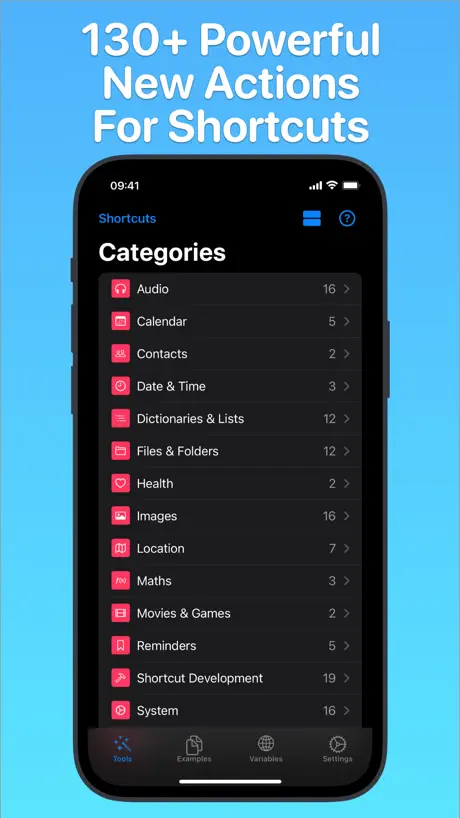  Toolbox Pro for Shortcuts Toolbox Pro for Shortcuts |   NFC21 Tools NFC21 Tools | |
|---|---|---|---|---|---|---|---|---|
| Rating / 5 | 4.4 | 4.2 | 4.0 | 4.8 | 4.4 | 4.3 | 4.4 | 4.3 |
| Reviews | 2.5K | 6.3K | 4K | 3.3K | 2.3K | 1.5K | 1K | 285 |
| Released | 2019 | 2021 | 2019 | 2025 | 2025 | 2025 | 2019 | 2020 |
| Monthly price | — | $1.19 | — | — | $4.99 | — | — | — |
| Annual price | — | $11.99 | — | — | $8.99 | — | — | — |
| One-time price | — | $39.99 | — | — | $29.99 | — | $2.99 | — |
The going rate for each plan in United States, in its own currency, shaded from the cheapest price on the row to the dearest.
Wallet Creator reviews
4.4 out of 5, based on 2,469 reviews.
What people like
- Completely free with no hidden costs
- Simple interface with no unnecessary fluff
- Works great for Apple Watch access
What they complain about
- Barcodes get cropped and stop working
- Cannot add barcodes from photo library
- Does not support all barcode formats
- App crashes or shows white screens
Fantastic
Exposes the Wallet API, no nonsense. Highly recommend. Kudos to the developer.
No support for code39
Limited customization and code39 gets translated to something else which doesn’t work.
Add Sharing
I love the ability to add different things easily but, I wish there was a way to share them within the app not Through apple wallet.
Barcode photo thing doesn’t work
Let me generate one from the value. Need multiple barcode formats in addition to QR.
New Update Broke Export to Wallet
No longer can export to wallet. 3 dots in upper right (where export or share might appear) is non-functioning. I tried restarting and uninstalling/reinstalling (which, of course meant losing my existing cards and templates within the app).
No Ads and No in app purchases!
Love it! Great simple little tool that is actually 100% free!
Redesign is terrible
Used to work but now it won’t work at all. It’s a huge step back. For one it forces event pass. It won’t actually create a pass outside app. Just bad.
Barcode from gallery
There’s no option to add a barcode from an image in the gallery. Would like to see this in the next update!
Keeps crashing
App is great. Keeps crashing.
Great with one fall-back
I was able to create a couple of wallet cards that I wanted to act as business cards, however, when downloaded or shared to others they are always grouped together like a pack of tickets for an event would be. I even tried making cards on another’s phone.
Loving Wallet Creator - Just works!
Just discovered this tool, which I had no idea existed! I love the fact that I can add often used barcodes to my wallet for convenient Apple Watch access. Genius. Oh, and its free ;-) Thanks!!
Sadly it is not working
The goal of the app is to generate barcodes or QR codes to add to the Apple Wallet, everything seems to work with the exception of adding a barcode or QR code. I just got a white screen when I try to add it. I have visited the developer’s website and I couldn’t find a user manual. They seem to have a WhatsApp number for sales of custom software, but I couldn’t find help with the issue I have with this app.
Simple and easy, but some barcodes don’t scan
Love the simplicity of this app and the security of the system. Love the fact that it’s not collecting any data. However some barcodes can’t be scanned, the tool using the camera cannot focus on close objects. Would be nice if we could just scan from a photo rather than directly from the camera.
No longer supported
This was a fairly useful app, even though it was lacking some features, but since iOS18 you can no longer add new passes to your Apple wallet defeating the entire purpose of the app.
Great free app
I’d love to see if there’s an ability to add photo ID not sure if this is a limitation of Apple wallet pass kit? Also, a better barcode scanner. I don’t know if you have to maybe redo the UPC generator. Scanning is challenging often
Seems great
I’ve just done one card and not yet checked that the barcode works but if it does this is a great addition to the convenience of the iPhone.
Doesn’t create QR code
Ui is very basic and not intuitive
An Oldie but a Goodie
Functionality is great. I used it most during the pandemic to create passes for my weekly COVID tests. Nowadays it needs an iOS 18 update with all the new enhancements to passes in Wallet. Smoother UI would be appreciated as well.
So close, yet so far. Barcode unusable
Clean and straightforward app, but the barcode on the output in Apple Wallet is cutoff, making this app fairly useless. Seems like a quick fix, would be 5 stars if it worked!
Works but not customizable
Not enough customization for all fields
Straight forward, simple and easy to use.
Straight forward, simple and easy to use. After I created and added my library card to my wallet, I realized I had an error. The edit button on Wallet Creator made this simple to fix, but I had to delete the original card from Wallet and before adding the edited card.
Kindof worthless
Without being able to add a barcode/qr code from the photos library, this is pretty worthless
Really not bad
It works but I can’t change font size and card design. Developers made a nice app.
Great but currently broken
Amazing app, but currently inserts an unusable/incorrect barcode in the final resulting pass when it’s added to Apple Wallet. Would be great to get that fixed so that valid (non-cropped) barcodes can be added.
Barcode Cropped - Unusable
The idea of the app is great. However, barcodes get cropped too much rendering it unusable when creating a storeCard or coupon. Works properly when an eventTicket is created.
Love this app but can you add support for CODABAR?
This app is exactly what I was looking for. There’s a few quirks but it gets the job done. I’ve made a few passes that work perfectly but the one needs CODABAR which seems to not be supported by the app yet. Any chance you can add support for it?
Horrible and don’t work
Doesn’t even work horrible…
Nice but needs a few improvements
Hello Can I suggest 1- Allowing duplication of a card so we can produce many variants (eg: same card design different names) 2- Allow barcode from photo library (not just camera). Thanks
The very basics worked for me
Crashed a few times while trying to give it permissions to my image library, and I can’t add barcodes at all for some reason.
Appreciate What It Can Do
I really appreciate this free app. There is scant documentation but I was able to add a bar code card. Unfortunately, it appears that one cannot add a card based on a photo, which is a shame. It would be great if the creator could rectify this.
Great utility
Love this for putting barcodes in my wallet. Would like if I had the option to make the card boost the brightness like some other wallet cards do.
Error for generic code
The pass cannot be read because it isn't valid. Error.
Really good! except a few improvements needed
1) Charge $2.00 US for it. 2) Allow barcode scan from an image already present rather than ONLY the camera. 3) Better color selector. Any of the iOS / Swift standards would be great.
Recent updates have lost the app 2 stars
The app used to be better. Recent updates have made the barcodes look terrible, have removed the ability to put the barcode below additional info fields, and removed the ability to add ungrouped membership cards. Please, please, PLEASE revert these terrible changes!
Code 128 B not supported
I tried to use this for my badge in system at work that needs to scan your code. It’s a CODE128B and every time it scans it makes it a CODE128C even when I tried everything to make it play nice including making a digital version to hopefully make it scan better. Can you allow images or allow CODE128B. Also I would love nfc eventually if that’s possible. Thank you for your hard work and taking your time to read this
Very convenient
I’ve been looking for something like this for a while. Works best when you have a barcode to add in to the field. Now my entire family can get their bush garden tickets on their Apple Wallet with out losing them
Unable to add a barcode
Tap to add barcode and camera activated, but barcode can’t be captured. Zero stars.
Barcode
Barcode does not seem to be working.. goes to white screen and hangs…
Watch Problems
This app looks great on my phone. Passes also show up on my watch, but, unfortunately, the pass on my watch doesn’t show the barcode, which is the whole reason I got the app so I could easily sign in at the gym without my phone.
How do I remove a card from Apple wallet
How do I remove a card from Apple wallet
It’s free, simple, and works!
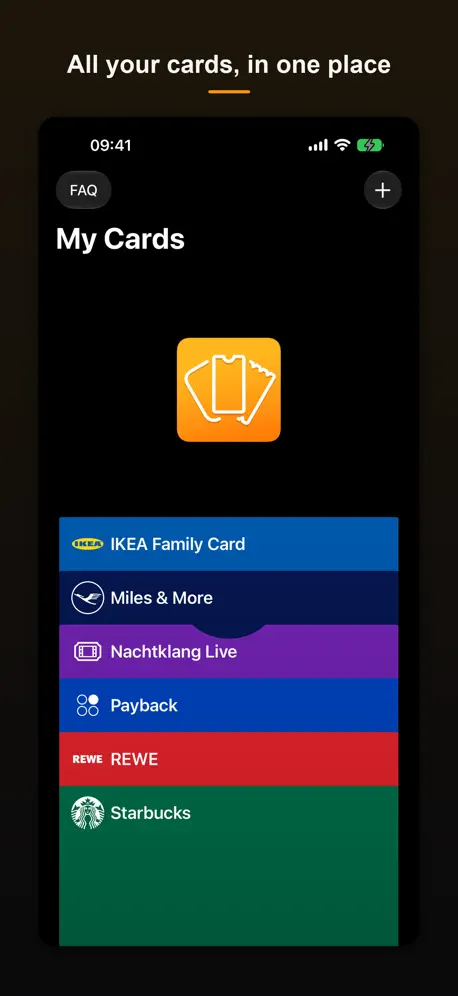
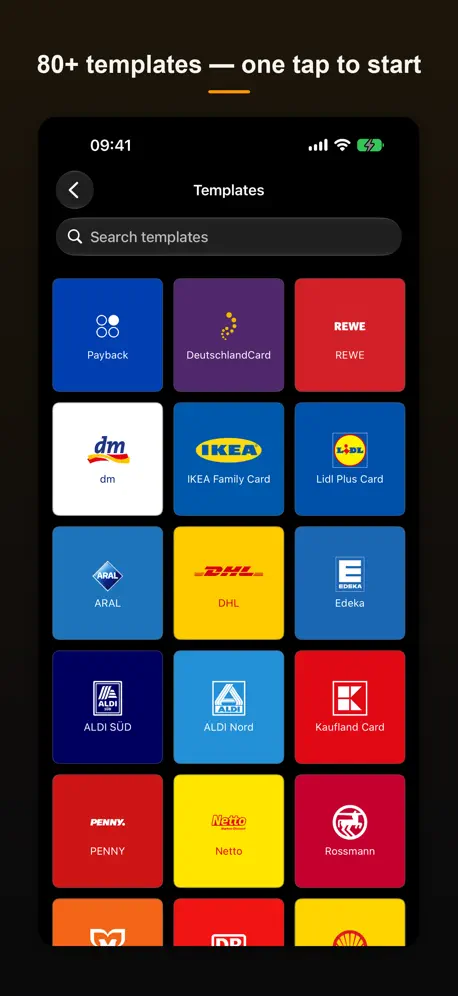
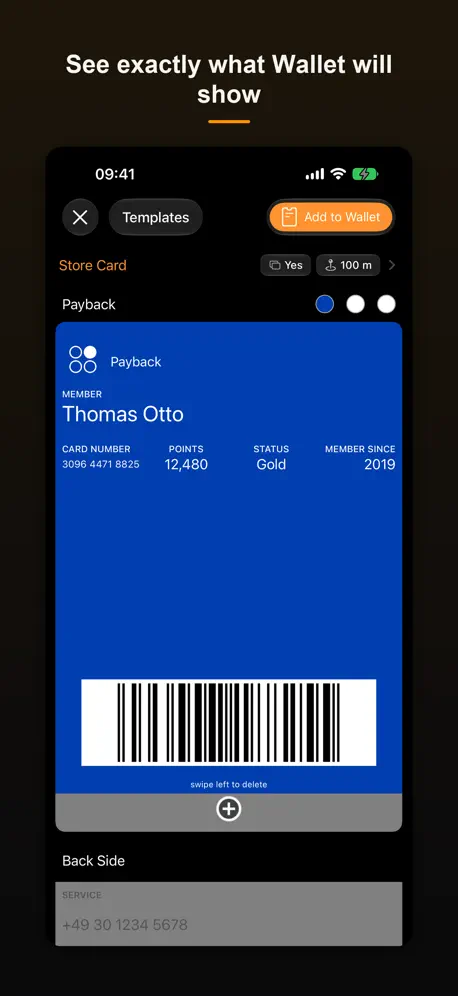
Wallet Creator lets you manually add passes to Apple’s Wallet app. Simple and to the point, no fluff. Plus, it’s free!
Can’t add to Apple Wallet
The app doesn’t allow me to add my card to Apple Wallet. I get a generic error and no way to resolve this “The pass cannot be read because it isn’t valid.”
Barcode Not Viewing Correctly.
First off the UI/UX is pretty good. It’s easy to use. Tried this out for my gym membership and for some reason the wallet card barcode is different or zoomed and is missing some bars. But when using the app it’s able to read correctly. It might be one way to continue using the app after creation.
Can’t Delete Old/Erroneous Cards
I have not been able to figure out how to erase, delete an erroneous card. Beyond that, it works fine.
Barcode
How do you add barcodes ?
works well
very limited and works well.
No NFC
Doesn’t create an NFC number so can’t create access cards
Great tool, but barcode image is clipped
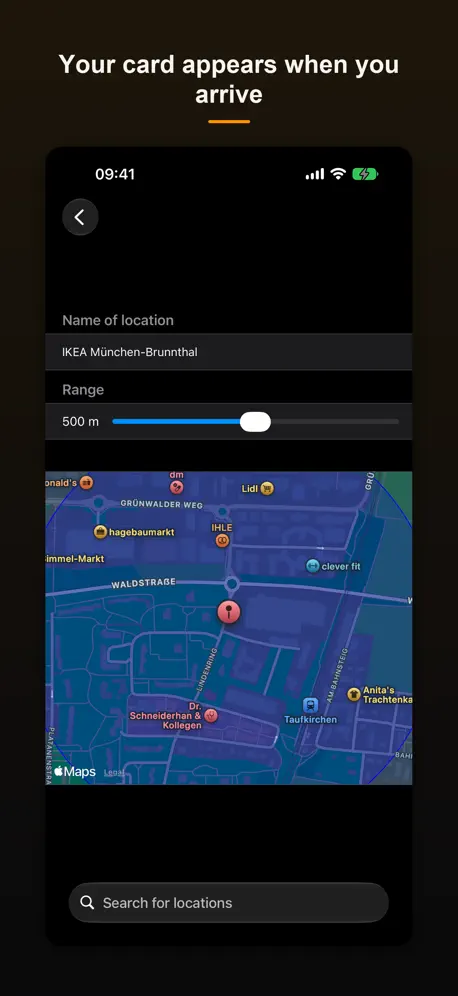
I loved the interface. Easy to make beautiful wallet cards with Geofencing. The only issue I found that the barcode gets cropped in wallet (it works when previewed in the app itself). I noticed that the first 4 bars of the barcode are missing when it goes to the iOS wallet. Not sure why. But those are the start and stop sequences of the barcode (Code39) so it’s not useable. Any chance this could be fixed?
Info fields are by column vs. row
I added 8 info fields thinking they would be displayed in rows to accommodate the large wallet card space. No, it creates them as columns (scrunched together) and only about 3 columns of info fields fits on screen, with no ability to scroll to the right. Terrible design flaw when it comes to creating custom cards
False Advertising
The icon clearly shows all three types of card you should be able to add, but can only add one type. You can’t add barcodes manually.
Wallet Creator FAQ
- Is Wallet Creator free?
- Yes. The app is free, in all 174 countries it sells in, and it sells nothing inside it.
- Does Wallet Creator have a free trial?
- No. None of its offers (US) come with a free trial.
- What are the best alternatives to Wallet Creator?
- Super Agent for Safari (4.2 from 6,270 reviews, premium from $1.19), Pass4Wallet - store cards (4.0 from 4,010 reviews) and uBlock Origin Lite (4.8 from 3,295 reviews).
Wallet Creator download
Last updated 28 days ago.
Wallet Creator sells in 174 countries. It was released 6 years and 11 months ago, on 7 Nov 2019. It holds a 4.4 rating from 2,469 reviews.
Supports 12 languages: English, Dutch, French, German, Italian, Japanese, Korean, Polish, Portuguese, Chinese, Spanish, Turkish.
How much does Wallet Creator make?
Third-party estimates for the last 30 days, worldwide — not the store's own figures, which Apple publishes for nobody.