
Virgin Money Mobile Banking
How much does Virgin Money Mobile Banking cost?
Prices are current as of 6 Nov 2026.
Virgin Money Mobile Banking has no in-app products on record in the United States.
10+ alternatives to Virgin Money Mobile Banking
| Virgin Money Mobile Banking |   TSB Mobile Banking |   first direct |   Metro Bank Mobile Banking |   Virgin Money Credit Card |   M&S Bank |   Co-operative Bank |   Zempler Bank |   Pockit: Bank Card Alternative |   Suits Me - Banking Alternative | |
|---|---|---|---|---|---|---|---|---|---|---|
| Rating / 5 | 4.6 | 4.8 | 4.8 | 4.8 | 4.7 | 4.7 | 4.7 | 4.7 | 4.2 | 4.6 |
| Reviews | 177K | 595K | 473K | 244K | 167K | 161K | 94K | 64K | 17K | 15K |
| Released | 2019 | 2017 | 2011 | 2017 | 2019 | 2015 | 2018 | 2013 | 2015 | 2021 |
Virgin Money Mobile Banking reviews
4.6 out of 5, based on 177,493 reviews.
What people like
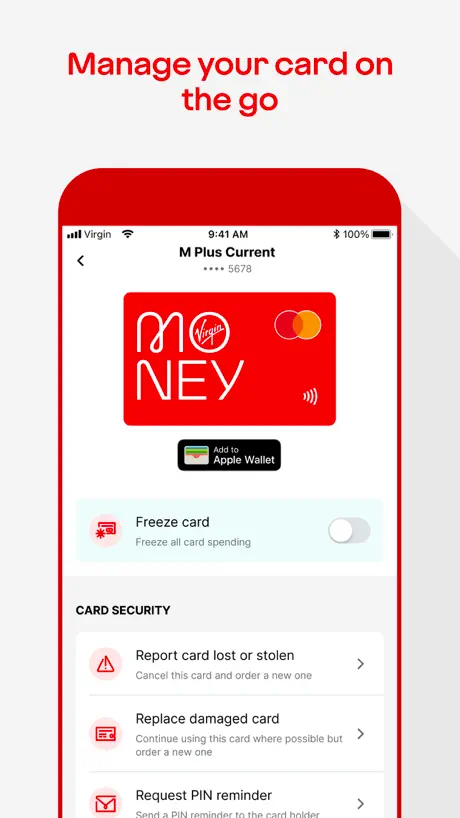
- Simple to use for banking
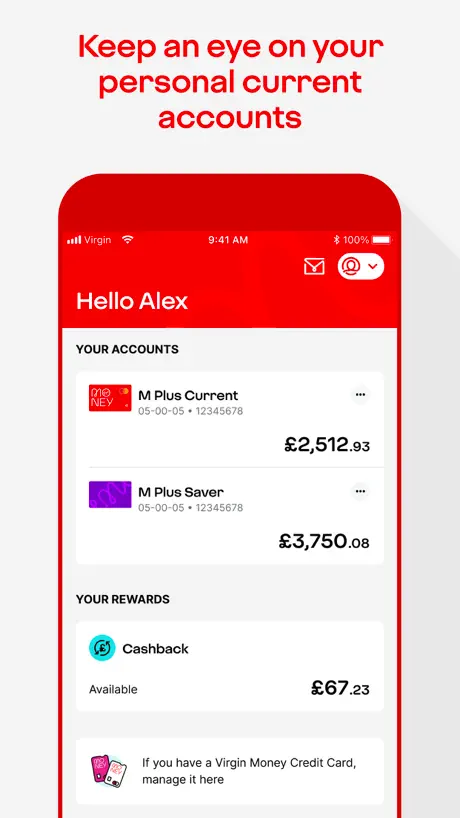
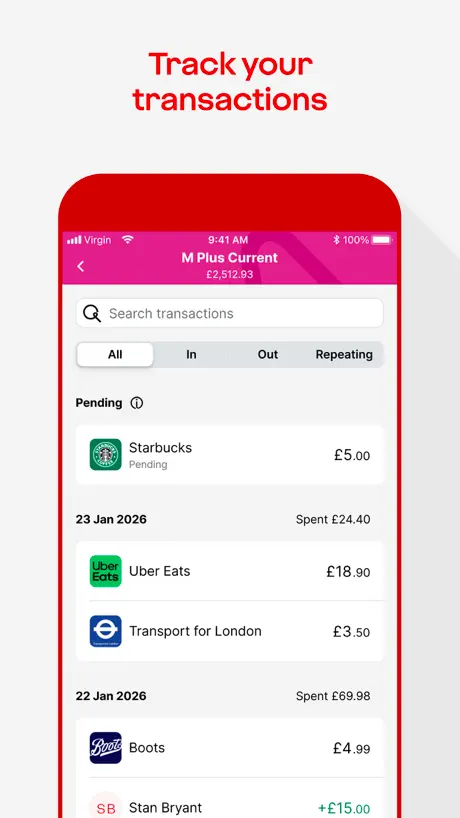
- Shows real time account info
- Easy to navigate the app
What they complain about
- iPad stuck in portrait mode
- App crashes and glitches often
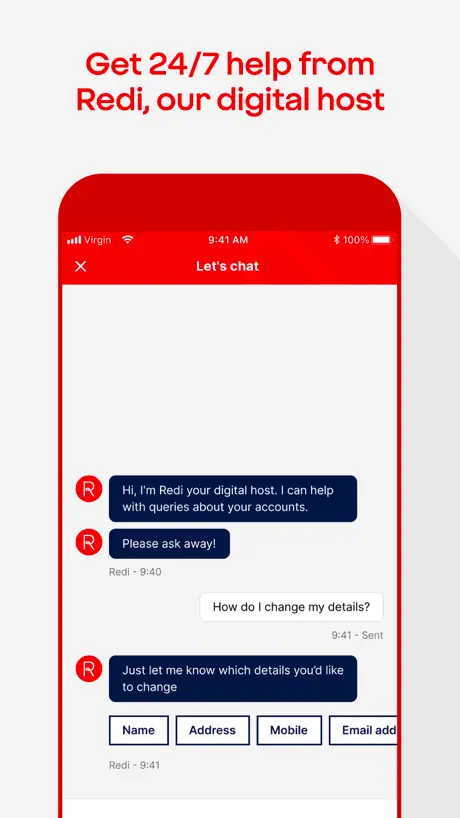
- Support chat is useless bot
Excellent App
Provides real time information and is easy to navigate.
“Can’t show balance”
A banking app that won’t show the current balance isn’t very useful…
Works well
pleeeease can we have alerts for money going in to accounts
Not great
The app only ever seems to work on WiFi, which isn’t great when you’re out and about. You can only go back 18 months on the account, as someone who is self employed I have tax returns to complete and I’m now having to request paper statements so I can go back and do last years accounts. Other banking apps I have can go back much further which is great. Also as someone who is neurodivergent I just find it harder to navigate and use than other banking apps.
Need the landscape view fixing
Just updated the app and the landscape view issue still hasn’t been fixed. Really not liking the squashed up phone view, hard to see and manoeuvre around the app. Not sure why it was originally changed, as nothing much seems to have changed- unless I can’t see with the squashed view……..
Miles Hopper
Updated
Problematic
Found the app to be unreliable, crashing a lot, and not well designed to fit in the iPhone screen. Couldn’t scroll things all the way into view. Some actions caused the app to crash. And why does ‘view my statement online’ download a pdf? The website works better, so I uninstalled the app, but now every time I go to make a payment online it wants be to confirm the payment though the app, which isn’t installed and I don’t want. I called customer services; it took 3 calls and 45 minutes for them to *definitely* switch my account to sms verification but I still get asked to confirm payments in the app, so I’ve started using another card for all my payments and will be looking to move banks altogether.
App Update
How much longer do we have to wait for Landscape on iPad to be reinstalled? It is unworkable in Portrait on an iPad and we, as pensioners are tired of waiting!
Format
Use the app with iPad. I don’t like portrait mode.
New version
Since the new version every time I turn on notifications as soon as I close the app then go back on it it is switched off very annoying and costly
Update issue with iPad
Update to iPhone was seamless, update to iPad failed. The process froze just before the “Update” button should have appeared. Second attempt 1 Oct 26. As suggested by Developer, deleted app on my iPad, downloaded the app and re-entered required log in details. Still unable to download a Monthly Statement via the “arrow/tray” icon top right on screen. Exit icon top left on screen works. iPad still not working in Landscape orientation. Fortunately the app update for my iPhone is working!
Needs to be available in landscape format
Please
Ok but Could be better
Never works 100% always a problem with the app. Chat not working and app seems to glitch.
A Breeze
All the other banks need to take a leaf or two out of the way Virgin Money operates and keep it simple and at the same time covering all areas of everyone’s banking needs ;-)
Updated banking app
Every time you update this app you make it less user friendly! Well done!
Bad update for IPads
Since the latest update a disaster for IPad users, stuck in portrait mode no longer supports landscape which was ideal for iPads. Update - still no update on landscape mode, this should be a priority- Update 26th Sep - still no Landscape, this should be the only priority, please fix sooner than later
Landscape version for ipad?
Having a 13 inch ipad pro I prefer landscape view. For security I do all my business indoors. I do nothing moneywise on the iphone as that goes out and about with me. The ipad never goes out.
Cheque deposit does not work
Cheque deposit does not work
iPad viewing
Updated review- several app updates downloaded since my previous review and the Virgin Money Mobile Banking App still defaults to a portrait mode. Do you realise how difficult it is to make payments and transfers while tilting your head 90 degrees! It is a security issue too. This has been an issue months now and it makes it very difficult to see what you’re doing. Get it sorted VM or I’m taking my business elsewhere. Last chance…
Landscape
When can we expect a landscape option to be developed.
Landscape/Portrait Mode
The one phrase that doesn’t exist anywhere in the Developer world is “if it ain’t broke, don’t fix it!” They love to tinker just as if to justify their existences. I appreciate that there’s a new kid on the block - Nationwide, so I guess some changes had to be made, but getting rid of landscape mode for those of us that use an iPad and stand is frustrating and the app is less user-friendly as a result. Not all of use the app on our phones, I never have and never will do. I appreciate that the Developers are acknowledging these reviews and are suggesting a future update to rectify this, so thank you. Further to the Developer’s reply below, we all know that this isn’t an issue with the auto-rotate function on the iPad, it’s the app!
This is the UK virgin money app
This is for UK customers not Australian customers. It’s in the Australian store alongside another Virgin money app. Would be good to make it more obvious which one to download for Australian customers as I know someone else who also downloaded this UK only version in Australia.
Another update - landscape mode still not fixed
Landscape mode on tablet still doesn’t work, even after yet another update. Problem must have been caused by developers, so surely should be easily fixed! Transactions still continue to show as “pending” which they never used to - faster payments and bacs receipt used to show as cleared on the day they were received. Why now showing as pending and not cleared? Seems to have issues since the Nationwide takeover…
Still no iPad mode
Sorry VM, but not having iPad mode is a great inconvenience for me…. To make matters worse the new app update hasn’t sorted the problem which is very disappointing as this should’ve been an easy fix.
Tagging
Why have you removed the tagging and budget functions? These were some of the best features. Will you be reinstating these and what about the historical ones? What a nightmare 😤
Was a fantastic app
But now keeps telling me to reload a new app. But I have twice. And no change.
Mrs C
The switch to portrait only is an absolute nightmare! As a business banker, I need to use the app on my iPad in landscape. This is irritating enough to make me consider moving my account.
Change needed
You have just ‘refreshed’ the app today ( 13/08/26) Still reverts to portrait mode. Please have this reverted to landscape.
A major step backwards
Landscape mode has disappeared and with it the rolling balance column when reviewing the transaction list. If you make a payment in the app, the balance immediately changes but the transaction doesn’t appear in the list for several minutes. When you go to make a payment on iPad, the amount box is obscured by the silly little number pad that pops up so you have to guess that you have typed correctly until you have finished. The same problem occurs when entering the sort code to create a new payee. This app has not been tested properly, does not take into account the users and is probably straight out of an intern’s head with little or no real world experience. If you try to meet support in the app via chat you talk to a bot that is dumber than a 3 year old so no point therefore no support. Update: after a long pause they have re-instated the running balance which is good but there are still other issues mainly that the balance isn’t always reflected in the transaction list. Example 1 direct debit and 1 standing order go out on same day, balance reflects both but transaction list only shows dd. Update: another update from virgin but still no landscape option. Further Update: Developer response, we’re working on it still. I assume 1 programmer tasked with everything. Sonos lost a CEO when they produced a mess like this (just saying).
TH
Get the landscape back ASAP please. I’ve already made and official complaint and have now has two people call to sympathise but even with the promised recent fix it’s still not working for me. Looking at other banking options sadly because of this issue
Dislike the new layout
The new portrait layout is not practical on the iPad (which I use all the time) there is no running total either which is annoying as it makes it easier to see your spending! I don’t understand why the iPad layout is different from my husbands I phone?
STILL doesn’t support landscape mode!
Despite your repeated promises to fix this issue, this app STILL only works in portrait mode. Why has this not been fixed? Do you perhaps not understand what is meant by ‘landscape mode’? Do you not appreciate how bloody annoying it is for people with attached keyboards not being able to use landscape mode? You have told me several times that this would be addressed in the next version; that was clearly just vacuous lies.
Update goes backwards
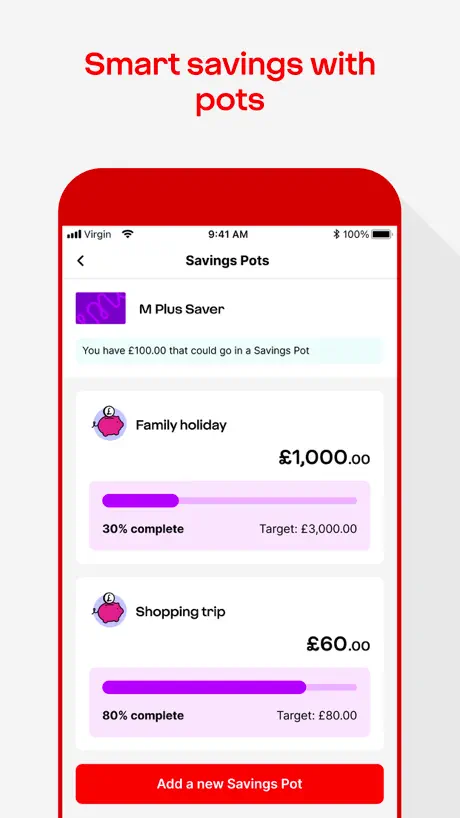
Previously you could edit savings pots and reduce amounts or add to certain pots from within your savings account if you were over allocated after a withdrawal for example. Now I can’t even see my pots to amend them. It just wants me to add money. I don’t want to do that. I want to edit amounts within savings. So stupid.
ISA account cannot be viewed
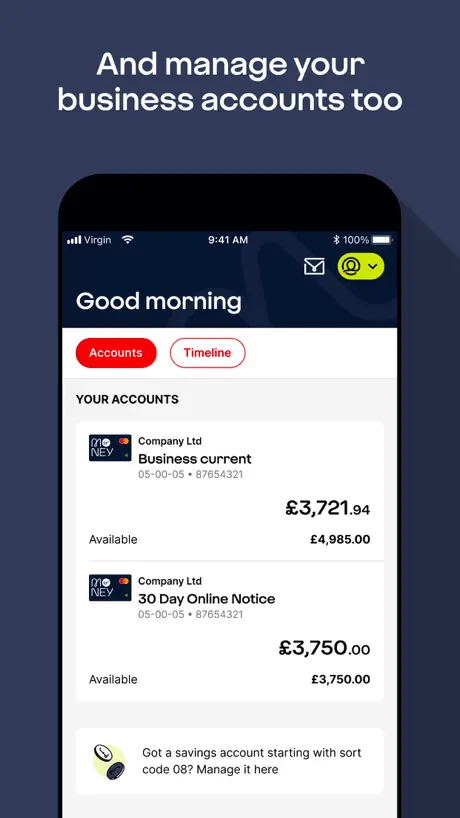
Would be great to see my ISA account but apparently accounts (08) are unavailable in this app and can only be viewed through the website. Whole point of opening an online ISA account was the ability to have a simple app to manage my account. From what I hear no development is planned.
Updated app
The new update to the app is poor. You can’t view it on landscape mode. Also on the iPad when transfering funds the numerical key pad appears on top of where the values are to go therefore limiting vision and you can’t move it
Virgin Money Mobile Banking FAQ
- Is Virgin Money Mobile Banking free?
- Yes. The app is free, in all 12 countries it sells in, and it sells nothing inside it.
- Does Virgin Money Mobile Banking have a free trial?
- No. None of its offers (US) come with a free trial.
- What are the best alternatives to Virgin Money Mobile Banking?
- TSB Mobile Banking (4.8 from 595,009 reviews), first direct (4.8 from 473,118 reviews) and Metro Bank Mobile Banking (4.8 from 243,798 reviews).
Virgin Money Mobile Banking download
Last updated 17 days ago.
Virgin Money Mobile Banking sells in 12 countries. It was released 6 years and 11 months ago, on 4 Dec 2019. It holds a 4.6 rating from 177,493 reviews.
Supports 1 language: English.
How much does Virgin Money Mobile Banking make?
Third-party estimates for the last 30 days, worldwide — not the store's own figures, which Apple publishes for nobody.