ClockPhone big digital clocks
Alarm clock, timer, widget
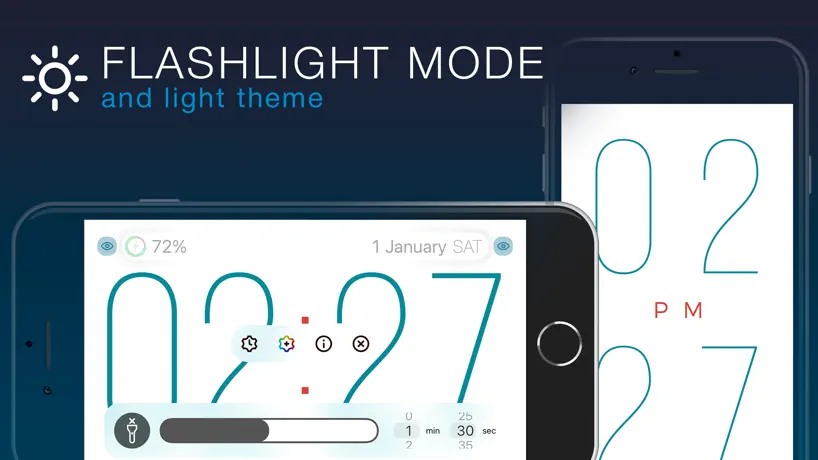
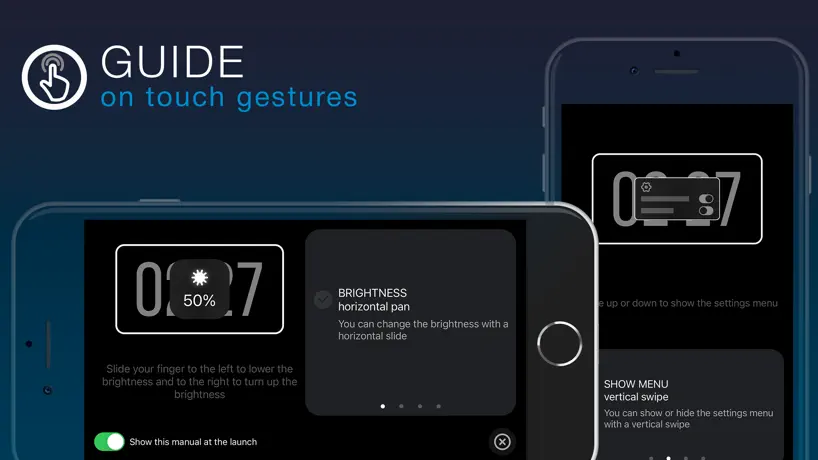
How much does ClockPhone big digital clocks cost?
Prices are current as of 5 Oct 2026.
3 one-time purchases from $2.99
In the United States, ClockPhone big digital clocks has 3 one-time purchases priced $2.99 – 4.99.
| Product | Price |
|---|---|
| Settings+ | $2.99 |
| AlarmClock+ | $3.99 |
| Premium | $4.99 |
See what ClockPhone big digital clocks costs in all 175 countries →
10+ alternatives to ClockPhone big digital clocks
| ClockPhone big digital clocks |   Alarmy - Loud alarm clock Alarmy - Loud alarm clock |   Digital Clock - Bedside Alarm Digital Clock - Bedside Alarm |   MD Clock - Flip Clock MD Clock - Flip Clock |   Clock Face - desktop alarm Clock Face - desktop alarm |   Bedside Clock - Time widgets Bedside Clock - Time widgets |   Flip clock - no ads Flip clock - no ads | 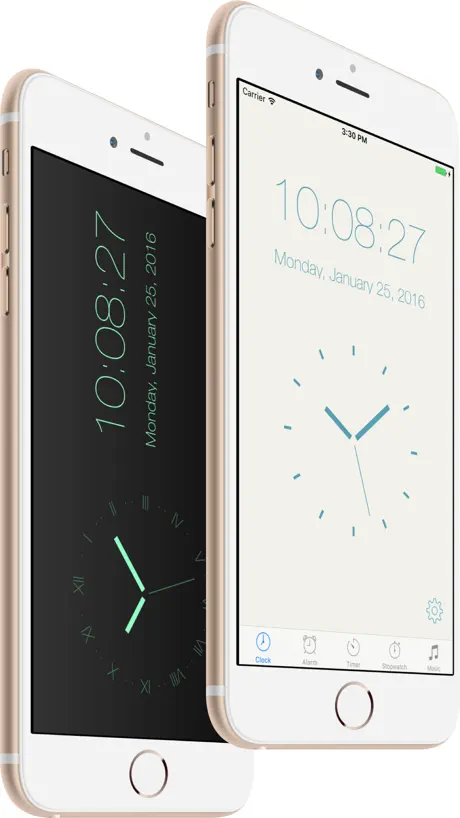  Alarm & Timer Alarm & Timer |   Zen Flip Clock - Minimal Timer Zen Flip Clock - Minimal Timer |   Simple Clock - Study With Me Simple Clock - Study With Me |   Digital Clock - Bedside Widget Digital Clock - Bedside Widget | |
|---|---|---|---|---|---|---|---|---|---|---|---|
| Rating / 5 | 4.6 | 4.7 | 4.6 | 4.7 | 4.4 | 4.6 | 4.6 | 4.4 | 4.7 | 4.7 | 4.5 |
| Reviews | 45K | 811K | 189K | 94K | 91K | 57K | 45K | 44K | 43K | 15K | 3.1K |
| Released | 2019 | 2016 | 2017 | 2020 | 2018 | 2018 | 2020 | 2016 | 2017 | 2019 | 2020 |
| Annual price | — | $59.99 | — | $4.49 | — | — | $5.49 | — | $4.99 | — | — |
| One-time price | $3.99 | — | $0.99 | $9.99 | $2.99 | $0.99 | $3.99 | $9.99 | $9.99 | $0.99 | $2.99 |
The going rate for each plan in United States, in its own currency, shaded from the cheapest price on the row to the dearest. Plans fewer than four in ten of the priced apps sell are left out.
ClockPhone big digital clocks reviews
4.6 out of 5, based on 44,545 reviews.
What people like
- Looks sleek and is easy to read
- Great dim mode for sleeping at night
- Free version works well for basic needs
What they complain about
- Alarm often fails to make any sound
- Settings reset or forget your preferences constantly
- Premium ads pop up and interrupt usage
- Support is hard to reach or unhelpful
Love it
I love this app it’s great
Works on iPhone 11, but not on iPhone XR
Title says it all
Awful
12:30 SIMPLE NOT like: 12 30
Clock stays in 24 hour mode, no matter what
I’ve been using the clock in 12 hour mode until today when I opened it it went into 24 hour military time and I could not find a switch to talk between the two this lowered my rating from five stars to two stars since I don’t enjoy trying to do the math
Why I like it
I have always been a night owl; working night shift so I wake up many time during the day the night. It’s there to guide me
My Deskclock
Nice App, easy to read, just needs the local temp displayed and it’d be perfect.
Time is wrong
The time shows when you open the app. It show on the screen all the time. Has no alarm. It’s useless
Clock disappears at nite
I have enjoyed using this app for years. Lately however it doesn’t continue to display the clock all night while iPhone is on the charger. Would rate it 5 otherwise.
Update wont fade in
There was an update a while back and ever since my alarm wont fade in. It just blasts my normal phone alarm volume. It says "when clockphone is closed it will play system volume" but its never closed at night?? I leave it on the clock all night and it still blasts without fading in. It was the best app before, and ill change my rating once this issue is resolved. Can we have a toggle or something please? I miss the fade in.
Used to love it now not so much
I’ve used this app for a long time. Now suddenly it won’t stay on all night. In the screen lock mode, it shuts off. Loved it for so long because it stayed on all night. So disappointing.
clockPhone is the best
clockPhone is the best because it shows the time and it shows PM and am
Alarm no longer works since last update
I have paid for this app and used it for over two years. Unfortunately, the last update seems to have broken the alarm feature. I have been late to work three times this week due to my alarm not going off and getting up late. I liked the app but literally it is putting my job at risk. Deleting this app even though I paid for it to find something reliable.m (Also app support takes me to Facebook?!? I don’t use Facebook.)
Dimness affects main phone brightness. Also date display problem
I set clock very dim at night. But if I leave click app the display settings on the phone are affected. IOS 26. Please correct. Also the date will display when I have set it to not display. Have to keep going back into settings to turn it off.
Stop working
It will no longer go into landscape mode when turned on the side. It did for a few months and then stopped.
Great app but
Should have a feature to override the orientation lock so it doesn’t respect it - Full Screen Clock has this
Peter
It helps me every night. It is the greatest clock app I’ve ever had
Transparent doesn’t work
Bought paid version to have transparent widget but it will not change
Great app! Needs more customization.
Love this app! Been using it for a while. It has most of the things I need. I would just say that there needs to be more customization for the widgets. Being able to change the size and font of the app would be huge. I know you can change the how thin or wide the numbers are but I also think the size and font of the time is being slept on. Once there is more options I’ll come and change my rating to 5 stars without hesitation.
Alright
The colour settings and option to display battery and date keep resetting to the default setting after a minute or so
Alarm issues
Clock looks great, love the widget. The only problem I have is with the alarm. The alarm does not sound unless I have the phone unlocked and open. Yes, I use focus modes while I sleep, but I already have it set to bypass the do not disturb feature. It is incredibly frustrating, because all I get is a notification…no sound
Clock phone our savior
I was down in the dumps, my wife had just divorced me and gotten full custody over our 5 kids, our house, and most of our assets. I was at a bridge, ready to end it all, but then I was informed about clock phone. With clock phone I gained the confidence to become the world’s first quadrillion air, started a cult that worships it, and my own personal harem. Thank you clock phone.
no longer works
the latest update killed the app entirely from working on Sonoma and its now useless to me. so much for my lifetime purchase. support locked behind a facebook page—can't login to send message. no desktop widget, no app, no use, no support.
Great clock
I like the different methods of using the app to keep me on time
stupid 🤬
Every single 10 seconds the premium of the app just pops up and its just annoying so I just got a similar app
Change color background and tone numerals?
How?
Request uninstall
I know how uninstall an app but I don’t know where to go to stop the charges from going to my bank. Thank you.
its ok
I bought the so called extra features but its just the same thing. Its ok. Its not really what I expected and hate when there’s no free trial to and least try it first.
Just one thing
Great, but the only bad thing is that most features are paid
Purchase doesn't work
After buying the settings +, the payeall still appears. And there's no way to contact support for this app or request a refund.
Good but fatally flawed
Would be an excellent app if it managed to retain the settings. It seems every month or so the app decides to change its settings, maybe because of an app update? Who knows but it’s extremely irritating.
This app is the best!
I have the digits colored red and dimmed to the max. I can see the time with no unnecessary light!
Senility
Annoying payment requirement and impossibility to set alarm on everyday for free
cannot get date to display
Has an option to show the date and time but there is no way to keep that setting because it goes back to just the time display when exiting settings.
Can anyone help me?
Slept through the alarm because it didn’t make any noise at 5am, when I woke up it said “alarm” and when I clicked it, then it goes off? How annoying !
I wonder if the anti-burn in works
I don’t see the anti burn in make any difference. The text still sticks to that position forever
Very pleased
The free version is just fine for me and I enjoy the screens . It gets the job done
Not the best
It will not let me set a timer
Fabulous App, Issue w/ Alarm
An almost perfect replacement to Apple’s redesigned clock which is an eyesore. This is visually what I was hoping for: sleek, beautiful, and unobtrusive. Unfortunately, the alarm is not working as expected and is not straightforward to set up due to Apple’s ecosystem (not the app developer). I’m receiving silent notifications when I need to hear noise. I’ve run out of ideas to make the app wake me up. It just won’t make a sound despite my following the instructions supplied.
1.8.5
Since 1.8.5 came out the time on the clock doesn't change making it kind of a poor clock! Before that it was great
Free version too bright
I love the design but for me the free version was far too bright. I changed the design, but it changed straight back to the white numbers which shone to brightly. Pity, love the layout but no good to me.
Handy App
I love being able to set my phone on my bathroom counter in the morning so I can easily see the time while I am getting dressed!
Useless.
Useless . Deleted it in 1 minute.
Loving The App Again
Love the app. Had for a less than a week. Now the clock only stays on screen for around 5 seconds as it keeps showing screen to pay for extras even tho I paid £2 for activation already. 10 days after leaving review they got in contact and was able to simply fix. Loving app again just pity about inconvenience.
Battery drain
My battery is draining while using while plugged in.
x zzz by zzz zzz ez. ,$$, n n
h x zzz zzz zzz z. ,$$,n i’ll x zzz zzz zzz z. ,$$,t
Visible but not too bright
I love that I can have a big number clock that is visible but not overwhelmingly bright all night with this app and my phone charging which I do anyway.
Paid features broken
Transparent widgets aren’t working when your Home Screen is customised with tinted widgets as opposed to the normal light or dark theme.
Clock
Good night clock,dropped one star,it would be nice if the clock came on when docked and charging instead of having to tap the icon.
Hot and Cold
It’s looks and functions like an actual mechanical digital clock. Kinda cool. However it dramatically drains your battery. Like within an hour and a half. I just haven’t gotten around to looking for a more battery efficient digital clock app. It would be awesome if they fix this problem.
Why won’t it open anymore?
With the latest update, the app no longer opens on my iPad. My iPad is completely up to date with updates.
ClockPhone big digital clocks price by country
A one-time purchase costs $3.51 in Canada and $6.01 in Colombia — 1.7× more for the same thing. Below is the going rate for each plan in every country that sells it — the middle price of what the app charges there, in the country's own currency with the dollar equivalent beneath it.
| Country | One-time |
|---|---|
| Afghanistan | $3.99 |
| Albania | $4.99 |
| Algeria | $3.99 |
| Angola | $3.99 |
| Anguilla | $3.99 |
| Antigua And Barbuda | $3.99 |
| Argentina | $3.99 |
| Armenia | $4.99 |
| Australia | A$5.99$4.16 |
| Austria | €3.99$4.49 |
| Azerbaijan | $4.99 |
| Bahamas | $3.99 |
| Bahrain | $3.99 |
| Barbados | $4.99 |
| Belarus | $4.99 |
| Belgium | €3.99$4.49 |
| Belize | $3.99 |
| Benin | $4.99 |
| Bermuda | $3.99 |
| Bhutan | $3.99 |
| Bolivia | $3.99 |
| Bosnia & Herzegovina | €3.99$4.49 |
| Botswana | $3.99 |
| Brazil | R$24.90$4.77 |
| British Virgin Islands | $3.99 |
| Brunei Darussalam | $3.99 |
| Bulgaria | €3.99$4.49 |
| Burkina Faso | $3.99 |
| Cambodia | $3.99 |
| Cameroon | $4.99 |
| Canada | CA$4.99$3.51 |
| Cape Verde | $3.99 |
| Cayman Islands | $3.99 |
| Chad | $3.99 |
| Chile | CLP 4,990$5.08 |
| China | CN¥28.00$4.17 |
| Colombia | COP 19,900$6.01 |
| Congo | $4.99 |
| Congo, Democratic Republic | $3.99 |
| Costa Rica | $3.99 |
| Cote Divoire | $4.99 |
| Croatia | €3.99$4.49 |
| Cyprus | €3.99$4.49 |
| Czech Republic | CZK 99.00$4.56 |
| Denmark | DKK 39.00$5.86 |
| Dominica | $3.99 |
| Dominican Republic | $3.99 |
| Ecuador | $3.99 |
| Egypt | EGP 199.99$3.83 |
| El Salvador | $3.99 |
| Estonia | €3.99$4.49 |
| Fiji | $3.99 |
| Finland | €3.99$4.49 |
| France | €3.99$4.49 |
| Gabon | $3.99 |
| Gambia | $3.99 |
| Georgia | $4.99 |
| Germany | €3.99$4.49 |
| Ghana | $4.99 |
| Greece | €3.99$4.49 |
| Grenada | $3.99 |
| Guatemala | $3.99 |
| Guinea-bissau | $3.99 |
| Guyana | $3.99 |
| Honduras | $3.99 |
| Hong Kong | HK$32.00$4.08 |
| Hungary | HUF 1,790$5.47 |
| Iceland | $4.99 |
| India | ₹399.00$4.14 |
| Indonesia | IDR 69,000$3.91 |
| Iraq | $3.99 |
| Ireland | €3.99$4.49 |
| Israel | ₪12.90$4.23 |
| Italy | €3.99$4.49 |
| Jamaica | $3.99 |
| Japan | ¥600$3.80 |
| Jordan | $3.99 |
| Kazakhstan | KZT 2,490.00$5.48 |
| Kenya | $4.99 |
| Kosovo | €3.99$4.49 |
| Kuwait | $3.99 |
| Kyrgyzstan | $3.99 |
| Lao Peoples Democratic Republic | $3.99 |
| Latvia | €3.99$4.49 |
| Lebanon | $3.99 |
| Liberia | $3.99 |
| Libya | $3.99 |
| Lithuania | €3.99$4.49 |
| Luxembourg | €3.99$4.49 |
| Macao | $3.99 |
| Macedonia | $3.99 |
| Madagascar | $3.99 |
| Malawi | $3.99 |
| Malaysia | MYR 19.90$4.88 |
| Maldives | $3.99 |
| Mali | $3.99 |
| Malta | €3.99$4.49 |
| Mauritania | $3.99 |
| Mauritius | $4.99 |
| Mexico | MX$89.00$4.89 |
| Micronesia | $3.99 |
| Moldova | $4.99 |
| Mongolia | $3.99 |
| Montenegro | €3.99$4.49 |
| Montserrat | $3.99 |
| Morocco | $4.99 |
| Mozambique | $3.99 |
| Myanmar | $3.99 |
| Namibia | $3.99 |
| Nauru | $3.99 |
| Nepal | $4.99 |
| Netherlands | €3.99$4.49 |
| New Zealand | NZ$6.99$3.93 |
| Nicaragua | $3.99 |
| Niger | $3.99 |
| Nigeria | NGN 6,900.00$5.19 |
| Norway | NOK 49.00$5.09 |
| Oman | $3.99 |
| Pakistan | PKR 1,100$3.97 |
| Palau | $3.99 |
| Panama | $3.99 |
| Papua New Guinea | $3.99 |
| Paraguay | $3.99 |
| Peru | PEN 17.90$5.20 |
| Philippines | ₱249.00$3.98 |
| Poland | PLN 19.99$5.14 |
| Portugal | €3.99$4.49 |
| Qatar | QAR 14.99$4.12 |
| Romania | RON 19.99$4.22 |
| Russia | RUB 349.00$4.18 |
| Rwanda | $3.99 |
| Sao Tome & Principe | $3.99 |
| Saudi Arabia | SAR 17.99$4.80 |
| Senegal | $4.99 |
| Serbia | €3.99$4.49 |
| Seychelles | $3.99 |
| Sierra Leone | $3.99 |
| Singapore | SGD 5.98$4.67 |
| Slovakia | €3.99$4.49 |
| Slovenia | €3.99$4.49 |
| Solomon Islands | $3.99 |
| South Africa | ZAR 79.99$5.00 |
| South Korea | ₩6,600$4.89 |
| Spain | €3.99$4.49 |
| Sri Lanka | $3.99 |
| St. Kitts and Nevis | $3.99 |
| St. Lucia | $3.99 |
| St. Vincent & The Grenadines | $3.99 |
| Suriname | $3.99 |
| Swaziland | $3.99 |
| Sweden | SEK 49.00$4.88 |
| Switzerland | CHF 3.00$3.62 |
| Taiwan | NT$120.00$3.77 |
| Tajikistan | $3.99 |
| Tanzania | TZS 11,900.00$4.49 |
| Thailand | THB 149.00$4.53 |
| Tonga | $3.99 |
| Trinidad and Tobago | $3.99 |
| Tunisia | $3.99 |
| Turkey | TRY 199.99$4.07 |
| Turkmenistan | $3.99 |
| Turks and Caicos | $3.99 |
| Uganda | $4.99 |
| Ukraine | $4.99 |
| United Arab Emirates | AED 14.99$4.08 |
| United Kingdom | £3.99$5.28 |
| United States | $3.99 |
| Uruguay | $3.99 |
| Uzbekistan | $3.99 |
| Vanuatu | $3.99 |
| Venezuela | $3.99 |
| Vietnam | ₫119,000$4.59 |
| Yemen | $3.99 |
| Zambia | $4.99 |
| Zimbabwe | $4.99 |
ClockPhone big digital clocks FAQ
- Is ClockPhone big digital clocks free?
- Yes. The app and its basic features are free, in all 175 countries it sells in. Premium features are paid: they start from $2.99 (US), across 3 one-time purchases.
- Does ClockPhone big digital clocks have a free trial?
- No. None of its offers (US) come with a free trial.
- Where is ClockPhone big digital clocks cheapest?
- A one-time purchase costs CA$4.99 (≈$3.51) in Canada and COP 19,900 (≈$6.01) in Colombia, its cheapest and dearest countries.
- What are the best alternatives to ClockPhone big digital clocks?
- Alarmy - Loud alarm clock (4.7 from 811,204 reviews, premium from $4.99), Digital Clock - Bedside Alarm (4.6 from 188,838 reviews, premium from $0.99) and MD Clock - Flip Clock (4.7 from 94,024 reviews, premium from $0.99).
ClockPhone big digital clocks download
Last updated 2 months ago.
ClockPhone big digital clocks sells in 175 countries. It was released 6 years and 11 months ago, on 4 Nov 2019. It holds a 4.6 rating from 44,545 reviews.
Supports 10 languages: English, Finnish, French, German, Italian, Polish, Russian, Chinese, Spanish, Ukrainian.
How much does ClockPhone big digital clocks make?
Third-party estimates for the last 30 days, worldwide — not the store's own figures, which Apple publishes for nobody.
Revenue by plan
- One-time 100%
Revenue by country
- United States 76%
- United Kingdom 5%
- Canada 4%
- Germany 4%