
FeelConnect 3
How much does FeelConnect 3 cost?
Prices are current as of 23 Nov 2026.
FeelConnect 3 has no in-app products on record in the United Kingdom.
10+ alternatives to FeelConnect 3
| FeelConnect 3 |   Kinkoo: Kink, Fet BDSM Dating |   FET: Alternative Dating | 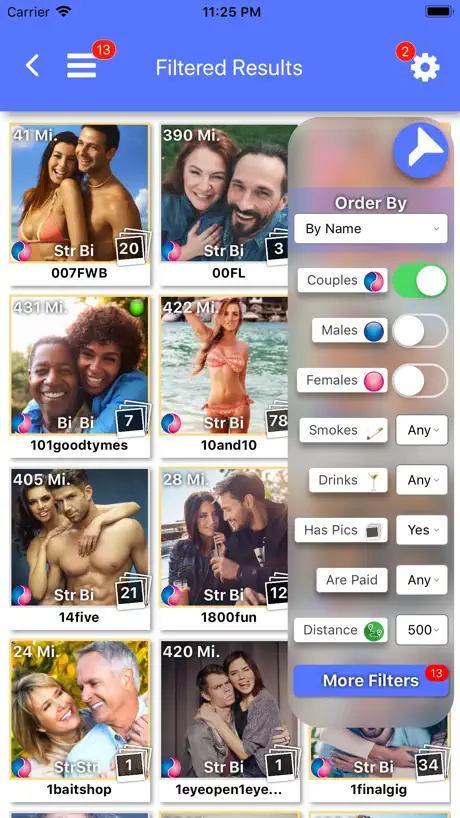  SLS Official Swinger Community | 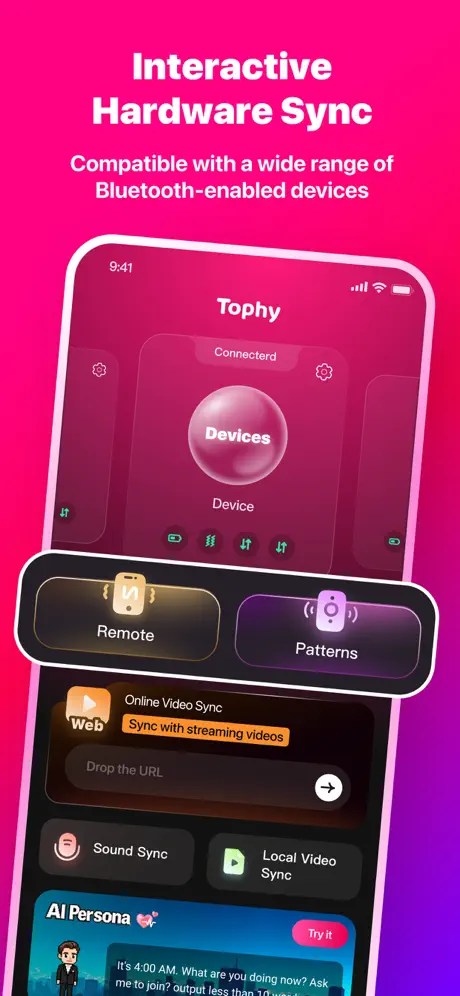  Tophy - Match,Chat,Dating |   Hush – Express Freely |   BARQ! |   Headero - Direct Dating & Chat |   BeeDee | Beyond Vanilla Dating |   Slyd.in |   Influencery | |
|---|---|---|---|---|---|---|---|---|---|---|---|
| Rating / 5 | 2.2 | 4.1 | 4.3 | 4.1 | 3.2 | 2.5 | 3.2 | 3.9 | 4.1 | 3.1 | 3.8 |
| Reviews | 318 | 108K | 46K | 5.2K | 919 | 855 | 600 | 547 | 220 | 48 | 13 |
| Released | 2020 | 2018 | 2019 | 2019 | 2023 | 2023 | 2022 | 2021 | 2022 | 2021 | 2021 |
| Monthly price | — | £14.99 | £17.99 | £19.49 | £9.99 | — | £8.99 | £13.99 | £19.99 | — | — |
| 3-month price | — | £36.99 | — | — | — | — | — | £34.90 | £44.99 | — | — |
| 6-month price | — | £55.99 | £34.99 | — | — | — | — | — | £59.99 | — | — |
| Annual price | — | — | £79.99 | — | — | — | £99.99 | £99.00 | — | — | — |
| One-time price | — | £17.99 | £6.99 | £49.99 | £19.99 | — | — | £14.99 | £3.99 | — | — |
The going rate for each plan in United Kingdom, in its own currency, shaded from the cheapest price on the row to the dearest. Plans fewer than four in ten of the priced apps sell are left out.
FeelConnect 3 reviews
2.2 out of 5, based on 318 reviews.
What people like
- Setup is quick and easy to understand
- You can customize the app colors
- Remote control works well for partners
What they complain about
- Video calls often fail or drop
- VR mode displays video upside down
- App crashes when adding friends with special names
Innovative
Own the Keon with all attachment Kiiroo sells, amazing products and good responsive app. Only thing I wonder. Why is the firmware from the Keon still at update 1.0 while my Powerblow is already at 30.0. Cant i Update my Keon or is this normal. Been like this for over 2 years now but my Lumen and Powerblow do get firmware updates. Any support about this? But great app and great compant I’m a fan
Не проигрывает видео
Когда нажимаю на видео переходит в приложение и не проигрывает видео
Easy to use
As long as you understand how bluetooth connections and QR codes work, you won’t have an issue with this app. Setup is straightforward and easy, and you can be using the device within minutes. The app is very easy to use and navigate.
Dafydd
It seems as if there is not a page where to enter WiFi details as supposed to therefore cannot update keon - only semi functional!
VR content upside down
The interactive synchronization is pretty good hence the three Stars. However, I purchased the Kiiroo Keon, hands free accessories and VR google for an immersive experience. In Vr mode the video flips upside down no matter left or right. I contacted Apple support to see if it is a Safari issue but this happened with Chrome and Firefox too. Apple technician narrowed down after an hour of trouble shooting that the issue is with this App. Developers please fix so I can use my device as I intended. Thank you.
Easy and intuitive
Perfectly functional, easy and super quick to sync with the Kiiro Cliona. Bluetooth connection for long distance use sometimes needs an update to run smoothly, but otherwise it works great 99% of the time. Homepage has some relevant content and the options available when you pair your devices are easy to use. Overall, really helped me and my partner keep up long-distance when we needed it.
I don’t normally bother with reviews
Alright here’s the deal. I’ve had the Keon since it came out, the Keon itself has some issues (battery) that make me not use it as much as I could. But recently this app has been the only limiting factor. Yall used to have videos that for sure worked, but now you don’t. I try to connect literally any video with the option from PH and you can’t load them. This app failing to work has basically nullified my Keon purchase. Worst app in existence and a waste of 30 minutes of my life today trying to get it to work
Easy to set up
I'm not sure why this app has such a low rating. I had no issues at all setting it up, and it synced quickly and easily with QR codes to my computer. As long as you have a basic understanding of syncing bluetooth devices and the device is charged fully, it really is an idiot proof setup and use.
Great suite of products, multi device recording is hampered
The FeelConnect 3 app effortlessly connects to multiple devices at once. I own 4 devices, and the user interface, the control options and device specific controls are all easy to navigate, start and stop. This was a 5 star review, but now I cannot create a multi-device pattern recording to “play” two or more devices at once - which was a central benefit to the device ecosystem. I can record one device behavior and save that. But I cannot set both the Keon, and a PowerBlow for example on one screen and record that session for later playback. This is either been moved or removed. The sharing function works well. I’ve sent my wife a control link, and it opens in a web browser without any additional friction. Some devices can be linked to a cam site, as a performer or as a viewer, so the uses extend beyond just synchronizing with other devices or with streaming content.
Account
Won’t let me make an account
Easy to connect and so much fun
I got the Kiiro Keon toy a few weeks ago and used this app to connect it to videos online. It was super easy to connect. I just scanned the QR code and follow the instructions, it took less than 5 minutes. I was using the toy manually at first because I didn’t feel like going through the trouble of connecting, but it was so easy and makes the toy WAY more fun when it’s interactive. Takes the toy to a whole new level. I haven’t had any issues with the app.
Not link friendly
To be a app that says it can link multiple devices and link none is kind of crazy you’re an option on a WebCam site and you can’t link any other third-party toys. I only bought this $200 toy because I believe that I can connect to this app and then connect to the WebCam but I cannot do either very very disappointed that I have a nonrefundable toy that I can’t use with this app
Share Control Link Working, Voice/Video Call With Partner Not Working
Bought the pearl and onyx for me and my partner because we both travel for work a lot. Interact connectivity was not working at all. I would video call and they would pick up, it’ll try to connect, but then suddenly it’ll say “missed call”. Direct bluetooth connectivity and solo control is fine. Update: We were able to get the shared control link to work. Trick is that you cannot back out of the shared control screen on the app, where you have the “stop sharing” button. My suggestion is to add a disclaimer on the screen mentioning this. You will just have to use a different app for voice/video call. The in app voice/video call is still not working.
Please add SVAKOM Edeny to FeelConnect
There are many SVAKOM products that should be added. Would be good if all app controlled devices were working with your product.
A real upgrade and so easy to use
This is a huge upgrade from the previous apps. It’s so easy to use, and I love that I can customize the colors of the app to suit my preference! I am excited to see what features will be added!
Desperately needs updates
The app looks better than it is. The usability is quite awful. It doesn’t scale to newer iPhones and the last VR iPhone is the XS. The Connect feature is janky and doesn’t connect to sites nor loads well at all. Many buttons are cut off and the video controls are terrible. The devs clearly don’t use the products or app because they’d know how bad it is.
Image is upside down
Every time I click to allow the use of VR goggles it only shows the image upside down. No matter how you flip it it is always upside down. Multiple updates and it still has not corrected the problem. It makes the app basically unusable
Syncs with Keon-kiiroo
Awesome app when it works properly. Has a few bugs but works with Keon Kiiroo quite well.
Pulse solo interactive worthless app
The only way that this app has 2stars is that you have to leave one star to even leave a review. It would be better if the app would not even open. When it does it leads you down quite a few dead ends. After you try all the options that don’t actually do anything you are given the option to send a message to the developer. After filling out your name and email it asks you to chose which product you are using. When you try to click on the product it goes to a blank screen before you’re able to ask a question or just tell them to get into another business. Perhaps a negative star rating option would more be in line with the quality of this waste of time app. It’s been a few days since I sent this review to the public. I tried again and still didn’t work. It will say it’s connected, and then gives you a screen button to test your device. The button looks pretty dim, like it isn’t working. Pressed it quite a few times and it did nothing. The kicker is you can’t get off of the button screen, no matter what you do. So you have to close the app and reopen it to start all over again. I tried other ways to get it to work, but every time I had to close the app when the screen wouldn’t allow you to go back or forward. And I got the form letter response from the developer that they sent to everyone with problems making their app work. I sent my problem to them and while waiting for a response I thought I’d update my 1 star review. To be continued…
Half functional
All aspects of the control section just come up with a useless screen… couple of buttons to press but nothing actually working. Content but works fine but that’s it
Can’t Sign up
I have had this app two months and have tried several times to try and sign up So that I can use all the available features. However , after reporting to the developer Kiiroo it has not been fixed or offered suggestions. You can still use as a Guest and it works great.
Not all phones are supported
Samsung S20+ is not supported in VR mode (VR Goggles)inside the feelme mobile application.
Videos in 140p
Update so you can change video quality of videos being played on app
could be better, could be worse
very buggy app with limited features, but does what it’s supposed to if you don’t confuse it
EMBRACEyourPAYNE
I thought I was gonna hafta craft a review that wasn’t counter productive. But also was tense enough to make actually do something about it. However even tho it’s out dated the review at the top of the list I just read, took the ball and ran it. hands down without shadow covers the spectrum. Nuff said. It seems as if u two need to connect. So, the moment of truth is at hand….. Your move KIIROO…..? the ball is in your court feel connect. …..?? Can ya Feel that???
When both are using IPhone the app doesn’t work
Hi! I don’t know what is happening, I am calling and fall direct to missed call. I couldn’t talk with anyone.
Only kind of works
It took a long time to figure out that I had to use feel connect 3 (and not feel connect) to link my device. Finally I did. But, Even now, when I play something interactive, and go to open in the feel connect 3 app, it will not open or interact full screen. I have to do a minimum window in the browser, then I have just a small window showing above the app screen. Not very satisfying. Things that should work smoothly just don’t seem to with these apps.
Video calling doesn’t work
The video calling in the iPhones doesn’t work
Firmware not downloading
Keeps calling for a firmware update and then does nothing. Can’t use the product or the app. Please fix
Adding others
Anytime I add someone on the app it shows that they accepted it but the app does not show them in the added list. Also if I am able to find them on the app I am not able to chat as there entire chat box is white and will not let me chat or do anything. And then on top of that the video call is very touchy and most of the time we can not see each other.
Normally works but recently had an app breaking bug
Would have been a 4 star review at least but I had a friend that added me who has an underscore in their username. When I added them the app started throwing an error stating: Something went wrong. Please restart the app. Technical details: null is not an object (evaluating’t.partnerProfile.username’) followed by a stack of error logs. Please fix this. Reach out to me if you need any other details.
This app is a rip off
If u bought ur device and ur content you just wasted ur money cause this app does not work and all it does is give u the run around.
Works, but also doesn’t.
If you are using an interactive device with this app then communication is seamless as long as you are using your PC to view content and your phone to control the device. HOWEVER if you are trying BOTH via your phone, then this where the whole experience falls apart miserably. I have been troubleshooting this app for the last 2 days with various content providers and I’ll be the first say that I can’t get ANY setting to work (even using google cardboard). Please devs, fix this so I can start enjoying the technology and content I have already paid for.
FeelConnect 3 FAQ
- Is FeelConnect 3 free?
- Yes. The app is free, in all 174 countries it sells in, and it sells nothing inside it.
- Does FeelConnect 3 have a free trial?
- No. None of its offers (GB) come with a free trial.
- What are the best alternatives to FeelConnect 3?
- Kinkoo: Kink, Fet BDSM Dating (4.1 from 108,245 reviews, premium from $5.20), FET: Alternative Dating (4.3 from 46,146 reviews, premium from $9.15) and SLS Official Swinger Community (4.1 from 5,231 reviews, premium from $26.16).
FeelConnect 3 download
Last updated 8 days ago.
FeelConnect 3 sells in 174 countries. It was released 6 years and 4 months ago, on 2 Jul 2020. It holds a 2.2 rating from 318 reviews.
Supports 1 language: English.
How much does FeelConnect 3 make?
Third-party estimates for the last 30 days, worldwide — not the store's own figures, which Apple publishes for nobody.