
NumWorks Graphing Calculator
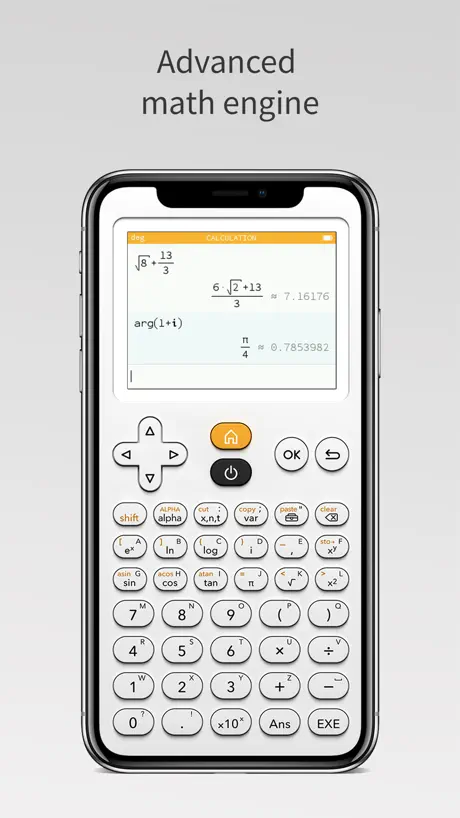
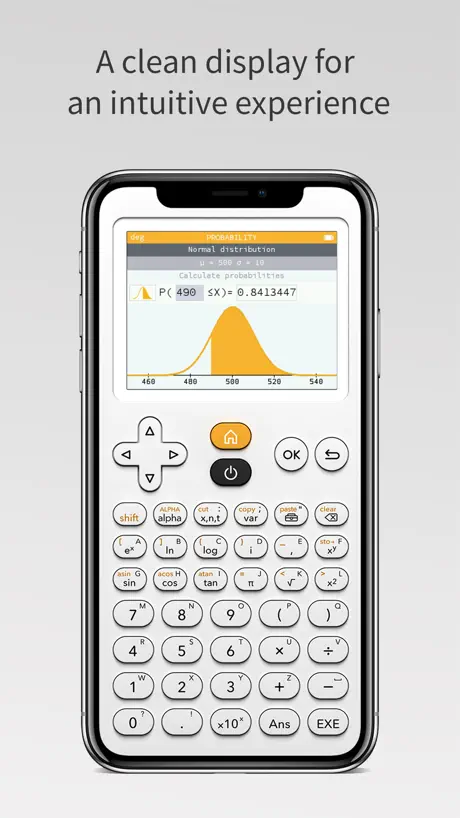
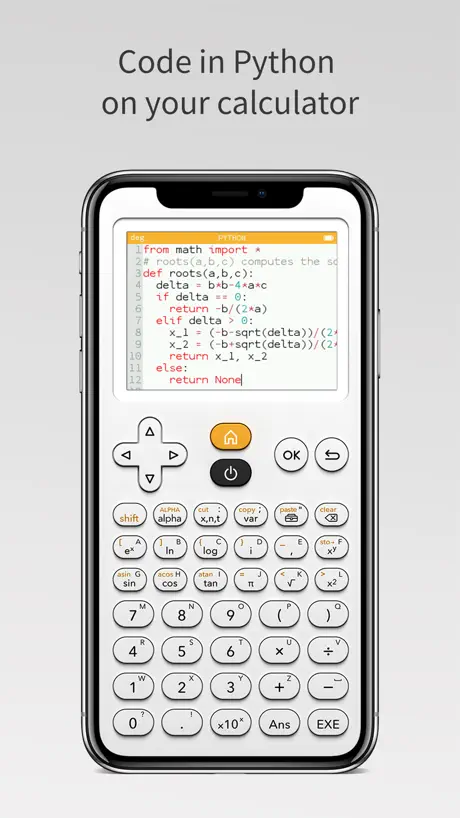
How much does NumWorks Graphing Calculator cost?
Prices are current as of 11 Nov 2026.
NumWorks Graphing Calculator has no in-app products on record in the United States.
10+ alternatives to NumWorks Graphing Calculator
| NumWorks Graphing Calculator |   Nomad Education Brevet Bac Sup |   En Voiture Simone - Auto École |   Wilgo: AP® Study & Test Prep |   Revyze: Scroll to Learn |   NeoStudy - Learn with AI |   Kopilote | |
|---|---|---|---|---|---|---|---|
| Rating / 5 | 4.4 | 4.6 | 4.8 | 4.6 | 4.7 | 4.6 | 1.9 |
| Reviews | 816 | 66K | 48K | 36K | 30K | 23K | 431 |
| Released | 2019 | 2019 | 2019 | 2025 | 2022 | 2024 | 2023 |
| Monthly price | — | $10.99 | — | $12.90 | $9.99 | $8.99 | — |
| 3-month price | — | $44.99 | — | — | $12.99 | — | — |
| Annual price | — | $99.99 | — | $179.99 | $44.99 | $24.99 | — |
The going rate for each plan in United States, in its own currency, shaded from the cheapest price on the row to the dearest. Plans fewer than four in ten of the priced apps sell are left out.
NumWorks Graphing Calculator reviews
4.4 out of 5, based on 816 reviews.
What people like
- Free simulator for the real device
- Great iPad split screen support
- Exact irrational number answers
What they complain about
- Forgets your settings and progress
- Touchscreen support is missing
- No haptic button feedback
saved my life lol
I’m a student in Highschool taking AST which is like pre calc but easy😻anyways, this app is great and super underrated lol, the calculators are great and there’s nothing the calcs can do that the app can’t as far as I know
Lenta e dá erro
Quando faço a conta ele me dá erro muito má para usar
Mode sombre décevant
Bonjour, utilisant cette calculatrice comme principale sur ios, j’ai été agréablement surpris de voir le mode sombre dans les notes de maj, cependant, celui-ci n’est pas a la hauteur, l’activé rend l’écran illisible, tel un filtre négatif, en plus de ne pas mettre en noir le reste de la calculatrice comme les boutons et le contour de l’interface qui continue d’ être blanc… bonne application mais manque d’un vrai mode sombre, en plus d’un moyen de sauvegarder ce choix, car à la sortie de l’app, tout est perdu au redémarrage et on se refait flash par l’interface blanche, cela s’applique aussi à la langue choisie dans l’app, qui se réinitialise a chaque démarrage
Looks nice but extremely bad
This is a nice looking calculator that reminds me of having a physical device with buttons. What I wish for the love of god please have button input on key up instead of key down. Jesus. Try and switch between this calculator and other apps without pressing the x10^ key or the ans key. Impossible.
Critique
Le jeux manque de graphisme et n’est poussé très loin mais sa me rappelle mon enfance, les pnj on des texte simple mes les monstre qu’on appelle « équation » sont d’un niveaux pas du tout adapté, nous pouvons améliorer notre niveau dans la vrai vie ce qui n’est pas déplaisant non plus, il faut juste aller sur la map école, collège, ou lycée, pour voir le pnj professeur de maths et améliorer vos compétences et puis reprenez le jeux là où vous êtes arrêtez, une des seul gros défaut du jeux c’est que on doit le faire en no-hit sinon vous devez tout recommencer, en therme de note positive les speedrunner v’on adorait la difficulté.
Used it years ago and it’s still lovely
Never have had a cheap way to calculate stuff. Used it in high school and now in college it works the same way.
Calculator
Can I play minecraft in these app??? My friend told me i could use it to get the fortnite battle pass for free.
Mode sombre svp
Mode sombre svp
Too small for iphone SE
Very sharp & clean looking. But there is a lot of wasted space around the perimeter of the app, needlessly crunching down the button & calc display. Looks nice but would look better without this wasted space. As is, it's too small to use on this phone.
les trucs pour les graphiques marchent pas
ça marche pas
The best
The irrational exact answers are next level, as are the instantaneous conversions with the “… “ feature on answers. I’ll always have this on my phone so I am never going back to a crusty TI
Pretty Bad
Complete crap DON‘T DOWNLOAD!!!
feedback
for a blind person's point of view this app would be better if it was compatible with a screen reader which it's not
Bien mais pas réaliste
La calculatrice est bien, mais elle n’est pas réaliste. Je m’explique, quand j’appuie sur le bouton éteindre, elle ne s’éteint pas. Merci de corriger ce bug
The GOAT
Numworks is my GOAT 🐐
nao senti
nao
lack vibrate feedback
Really nice app,it will be great if we can get vibrate feedback when press button.
Aktuell nicht wirklich brauchbar
Eigentlich eine nette Idee. Hat aktuell aber mindestens zwei große Probleme: Der Rechner vergisst dauernd seinen gesamten Speicher (inkl. den Python-Skripten). Außerdem funktioniert das Unterbrechen eines Skriptes mittels der Zurück-Taste nicht.
Pretty good, but…
I really like this calculator, but when programming, it freezes up when you do a while true loop. The online version doesn’t, please fix this.
Too confusing
Totally unintuitive. I finally figured out how to enter a function but when I press graph it just kicks me out to the menu. Buy the new Casio 9750GIII for $45 dollars and forget this unintuitive free crap.
Overall great simulator
Two requests: - remember my last state (usually in calculation mode) - allow copy and paste of text (results, python code…)
Impossible de sauvegarder ses scripts python
Comment sauvegarder ses propres scripts python ? Lorsque l on arrête l application les scripts python qui avaent été créé sont effacés.
Works for want I need
Takes a while to get used to, since I use either hp or ti, but once you get the hang of it, it’s pretty cool.
No touchscreen
The calculator would be much more user friendly if is had touchscreen.
Can’t save progress
It’s a cool emulator but it’s like those Casio scientific calculators that every time they reboot you lose your progress. Please fix this.
???
Honteux de nous faire payer 70 balles une calculette pour le lycée alors que y’a la meme gratuite sur un téléphone
Really useful
I just started using this on my iPad and I love how it docks to the side of the screen with Split View. I really appreciate that it resizes itself to fit in the slimmest split size. I have a Magic Keyboard attached to my iPad and I also like that I can navigate around the calculator with the arrow keys and enter key on my keyboard. THERE IS JUST ONE LITTLE PROBLEM. The calculator seems to have the ability to decide when it does and doesn’t want to take number or letter keystrokes from the keyboard. It might, it might not. This really sort of ruins any chance I had of doing python programming on this calculator using the physical keyboard. I hope this is something that can be easily fixed. It would make this app a whole lot more useful!
It works really well on the website, but on this app, the buttons are mixed up
Mixed up
Enjoyed it, however…
I have thoroughly enjoyed the consumption of this mathematical device, however there appears to be an error with the preservation of previous calculations that have been submitted into the application. Whenever I attempt to change the angle measurements, or any setting for that matter, the application appears to reset them back to default settings once I’ve halted my use of said application. Please in the near future, discuss the matter of the issue, and work to fix it. In short, the application has an issue with saving the progress. Thank you, I appreciate what you do, and please work to fix this issue. I bid u adieu!
Il manque la sauvegarde des paramètres !
A rien de la perfection !
Most Underrated Calculator
Numworks is awesome for making such a good free simulator app off their calculator. It sold me on buying a Numworks calculator for both of my daughters over the TI-84 Plus CE. Numworks beats it in every category except for size of the community. I’m not worried about that though because it’s more intuitive and the online info for it is excellent.
Please fix scaling to 4.7 screens
Perfect besides it’s hard to read on the iphone se 2020 4.7” screen
A perfectionner
Manque l’écran tactile et un vrai clavier pour le mode python, quitte à rendre fonctions payantes et fournir un code d accès lorsqu’on achète la calculatrice...
AWESOME APP!!
This is a great calculator app! Since the iPad doesn’t come with a calculator, I use this one all the time!
good
good but how do i use shift it doesnt work when i hold it i cant press the other buttons
Overall, pretty good. But...
I’d like to adjust the amount of decimals provided in an answer. I’m working with very small numbers extracted from very large numbers, and all the calculators I’ve come across always round up too early when I need an exact number. I can’t find an option to change this, in fact, I can’t find options at all... A great calculator, but not for my needs. A settings interface would be amazing. Please address this.
Please fix the layout for iPhone 14 Pro models
This is my first review in the app store, and I just couldn't hold back. This app is so good, it's all I use now for all things calculations and math. The only thing I'd really love for the developers to consider is update the layout a little to better suit the iPhone 14 Pro models (as that's what I'm using). The top part looks a bit distorted, and although it does not interfare with say to day use, I do tend to look over it and wish it looked a little better sometimes. After all, the design of the calculator is really great and I'd love to feel the aesthetics while using it! Please consider this on a future update if possible! And thank you so much for such a great app! I've checked on your website, and I'd love to buy a physical version of this (the real calculator) one myself when I can! Best Regards, Sarker
Awesome! But not registered with IB
I’d love to purchase this calculator, having used its app for a bit it seems awesome! I just wish you guys were registered with the IBO (international baccalaureate) to take exams with.
Works great
It works great but haptic feedback is missing and makes using it confusing
NumWorks Graphing Calculator FAQ
- Is NumWorks Graphing Calculator free?
- Yes. The app is free, in all 175 countries it sells in, and it sells nothing inside it.
- Does NumWorks Graphing Calculator have a free trial?
- No. None of its offers (US) come with a free trial.
- What are the best alternatives to NumWorks Graphing Calculator?
- Nomad Education Brevet Bac Sup (4.6 from 65,915 reviews, premium from $10.99), En Voiture Simone - Auto École (4.8 from 48,381 reviews) and Wilgo: AP® Study & Test Prep (4.6 from 36,449 reviews, premium from $8.90).
NumWorks Graphing Calculator download
Last updated 3 months ago.
NumWorks Graphing Calculator sells in 175 countries. It was released 7 years and 7 months ago, on 23 Mar 2019. It holds a 4.4 rating from 816 reviews.
Supports 2 languages: English, French.
How much does NumWorks Graphing Calculator make?
Third-party estimates for the last 30 days, worldwide — not the store's own figures, which Apple publishes for nobody.