UtilitiesProductivity
Wifi Code
Revenue 30d — not estimated
Downloads 30d — not estimated
Rating 2.91 47 reviews
No in-app products collected for this app.
| Rating | |||
|---|---|---|---|
| Philippines | 13%6 | 2.33 | |
| Saudi Arabia | 11%5 | 4.00 | |
| Egypt | 9%4 | 2.00 | |
| United States | 9%4 | 3.75 | |
| Vietnam | 9%4 | 3.75 | |
| France | 6%3 | 4.33 | |
| United Arab Emirates | 4%2 | 1.50 | |
| Brazil | 4%2 | 3.00 | |
| Indonesia | 4%2 | 1.00 | |
| India | 4%2 | 3.00 | |
| Pakistan | 4%2 | 1.00 | |
| Australia | 2%1 | 3.00 | |
| Colombia | 2%1 | 5.00 | |
| Germany | 2%1 | 5.00 | |
| Israel | 2%1 | 5.00 | |
| Kuwait | 2%1 | 5.00 | |
| Lebanon | 2%1 | 1.00 | |
| Mexico | 2%1 | 1.00 | |
| Slovenia | 2%1 | 1.00 | |
| Chad | 2%1 | 1.00 | |
| Turkey | 2%1 | 1.00 | |
| Tanzania | 2%1 | 5.00 |
Description
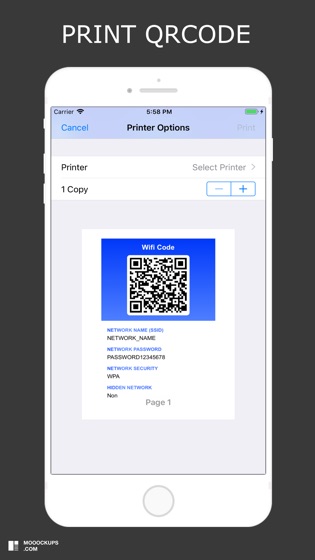
Wifi Code allows you to generate a QR code for your Wifi network.
You want to share your wifi network:
1) Enter the name of your network (SSID)
2) Enter your network password (if you have one)
3) Select your type of network security (WPA default, WEP)
4) Select whether your network is hidden or not
5) Print and save the QRCode generated by the application
This is by far the easiest and most convenient way to connect to a Wifi network.
You want to access a wifi network:
1) Open your camera or scan application
2) Scan the QRcode
3) Connect to the wifi network