
VDScan
OCR & Text To Speech
How much does VDScan cost?
Prices are current as of 26 Oct 2026.
VDScan has no in-app products on record in the United States.
VDScan download price by country
| Country | Price |
|---|---|
| United States | $14.99 |
| Germany | €17.99 |
| Canada | CA$19.99 |
| Spain | €17.99 |
| France | €17.99 |
| United Kingdom | £14.99 |
| Brazil | R$99.90 |
| Switzerland | CHF 14.00 |
| Italy | €17.99 |
| Turkey | TRY 799.99 |
| Poland | PLN 69.99 |
| Australia | A$22.99 |
| Romania | RON 79.99 |
| Mexico | MX$299.00 |
| Colombia | COP 69,900 |
| Hungary | HUF 6,990 |
| Chile | CLP 17,990 |
| Argentina | $14.99 |
| Czech Republic | CZK 399.00 |
| Denmark | DKK 129.00 |
| Netherlands | €17.99 |
| Norway | NOK 199.00 |
| Uruguay | $14.99 |
| Dominican Republic | $14.99 |
| India | ₹1,499.00 |
| China | CN¥98.00 |
| Ecuador | $14.99 |
| Portugal | €17.99 |
| South Africa | ZAR 299.99 |
| Belgium | €17.99 |
| Costa Rica | $14.99 |
| New Zealand | NZ$29.99 |
| Austria | €17.99 |
| Finland | €17.99 |
| Ireland | €17.99 |
| Peru | PEN 69.90 |
| Philippines | ₱999.00 |
| Singapore | SGD 19.98 |
| Greece | €17.99 |
| Guatemala | $14.99 |
| Panama | $14.99 |
| Sweden | SEK 199.00 |
| United Arab Emirates | AED 59.99 |
| Ghana | $17.99 |
| Croatia | €17.99 |
| Israel | ₪49.90 |
| Iceland | $17.99 |
| Japan | ¥2,500 |
| South Korea | ₩25,000 |
| St. Lucia | $14.99 |
| Lithuania | €17.99 |
| Malaysia | MYR 69.90 |
| Nigeria | NGN 24,900.00 |
| Pakistan | PKR 3,900 |
| Saudi Arabia | SAR 59.99 |
| El Salvador | $14.99 |
| Afghanistan | $14.99 |
| Antigua And Barbuda | $14.99 |
| Anguilla | $14.99 |
| Albania | $17.99 |
| Angola | $14.99 |
| Bosnia & Herzegovina | €17.99 |
| Barbados | $17.99 |
| Burkina Faso | $14.99 |
| Bulgaria | €17.99 |
| Benin | $17.99 |
| Bermuda | $14.99 |
| Brunei Darussalam | $14.99 |
| Bolivia | $14.99 |
| Bahamas | $14.99 |
| Bhutan | $14.99 |
| Botswana | $14.99 |
| Belarus | $17.99 |
| Belize | $14.99 |
| Congo, Democratic Republic | $14.99 |
| Congo | $17.99 |
| Cote Divoire | $17.99 |
| Cameroon | $17.99 |
| Cape Verde | $14.99 |
| Cyprus | €17.99 |
| Dominica | $14.99 |
| Algeria | $14.99 |
| Estonia | €17.99 |
| Fiji | $14.99 |
| Micronesia | $14.99 |
| Gabon | $14.99 |
| Grenada | $14.99 |
| Georgia | $17.99 |
| Gambia | $14.99 |
| Guinea-bissau | $14.99 |
| Guyana | $14.99 |
| Hong Kong | HK$118.00 |
| Honduras | $14.99 |
| Iraq | $14.99 |
| Jamaica | $14.99 |
| Kenya | $17.99 |
| Kyrgyzstan | $14.99 |
| St. Kitts and Nevis | $14.99 |
| Cayman Islands | $14.99 |
| Kazakhstan | KZT 8,990.00 |
| Sri Lanka | $14.99 |
| Liberia | $14.99 |
| Luxembourg | €17.99 |
| Latvia | €17.99 |
| Libya | $14.99 |
| Morocco | $17.99 |
| Moldova | $17.99 |
| Montenegro | €12.99 |
| Madagascar | $14.99 |
| Macedonia | $14.99 |
| Mali | $14.99 |
| Myanmar | $14.99 |
| Mongolia | $14.99 |
| Macao | $14.99 |
| Mauritania | $14.99 |
| Montserrat | $14.99 |
| Malta | €17.99 |
| Mauritius | $17.99 |
| Maldives | $14.99 |
| Malawi | $14.99 |
| Mozambique | $14.99 |
| Namibia | $14.99 |
| Niger | $14.99 |
| Nicaragua | $14.99 |
| Nepal | $17.99 |
| Nauru | $14.99 |
| Oman | $14.99 |
| Papua New Guinea | $14.99 |
| Palau | $14.99 |
| Paraguay | $14.99 |
| Qatar | QAR 49.99 |
| Serbia | €17.99 |
| Rwanda | $14.99 |
| Solomon Islands | $14.99 |
| Seychelles | $14.99 |
| Slovenia | €17.99 |
| Slovakia | €17.99 |
| Sierra Leone | $14.99 |
| Senegal | $17.99 |
| Suriname | $14.99 |
| Sao Tome & Principe | $14.99 |
| Swaziland | $14.99 |
| Turks and Caicos | $14.99 |
| Chad | $14.99 |
| Tajikistan | $14.99 |
| Turkmenistan | $14.99 |
| Tunisia | $14.99 |
| Tonga | $14.99 |
| Trinidad and Tobago | $14.99 |
| Taiwan | NT$490.00 |
| Tanzania | TZS 39,900.00 |
| Ukraine | $17.99 |
| Uganda | $17.99 |
| Uzbekistan | $14.99 |
| St. Vincent & The Grenadines | $14.99 |
| Venezuela | $14.99 |
| British Virgin Islands | $14.99 |
| Vanuatu | $14.99 |
| Kosovo | €17.99 |
| Yemen | $14.99 |
| Zambia | $17.99 |
| Zimbabwe | $17.99 |
10+ alternatives to VDScan
| VDScan |   Envision AI |   Supersense - AI for Blind |   PiccyBot |   Text reader dyslexia, Scandys |   ScribeMe |   OneStep Reader Multi |   WayAround - Tag and Scan |   Perspective Intelligence |   Emvi.ai |   OrCam | |
|---|---|---|---|---|---|---|---|---|---|---|---|
| Rating / 5 | 4.4 | 4.1 | 4.1 | 4.2 | 4.3 | 4.4 | 3.5 | 3.9 | 4.4 | 3.5 | 1.8 |
| Reviews | 1.2K | 3K | 520 | 283 | 278 | 90 | 71 | 42 | 27 | 22 | 13 |
| Released | 2019 | 2017 | 2020 | 2024 | 2020 | 2025 | 2016 | 2018 | 2025 | 2024 | 2024 |
| Monthly price | — | — | $4.99 | $2.99 | $4.99 | — | — | — | — | — | — |
| Annual price | — | — | $49.99 | $17.99 | $19.99 | — | — | — | — | — | — |
| One-time price | — | — | $99.99 | $24.99 | — | — | — | — | — | — | — |
The going rate for each plan in United States, in its own currency, shaded from the cheapest price on the row to the dearest. Plans fewer than four in ten of the priced apps sell are left out.
VDScan reviews
4.4 out of 5, based on 1,241 reviews.
What people like
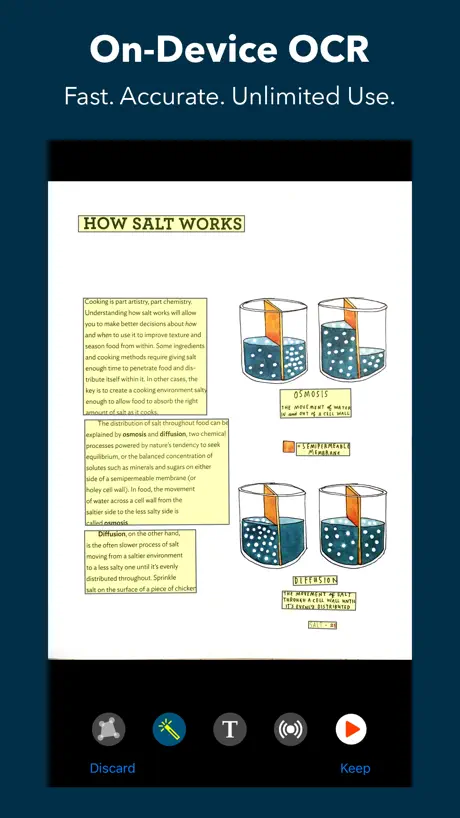
- Fast and accurate text recognition.
- Works great even in poor lighting.
- Excellent support that fixes issues quickly.
- Uses local processing for better privacy.
What they complain about
- Crashes often and deletes your files.
- Reads text out of order on columns.
- Very difficult for blind users to navigate.
- Fails to read curved book pages well.
I use this ap every day to read my continuous glucose monitor reader. This is excellent for me.
Makes needin gsighted help a lot less
Mehr Ernüchterung geht nun wirklich nicht mehr!
Der einzige Pluspunkt, eben einen Stern, den man dieser Schöpfung noch geben kann, ist die tatsache, dass die neu eingeführte Beschreibung von Bildern (importierten Fotos) auf dem eigenen Gerät erarbeitet und angezeigt wird und das Bild selbst vorher keine Reise zu irgendeinem externen Server mit allen hierbei denkbaren „Unvorhersehbarkeiten“ antritt. Ansonsten gilt für mich klar der weiterhin zu beobachtende Abwärts-Trend der Qualität aller mir bekannten VD-Apps. Andere machen das mit der Bildbeschreibung vielleicht nicht eben schneller und mit Sicherheit mit mehr Anteil an der Nutzung externer Servoces, aber auf jeden Fall qualitativ um Längen besser. Mein Fazit: Weg damit! VD-Scan braucht „So“ niemand mehr wirklich!
kein PDF Export möglich!
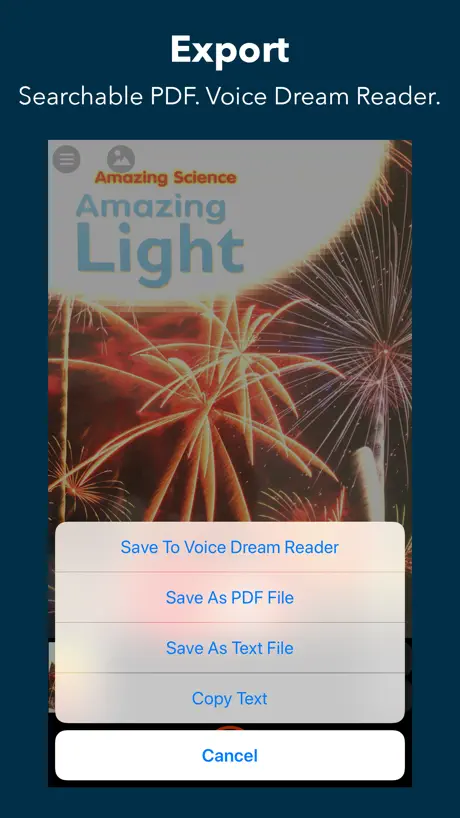
Diese App ist meiner Meinung nach mit einem Preis von etwa 18 € etwas überteuert. Im Grunde handelt es sich um eine herkömmliche Text-Scan-App, von denen es zahlreiche kostenlose Alternativen gibt. Mit der App kann man ein Dokument scannen, eine Texterkennung (OCR) durchführen und sich den erkannten Text vorlesen lassen. Allerdings fehlt die Möglichkeit, die Dokumente als PDF zu exportieren, zu digitalisieren oder per E-Mail zu versenden. Stattdessen kann man den Text lediglich als Bilddatei oder als einfache Textdatei (TXT) speichern. Es gibt kostenlose Alternativen, die genauso gut funktionieren. Ich selbst nutze eine App, die meine Dokumente scannt, eine OCR ausführt und anschließend die Option bietet, das Dokument als PDF zu digitalisieren und zu archivieren – und das völlig kostenlos. Möglicherweise funktioniert diese App besser in Kombination mit dem Voice Dream Reader, aber ich bin mir nicht sicher, ob damit eine Umwandlung in PDF-Dokumente möglich ist. Außerdem empfinde ich auch den Voice Dream Reader als überteuert, und ein Jahresabonnement lohnt sich für mich nicht, da ich die App nur zwei bis drei Mal im Monat nutzen würde. Dafür ist es einfach nicht rentabel. Deshalb sollte man sich gut überlegen, ob man die VDScan-App wirklich kaufen möchte, da es, wie erwähnt, kostenlose Alternativen gibt. Ich werde mein Geld von Apple zurückfordern, denn die App erfüllt nicht meine Erwartungen. Unter “Scannen” verstehe ich eine gründliche Erfassung von Dokumenten, die ich dann digitalisieren und archivieren kann. Leider bietet diese App das nicht. in der Beschreibung steht jedoch drin dass man hiermit PDF Dateien erzeugen kann. Dies ist aber schlichtweg nicht möglich! Update: Ich habe inzwischen die Option gefunden, ein Dokument als PDF zu speichern, allerdings empfinde ich den Weg dorthin als etwas verwirrend und nicht optimal gelöst. Wenn ich ein Dokument scanne und anschließend auf “Exportieren” tippe, erwarte ich normalerweise, dass dort die PDF-Export-Funktion zu finden ist. Hier muss ich jedoch die Exportfunktion ignorieren, zuerst auf “Behalten” und dann auf “Speichern” tippen, um das Dokument schließlich als PDF zu speichern. Das erzeugte PDF ist allerdings kein echtes PDF, sondern ein Bild-PDF. Trotzdem funktioniert die OCR und man kann den Text auslesen. Daher gebe ich der App insgesamt vier Sterne. Einen Stern ziehe ich jedoch ab, weil diese Lösung nicht besonders benutzerfreundlich ist – insbesondere für mich als blinde Person. Es wäre logischer und einfacher, die PDF-Option direkt unter “Exportieren” zu platzieren.
New layout
I am very dissatisfied with your new layout. I find it difficult to take a picture and it is not reading as well as the older layout. I really wish you would consider putting back the old layout.
An excellent print reader with an unfortunate and disgusting name
A horrible choice for the name! A shame to mar a great app with such a disgusting title. This is an outstanding app which always works. It is feature rich, and I have found nothing that it cannot read correctly. It is impressively fast, allows me to read large or small documents, allows me to save them wherever I want, or to share them when that is necessary. Updates always add good things, never take away or break anything.
Company does follow its customers opinions
Changing my recent review, they fixed my concern
Absolutely terrible for accessibility
I have this suite because I am severely sight impaired and it, theoretically, allows me to read documents. BUT, the buttons on the screen and complete lack of any useful user guide make it almost impossible to use. I have similar problems with the Royal National Institute for the Blind (RNIB) book reading service where their website is hopeless. Same with Home Connect and hearing aid apps. All of which should be accessible and there is no excuse. This is up there or down there with the worst of all.
Would be 5 stars, but…
I recently scanned a lengthy document—actually the majority of a soft-cover book—using VDScan; then, because I wished to save it, and knew I would probably need to scan something else using VDScan, I attempted to save the document to VoiceDream Reader. One would think that the only thing that had to be done in order to accomplish this was to press “Save to VoiceDream Reader” and, possibly, give the document a meaningful title. I did this, and my screen went dormant for a couple of minutes; then, the share sheet came up, so I again chose VoiceDream Reader. The screen again went dormant; then, when it came back up, the scan had disappeared, and the document was not to be found in VoiceDream Reader. I again scanned the document, and again attempted to send it to VoiceDream Reader. The screen again went dormant, then the app crashed. I have sent several memos to the developer, and have received no reply. Knowing that the original company was bought out, I found two different addresses to which to send queries, and have used both of them. So, what is the trick to send a document to VoiceDream Reader without losing it first? For the record, I _did _not hit the Clear button, as I knew that this would delete all scanned pages. I am running iOS 16.6.1, the latest versions of both VDScan and VoiceDream Reader, am finding no settings that seem incorrect, and use VoiceOver. Since App Support isn’t replying, I hope someone out there will.
Disappointed in this app
This is harsh but I'm actually disappointed I paid for this. I need to read cards, paint bottles, and cosmetic packaging. It seems to not like shiny surfaces, elegant font, or around objects. I feel I take 5 to 10 shots before I get one that isn't either gibberish or blank in translation. Sometimes I can parse what it says but not all the time. Even plain documents are not great. Whole sections will be nonsense in the read out.
Name change! Why?
What? You’re changing this one too! I Why did you abandon a very popular name like “voice dream scanner.” VDScan sound so ordinary and very boring. At least your keeping the iconic logo. But please reconsider the silly name change.
VDScan is my daily driver
VDScan is my daily go to for a checking mail. It is fast and accurate.
Mit VoiceOver unbenutzbar
Voice Dream Scanner hat prima angefangen, aber seit langer Zeit ist die App komplett unbenutzbar für VoiceOver Benutzer. Warum die Programmierer der Meinung sind, dass ihre wichtigste Zielgruppe die App nicht mehr nutzen sollte, bleibt wohl deren Geheimnis.
Bonjour
On aimerait bien que vous ajoutez l’arabe
Honestly felt a little duped
It looked like this app was to scan and read text because it wasn’t very clear initially and it’s hard to get an accurate reading with this app. IOS latest update for Apple has a scanning feature it’s much more accurate than this app. I ended up paying like 19 bucks to get the reader app which has the scanning feature in it already and is a bit smoother in operation.
Decent affordable scanner/reading app.
Overall has been beneficial when reading papers/documents/books etc. the app has difficulties as times when there are multiple columns on a single page where it jumps back and forth/reading out of order.
Excellent Tool for ADHD
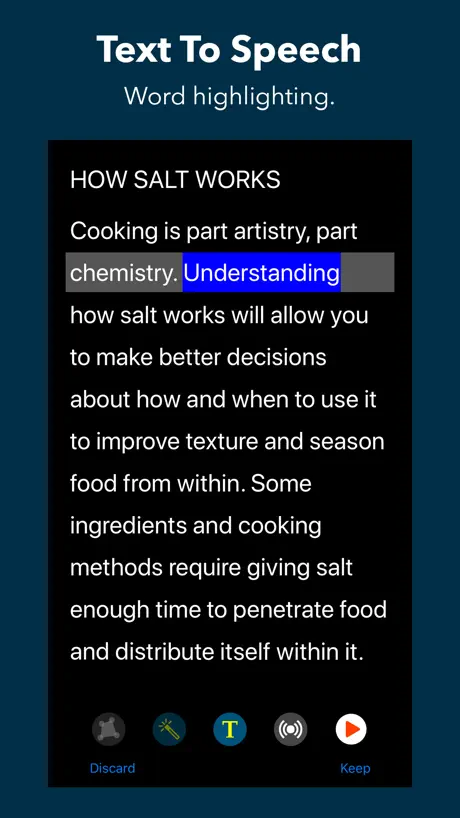
AS SOMEONE THAT HAS ADHD with a reading comprehension disability, I LOVE this app! It makes reading so much easier!
I would like a refund
I downloaded this app to help with grad school. The voices are very monotone. I don’t know when a sentence ends and a new one begins. Common English words are mispronounced. I thought this app would help but it does the complete opposite.
Is good
It is a good app, a bit hard to maneuver and understand, can’t make different files.
It works I guess
I was expecting it to work better for $6. It does the job technically but I have to retake each picture 20 times because it’s so picky and it can’t pick up text from a not flat surface for example my textbook near the biding is blind to the camera. :/
When it works, it’s perfect.
Works perfectly unless your text is divided into two (or more) columns on a page. If it could do that consistently I would give 5 stars.
Voice dream scanner
I think it’s a very good app seems to work better than the other ones that I have on my phone all right it works just as well as voice stream of Reader and I don’t have the rider but I’ve got the voice dream reader and it works very well. Thank you Leslie Ferrell.
Complete and utter garbage
This app does not even pretend to work a little bit. I dropped the $5.99 on this app after paying $19.99 for the reader app. Neither of them will connect to the camera. I mean, complete and utter fleecing of the wallet. I should’ve just ran $25 through a paper shredder, at least then I would have had a neat little bag of shredded money instead of two complete waste of space useless, nonfunctional garbage apps on my phone. Good one guys… you got me. What a joke, it’ll make for a funny story over a beer with my tech buddies to tell them how stupidly I fell for the promises this app makes in the App Store.
Very nice app
The two things I would like to have would be that the app would not talk over the scanned materials at the beginning of the reading and I wish column reading would be possible. Otherwise, I would give the app a TRIPLE. A plus.
Too slow for big books-poor value for money
If you are a student and hope to scan a book, arm yourself with PLENTY OF TIME AND PATIENCE to try and take a picture, edit its margins, retake the picture if the app sees skewed lines and misses words... Better results if you take the photos on just the phone default camera and then send them to an OCR application on your PC/Mac. Or better still, if you can use a table scanner. Only good for A4 sheets or emergency work (?) but not many sheets as your arms get tired by holding the phone steady page after page. SO SLOW- urgh!!
4.3 stars
I just purchased The SharkAPEX DuoClean Powered Lift-Away with Self-Cleaning Brushroll Upright vacuum. In the past, I have never read the owners manual that comes with my purchases. Today however utilizing the voice stream scanner, I was able to read and understand the owners manual effortlessly. As a visually impaired person, this means more independence for me! I am interested in other products as well. I will recommend this product to others.
my pocket buddy
This app is more efficient than a $1000 app on my computer. Thank you for this app.
Very Disappointing
Voice dream scanner crashed when using this app ,very disappointing this app is a waste of my time and a waste of my money Thanks Voice Dream I think You need to go back to the drawing board.
Gets the job done
I am visually impaired. Occasionally there’s a kindle book that voiceover can’t read because all the pages were saved as images.Also some of my family still doesn’t believe I have vision issues and they will occasionally send me pictures of my mail that was sent to their house for whatever reason. This app helps me read that stuff. As someone else noted it occasionally reads the lines of text out of order. Also like all ocr there can be mistakes in the recognition. It would be nice if there were a few voices to pick from but for the price it does a decent job
Problème avec le son de recadrage
Bonjour, je possède un iPhone 6s E. Lors ce que l’option détection des bordures est activé, on entend plus ou presque plus aucun son. Par contre, dès que je désactive la détection des bordures, le son réapparaît. Curieux. Ceci dit merci pour cette application et l’idée est génial.
Help please
Hello everyone, my name is Faith Switzer. I depend on these apps to complete my schoolwork and for much more. The Voice Dream Pack, Reader, and Writer work very well for me, however, I have been having a problem and I was wondering if anyone else has been having the same problem and how they felt with it. My problem is that my Scanner app deletes important documents all on its own. I clear nonessential documents before taking pictures of new ones and it picks random times to delete my whole library of scanned pages. If anyone is having this problem or has had it in the past, will you please let me know how you fixed. This would be greatly appreciated. Faith Switzer
The best app ever
This app that I’m using, I really admired a lot! It does a lot for me. I like this better than seeing AI! So, please keep up the good work. I have other apps that will read on my phone, but this one is the best. From j j
Horrible for books
The app is horrible for books. The automatic capture can’t read the edges of a hardcover book and when it doesn’t read the text correctly. The yellow boxes are all uneven and thus isn’t reliable. It takes A LOT of work to get it right. This app is only useful for text on flat surfaces and doesn’t read well even if there’s the slightest curvature on the paper, which is common when snapping pictures of pages in a book.
Mr
As a totally blind person, I have found this to be the easiest app to use for scanning documents as it does not seem to be quite as dependent on how well I focus the camera. It seems to be extremely accurate and I would recommend it.
Just what I needed, but glitchy af
So this is a great companion app to Voice Dream that needs some improvement: Often when I am taking photos of pages, the app crashes and I lose a lot of my progress. This happens with regular capture mode at times, but always in auto capture, crashes every time and I lose like 10 page photos... Also, it's been fine for detecting text on my laptop but I tried to take a picture of a print book and the text detection was really wonky no matter how many times I tried to retake the picture, flatten/straighten it out, etc. I've been relying on this app because it makes my life with ADHD so much easier but I would love to see fixes for these issues. Thank you for making this app suite, I appreciate it.
Great app! With the most responsive developer in the App Store!
I'm writing this update after iOS 16.0.2 came out and there was a problem with using the Ivona voices with Scanner. Winston isolated and corrected the problem in just a couple of hours and had the updated app in the app store right away. No one else gives that level of service! Voice Dream Scanner is the easiest and most accurate OCR app I have used! It will only get better as multi-column support is added.
Can’t adequately recognise docs with columns
In theory this should be a fantastic app as Voice Dream Reader is the best app I’ve ever installed, but this isn’t. Spend your money but be prepared to be disappointed unless you are scanning the simplest of text documents with no columns. If scanning any newspaper or complicated legal document then the app needs to be upgraded or they need to license text scanner like Abby Finereader that can discriminate between a very thin gap between columns and a big space between words. As this app can’t recognise such gaps you’ll get it reading text that runs across the page or column gaps making the sentence meaningless. And if you want to read and view the original scan at the same time then each paragraph is boxed and the reader doesn’t continue read unless you press on the next boxed text block. So a bit of a disappointment.
Easy, straight forward. Sometimes choppy.
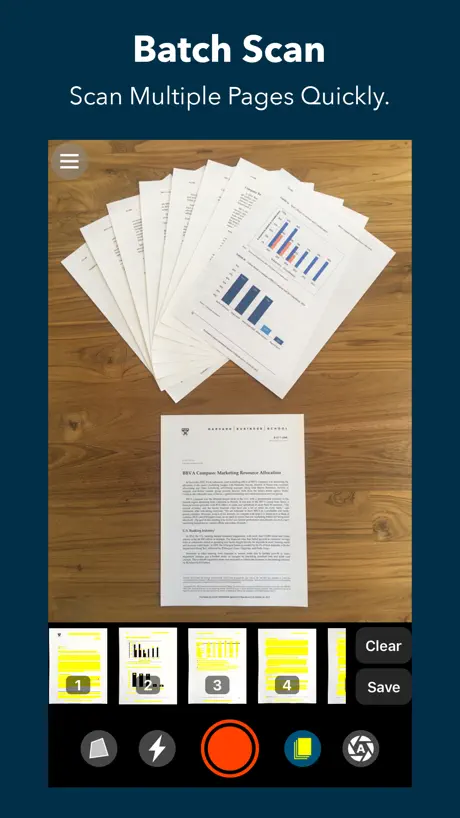
As an auditory learner, and a very slow reader, this app is helping me get my college degree. The only issues I’ve had are choppy reading when a word is split between two lines and occasionally it will read a word from a different line first, but I think the latter might be my photography and complicated page layouts (I’m ready a modern physics book). The voices are computerized, so it takes time to adapt to, but it really helps if you follow along in the text a few times to recognize it’s reading patterns. I really love this app, it’s easy to take pictures and there is a batch setting that allows you to take a series of pictures for the same file. Super fast way to get an audio book.
Keeps shutting off
I’m not sure what happened, it used to work ok. Please look into the issue. It shuts off and only saves few pages even thought 10 were scanned
Best scanning app I have ever used, and I have used them all
I have tried pretty much all of the blind friendly scanning apps that have been available since 2012–including the famous one from that well-known blindness organization that doesn’t work nearly as well as its proponents claim it does. Out of all of them, I have found this one to have the best method of indicating the location of text for proper orientation of the device, and it also has very rapid recognition. Additionally, it uses local recognition and does not use the cloud, which is great for privacy. One strange and unusual problem I have just discovered with it, though most people won’t experience this, is that if you reset all settings on an iPhone, this app no longer seems able to generate the scan tone, or use the camera flash. The app must be deleted and reinstalled, which isn’t really a problem once you figure out what you have to do. That little oddity aside, this is truly a great app, and is worth 10 times the price. I know, Because I have paid 10 times the price for other scanning apps for the blind which were not nearly as good.
A little too hard on my iPhone 8.
My phone can’t do text processing while batch capturing at the same time. I’m struggling to use this app. If the option for processing after importing was available, this could work. Or batch importation of photos so I could use the camera app.
muy potente, pero consume mucha batería
Me parece una aplicación muy buena e intuitiva, pero consume mucha batería, tengo un iPone 6s.
missing a basic feature
When importing photos, you can only import one photo at a time. This is very time consuming if I need to import 100 photos in a single document. There needs to be an option for batch selection of photos that can be imported in the app.
The only scanning app you’ll ever need.
I enjoy using this app to read mail and print documents independently. The intuitive tone guidance is far better than KNFB or Seeing AI. Even in poor lighting conditions, this app picks up any printed text and stores multiple pages into a single file. VoiceDream beats the competition hands-down. You’ve tried the rest, now try the best.
Stürzt dauernd ab!!
Diese App ist der letzte Müll. Stürzt ständig ab, während man scannt und schafft da gerade mal 20 Seiten am Stück, wenn überhaupt. Und das kostet auch noch Geld. Jede Billig-App kann das auch..abstürzen. Ärgere mich maßlos!
Funktioniert, eine Schaltfläche verschwindet
Generell funktioniert die App. Leider kann man die Schaltfläche für das Auslösen des OCR-Vorganges nicht sehen, weil sie verschwindet. Ein Tippen an die Stelle, wo sie sein müsste funktioniert glücklicherweise. Wenn dieser kleine Bug behoben ist, ist die App auch 5 Sterne wert.
El tono solo suena la primera vez después lo tengo que volver abrir uso un iPhone 6 con VoiceOver
Mi reseña es muy buena.
VDScan FAQ
- Is VDScan free?
- No. VDScan costs $14.99 (US) to download.
- Does VDScan have a free trial?
- No. None of its offers (US) come with a free trial.
- What are the best alternatives to VDScan?
- Envision AI (4.1 from 3,014 reviews), Supersense - AI for Blind (4.1 from 520 reviews, premium from $4.99) and PiccyBot (4.2 from 283 reviews, premium from $2.99).
VDScan download
Last updated 1 year ago.
VDScan sells in 162 countries. It was released 7 years and 7 months ago, on 30 Mar 2019. It holds a 4.4 rating from 1,241 reviews.
Supports 1 language: English.
How much does VDScan make?
Third-party estimates for the last 30 days, worldwide — not the store's own figures, which Apple publishes for nobody.