
Nception - Video FX & LUTs
Mirror & Inception Editor
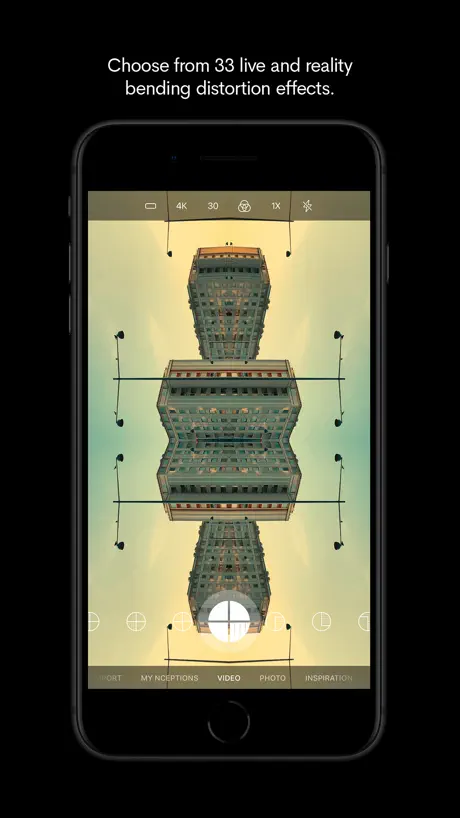
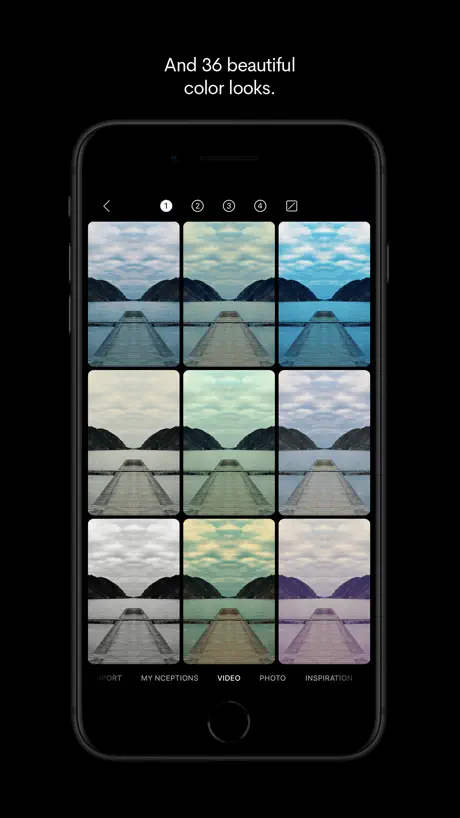
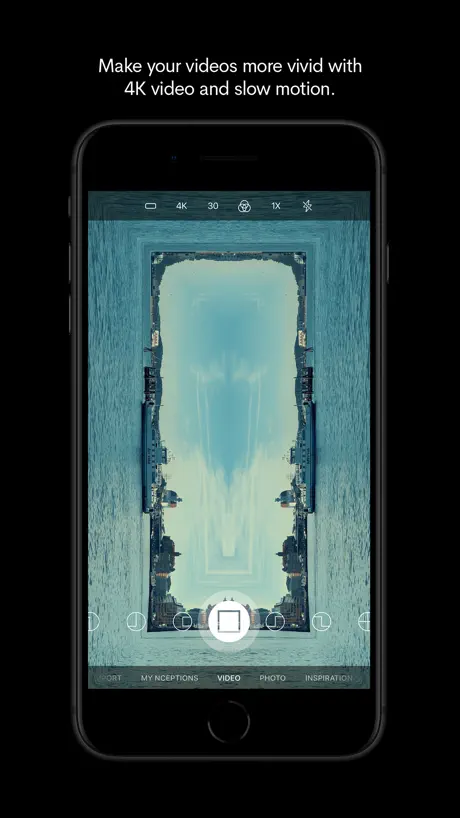
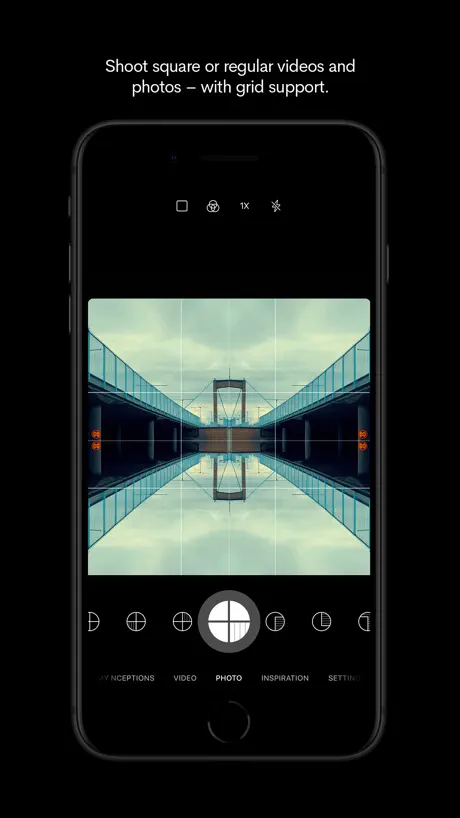
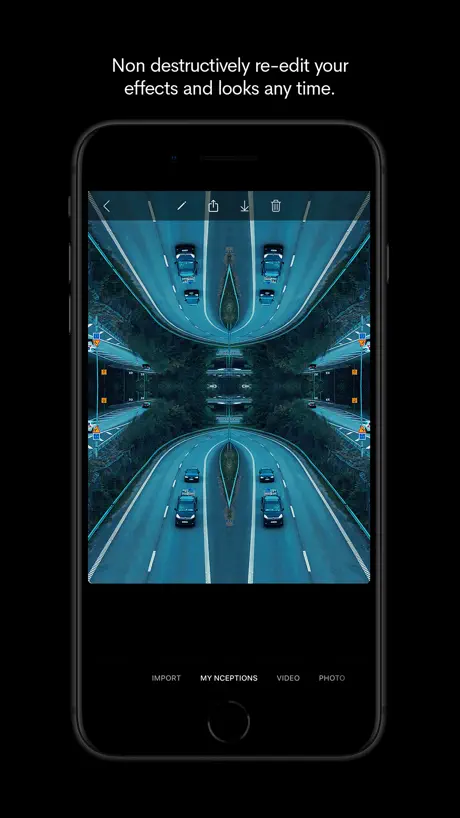
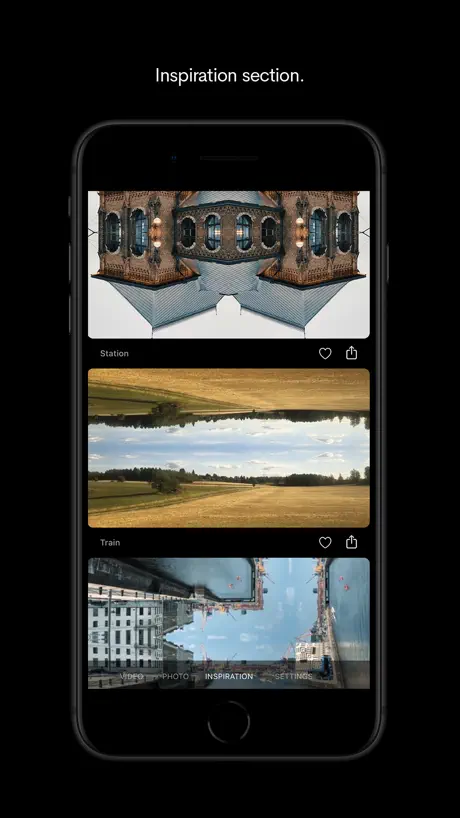
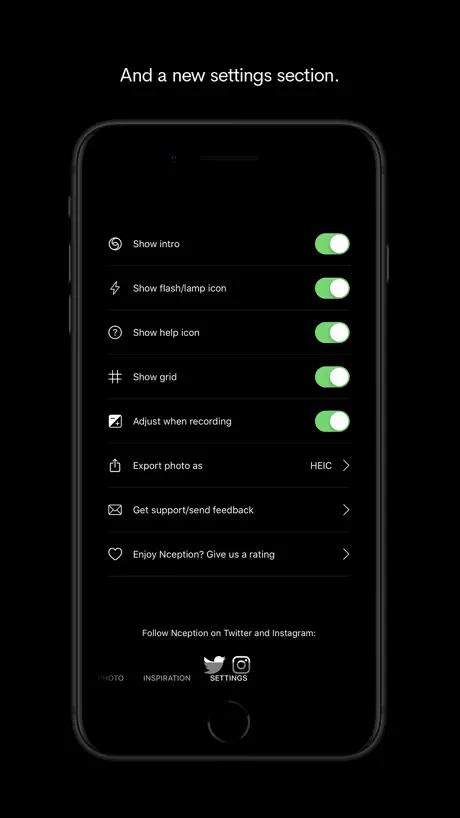
How much does Nception - Video FX & LUTs cost?
Prices are current as of 2 Oct 2026.
1 one-time purchase from $4.99
In the United States, Nception - Video FX & LUTs has 1 one-time purchase priced $4.99.
| Product | Price |
|---|---|
| Unlock all effects and looks. | $4.99 |
See what Nception - Video FX & LUTs costs in all 175 countries →
10+ alternatives to Nception - Video FX & LUTs
| Nception - Video FX & LUTs |   EFEKT Video Effects & Filters EFEKT Video Effects & Filters |   Glitch Art Studio: Cam Effects Glitch Art Studio: Cam Effects |   Trigraphy: Photo to Art Trigraphy: Photo to Art |   Crystaliq – Prism Kaleidoscope Crystaliq – Prism Kaleidoscope |   HYPERSPEKTIV: Photo, Video, AR HYPERSPEKTIV: Photo, Video, AR |   VideoLUT VideoLUT |   Glitchshop - Glitch Aesthetic Glitchshop - Glitch Aesthetic |   iColorama S iColorama S |   Glitch FX: Glitch Video Editor Glitch FX: Glitch Video Editor |   Kaleidoscope: Camera & Photo Kaleidoscope: Camera & Photo | |
|---|---|---|---|---|---|---|---|---|---|---|---|
| Rating / 5 | 4.5 | 4.6 | 4.7 | 4.6 | 4.6 | 3.2 | 4.3 | 4.2 | 4.2 | 4.4 | 4.4 |
| Reviews | 2K | 41K | 32K | 6K | 2.7K | 2.2K | 1.7K | 771 | 501 | 446 | 241 |
| Released | 2018 | 2018 | 2018 | 2014 | 2019 | 2016 | 2016 | 2018 | 2012 | 2018 | 2023 |
| Weekly price | — | $4.99 | — | — | $6.99 | — | $0.99 | — | — | — | $2.99 |
| Monthly price | — | $9.99 | $7.99 | $7.49 | $1.49 | $2.99 | — | — | — | — | $6.99 |
| Annual price | — | $19.99 | $19.99 | $44.99 | $19.99 | $29.99 | $6.99 | — | — | — | $39.99 |
| One-time price | $4.99 | — | $49.99 | $2.99 | $19.99 | $74.99 | $9.99 | — | — | — | — |
The going rate for each plan in United States, in its own currency, shaded from the cheapest price on the row to the dearest. Plans fewer than four in ten of the priced apps sell are left out.
Nception - Video FX & LUTs reviews
4.5 out of 5, based on 1,982 reviews.
What people like
- Really fun and creative visual effects
- Easy to use for beginners
- Produces surprising and cool results
What they complain about
- App crashes constantly and loses your work
- Features locked after you already paid for them
- Hard to find or import your own photos
- Video export speeds are weirdly slow
Crazy Cool
It’s Crazy Cool what all can b done with this app Great Job guys!
Nception doesn’t work after iPad update
I love this app and use it all the time but it stopped working following my 16.7 update on the iPad. I updated to 17 and it still doesn’t work. The app opens but when I try to upload an image, it won’t allow me to select the image I want and then it freezes. Please help!
新功能
多年老用户我,就想知道可以多开发一些不同效果吗?
原本免费的滤镜
好久没打开这个软件 但是怎么滤镜锁住了 原来是变成付费内容了 但当时这个软件不是一次购买买断制的吗 怎么又另外收费了 令人费解
Apps is cool but…
It seems that if you don't activate the audio before exporting the videos, they won't have any audio. Too bad, I exported a bunch of videos thinking they had audio, and now that I've deleted them from the app right after exporting, I’m left with useless videos. Man, you really should explain this properly.
Potent and psychedelic 🍄l
Powerful and teeming with surprising quality while allowing for versatility. Never gets bitting to the artists eyes. Simple streamline and ever so user friendly. My cup of psychedelic tea !
Not working
Okay I paid for these features and the app doesn’t even work because I can’t access the bottom part of the screen it won’t allow me to click on the imports video or options at the bottom of the screen of my iPhone
So close
Great app, but you need to fix the navigation in the “My Inceptions” viewer. Seems unbelievable that there is no way to swipe or advance through your gallery of images. Makes it very cumbersome to review your creations. Fix that UI quirk and I’d give you 6 stars.
很有创意但需要改进地方很多
首先不能用前置镜头拍摄 第二画面的移动跟手机移动不同步,有延迟
Help
Haven’t used this app for a while now but just went in to play around and it seems I have to pay the £1.99 again. I thought it was a one time purchase?
Love it
It’s so fun to play around with
Purchase problems
I already purchased this app, but now some items are locked on my new phone. and when I tap on the restore purchase, it crashes.
Great creativity app
This should be a fantastic tool for opening credits, or title sequences of motion picture production. Or maybe a dreaming scene … We tend to find symmetry pleasing to the eye, one reason wealthy people throughout history designed their parks in symmetrical shapes. The only reason I gave it a 4 instead of 5 stars is that it still has a few things to improve upon. 1. It should have a select all option for handling clips and images 2. It should store files directly to the camera roll 3. It should show a progress indicator while taping video, e.g. a running clock, or a blinking red LED, you name it, anything 4. The app crashes when you select too many files (80+) for sharing or storing onto the camera roll. 5. I have a remote Bluetooth shutter that works with most camera apps. It prevents camera shake when mounted on a tripod. The remote does not start the shutter on this app. Other than that a great little app, well worth the money.
无法导入本地素材
我自己用原生相机拍的照片导入不了,一直是黑屏
收费问题
我之前已经买过改软件的所有功能 为什么今天用 却又要我重新付费 点击回复以前购买也不行 希望官方给我个答复
Love it
🔥🔥🔥
Update added paywall
All the mirroring options used to be free, now nearly all of them have to be paid for. I loved this app because it did what I needed it to do for my photos without having to pay. Now it’s just another cash-grabbing app by cash-grabbing developer/s.
好
有教程就完美了
无法导出视频!
无法导出视频!!
一定要付费才能保存图片吗
如题
Underrated…deserves more attention!!
Use it everyday…allows you to explore the world in a whole new way ❤️
No
You will never get things in focus like the examples shown. I don’t think for one second they used this app for that! Show me proof, or give me my money back!
还不错,希望镜像调整自由度能更高点
希望能出个更加自定义改变对称位置的功能,不然使用原有图片的时候,没法调整需要镜像的位置
闪退
8导入视频编辑后导出一直闪退求解决
Won’t let me save video
Every time I upload a video and then try to save it, it won’t let me save. I have an iPhone 11pro and was using the wide lens. I used to love this app but it’s no longer working
Excellent app!
Never ending FUN!
Constant Crashing & More
This app worked well for the first few months after I purchased the full version. But ever since, it’s been crashing dozens of times per day, often every 5-10 min, even when not performing any functions at all. I haven’t even made any new images for months, since I can’t trust that I’ll be able to get them out afterwards. I have too many still stuck inside the app. I tried sending feedback to developers, but still no response at all, months later. And no subsequent app updates have fixed the problems. This happens both on iPhone X and iPhone 11Pro, so it’s not isolated. I’m still trying to get the images I’d already made before this happened out of the app, but exporting is excruciatingly painful due to constant crashes and file list display errors after every crash, wherein it takes at least 5-10 min of randomly tapping on thumbs and/or edit menu items, to get the thumbnails to reappear correctly in the interface. I’ve made virtually no progress getting my insure exported. This has been going on for months with no fix, and nobody responds to emails. I’ve avoided posting a review before now, as I was hopeful the developers would patch the bugs. But I’m at my wits end after my images have been trapped inside the app for months. I guess even paying for apps is a rip-off these days, as developers don’t seem to care if they work or not, even when they’re not free.
Almost Great
I have the latest version of the app and I’ve really enjoyed it. However, is there a way to prevent the video from being slowed down? My videos keep being edited and exported at rates slower than they were captured...any advice??
太垃圾了,還收费。
拍攝的照片和影片根本無法保留到本機,不知道那些演示是怎麼做到的,后悔下載。
Cool app but...
I don’t see how they expect you to both pay for the app upfront and then have in-app purchases. Not cool. Just got a response from the developer after I paid to unlock all the features. So what now?
So fun and easy to use
What a great app!! It really bends and distorts reality and allows me to be creative so easily. Well worth the cost!
Stole me money
I purchased this last september 2019 ..had all filters ...no update of app or phone ..but now when i try to use app it has everything locked asking for 1.99 again restored purchase & still all is locked refund money or unlock ..this is not cool
控制曝光没有啊
这不科学,
功能不完善
视频:部分算法出来的效果很奇怪,感觉没想好效果就为了凑数放出来的。 照片:照片很多效果都会造成输出效果撕裂,或者照片显示不完整是碎裂的。
Why why why
Why free for everyone , but some people buy app and now free and then inapp for buying effect and other option , why some people exactly me buy this app 2 time , please fix your program or change your way becaus me and other , i buy this app for one time not 2 time Or inapp for me and everybody for buy this app ( free ) Im so angry for this happen . I want back my money or change your inapp Tnx
Legal Fun!
This app will tickle your sense of wonder and imagination and encourage you to see differently. You’ll be wowed!
Bad
I bought the application and to use it completely I must pay again, and those who use the free trial will pay less. Absurd.
Ok
Not terrible
Great idea, poor user experience
The effects, when used correctly, or occasionally by accident, can be amazing. However a lot of work is needed to refine the UI, including allowing ALL photos from Camera Roll at the least, and the recommendation would be to allow the user to choose with folders/albums should be available for importing photos. Also: add a share action to open in the app; add a edit action to open a photo in Nception app from the Camera Roll edit screen. As it is right now, I have photos I want to try but I have no idea how to get them into the app add they're not shown on the Import tab.
Great idea, but needs UX work
Really cool idea but I feel it needs work to live up to the expectation.
Essential
One of those apps you just have to have bc to not have it would mean you just deny awesome stuff that’s obviously been created from your specific string frequency or something, so; kismet & everything. Thank you. I ❤️ your app.
업데이트후
I bought this app and used all the features, but after this update, I can't do all the functions. I don't understand. It's a purchase statement.
Interesting and original
A good app to add to your arsenal of effects, with some very interesting filters. I would love to see more added, and for there to be a landscape mode. Nic
保存不到手机上
试过了视频,调色滤镜略显单一,保存不到手机上还不清楚是什么问题,建议升级调色滤镜,毕竟现在大家喜欢的风格也在改变
Good app could be better with help.
Good app - downloaded when I saw highlighted by Apple. Seems to be playing 60fps video at half speed currently. Could be Ben better with help - eg guidance or suggestions as to where to put the subject to really create fun nceptions and angles etc.
This is way cool!!!!!
I love it!
Amazingly lame
The only reason I paid for this app was to have more control of videos and photos that I want to make; instead all I get are these generic splices that I can’t do anything with. Its like going to the amusement park and seeing yourself in the funny mirrors; but you can’t take them with you. Why did you make an app that mirrors; but that is not adjustable? Whats the point? Plenty of apps already do this junk. You can’t even pause the videos or splice them. Hopefully you will get food poisoning with the money I gave you.
Needs some work and not user friendly
I like the idea but it is a little clunky and most disappointing is that unless I am missing something, the import feature is only letting me choose some of my photos. Not sure why I can’t select from all the photos I had on my phone.
Disappointed
The main reason I downloaded was under the assumption I could edit my own work using several videos or photos-I can’t. It’s one image/video only. For me that is limiting because there’s not much creative control if the app is doing all the work on ONE image! Fairly limited presets with warps and filters too. I agree with a lot of what’s already been said. Room for serious improvement and new content/controls! Specifically the record requirements. I can’t even open certain photos unless mic is accessed! I don’t like recording onboard sound and I won’t use it (that’s post work!) yet I can’t record videos w/o access- this has to change! There should be a ‘curves’ control to make it do whatever I want, not just presets. As well I should be able to transpose and blend several images/vids together! Interestingly, “Inspiration “ section shows other videos and there is no way to create an account (have my name associated with my creation or knowledge if/can be included in that section if I choose to) yet these inspirational examples I assume are those from the developers themselves? I’ll keep it for now but will delete if it doesn’t improve.
Halfway there
When I saw this I got really excited because it brought back a mirror in function that I really missed in an app called Kitcam. Nobody has yet to duplicate how cool that camera app was and I’ll never forgive the creator for stopping making it just to be clear. I wish I could actually adjust things after-the-fact in this app. Adding the ability to adjust the photo twisted zoom in zoom out and change the spread of the split would make this app perfect in every way.
Nception - Video FX & LUTs price by country
A one-time purchase costs $4.69 in Pakistan and $7.47 in Colombia — 1.6× more for the same thing. Below is the going rate for each plan in every country that sells it — the middle price of what the app charges there, in the country's own currency with the dollar equivalent beneath it.
| Country | One-time |
|---|---|
| Afghanistan | $4.99 |
| Albania | $5.99 |
| Algeria | $4.99 |
| Angola | $4.99 |
| Anguilla | $4.99 |
| Antigua And Barbuda | $4.99 |
| Argentina | $4.99 |
| Armenia | $5.99 |
| Australia | A$7.99$5.55 |
| Austria | €5.99$6.79 |
| Azerbaijan | $5.99 |
| Bahamas | $4.99 |
| Bahrain | $4.99 |
| Barbados | $5.99 |
| Belarus | $5.99 |
| Belgium | €5.99$6.79 |
| Belize | $4.99 |
| Benin | $5.99 |
| Bermuda | $4.99 |
| Bhutan | $4.99 |
| Bolivia | $4.99 |
| Bosnia & Herzegovina | €5.99$6.79 |
| Botswana | $4.99 |
| Brazil | R$29.90$5.75 |
| British Virgin Islands | $4.99 |
| Brunei Darussalam | $4.99 |
| Bulgaria | €5.99$6.79 |
| Burkina Faso | $4.99 |
| Cambodia | $4.99 |
| Cameroon | $5.99 |
| Canada | CA$6.99$4.92 |
| Cape Verde | $4.99 |
| Cayman Islands | $4.99 |
| Chad | $4.99 |
| Chile | CLP 5,990$6.15 |
| China | CN¥38.00$5.65 |
| Colombia | COP 24,900$7.47 |
| Congo | $5.99 |
| Congo, Democratic Republic | $4.99 |
| Costa Rica | $4.99 |
| Cote Divoire | $5.99 |
| Croatia | €5.99$6.79 |
| Cyprus | €5.99$6.79 |
| Czech Republic | CZK 129.00$5.99 |
| Denmark | DKK 39.00$5.92 |
| Dominica | $4.99 |
| Dominican Republic | $4.99 |
| Ecuador | $4.99 |
| Egypt | EGP 249.99$4.81 |
| El Salvador | $4.99 |
| Estonia | €5.99$6.79 |
| Fiji | $4.99 |
| Finland | €5.99$6.79 |
| France | €5.99$6.79 |
| Gabon | $4.99 |
| Gambia | $4.99 |
| Georgia | $5.99 |
| Germany | €5.99$6.79 |
| Ghana | $5.99 |
| Greece | €5.99$6.79 |
| Grenada | $4.99 |
| Guatemala | $4.99 |
| Guinea-bissau | $4.99 |
| Guyana | $4.99 |
| Honduras | $4.99 |
| Hong Kong | HK$38.00$4.84 |
| Hungary | HUF 1,990$6.16 |
| Iceland | $5.99 |
| India | ₹499.00$5.20 |
| Indonesia | IDR 99,000$5.53 |
| Iraq | $4.99 |
| Ireland | €5.99$6.79 |
| Israel | ₪14.90$4.85 |
| Italy | €5.99$6.79 |
| Jamaica | $4.99 |
| Japan | ¥800$5.09 |
| Jordan | $4.99 |
| Kazakhstan | KZT 2,990.00$6.80 |
| Kenya | $5.99 |
| Kosovo | €5.99$6.79 |
| Kuwait | $4.99 |
| Kyrgyzstan | $4.99 |
| Lao Peoples Democratic Republic | $4.99 |
| Latvia | €5.99$6.79 |
| Lebanon | $4.99 |
| Liberia | $4.99 |
| Libya | $4.99 |
| Lithuania | €5.99$6.79 |
| Luxembourg | €5.99$6.79 |
| Macao | $4.99 |
| Macedonia | $4.99 |
| Madagascar | $4.99 |
| Malawi | $4.99 |
| Malaysia | MYR 22.90$5.61 |
| Maldives | $4.99 |
| Mali | $4.99 |
| Malta | €5.99$6.79 |
| Mauritania | $4.99 |
| Mauritius | $5.99 |
| Mexico | MX$99.00$5.48 |
| Micronesia | $4.99 |
| Moldova | $5.99 |
| Mongolia | $4.99 |
| Montenegro | €4.99$5.66 |
| Montserrat | $4.99 |
| Morocco | $5.99 |
| Mozambique | $4.99 |
| Myanmar | $4.99 |
| Namibia | $4.99 |
| Nauru | $4.99 |
| Nepal | $5.99 |
| Netherlands | €5.99$6.79 |
| New Zealand | NZ$9.99$5.64 |
| Nicaragua | $4.99 |
| Niger | $4.99 |
| Nigeria | NGN 7,900.00$5.95 |
| Norway | NOK 59.00$6.14 |
| Oman | $4.99 |
| Pakistan | PKR 1,300$4.69 |
| Palau | $4.99 |
| Panama | $4.99 |
| Papua New Guinea | $4.99 |
| Paraguay | $4.99 |
| Peru | PEN 22.90$6.66 |
| Philippines | ₱299.00$4.76 |
| Poland | PLN 24.99$6.49 |
| Portugal | €5.99$6.79 |
| Qatar | QAR 19.99$5.49 |
| Romania | RON 29.99$6.45 |
| Russia | RUB 449.00$5.37 |
| Rwanda | $4.99 |
| Sao Tome & Principe | $4.99 |
| Saudi Arabia | SAR 19.99$5.33 |
| Senegal | $5.99 |
| Serbia | €5.99$6.79 |
| Seychelles | $4.99 |
| Sierra Leone | $4.99 |
| Singapore | SGD 6.98$5.45 |
| Slovakia | €5.99$6.79 |
| Slovenia | €5.99$6.79 |
| Solomon Islands | $4.99 |
| South Africa | ZAR 99.99$6.09 |
| South Korea | ₩7,700$5.68 |
| Spain | €5.99$6.79 |
| Sri Lanka | $4.99 |
| St. Kitts and Nevis | $4.99 |
| St. Lucia | $4.99 |
| St. Vincent & The Grenadines | $4.99 |
| Suriname | $4.99 |
| Swaziland | $4.99 |
| Sweden | SEK 69.00$6.90 |
| Switzerland | CHF 4.00$4.79 |
| Taiwan | NT$150.00$4.70 |
| Tajikistan | $4.99 |
| Tanzania | TZS 14,900.00$5.62 |
| Thailand | THB 199.00$5.93 |
| Tonga | $4.99 |
| Trinidad and Tobago | $4.99 |
| Tunisia | $4.99 |
| Turkey | TRY 249.99$5.10 |
| Turkmenistan | $4.99 |
| Turks and Caicos | $4.99 |
| Uganda | $5.99 |
| Ukraine | $5.99 |
| United Arab Emirates | AED 19.99$5.45 |
| United Kingdom | £4.99$6.62 |
| United States | $4.99 |
| Uruguay | $4.99 |
| Uzbekistan | $4.99 |
| Vanuatu | $4.99 |
| Venezuela | $4.99 |
| Vietnam | ₫149,000$5.75 |
| Yemen | $4.99 |
| Zambia | $5.99 |
| Zimbabwe | $5.99 |
Nception - Video FX & LUTs FAQ
- Is Nception - Video FX & LUTs free?
- Yes. The app and its basic features are free, in all 175 countries it sells in. Premium features are paid: they start from $4.99 (US), across 1 one-time purchase.
- Does Nception - Video FX & LUTs have a free trial?
- No. None of its offers (US) come with a free trial.
- Where is Nception - Video FX & LUTs cheapest?
- A one-time purchase costs PKR 1,300 (≈$4.69) in Pakistan and COP 24,900 (≈$7.47) in Colombia, its cheapest and dearest countries.
- What are the best alternatives to Nception - Video FX & LUTs?
- EFEKT Video Effects & Filters (4.6 from 41,429 reviews, premium from $4.99), Glitch Art Studio: Cam Effects (4.7 from 31,678 reviews, premium from $7.99) and Trigraphy: Photo to Art (4.6 from 6,023 reviews, premium from $2.99).
Nception - Video FX & LUTs download
Last updated 1 year ago.
Nception - Video FX & LUTs sells in 175 countries. It was released 8 years and 1 month ago, on 22 Aug 2018. It holds a 4.5 rating from 1,982 reviews.
Supports 3 languages: English, Chinese, Spanish.
How much does Nception - Video FX & LUTs make?
Third-party estimates for the last 30 days, worldwide — not the store's own figures, which Apple publishes for nobody.
Revenue by plan
- One-time 100%
Revenue by country
- United States 33%
- China 11%
- Japan 6%
- Germany 5%