
Flash Cards - Flashcards Maker
Memorize Notes, Decks for Anki
How much does Flash Cards - Flashcards Maker cost?
Prices are current as of 1 Oct 2026.
1 one-time purchase from $2.99
In the United States, Flash Cards - Flashcards Maker has 1 one-time purchase priced $2.99.
| Product | Price |
|---|---|
| Pro Version | $2.99 |
See what Flash Cards - Flashcards Maker costs in all 175 countries →
10+ alternatives to Flash Cards - Flashcards Maker
| Flash Cards - Flashcards Maker | 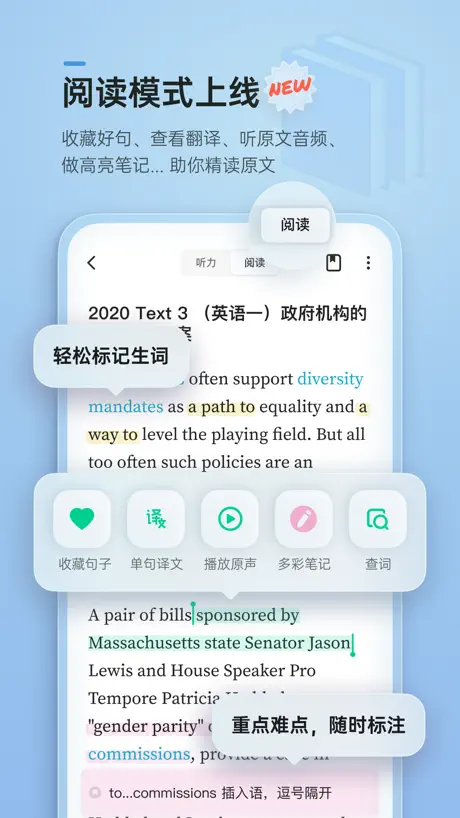  轻听英语 - 每日英语听力阅读口语提升 轻听英语 - 每日英语听力阅读口语提升 | 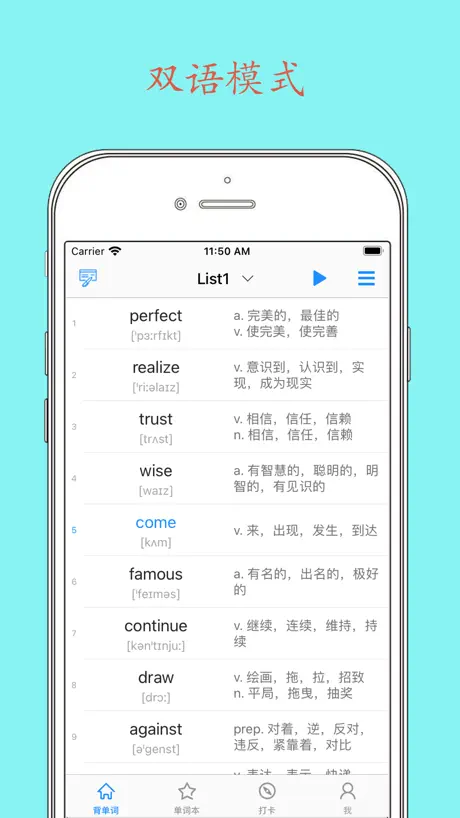  Daily背单词 - 四六级考研等学英语必备软件 Daily背单词 - 四六级考研等学英语必备软件 | 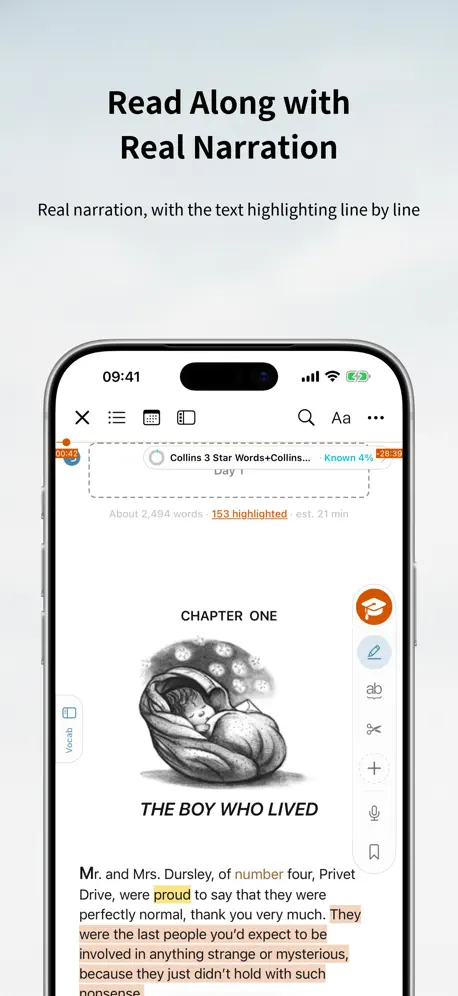  TingYue – Read Originals Easy TingYue – Read Originals Easy |   Mopiq: AI Flashcards Learning Mopiq: AI Flashcards Learning |   IANKI Flashcards IANKI Flashcards |   一笑而过-专业考研政治四六级必备app 一笑而过-专业考研政治四六级必备app |   墨墨记忆卡|考研考公考证外语学习闪卡 墨墨记忆卡|考研考公考证外语学习闪卡 |   Flashcards maker - AI generate Flashcards maker - AI generate | 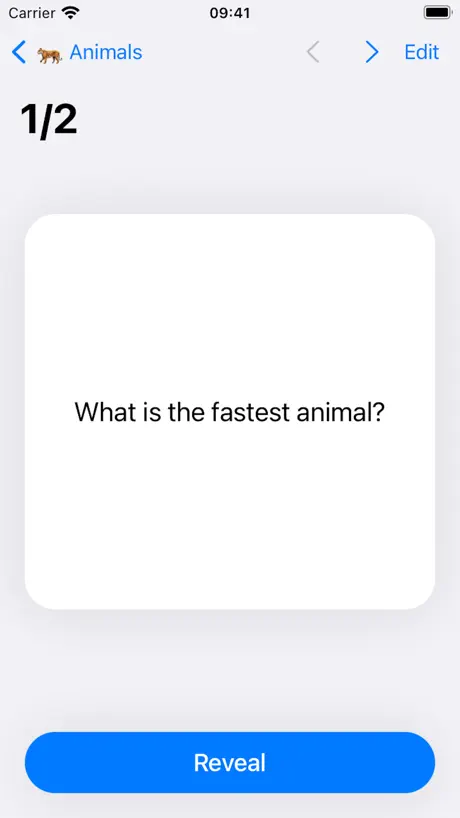  Amazing Flash Cards Amazing Flash Cards | 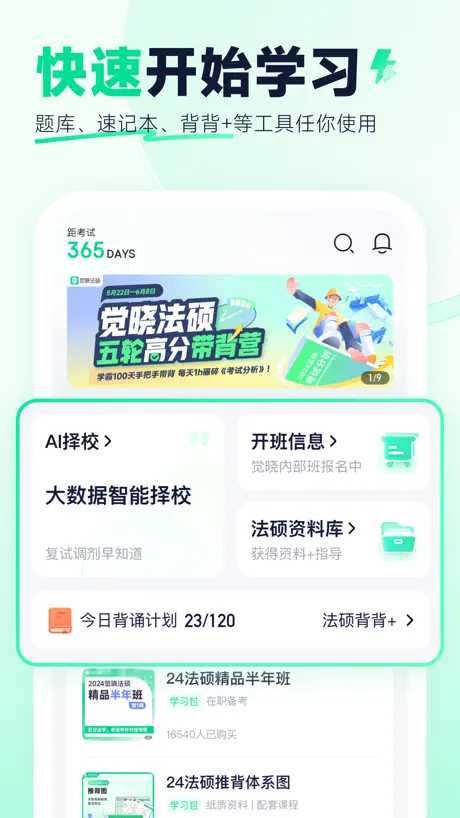  觉晓法硕 觉晓法硕 | |
|---|---|---|---|---|---|---|---|---|---|---|---|
| Rating / 5 | 4.7 | 4.7 | 4.8 | 4.7 | 4.7 | 4.3 | 4.7 | 4.9 | 4.6 | 4.7 | 4.8 |
| Reviews | 52K | 18K | 17K | 16K | 8.5K | 7.9K | 6.7K | 6.1K | 3.8K | 2.8K | 2.7K |
| Released | 2018 | 2018 | 2021 | 2013 | 2022 | 2019 | 2019 | 2021 | 2017 | 2020 | 2020 |
| Monthly price | — | $3.99 | — | $4.99 | $5.99 | $9.99 | — | — | $9.99 | $1.99 | — |
| Annual price | — | $18.99 | — | $39.99 | $29.99 | $100.00 | — | — | $39.99 | $9.99 | — |
| One-time price | $2.99 | $59.99 | $3.99 | $29.99 | $74.99 | — | — | $3.99 | $4.99 | $29.99 | $7.99 |
The going rate for each plan in United States, in its own currency, shaded from the cheapest price on the row to the dearest. Plans fewer than four in ten of the priced apps sell are left out.
Flash Cards - Flashcards Maker reviews
4.7 out of 5, based on 51,801 reviews.
What people like
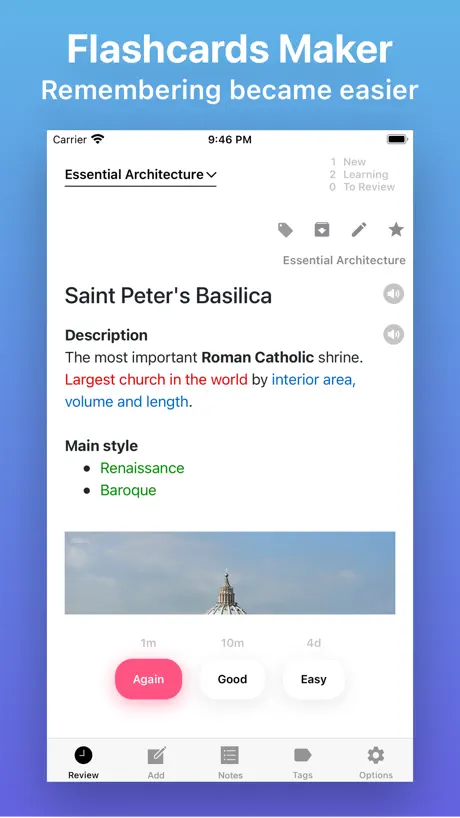
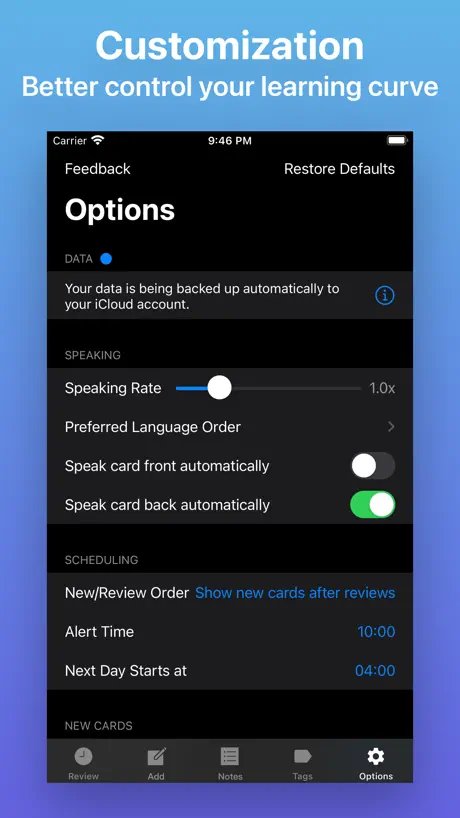
- Voice reading feature helps with studying.
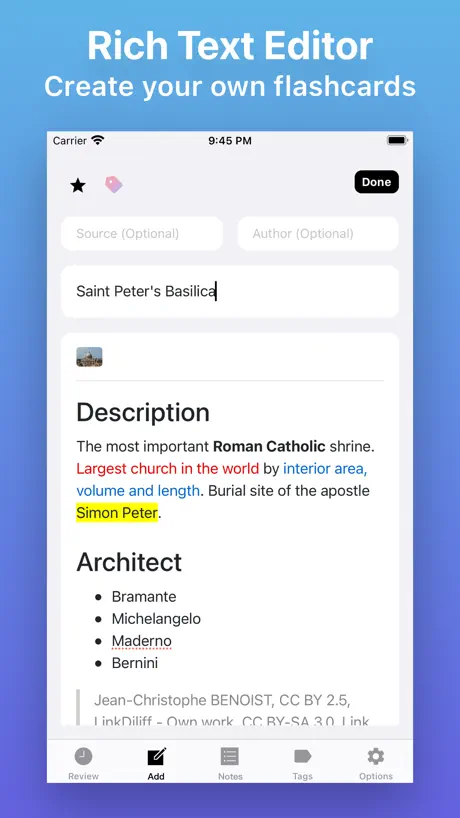
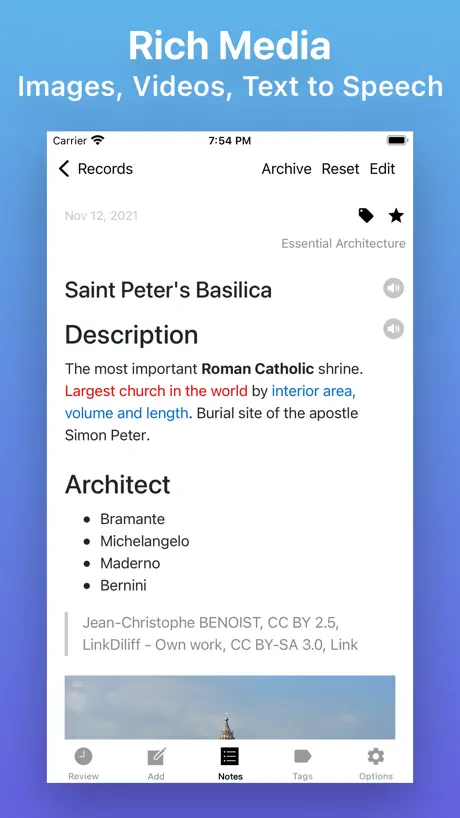
- Adding pictures to cards is really nice.
- It helped me pass my exams.
What they complain about
- You cannot export your cards or data.
- Syncing between devices is broken or missing.
- You must pay separately for phone and computer.
- Notifications spoil the answer on the back.
Nice, easy App. Intrusive with popups
Constant request for reviews, so here’s one
Difficult to customize with no guidance online and will not let you move forward
I’ve been using this app for a couple weeks and after finally getting all of my study questions inputted I’ve been trying to study repeatedly so I can absorb the information. However, it keeps putting up a timer stopping me from studying saying I can’t study for another 18 minutes. I’ve tried to change the settings. I’ve tried to Google search how to change the settings and nothing stops that from popping up. I’m very disappointed and will likely not be using this app much longer. It also made me purchase it twice in order to use it on my phone and on my MacBook rather than the one purchase attaching to my iCloud account and counting for all devices which is really scummy.
Missing features
Please make a update on some missing features, like make an organisation of card in a folder or subfolders or topic or subtopic, please consider it
Keine Synchronisation
Eigentlich finde ich die App gut aufgebaut, aber sie lässt sich nicht zwischen dem MacBook und IPhone synchronisieren… einen funktionierenden Support gibt es scheinbar nicht. Damit für mich rausgeschmissene 6,99€
Basically it is good.
But the revisit interval is really difficult to tune. I also found other issues and wrote a feedback to the author but got no response.
Yay
Great, make me pass
Not worth it
I paid for this app however, i kept on having repeating study/topic and cant be changed anymore. Settings is difficult as well
还行
整体还可以,但是希望能增加卡片乱序功能
Unreliable
Good app but sub between the phone and laptop app is almost uniseable. Paid money for this app only for the sun to work inconsistently
不知道
不知道怎么让电脑和平板同步 这点很鸡肋
滚
滚
Disappointed
Downloaded a deck and can’t see any of the cards, not user friendly.
Some problems
I have paid for the pro version but I’m not able to sync devices. The settings are a bit complicated and don’t have any option for signing in to multiple devices.
Good but can use some improvements
This has been helpful but I’m unable to restore the purchase I’ve made for the desktop app. I also haven’t been able to import cards. And it would be great if the UX design could be updated to be friendlier for those like myself who find the customization features difficult to use. There isn’t a description or tutorial on how to use the features so i haven’t been able to customize the app for the benefit of my learning experience.
All good except the iCloud sync issue
I have the pro version on mac and iPhone (both purchased separately) but the sync of notes is not happening. I take notes on mac and I want the notes to be available on my iPhone to revise them when I travel but not all notes are available on iPhone . Could you please fix the issue. I checked iCloud settings and iCloud storage for the app is turned on so I it’s not the issue with ICloud. Would be a great app if you are able to fix the sync issue.
简单操作
很好
Can’t export decks
When you “share” a deck, only the first card will show up for the other person. It’s incredibly frustrating. Not worth using when there are a ton of other apps that allow you to share
Near perfect app?
The only thing that this app is lacking in is, that i can’t export cards🥲
⛓️🐈
Any application that the user works on with his own effort and does not support the import and export of his data to Nambers or Excel does not deserve to waste my time on him, imprisoning the user in nature, monopolising and exploitation are destructive qualities for competition and development. Only greed believe that it is a savvy to make the user a prisoner of their applications, hoping that this culture will not generalise because it will destroy freedom of choice and competition.
Complains
Why I can’t export my cards?
Very happy with my purchase.
I really like the flexibility of this app. I use the voice reading all the time. The search function is really convenient to use when checking to see if you’ve already created a card or note.
In app purchase not restoring
I bought the full version of this. However it’s not showing the full. Version on my iPad. Can’t contact developer because their website is in Chinese. PLease someone help
Amazing but one problem
The app is awesome, but one problem is anytime you need to use the keyboard there's no obvious way to bring the keyboard down and stop typing to click on something else. There's also no way to export or download your deck or any cards
Purchased Pro Version and it was revoked.
can you pleaser let me know why my soo is not longer pro 2 days after buying it?
Export data
I've been using this app for three years now and I'm generally satisfied with it. However, one thing that has always bothered me is that I cannot export my data and save it to my own local storage
great app
great app
3 major issues with an otherwise great app
Don’t get me wrong. This is my favorite app for flash cards. Good things: Import from Anki style apps. Automatically speaks flash cards. Graduated recall. The Japanese voice is pretty good, even though I did have to tweak spellings to get sounds correct sometimes. But these 3 things bring it down from “favorite by far” to “no audio? no thanks.” 1. App support doesn’t exist. Neither the app’s nor app store’s support/issues links or contacts will respond. Messages fly in to the void never to be seen again. The app store’s link opens a page in Chinese that has no actual content, even after running through translation. 2. iCloud and your phone don’t show backups. The app claims to backup on iCloud but there is no backup on iCloud or on your phone. There is no way to log into iCloud from the app. And from 1. above, there is no way to contact the developer to tell them about this issue. 3. There is no way to export cards. So you have 3000 cards? If you wanna go to a different app, you’re going to have to make them all again. In conclusion, I might go back to a different app, even though I won’t have the audio part that I really wanted AND I will have to remake a bunch of cards.
Great app
Love this app. Has everything you need and is so affordable.
Colors not working for editing
I like this for note taking but have not been able to use the color or text editing and this has been enormously frustrating
Not Supported by Anki Ecosystem!
I should have read the other reviews before I purchased but, this app is not supported by the Anki ecosystem. You cannot export your cards. You are stuck. Other than that, very nice app.
Requires update but no updates?
Anyone experiencing this same problem? App tells me to update but there is no update available
Cant export car set
I even purchased the pro version to use tags ONLY to support the developer. Please give us am export option so I can share my decks!
Option for saving information.
It will be better if there is an option for saving and recovering the information like syncing to any of the cloud services .Thank You
Wish there were more features
There is no option to randomize cards, I always receive cards in the order I make them unless I set different reminders on them. Also, I wish the tags could be better organized. I am a medical student and I wish there was a folder system to organize tags because I end up with several categories for different courses. I wish you could attach a photo into both the question (front) and answer (back) of the flash card. I especially don’t like how cards automatically pop up when they are due for reviewing when I am trying to go through a first-pass of all cards. I don’t like being distracted in the middle of reviewing a card. Therefore, I wish it counted how many times we reviewed a card so that it prioritized a first or second pass of all cards before an alert pops up for a card being due. The sync across all apple products is nice so I could study on my phone, iPad, and MacBook, but wish I only had to pay once for the upgrade.
NEEDS a lot of improvements
*Can’t undo if you delete your notes by mistake. *Can’t export your files *U can’t log in using gmail or any other social media * No backups at all(Online or offline) * No topic options while making note * Crashes on adding multiple images
There is no way to export cards !!!!
There is no way to export cards !!!!
Fraudulent
Paying for the pro version on both the phone and computer seems silly and somewhat fraudulent. If it is on the same iCloud account should be transferable
HELP
Hi, I really appreciate your application, I’m a medical student. This is so good for me. But i want to get the upgrade version, and my country (iran) is economically a mess! I can’t afford the payment. Please help me🥺
Pro Version doesn’t transfer to mobile
You have to buy pro both on mobile and desktop even though the desktop version is meant to sync to your phone. It seems silly, and if I hadn’t made a bunch of cards yesterday before I found out, I would’ve found another app to use.
Stop making me review this
Can’t use the app until you leave a review.
Trash
So disappointed that I wasted money on this weak app. Should have gotten Ankiweb.
Not the Anki app I was expecting
This is not the Anki app for medical school I reviewed on some YouTube videos. I downloaded and payed for the pro version but it does not work as advertised. It is not intuitive. Perhaps a tutorial would help? I looked for one and couldn’t find it.
Generally good
Hope can get the sync function between Mac and iPhone!!! Nice app!
No Handwritten notes
From the App Store pictures I thought this app is capable of handwriting notes using a compatible stylus for your particular device .A litttle disappointed it was not .would have given five stars otherwise .
Could be even better!
I have created more than a two thousand cards, with 50-100 repetitions a day, so I think I have a good feel for could be done to improve the app: Most annoying bug: While you ponder your answer to a given card, it serves up *another* card, throwing you off completely! Please, always let a given card stay on the screen without switching, and add subsequent cards to the queue Most helpful change to algorithm: Apply random sequence to repetitions of a given day! Most useful new feature: Enable reverse questioning. This is very useful for learning languages. Most easy fix: Typo „Text to Remeber“
Amazing
I love this app to study with
L-imitation: Notifications show •answers•…
As another reviewer mentions, notifications show the answer/back side of the card which is "bass-ackwards" The fact the app makes this simple mistake, And the app doesn't even have a simple profile/settings menu… This app feels like a hollow imitation of other anki/spaced-repitition apps 🙃
Crashes a lot, but sleek design and easy to use
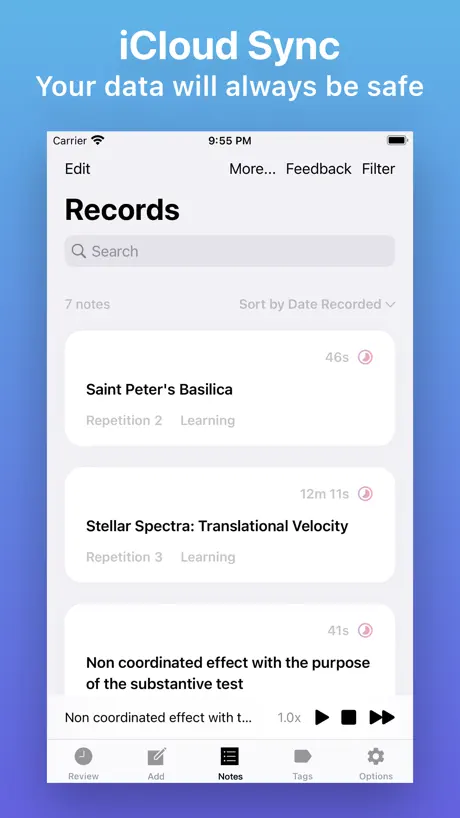
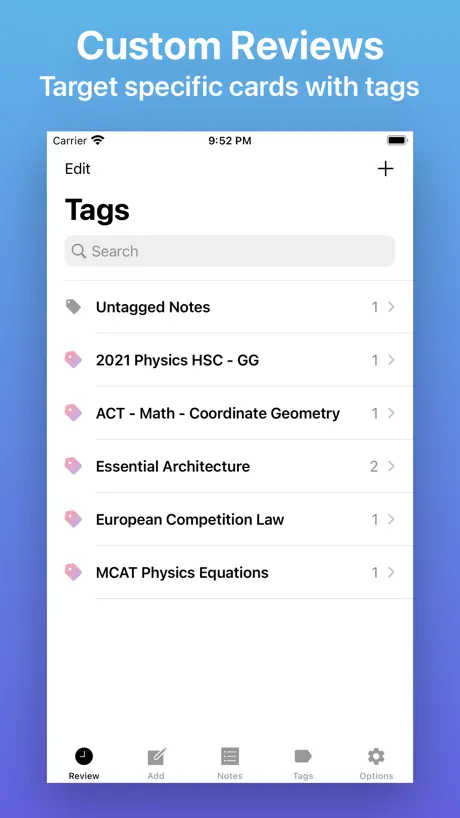
The only complaint I have is that the app crashes unexpectedly (like at least once a day) on my computer and sometimes I lose my work. On the bright side, I upgraded to Pro to be able to add pictures and stuff to my flashcards, so I can better visualize the information I am studying and I love that. I can also organize my flashcards by tagging each into a category, and I can choose to review the cards based on the tags I assigned them. I also really like that my data syncs on all my devices.
Notifications Contain Spoilers
This app is great but every time you get a notification the information you on the back of the card is in the notification. You are supposed to be tested to see if you remember the back not given the answer when it is time for the test.
Limited functionality
Unable to set frequency of records which is disappointing. Unable to attach images so just on that basis I’m not very impressed. I’ve given a generous three stars
Flash Cards - Flashcards Maker price by country
A one-time purchase costs $2.74 in Qatar and $4.61 in Hungary — 1.7× more for the same thing. Below is the going rate for each plan in every country that sells it — the middle price of what the app charges there, in the country's own currency with the dollar equivalent beneath it.
| Country | One-time |
|---|---|
| Afghanistan | $2.99 |
| Albania | $3.99 |
| Algeria | $2.99 |
| Angola | $2.99 |
| Anguilla | $2.99 |
| Antigua And Barbuda | $2.99 |
| Argentina | $2.99 |
| Armenia | $3.99 |
| Australia | A$4.99$3.56 |
| Austria | €2.99$3.39 |
| Azerbaijan | $3.99 |
| Bahamas | $2.99 |
| Bahrain | $2.99 |
| Barbados | $3.99 |
| Belarus | $3.99 |
| Belgium | €2.99$3.39 |
| Belize | $2.99 |
| Benin | $3.99 |
| Bermuda | $2.99 |
| Bhutan | $2.99 |
| Bolivia | $2.99 |
| Bosnia & Herzegovina | €2.99$3.39 |
| Botswana | $2.99 |
| Brazil | R$19.90$3.81 |
| British Virgin Islands | $2.99 |
| Brunei Darussalam | $2.99 |
| Bulgaria | €2.99$3.39 |
| Burkina Faso | $2.99 |
| Cambodia | $2.99 |
| Cameroon | $3.99 |
| Canada | CA$3.99$2.81 |
| Cape Verde | $2.99 |
| Cayman Islands | $2.99 |
| Chad | $2.99 |
| Chile | CLP 2,990$3.09 |
| China | CN¥22.00$3.27 |
| Colombia | COP 14,900$4.43 |
| Congo | $3.99 |
| Congo, Democratic Republic | $2.99 |
| Costa Rica | $2.99 |
| Cote Divoire | $3.99 |
| Croatia | €2.99$3.39 |
| Cyprus | €2.99$3.39 |
| Czech Republic | CZK 79.00$3.67 |
| Denmark | DKK 29.00$4.40 |
| Dominica | $2.99 |
| Dominican Republic | $2.99 |
| Ecuador | $2.99 |
| Egypt | EGP 149.99$2.88 |
| El Salvador | $2.99 |
| Estonia | €2.99$3.39 |
| Fiji | $2.99 |
| Finland | €2.99$3.39 |
| France | €2.99$3.39 |
| Gabon | $2.99 |
| Gambia | $2.99 |
| Georgia | $3.99 |
| Germany | €2.99$3.39 |
| Ghana | $3.99 |
| Greece | €2.99$3.39 |
| Grenada | $2.99 |
| Guatemala | $2.99 |
| Guinea-bissau | $2.99 |
| Guyana | $2.99 |
| Honduras | $2.99 |
| Hong Kong | HK$22.00$2.80 |
| Hungary | HUF 1,490$4.61 |
| Iceland | $3.99 |
| India | ₹299.00$3.16 |
| Indonesia | IDR 59,000$3.29 |
| Iraq | $2.99 |
| Ireland | €2.99$3.47 |
| Israel | ₪9.90$3.22 |
| Italy | €2.99$3.47 |
| Jamaica | $2.99 |
| Japan | ¥500$3.18 |
| Jordan | $2.99 |
| Kazakhstan | KZT 1,790.00$4.07 |
| Kenya | $3.99 |
| Kosovo | €2.99$3.39 |
| Kuwait | $2.99 |
| Kyrgyzstan | $2.99 |
| Lao Peoples Democratic Republic | $2.99 |
| Latvia | €2.99$3.39 |
| Lebanon | $2.99 |
| Liberia | $2.99 |
| Libya | $2.99 |
| Lithuania | €2.99$3.39 |
| Luxembourg | €2.99$3.39 |
| Macao | $2.99 |
| Macedonia | $2.99 |
| Madagascar | $2.99 |
| Malawi | $2.99 |
| Malaysia | MYR 14.90$3.65 |
| Maldives | $2.99 |
| Mali | $2.99 |
| Malta | €2.99$3.39 |
| Mauritania | $2.99 |
| Mauritius | $3.99 |
| Mexico | MX$69.00$3.83 |
| Micronesia | $2.99 |
| Moldova | $3.99 |
| Mongolia | $2.99 |
| Montenegro | €2.99$3.39 |
| Montserrat | $2.99 |
| Morocco | $3.99 |
| Mozambique | $2.99 |
| Myanmar | $2.99 |
| Namibia | $2.99 |
| Nauru | $2.99 |
| Nepal | $3.99 |
| Netherlands | €2.99$3.39 |
| New Zealand | NZ$4.99$2.82 |
| Nicaragua | $2.99 |
| Niger | $2.99 |
| Nigeria | NGN 4,900.00$3.69 |
| Norway | NOK 39.00$4.18 |
| Oman | $2.99 |
| Pakistan | PKR 900$3.25 |
| Palau | $2.99 |
| Panama | $2.99 |
| Papua New Guinea | $2.99 |
| Paraguay | $2.99 |
| Peru | PEN 12.90$3.75 |
| Philippines | ₱199.00$3.18 |
| Poland | PLN 14.99$4.02 |
| Portugal | €2.99$3.47 |
| Qatar | QAR 9.99$2.74 |
| Romania | RON 14.99$3.31 |
| Russia | RUB 249.00$2.96 |
| Rwanda | $2.99 |
| Sao Tome & Principe | $2.99 |
| Saudi Arabia | SAR 12.99$3.46 |
| Senegal | $3.99 |
| Serbia | €2.99$3.39 |
| Seychelles | $2.99 |
| Sierra Leone | $2.99 |
| Singapore | SGD 3.98$3.11 |
| Slovakia | €2.99$3.39 |
| Slovenia | €2.99$3.39 |
| Solomon Islands | $2.99 |
| South Africa | ZAR 59.99$3.66 |
| South Korea | ₩4,400$3.25 |
| Spain | €2.99$3.39 |
| Sri Lanka | $2.99 |
| St. Kitts and Nevis | $2.99 |
| St. Lucia | $2.99 |
| St. Vincent & The Grenadines | $2.99 |
| Suriname | $2.99 |
| Swaziland | $2.99 |
| Sweden | SEK 39.00$3.90 |
| Switzerland | CHF 3.00$3.60 |
| Taiwan | NT$90.00$2.83 |
| Tajikistan | $2.99 |
| Tanzania | TZS 9,900.00$3.79 |
| Thailand | THB 99.00$2.95 |
| Tonga | $2.99 |
| Trinidad and Tobago | $2.99 |
| Tunisia | $2.99 |
| Turkey | TRY 149.99$3.06 |
| Turkmenistan | $2.99 |
| Turks and Caicos | $2.99 |
| Uganda | $3.99 |
| Ukraine | $3.99 |
| United Arab Emirates | AED 12.99$3.54 |
| United Kingdom | £2.99$3.96 |
| United States | $2.99 |
| Uruguay | $2.99 |
| Uzbekistan | $2.99 |
| Vanuatu | $2.99 |
| Venezuela | $2.99 |
| Vietnam | ₫99,000$3.82 |
| Yemen | $2.99 |
| Zambia | $3.99 |
| Zimbabwe | $3.99 |
Flash Cards - Flashcards Maker FAQ
- Is Flash Cards - Flashcards Maker free?
- Yes. The app and its basic features are free, in all 175 countries it sells in. Premium features are paid: they start from $2.99 (US), across 1 one-time purchase.
- Does Flash Cards - Flashcards Maker have a free trial?
- No. None of its offers (US) come with a free trial.
- Where is Flash Cards - Flashcards Maker cheapest?
- A one-time purchase costs QAR 9.99 (≈$2.74) in Qatar and HUF 1,490 (≈$4.61) in Hungary, its cheapest and dearest countries.
- What are the best alternatives to Flash Cards - Flashcards Maker?
- 轻听英语 - 每日英语听力阅读口语提升 (4.7 from 17,905 reviews, premium from $3.99), Daily背单词 - 四六级考研等学英语必备软件 (4.8 from 16,839 reviews, premium from $0.99) and TingYue – Read Originals Easy (4.7 from 16,145 reviews, premium from $3.99).
Flash Cards - Flashcards Maker download
Last updated 17 days ago.
Flash Cards - Flashcards Maker sells in 175 countries. It was released 8 years and 3 months ago, on 23 Jun 2018. It holds a 4.7 rating from 51,801 reviews.
Supports 2 languages: English, Chinese.
How much does Flash Cards - Flashcards Maker make?
Third-party estimates for the last 30 days, worldwide — not the store's own figures, which Apple publishes for nobody.
Revenue by plan
- One-time 100%
Revenue by country
- China 69%
- United States 9%
- Germany 4%
- Taiwan 2%