
Speco Blue
How much does Speco Blue cost?
Prices are current as of 13 Nov 2026.
Speco Blue has no in-app products on record in the United States.
10+ alternatives to Speco Blue
| Speco Blue |   KOHLER Energy Management | 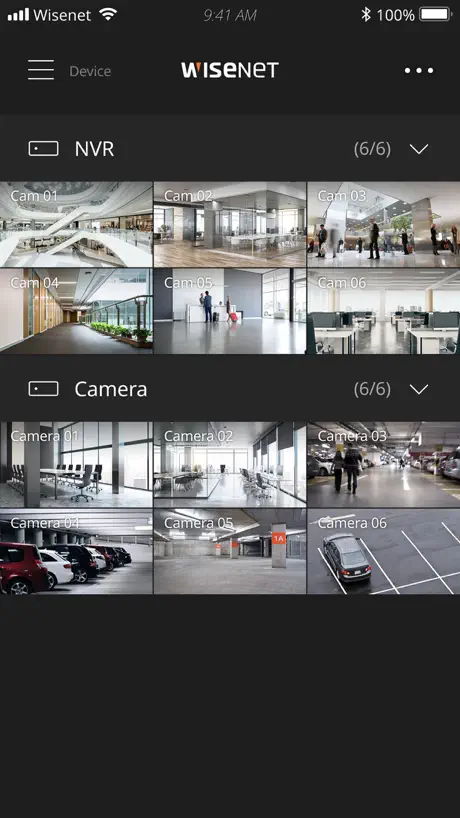  Wisenet mobile | 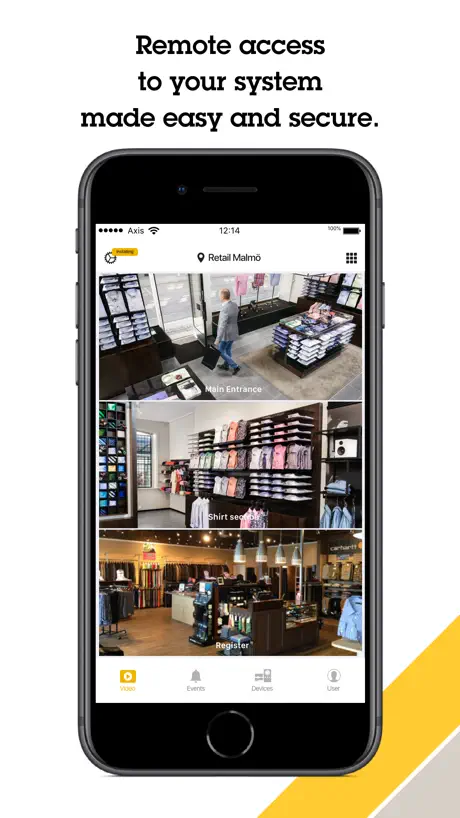  AXIS Camera Station Edge |   AXIS Camera Station Pro & 5 |   AVY Mobile CVMS |   Turing Vision: Video Security |   ICVIEW PRO |   exacqVision Mobile |   OvrC Connect |   Brivo Access | |
|---|---|---|---|---|---|---|---|---|---|---|---|
| Rating / 5 | 3.1 | 4.7 | 1.9 | 3.2 | 3.2 | 2.3 | 4.0 | 2.7 | 4.2 | 3.2 | 3.0 |
| Reviews | 105 | 731 | 470 | 272 | 245 | 128 | 67 | 64 | 61 | 27 | 2 |
| Released | 2018 | 2024 | 2017 | 2019 | 2016 | 2016 | 2021 | 2022 | 2024 | 2016 | 2015 |
Speco Blue reviews
3.1 out of 5, based on 105 reviews.
What people like
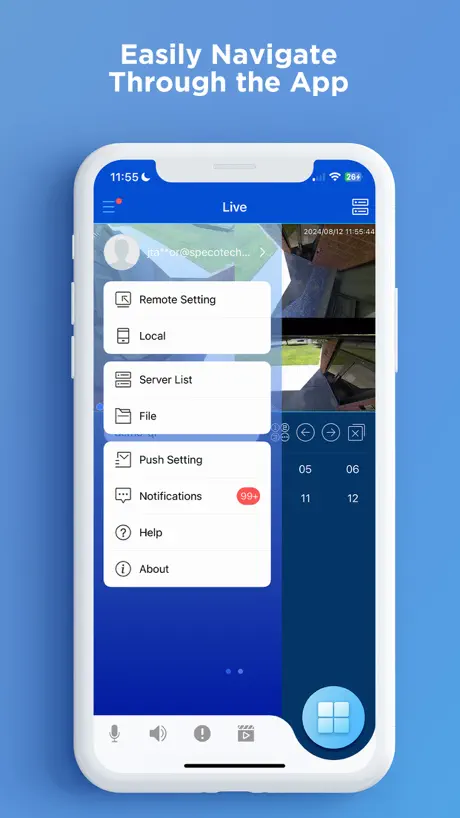
- Very easy to use interface
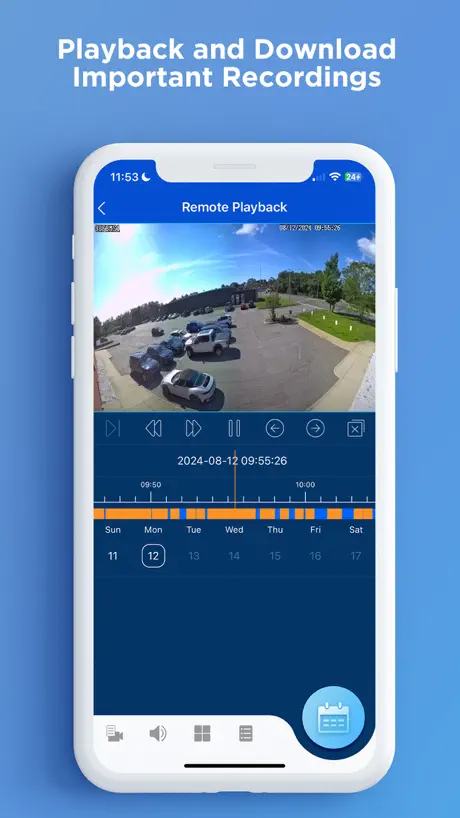
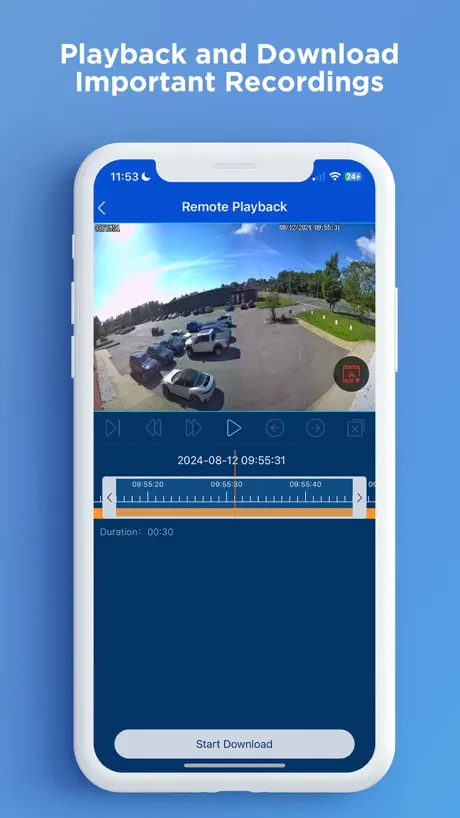
- Human detection search works well
- Two-way audio is a nice feature
What they complain about
- Keeps crashing and freezing constantly
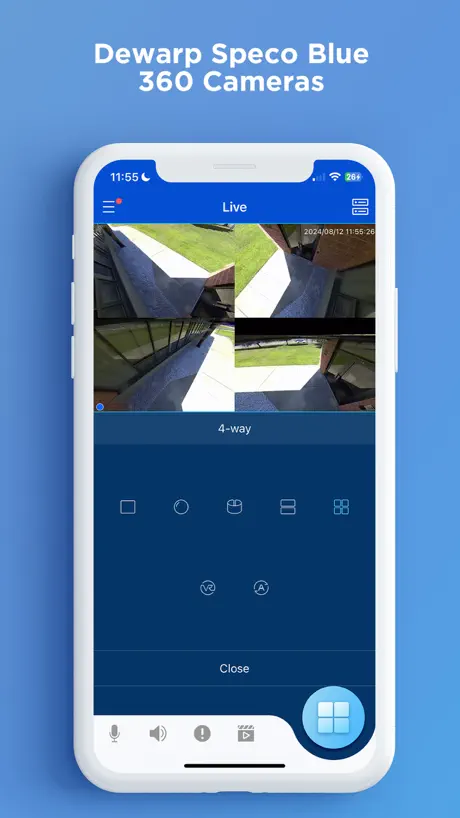
- Terrible iPad and landscape support
- Slow playback and loading times
Powerful Little App
It does everything I need, when I need it. Even lets me talk to the cameras with speakers. Love this app!
this app barely works 60% of the time
you’d be waiting for things to load more than using the app.
Great Cameras, lacking app
Cameras are some of the best around (if you know what you need) you can’t buy the $100 2MP and expect it to have a good image… THE APP needs help. I’ve found multiple bugs that if fixed would really make this a superior camera app. 1. Notifications (AI/ motion) on all NVR models when clicked from iOS/ Android does not load snapshot. It takes 1-2 refreshes to show snapshot. 2. Notifications on iOS/ Android that are opened instantly fail to show stream/ playback and makes all streams fail to load within the app. And the app must be restarted 3. When multiple devices are added to the app: E.g. 1 NVR and 1 camera: when viewing app multiview on nvr, and switching to single camera view (seperate device) the stream quality of the single device becomes incredibly bad. It stays that way until resolution is manually set back. Appears to be cameras setup with “Speco” protocol. 4. Initial app start from download needs to prompt you with local/ account. Not make you skip all the local stuff, then open the menu to login. 5. Unlock the Android brightness lock 6. Remove the subcode stream not enabled message. It pops up everytime you load a stream. It’s incredibly annoying. 7. Add custom notification sounds
Useless App
Spent a lot of money for Speco cameras on the outside of my house. The cameras work great but unfortunately this app is terrible. Constantly crashing, not able to connect, unexplained logouts. Get this thing fixed!
New and disappointed.
Cameras and app installed yesterday working with the insta, tech. Worked great. Tried to view today and it started acting up and then it said app was crashing. Couldn’t get it to show the 8 cameras. Rebooted twice and it started working. Kinda. Then it stopped showing the views. Then it told me again that the app was crashing. I also have some inexpensive WiFi cameras that are much clearer with no crashing issues. Not impressed.
Great App
Great App. Very user friendly
Drops off randomly
Not a user friendly app and very spotty. Drops cameras off randomly requiring calls to IT to get them back online. Not ideal for something designed to provide safety.
Updated iOS 17
Whew! The bugs after upgrading to iOS17 & iPadOS17 have been worked out. Playback is back to normal. Actually better than normal for me. The app does what it needs to do. Some things with playback are a little clumsy but it works. Oh happy day
APP keeps crashing
This APP needs to be worked on. Keeps freezing and crashes if you go to landscape mode. Logs you out anytime then you have to reset all over again.
Needs Improvement
While goal of streaming cameras remotely is accomplished w app, there is no way to get admin access from app, which prevents editing meaningful settings or receiving motion notifications on phone. Until at least the latter is accomplished, this will be inferior to the other apps out there…
Great App
This recently updated app blows away their competition. Its user interface is very simple making it easy to use.
Zero Stars
I’ve never written like 4 reviews online in my whole adult life, but this app sucks so bad it’s actually incredible. Not only is the design clunky and hard to navigate on an iPhone, but it straight up doesn’t work on an iPad. The menu comes and goes at will and beyond the log in all of the buttons that you would use to view a particular camera or review past footage beyond the live feed cease to function. Utterly useless.
iPhone 16 Pro Max user
App is currently not optimized for iPhone 14 pro max users :(. Icons in the top left and right corners are hard to access due to the stretched view. Hopefully there is an update in the works.
Event Notifications Not Working w/ iOS 16.5.1
The entire Speco ecosystem is built on 3rd party development, manufacturing, etc. As a result, their support is surface deep and painfully slow. The platform limps along… so one must manage expectations at the lowest level. Currently, the Speco Blue app does not recognize camera/NVR events and therefore cannot provide in app notifications.
It works but needs refinement
Edit - lots of bugs and issues with iOS 17. Consistently crashing. I don’t understand why developers aren’t fixing high priority items. This has been fixed. Edit #2 - can you at least give us the functionality to change the sound of the notification for this app? It should not be the same default sound for iOS notifications. This should be a simple enhancement. The app itself works on my iPhone 14 pro max. I’m using the NRL series with 4 blue series cameras. There are a few things that this app is missing and could use refinement. This app has a lot of potential by implementing refinements that I’m sure most users want. The general functionality (playback, notifications, live view) all work but it’s missing features and designs that other company’s are implementing. You can edit only basic settings of the NVR from this app. It is missing the functionality to edit other settings. If you want to edit other settings, like intrusion perimeter, you need to do it directly on the NVR. Please put all the setting configurations in this app as it is on the NVR. The UX/Ui needs work. Some things are simple but it could easily get refined to a design that competitors are implementing (Dahua, Ubiquiti, Nest). Speco blue can become much more user friendly by doing some UX/Ui refinements. For some reason the connection of the NVR sever losses signal in the app randomly (not often, but enough to raise concern). I think this is a kink that needs to get refined within the app to improve the connection.
Love the new update
Love the analytics search
Terrible, absolutely terrible.
Outdated, slow, inconsistent. Any of the 5 star reviews you see are clearly botted and not written by actual customers.
Speco App on MacOS
The speco blue app is a very useful tool for the Iphone However it is not ideal on the macbook pro MacOS. I hope they work on this in the future and make it more streamline. I switched from windows to mac because you cant even use speco on a windows computer. Thank you for great products speco and I hope you update your app.
Needs major tweak
Just make it work in landscape mode on a iPad and it would be much better.
Info
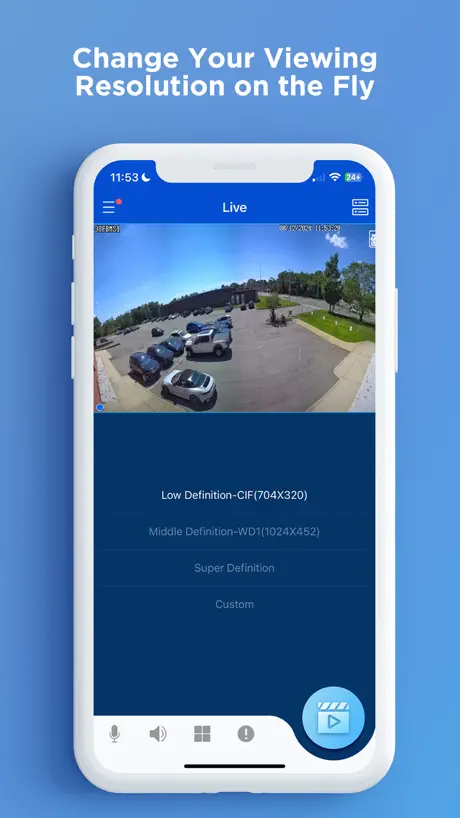
When we went to upgraded system we had to change from older app to blue. Only issue so far is if your watching a camera, it wants downgrade resolutions on camera. How can I get blue not do that?
Love this app
This app is great, super easy to use and has made my life so much easier, would recommend it to anyone!
Horrible misleading sales bad product and app
This product is so outdated. Blurry images, bulky cameras, horrible customer service. Called several times to speak with local manager. Never gotten a call back.
Good app, but needs major refinements
On balance, this is a useful app and it serves its purpose as a portal for security camera monitoring. That said, it is in desperate need of some refinement in order to keep up with the times. On the new iPhone 14 Pro and Pro Max the dynamic island obscures some features on the upper user interface, this just needs some tweaks to improve the experience. On the iPad the issues are bigger. The app is unusable on iPad OS 16 if you have stage manager turned on for multi-tasking. Any attempt to window Speco causes it to cease functioning completely. The app also really struggles with switching from portrait to landscape mode on iPad and frequently requires me to undock the iPad from the Magic Keyboard and spin it myself to get the screen to return to proper orientation. An iPad specific version that better makes use of increased screen real estate would be wonderful. This would be a great app if these maddening bugs could be ironed out!
Reliable Security Companion
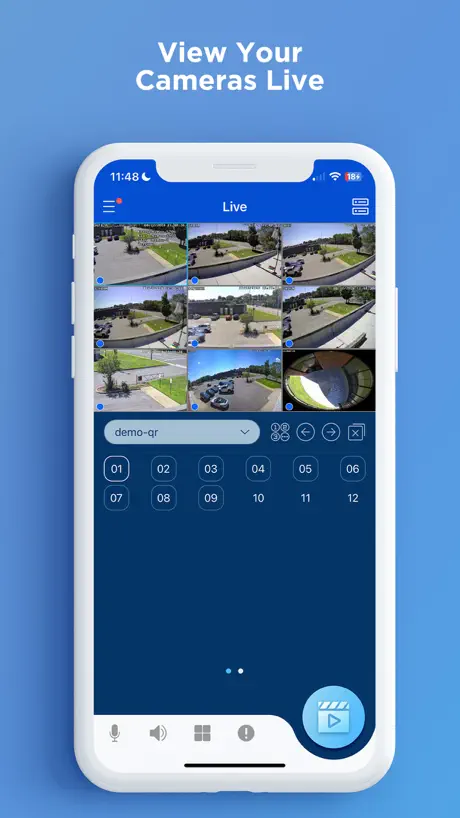
Speco Blue has become my go-to security companion. It's reliable, user-friendly, and the range of features, from live views to 2-way audio, makes it a comprehensive solution for anyone serious about security.
App keep crashing… dev team need to work on this ASAP.
App keep crashing on both my iPhone 14pro and my wife’s iPhone 13. Can’t access security footage. Please fix!!
New User
So far the app seems to be user friendly however I would be nice to look at notifications in the app without needed to have push notifications on.
Blue App
This app is super user friendly and easy to navigate! Highly recommended!
Won’t run on iPhone 15 Pro
Try and add a location and app crashes immediately. Must be some glitch between Blue and iOS 17.0
Losing Faith In Speco
After using Speco Player with an D4WRS for 10 years, my upgrade to 4K with Speco Blue and H6WHRL has brought pleasure and frustration. The pleasure: 4K recordings! The frustrations: - fast forward only allows 2x (Speco Player allowed 2x,4x,8x) - after about 5 minutes of playback the playback slows down to a crawl (less than half real-time) Speco Blue v1.7.4 iOS 14.6 iPhone X
Love human detection features
We were nervous about starting to use Speco again, but their new Speco blue human detection analytic NVR is working out perfectly. I love being able to search for humans in the app history. Well done!
Crash with new iPhone e pro max.
Can’t access camera during business broken in! New iPhone 15 pro max not working with app
Much improved after updates
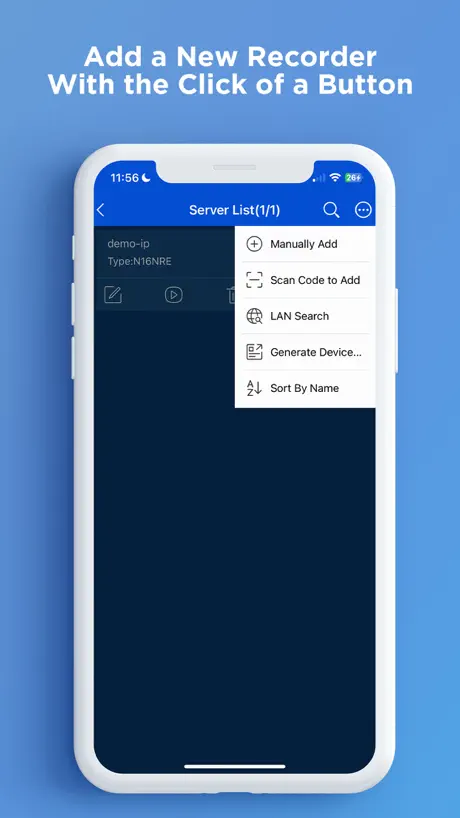
There were a few issues when I first used this app. However, after the last update, the app has been incredible. Very easy to add the camera system in and very user friendly compared to other camera system apps I have used before. Thanks to Speco for putting a good product on the market again!
Is not compatible with iPad operating system 16.3
The app needs some major adjustments. Will not load quickly, what you need to see in a hurry is already gone by time it loads. Constantly freezes up on the iPad and iPhone after updating iOS to 16.3.
Worked fine now, no playback
The app was working fine on my iPhone and iPad and PC desk top for the last month and suddenly I cannot play back anything at all. The live looks great with no issues, but the playback now shows a black screen on all three with message “camera not connected.”
Speco Blue FAQ
- Is Speco Blue free?
- Yes. The app is free, in all 172 countries it sells in, and it sells nothing inside it.
- Does Speco Blue have a free trial?
- No. None of its offers (US) come with a free trial.
- What are the best alternatives to Speco Blue?
- KOHLER Energy Management (4.7 from 731 reviews), Wisenet mobile (1.9 from 470 reviews) and AXIS Camera Station Edge (3.2 from 272 reviews).
Speco Blue download
Last updated 10 days ago.
Speco Blue sells in 172 countries. It was released 7 years and 11 months ago, on 6 Dec 2018. It holds a 3.1 rating from 105 reviews.
Supports 29 languages: English, Albanian, Arabic, Bulgarian, Croatian, Czech, Danish, Dutch, Finnish, French, German, Greek, Hebrew, Hungarian, Italian, Japanese, Korean, Macedonian, Norwegian Bokmål, Polish, Portuguese, Romanian, Russian, Serbian, Chinese, Slovenian, Spanish, Turkish, Vietnamese.
How much does Speco Blue make?
Third-party estimates for the last 30 days, worldwide — not the store's own figures, which Apple publishes for nobody.