Secret Vault - Lock Photos
No in-app products collected for this app.
| Rating | |||
|---|---|---|---|
| China | 60%369 | 4.81 | |
| Taiwan | 18%113 | 4.80 | |
| United States | 9%53 | 4.43 | |
| Hong Kong | 3%21 | 4.76 | |
| France | 1%7 | 5.00 | |
| Australia | <1%5 | 3.80 | |
| United Kingdom | <1%5 | 4.60 | |
| India | <1%5 | 4.80 | |
| Canada | <1%4 | 4.75 | |
| Germany | <1%3 | 5.00 |
Description
The Best Private Photo & Video Vault for iPhone
Keep your private photos, videos, and files secure and organized with Secret Vault—the most trusted privacy app for iPhone.
Secret Vault uses multiple security layers to protect your content from prying eyes. Your private moments stay private, always.
Perfect for:
Keeping special memories safe
Protecting family photos
Securing copies of IDs, driver's licenses, and credit cards
Organizing important documents
Core Features:
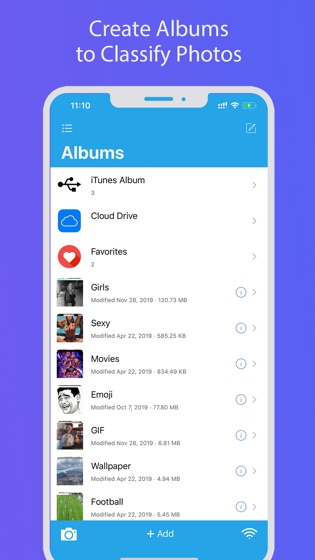
Clean, intuitive interface
Quick PIN code access
Import and export photos/videos from/to your iOS Photos app
Export files and folders to your computer
Fast iTunes File Sharing
Easy Wi-Fi file transfer
Nearby Drop file sharing
Built-in private browser to download photos and videos
Advanced Security:
PIN code protection for all photos & videos
Fake PIN—create a decoy vault with a separate PIN code
Hidden folders—make files and folders invisible
Individual album passcodes—set unique passwords for specific albums
More than you can imagine:
PIN code lock with Touch ID or Face ID support
Multiple layers of protection for your private albums
Export files and folders directly to your computer
Wi-Fi web access—view photos in your browser and upload multiple files at once
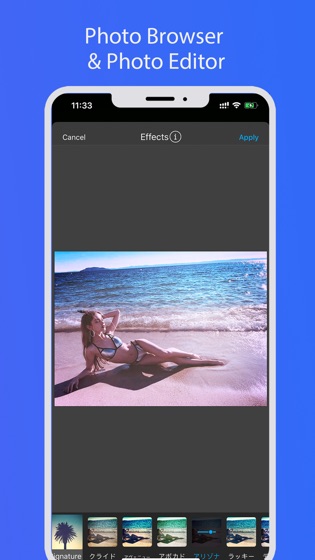
In-app photo editor with filters, effects, and stickers
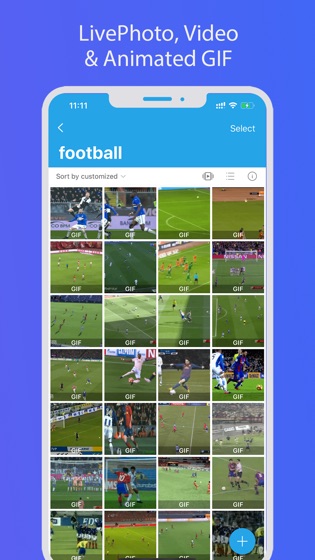
Live Photo support
Sync and backup with Google Drive, and Dropbox
* * * * *
Your Privacy Matters
All photos stored in Secret Vault are 100% private. Your content is saved only on your device and never uploaded to our servers.
Questions or suggestions? Email us at [email protected]
====================
FAQ
For help, see our FAQ:
http://secretvault.gallostudio.net/#/faq
====================
Important Notice
Q: What if I forget my passcode?
A: Go to App Settings > Set Recovery Email to add an email address. This email will be used to recover your password if you forget it.
Q: I deleted the app/lost my phone/restored factory defaults. Can I recover my photos?
A: All photos/videos stored in this app are saved on your device's local storage. If you delete the app, Apple will remove all app data. If you haven't backed up your data, your photos/videos will be lost.
====================
SV Membership Subscription
With a SV Membership subscription, you have access to all features and paid cloud backup(SV provides the interface to transfer data between this app and third-party public cloud apps such as Dropbox, Google Drive), Wi-Fi transfer, Fake Password, etc. Advertisements will be removed automatically.
SV Membership subscription is billed monthly or annually at the rate corresponding to the selected plan. In addition, a one-time payment will be offered if needed, which is not one of the subscription plan.
Payment will be charged to iTunes Account at confirmation of purchase.
Subscription automatically renews unless auto-renew is turned off at least 24-hours before the end of the current period.
Account will be charged for renewal within 24-hours prior to the end of the current period, and identify the cost of the renewal.
Subscriptions may be managed by the user and auto-renewal may be turned off by going to the user's Account Settings after purchase. To cancel your subscription, you can go to your iPhone/iPad/iPod's Settings> [your name] > iTunes & App Store, tap your Apple ID, tap View Apple ID, tap Subscriptions, click on 'Cancel Subscription' for the app.
Terms of use
http://secretvault.gallostudio.net/#/terms/service
Privacy Policy
http://secretvault.gallostudio.net/#/terms/privacy