
iN·Command
How much does iN·Command cost?
Prices are current as of 25 Oct 2026.
iN·Command has no in-app products on record in the United States.
10+ alternatives to iN·Command
| iN·Command |   POWER WATCHDOG Bluetooth ONLY |   JAYCOMMAND/TravelLINK |   Regular Power Watchdog |   Power Watchdog WiFi | 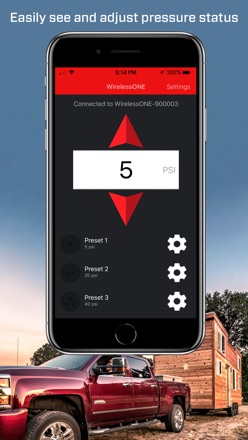  Air Lift WirelessOne |   BMPRO RVMaster - TMC |   Air Lift WirelessAir |   Global Link Connect |   Lippert Titan Leveling |   Lippert Diagnostics | |
|---|---|---|---|---|---|---|---|---|---|---|---|
| Rating / 5 | 1.9 | 4.2 | 2.0 | 3.6 | 3.3 | 2.6 | 2.5 | 3.2 | 3.7 | 2.6 | — |
| Reviews | 238 | 515 | 193 | 186 | 74 | 47 | 40 | 28 | 6 | 5 | — |
| Released | 2018 | 2019 | 2019 | 2018 | 2023 | 2018 | 2019 | 2019 | 2021 | 2022 | 2023 |
iN·Command reviews
1.9 out of 5, based on 238 reviews.
What people like
- Lets you control awnings and lights remotely.
- You can pre-set HVAC before arriving home.
- Support team is helpful and responsive.
- Recent updates improved Bluetooth and WiFi stability.
What they complain about
- Connectivity drops frequently and stays offline.
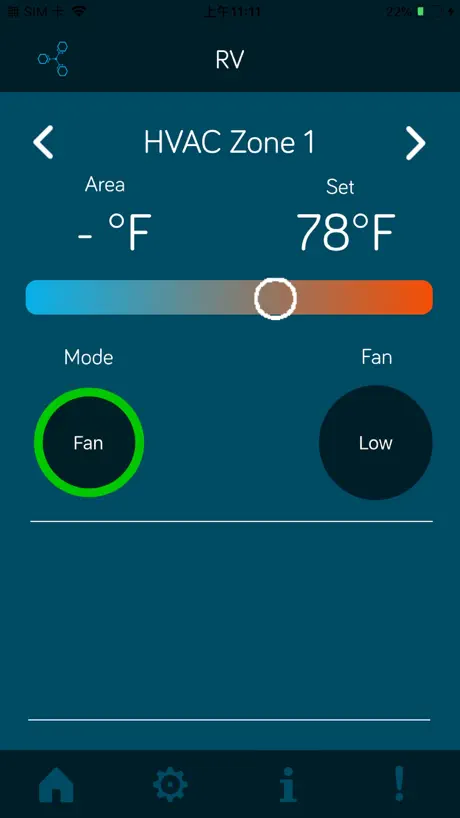
- HVAC temperature slider is glitchy and buggy.
- Tank level readings are often inaccurate.
- App crashes or fails to connect on launch.
Works great
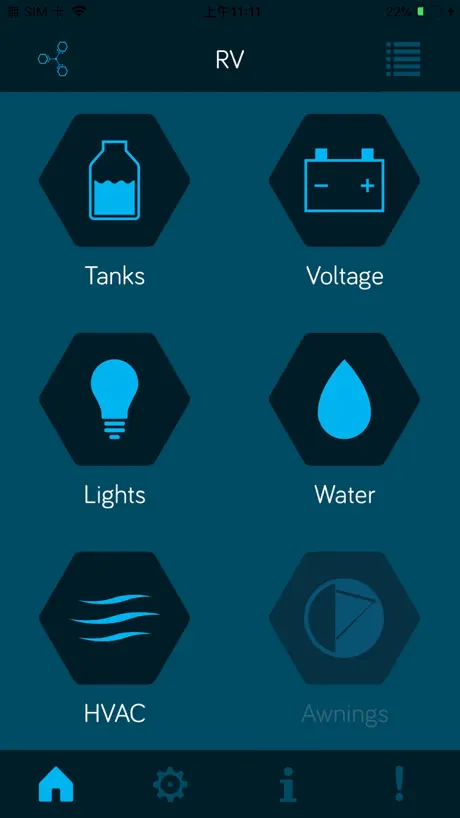
Love that I can turn on the HVAC before I get there so I can have it comfortable for when I arrive. Also love that you can use the app for the awnings, lights and slide outs so you can keep an eye on things from outside while you do it.
Updates
If the developer won’t update the app, maybe they should just go out of business?
Much better now
I’ve been using this with my RV for about 2 1/2 years now. When I first got it I was not impressed. Speed, connectivity, reliability all lacked to the point I was considering pulling the whole system out of my RV. However, with this latest version of both the iOS app and the system firmware in the RV it is now working really well. Both the Bluetooth connection and the WiFi connection are working better than ever before. I’ll give ASA this much, their support has always answered the phone, always understandable and have helped me fix the issue at hand each time. My biggest complaint is I want some dedicated remotes for lighting instead of just this app or using the touchscreen in the coach. If you’re having issues though, CALL them.
Doesn’t do much
Global connect is a joke. Can’t even register. The “ok” button doesn’t do anything. So basically this is only useful if your phone is next to you when you’re too lazy to get up to change the thermostat.
It’s not bad but could use some tweaks.
Been using this system for almost a year now living full time in our RV. I was apprehensive with this app the day we got the rig and I read the terrible reviews. It’s really not that bad. Very intuitive, my experience has been virtually bug free, and the app is quick. If the software devs ever read these reviews, from one software dev to another, here’s what needs to be changed: 1. AC control needs to all be on one page, no flipping between pages for each unit. Sync between the 1-3 AC units needs to be available or at-least all together. 2. Thermostat control needs to be an up or down arrow. The slider is buggy and terrible. 3. HOT WATER SCHEDULER. You have a scheduler for HVAC (which is poorly designed and confusing), a scheduler for the AC would be really nice and super cost saving for owners. 4. Better monitoring features. A graph of voltages, temperatures, and humidity. 5. More customization for button locations, naming, and organizing. That’s all I have to say. In reality, if you bought an RV with this setup, you are married to it without choice.
Very reliable and convenient. (For about a year now)
About a year ago I updated the firmware on the controller, it has been very reliable since. So nice to be able to lower the stabilizer jacks from my phone and be right there. Controlling all of the other gadgets is great too.
Run
If you are looking at an RV with an in command system RUN AWAY!!! I bought an rv with the first one ever. They stopped updating it. Always been a pain. Mine just went after 6 years. $3000 for a new one. Wanted to go back to just switches. But RV tech said that would have n been more to rewire entire camper. I hate this system!!!
Doesn’t work
Just installed the latest update, I can connect most of the time, but I’m not able to utilize the functions in my RV. Worked much better before the update
Has stopped working
Worked great but starting today the app closes immediately every time I open it.
Needs improvement
App is much improved - slider for HVAC temperature is glitching still. Some temperatures are impossible to select
Doesn’t work
Tried re-downloading the app because it no longer works anymore when trying to use it and it still doesn’t work after re-downloading it. It doesn’t even work on my boyfriend’s phone.
Feature worthless
A few things work the rest of the features don’t so overall this app is pretty much worthless. Will not show simple info like temperature in each zone so controlling HVAC is worthless.
Needs work! Super buggy!
Update 4/19/2022: ASA is sending me a new touch panel. Their customer support has been fantastic. The app itself still needs work, but at least they support their hardware products. Original Review: The biggest issue I've had so far isn't with the app, but instead with the touch panel. The screen on the touch panel completely flipped and mirrored itself. I could have dealt with reading everything backwards except pressing the mirrored buttons doesn't work. It's flipped back and forth a few times. It seems like there might be a bad wire in the panel that's causing the mirroring. I'm working on getting a replacement but who knows how long that will take 🙄 As for the app, it isn't modern at all. Again, I can deal with it. The main issue I have is that changing values aren't always immediately applied and there isn't a way to tell without leaving a screen and coming back. For example, The heater was on all night when It was supposed to be off. I set it to off and then closed the app. But it didn't actually take. Now after I make a change I will go out and then back in to make sure it sticks. Some other issues are; the optional (uninstalled) A/C shows up first in the HVAC section and makes me wait in that screen before audio can go to the real HVAC zone. There isn't a way (that I can tell) to switch the two. The system doesn't control all of the lights just some (this is probably an RV manufacturing issue, but still annoying). Global connect is a PITA to set up. Generally, there aren't any instructions on how to use the app. Some basic printed instructions came with the RV. Weird error codes (E.g., DC offline) get thrown around like candy. IMHO, I think it's a good proof of concept, but it isn't ready for prime time.
Bad
Horrible app with servers that always crash and get “RV OFFLINE” error
Only allows one user to connect???
Great idea in theory. App only allows one user to connect, although it pairs and recognizes the other users/phones. Why?
Update needed
Constantly having issues with center going offline while on solid WiFi connection. This app and function is a great feature that sold us on the Rv because we have dogs. We really need this to work. PLEASE FIX YOUR BUGS!
UPDATE
This app needs an update urgently!!!
App not fully usable on iPod Touch
The app runs, but has serious issues with the small iPod Touch display causing huge text and buttons to overlap (the generator screen is completely unusuable).
App crash when selecting HVAC on IPAD Pro
Great app on iPhone however app crashes when selecting HVAC
Law Suit
Worked great the one single time that I got it to connect. There should be a class action law suit since we paid for something that can’t be used.
Temperature slides are obnoxious
Please fix the temperature slides! In order to select the temp you want, you need to chose one degree higher with that hopes it will choose the correct setting. This app is great when it actually connects. Bluetooth keeps kicking off. WiFi is spotty at best. The tank readings can’t be accurate. Seasonal, so we keep our gray tanks open most times. Gauge tells me my tank is half full, which we know isn’t the case. Lots of little glitches with this app.
Keeps disconnecting
Worked good till the last update …now keeps disconnecting… all most daily
In command for RV
This app used to work very well and now I’ve upgraded from an iPhone 11 to an iPhone 13 and now it refuses to connect!
Garbage.
You would think after years of one star reviews that in command would care but i guess thats wishful thinking. Garbage system garbage app my next camper will be a deal breaker if it has this crap
If you can’t connect by WiFi . . .
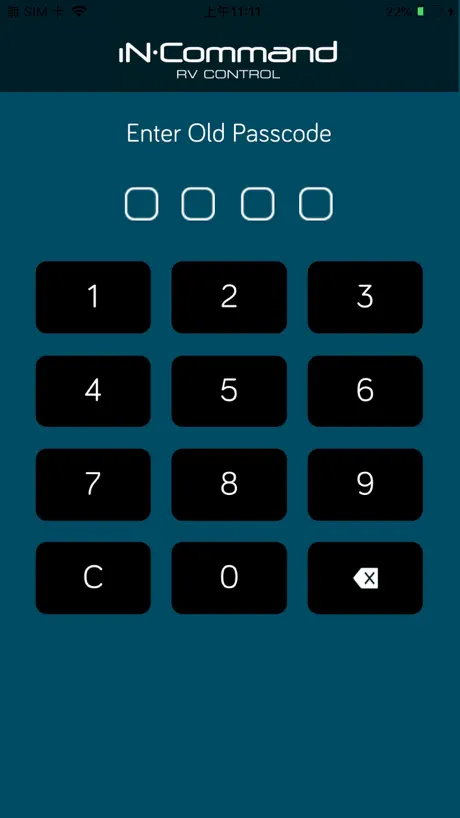
Update: I worked with their help desk and found that a previous software update introduced a bug that sets your date and time to a point in the past, which then prevents the Global Connect from working. So, check the date and time in the settings on your unit in the RV. If it’s incorrect, correct it and then make sure the Auto date and time box is checked. Save it and reboot the unit. When it comes back up, make sure it’s connected to WiFi and then double check that the date and time are still good. If so, fire up your mobile app (after turning off Bluetooth) and check Global Connect in the app settings to make sure it says you are connected to the cloud. If not, click the link to connect. Then see if you can connect the app to the RV. This fixed the problem for me. Original Review: I love the potential usefulness of this app but the reality is that I can rarely get a WiFi connection to it, even when the RV is sitting in my driveway connected to my house WiFi and I’m just in the house. I don’t know whether the problem is with the onboard INCommand module or with the app, but it’s frustrating for something that could be so useful to be nearly useless. I can get the Bluetooth connectivity to work if I’m in the RV.
4 years… nothing has improved
4 years later. Still often requires passcode entered twice. Sliders (for hvac) on IOS still use ints instead of floats, making it difficult to adjust. Still frequently loses communications with the RV. Still can’t adjust lights included in light groups. Still have to toggle buttons (like lights) 3-5 times to get the rv to respond. At least it doesn’t crash anymore. Edit: 5 years later and counting… still the same.
Fix it
This could be a good product but the AP is not kept up to date. The flaws are to numerous to write about. You would think that the way RV sales and use are today they would keep up with the demand. I would highly recommend not buying an RV with this product.
HORRIBLE app
Do not! Do Not! Do Not use this app to monitor as you flush your black water tank! It will lie to you. It will tell you you are 2/3 full but actually you are pushing water out of your toilet boil inside the camper!!! It may seem accurate while wife is inside watching on the screen as I watch on my phone outside at the utility controls flushing the black tank. It’s not accurate on how full tank is. I wouldn’t even give a star but had to post review
Good App. Couple bugs
Fix the temperature slider! You can’t select all the numbers! This app does a great job of controlling the in command via your smart phone. One of the best features is the ability to stand right next to the slides (both inside and out) and watch as they go in or out. One bug that is fairly annoying (and why I didn’t give it a 5 start) - on the HVAC control, you can’t select every temperature value. I think it has to do with the slider control they are using. Would be nice if that were fixed.
iN·Command FAQ
- Is iN·Command free?
- Yes. The app is free, in all 175 countries it sells in, and it sells nothing inside it.
- Does iN·Command have a free trial?
- No. None of its offers (US) come with a free trial.
- What are the best alternatives to iN·Command?
- POWER WATCHDOG Bluetooth ONLY (4.2 from 515 reviews), JAYCOMMAND/TravelLINK (2.0 from 193 reviews) and Regular Power Watchdog (3.6 from 186 reviews).
iN·Command download
Last updated 2 years ago.
iN·Command sells in 175 countries. It was released 8 years and 9 months ago, on 14 Feb 2018. It holds a 1.9 rating from 238 reviews.
Supports 2 languages: English, French.
How much does iN·Command make?
Third-party estimates for the last 30 days, worldwide — not the store's own figures, which Apple publishes for nobody.