
Scanner – Scan PDF, ID & Docs
Edit, Sign, Convert Documents
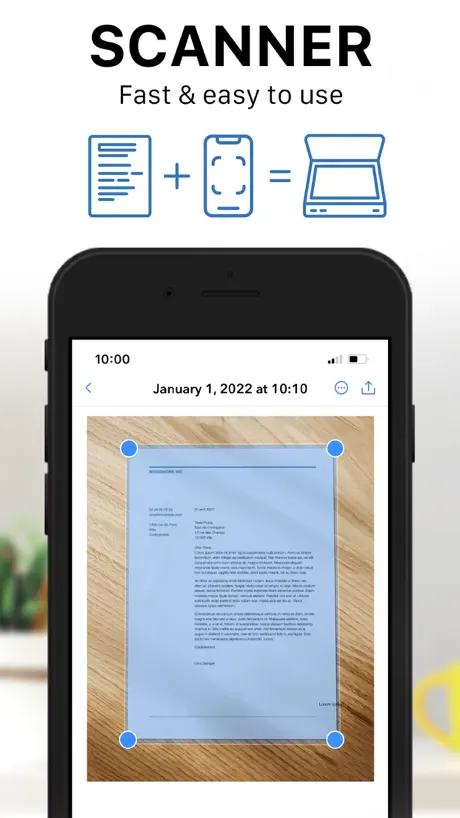
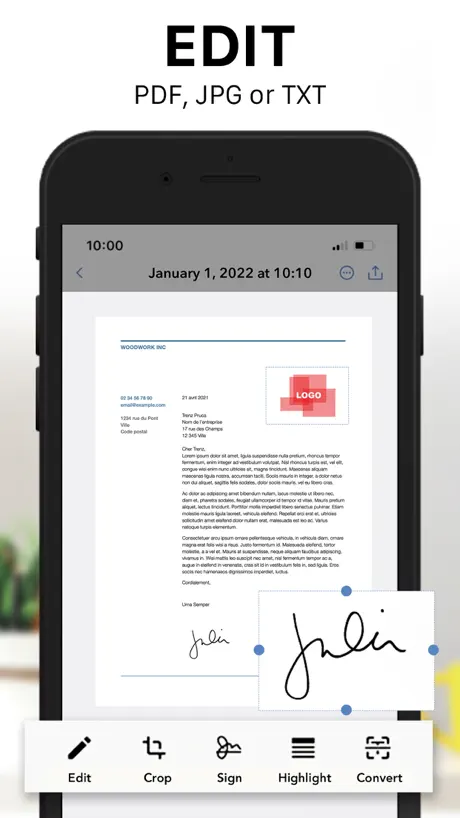
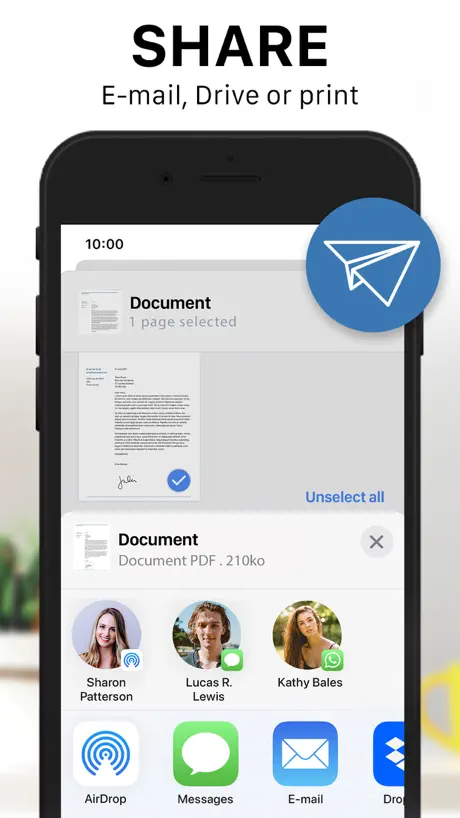
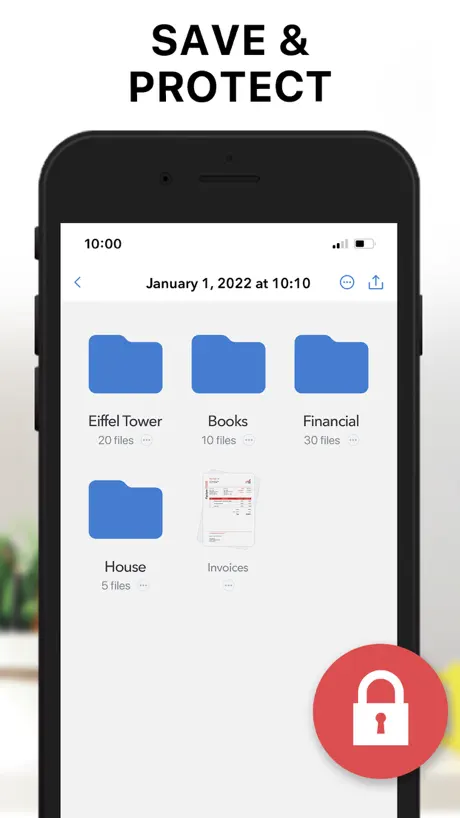
How much does Scanner – Scan PDF, ID & Docs cost?
Prices are current as of 30 Sept 2026.
4 subscriptions from $4.99
In the United States, Scanner – Scan PDF, ID & Docs has 4 subscriptions priced $4.99 – 19.99. It comes with a 3 days free trial.
| Subscription | Period | Price |
|---|---|---|
| Scanner Pro | WeeklyTrial: 3 days | $4.99 |
| Premium | WeeklyTrial: 3 days | $4.99 – 6.99 |
| Premium | MonthlyTrial: 3 days | $6.99 – 14.99 |
| Premium | 3 months | $19.99 |
See what Scanner – Scan PDF, ID & Docs costs in all 175 countries →
10+ alternatives to Scanner – Scan PDF, ID & Docs
| Scanner – Scan PDF, ID & Docs |   iScanner: PDF Document Scanner iScanner: PDF Document Scanner |   Scan Hero: PDF Scanner Scan Hero: PDF Scanner |   Scanner Pro - Scan to PDF Scanner Pro - Scan to PDF |   PDF Scanner App: TapScanner PDF Scanner App: TapScanner |   Tiny Scanner - PDF Scanner App Tiny Scanner - PDF Scanner App |   Scanner PDF – scan document Scanner PDF – scan document |   My Scans, best PDF Scanner App My Scans, best PDF Scanner App |   PDF Scanner・Document Scanner PDF Scanner・Document Scanner |   My Scanner: Scan to PDF & Edit My Scanner: Scan to PDF & Edit |   QR Code Reader & PDF Scanner QR Code Reader & PDF Scanner | |
|---|---|---|---|---|---|---|---|---|---|---|---|
| Rating / 5 | 4.7 | 4.7 | 4.6 | 4.8 | 4.7 | 4.8 | 4.6 | 4.7 | 4.6 | 4.6 | 4.7 |
| Reviews | 995K | 3.9M | 1.1M | 842K | 379K | 352K | 279K | 123K | 98K | 67K | 33K |
| Released | 2017 | 2015 | 2016 | 2009 | 2018 | 2013 | 2017 | 2015 | 2020 | 2020 | 2022 |
| Weekly price | $4.99 | $4.99 | $9.99 | $7.99 | $5.99 | $5.99 | $4.99 | — | $9.99 | $9.99 | $7.99 |
| Monthly price | $9.99 | $9.99 | $16.00 | $4.99 | $9.99 | $4.99 | $9.99 | $5.99 | $8.99 | $14.99 | $19.99 |
| Annual price | — | $19.99 | $89.99 | $29.99 | $49.99 | $29.99 | $99.99 | $36.99 | — | — | $34.99 |
| One-time price | — | — | $6.99 | $0.99 | — | $4.99 | — | $2.99 | $24.99 | — | — |
The going rate for each plan in United States, in its own currency, shaded from the cheapest price on the row to the dearest. Plans fewer than four in ten of the priced apps sell are left out.
Scanner – Scan PDF, ID & Docs reviews
4.7 out of 5, based on 995,222 reviews.
What people like
- Easy to use and simple
- Better than Adobe for scanning
- Saves time without a printer
What they complain about
- Ads interrupt you constantly
- Hidden charges and billing issues
- Scanned documents disappear after updates
- Watermarks block important info
Love it
Easy to use, super helpful.
Used to use - now says it doesn't work
Used to love this app. Latest update hasn't let me scan. When I try to save my documents, I get an ad for another app that says this app is broken. I try to exit it at the top, and the app freezes and then closes out, losing my scans.
Diallo
If
Watermark
What about scanning documents needs watermark
Très bien
Il faut s’y reprendre à plusieurs fois avant que le scanner reconnaisse la page (sinon peut mettre du temps quand il s’agit de double page) pub intempestive… et version payante 12.99 le mois … je préfère payer pour une version à vie
Awesome
Simple easy, straight to the point.
All documents gone
Have been using this scanner app for well over a year to keep important documents on a digital backup such as licenses, insurance, passport, etc. I open the app today and all of my documents have been erased. Nowhere to be found. Not impressed. Will not be renewing. I’m moving to another app.
Good but finicky
I downloaded this because my scanner on phone is temporarily not working & it works well. Although the auto detector for the use has a hard time actually detecting anything, but other then that its fine.
Flou
Depuis quelques mois, les images scannées sont floues… Ce n’est pas mon téléphone portable puisque je l’ai changé il y a une semaine et ça continue… Est-ce l’application gratuite avec les publicités ? Bref, j’arrête d’utiliser cette application
Ads appear compromised
Lately I’ve been getting ads of what is called scareware telling me I have viruses on my phone or my accounts are locked and asking me to download. I’ve had a tech perform a security scan and my phone is clean so I’ve course I’m not intending on clicking on the compromised ads. I’ll be deleting and using another application for my pdf needs
Easy to use
First class
Deleted all my files I had saved for years and reneged on forever pro
I have had this app for years, I opened it up today and found all my scanned files gone. It also shows a ridiculous amount of ads which I had made a one time payment to remove but now it’s gone back to asking me to pay monthly.
Scanner
Still learning
Good scanner app but not free
No free version
Bof
Manque de clarté des documents scannes
Clear and easy scan
This little handy dandy scanner on my phone sure makes my life a lot easier it scans really simply and attach all documents together as a group making it easier to forward to myself and save on my computer when I don’t have my Scanner handy to be honest it’s even better than my Scanner because I don’t have to get up and go and literally do it at my desk
DELETED MY DOCUMENTS
I had a dozen or so scanned files saved within the app itself and when I went to retrieve them what were NOWHERE to be found and I cannot find the original copy anymore because of how old they were. I was given no notice nor agreed to any terms of service that user data will be expelled post app updates. That CANNOT be something that can be ignored.
Not as good as it claims
I have used scanner app for my work purpose to create pdf file this one does not take a good picture the quality of the pic is really bad and just so all knows I have a good quality iPhone used for this app once I emailed it it looks so bad that I can't read some of the texts
Free version unusable
Poor image quality worse than just taking a picture with phone camera. Non-premium version is not worth using
Decent app, but there are problems
Decent scanner app for short PDFs. However, the free version has a page limit of 10 pages (it really is 9). Additionally, the pages slightly differ in size and there is a logo in the lower right hand corner of every page that can interfere with the information being scanned.
Scanner - Scan PDF
This App is very user friendly.
Lost all of my data
The app changed, and all of my scan documents were lost. I’ve been using my apps for years and was relying on what had been scanned and saved.
Cancel app
I have a scanner app already so I need to cancel this subscription. I think this one works well.
Trop de pub
Chaque action une pub c’est beaucoup trop. Je passe.
L. N
No no no N . O poTe mpml
COO
Simple straightforward
Terrible app
I got this app because the scanner on our printer at work was broken. Why is everything locked behind a paywall? oh you want more than 10 documents scanned? pay for it. oh you want to remove the watermark blocking important information on your paperwork? pay for it. the ads are even worse. why are there adds anytime i do anything? and why are they for different scanners that seem better than this? all in all, most useless app i’ve ever wasted my time downloading
Thank you!
This app really helped me convert my school work to pdf and why, most of iPhone apps of pdf converters do not give the colour option so Hats Off to you!!
Devenu contraignant
J’ai utilisé l’application pendant quasi 10 ans, cela fait 1 an ou 2 que les pubs sont de plus en plus difficiles à gérer (à chaque étape du scan, en pop-up, temps ultra long avant de pouvoir les passer et croix minuscules). Ça c’est une chose et je peux comprendre la contrepartie de la gratuité de l’app. Maintenant, c’est impossible d’obtenir un pdf sans un gros watermark de l’appli ni sans payer, ce qui n’était absolument pas le cas avant. Cerise sur le gâteau, l’appli est maintenant dépassée par les appareils photo des téléphones les plus récents, autant prendre directement en photo son document et le bidouiller sur internet, ce sera plus plaisant, plus rapide et le rendu sera meilleur…
Continuamente mejorar
El modo de impresión siempre puede parecer mejor, aún así estoy muy contento
The scanner actually works
Typically, I hate downloading anything that has to do with iPhones because it’s always an extra surcharge, but I will say that I was able to use the app do my conversion with no problem and it doesn’t look like a picture. It looks scanned and professional so I actually decided to leave a comment cause it actually work.
Does not work
Very disappointed
Scan app
Best app
Prix exorbitant
Fonctionne bien mais coûte un prix de fou.
Adverts
Too many adverts
10/10 and it’s free
An amazing app it’s much better than the adobe app I used before
Hidden charges
I paid for 9.99 a month but somehow I ended up paying around 50 dollars a month and I don’t even use this app! They were taking money from me for soo long and I didn’t know it
Money deducted
Hi- Please refund my money and remove one click payment process it confuses people, I don’t wanted to purchase this app, I thought this is asking permission to access but they deducted money. Can you please refund my money ASAP
Can’t stop billing
How do I get this app to stop billing me?
Too many adds
Way to many adds
Great apps
Easy to use!
Scammed me
Over charged me not 1 time but 2 times!
Handy
Useful.
It helped me to make pdf but it is not coming for me to forward these pdf to google classroom
That’s all
My opinion
It does do the job but I didn’t find any option to scan the documents with the original colour, it scanned all in black and white which wasn’t work for me.
I love this App!!
This app is awesome. It allows me to scan my documents without needing a computer or printer and send them to anyone. I love it!!
More like Scammer app
I had been using this scanner app happily for a couple of years now. I’m a college student and I need to be able to scan handwritten work to submit as a pdf. Three months ago, I would have rated this app 5/5 stars, but the last few updates have made the free version of this app nearly unusable. The app no longer allows me to take a wider picture and crop out what I want. The app attempts to hone in on writing but inadvertently crops out the entire margin and sometimes some of the writing. With the most recent update I have to watch two or three adds to save and edit my work. The app is constantly forcing me to watch adds and tries to make me pay for a subscription. I can’t work with this anymore.
Robbed me
It was un authorised payment you people charge me without my consented They told me it’s free trial for 1 day so only I installed After a single use I uninstalled They robbed me rupees 889 Please refund me
It’s good but needs improvement
This app is best amongst all pdf apps but the only issue with this is that sometimes the PDF’s can’t get posted on google classroom
Might be improved
Can’t scan colour copy of documents or photos..after scan it appears B&W….
Scanner – Scan PDF, ID & Docs price by country
A monthly subscription costs $1.43 in Turkey and $15.23 in South Africa — 11× more for the same thing. Below is the going rate for each plan in every country that sells it — the middle price of what the app charges there, in the country's own currency with the dollar equivalent beneath it.
| Country | Weekly | Monthly | 3 months | Annual |
|---|---|---|---|---|
| Afghanistan | $8.99 | $11.99 | — | $49.99 |
| Albania | $6.99 | $12.99 | — | — |
| Algeria | $6.99 | $9.99 | — | $49.99 |
| Angola | $6.99 | $9.99 | — | $34.99 |
| Anguilla | $8.99 | $9.99 | — | $49.99 |
| Antigua And Barbuda | $4.99 | $8.99 | — | $49.99 |
| Argentina | $4.99 | $9.99 | — | — |
| Armenia | $7.99 | $14.99 | — | $29.99 |
| Australia | A$6.99$4.89 | A$14.99$10.48 | — | A$60.99$42.65 |
| Austria | €4.99$5.68 | €9.99$11.37 | €19.99$22.74 | €39.99$45.49 |
| Azerbaijan | $6.99 | $12.99 | — | $39.99 |
| Bahamas | $4.99 | $9.99 | $19.99 | $49.99 |
| Bahrain | $9.99 | $9.99 | — | $39.99 |
| Barbados | $9.99 | $9.99 | — | $59.99 |
| Belarus | $4.99 | $12.99 | — | $59.99 |
| Belgium | €4.99$5.68 | €9.99$11.37 | — | €39.99$45.49 |
| Belize | $6.99 | $9.99 | — | $49.99 |
| Benin | $6.99 | $12.99 | — | $59.99 |
| Bermuda | $8.99 | $12.99 | — | $49.99 |
| Bhutan | $8.99 | $9.99 | — | $49.99 |
| Bolivia | $6.99 | $9.99 | — | $49.99 |
| Bosnia & Herzegovina | €9.99$11.37 | €9.99$11.37 | — | €59.99$68.25 |
| Botswana | $6.99 | $12.99 | — | $49.99 |
| Brazil | R$17.90$3.44 | R$36.90$7.08 | — | R$224.90$43.17 |
| British Virgin Islands | $8.99 | $9.99 | — | $49.99 |
| Brunei Darussalam | $4.99 | $9.99 | — | $49.99 |
| Bulgaria | €7.49$8.52 | €9.99$11.37 | — | €59.99$68.25 |
| Burkina Faso | $4.99 | $9.99 | — | — |
| Cambodia | $4.99 | $9.99 | — | $39.99 |
| Cameroon | $9.99 | $9.99 | — | $59.99 |
| Canada | CA$6.49$4.57 | CA$14.99$10.56 | — | — |
| Cape Verde | $6.99 | $12.99 | — | $49.99 |
| Cayman Islands | $8.99 | $9.99 | — | $49.99 |
| Chad | $6.99 | $12.99 | — | $34.99 |
| Chile | CLP 4,990$5.19 | CLP 6,900$7.18 | CLP 13,900$14.46 | — |
| China | CN¥33.00$4.91 | CN¥70.00$10.42 | CN¥143.00$21.28 | CN¥218.00$32.44 |
| Colombia | COP 29,900$9.06 | COP 39,900$12.09 | — | — |
| Congo | $6.99 | $12.99 | — | $34.99 |
| Congo, Democratic Republic | $6.99 | $12.99 | — | $34.99 |
| Costa Rica | $6.99 | $9.99 | — | $34.99 |
| Cote Divoire | $6.99 | $12.99 | — | $39.99 |
| Croatia | €5.04$5.73 | €12.99$14.78 | €21.90$24.91 | — |
| Cyprus | €9.99$11.37 | €9.99$11.37 | €19.99$22.74 | €59.99$68.25 |
| Czech Republic | CZK 129.00$6.19 | CZK 299.00$14.35 | — | CZK 1,090.00$52.33 |
| Denmark | DKK 39.00$6.05 | DKK 89.00$13.80 | DKK 165.00$25.58 | — |
| Dominica | $8.99 | $11.99 | — | $49.99 |
| Dominican Republic | $4.99 | $9.99 | — | $34.99 |
| Ecuador | $4.99 | $9.99 | $19.99 | — |
| Egypt | EGP 179.99$3.46 | EGP 299.99$5.76 | — | — |
| El Salvador | $6.99 | $8.99 | — | $49.99 |
| Estonia | €6.99$7.95 | €9.99$11.37 | — | €59.99$68.25 |
| Fiji | — | $9.99 | — | $49.99 |
| Finland | €4.99$5.68 | €9.99$11.37 | — | €39.99$45.49 |
| France | €4.99$5.68 | €9.99$11.37 | — | — |
| Gabon | $8.99 | $9.99 | — | $49.99 |
| Gambia | — | $9.99 | — | $49.99 |
| Georgia | $5.99 | $14.99 | — | $79.99 |
| Germany | €4.99$5.68 | €9.99$11.37 | — | — |
| Ghana | $7.99 | $14.99 | — | $39.99 |
| Greece | €4.99$5.68 | €9.99$11.37 | €19.99$22.74 | €89.99$102.38 |
| Grenada | $8.99 | $9.99 | — | $49.99 |
| Guatemala | $6.99 | $12.99 | — | $34.99 |
| Guinea-bissau | $8.99 | $9.99 | — | $49.99 |
| Guyana | — | $9.99 | — | $49.99 |
| Honduras | $4.99 | $12.99 | — | $34.99 |
| Hong Kong | HK$38.00$4.85 | HK$78.00$9.95 | — | HK$313.00$39.92 |
| Hungary | HUF 1,990$6.17 | HUF 3,990$12.36 | — | HUF 39,990$123.90 |
| Iceland | $9.99 | $12.39 | — | $39.99 |
| India | ₹389.00$4.05 | ₹899.00$9.36 | ₹1,699.00$17.69 | — |
| Indonesia | IDR 69,000$3.84 | IDR 149,000$8.28 | — | — |
| Iraq | $6.99 | $12.99 | — | $34.99 |
| Ireland | €4.99$5.68 | €9.99$11.37 | — | €89.99$102.38 |
| Israel | ₪17.90$5.83 | ₪39.90$13.00 | ₪73.90$24.07 | — |
| Italy | €4.99$5.68 | €9.99$11.37 | — | — |
| Jamaica | $6.99 | $12.99 | — | $89.99 |
| Japan | ¥550$3.50 | ¥1,180$7.50 | ¥2,300$14.62 | — |
| Jordan | $4.99 | $9.99 | — | $39.99 |
| Kazakhstan | KZT 2,490.00$5.65 | KZT 3,990.00$9.05 | KZT 7,490.00$17.00 | — |
| Kenya | $5.99 | $14.99 | — | $59.99 |
| Kosovo | €4.99$5.68 | €12.99$14.78 | — | €59.99$68.25 |
| Kuwait | $4.99 | $12.99 | — | — |
| Kyrgyzstan | $7.99 | $14.99 | — | $39.99 |
| Lao Peoples Democratic Republic | — | $9.99 | — | $49.99 |
| Latvia | €6.99$7.95 | €9.99$11.37 | — | €39.99$45.49 |
| Lebanon | $6.99 | $9.99 | — | $39.99 |
| Liberia | $8.99 | $9.99 | — | $49.99 |
| Libya | $4.99 | $9.99 | — | $49.99 |
| Lithuania | €4.99$5.68 | €9.99$11.37 | — | €59.99$68.25 |
| Luxembourg | €6.99$8.12 | €12.99$15.09 | — | €39.99$46.45 |
| Macao | $8.99 | $8.99 | — | $49.99 |
| Macedonia | $6.99 | $12.99 | — | $34.99 |
| Madagascar | $8.99 | $12.99 | — | $49.99 |
| Malawi | $8.99 | $9.99 | — | $49.99 |
| Malaysia | MYR 22.90$5.61 | MYR 59.90$14.68 | — | MYR 164.90$40.42 |
| Maldives | $8.99 | $9.99 | — | $49.99 |
| Mali | $6.99 | $12.99 | — | $34.99 |
| Malta | €6.99$7.95 | €12.99$14.78 | — | €39.99$45.49 |
| Mauritania | $6.99 | $9.99 | — | $49.99 |
| Mauritius | $9.99 | $9.99 | — | $59.99 |
| Mexico | MX$99.00$5.53 | MX$199.00$11.12 | MX$399.00$22.29 | — |
| Micronesia | $8.99 | $8.99 | — | $49.99 |
| Moldova | $7.99 | $12.99 | — | $39.99 |
| Mongolia | $6.99 | $11.99 | — | $34.99 |
| Montenegro | €7.99$9.28 | €9.99$11.60 | — | €49.99$58.06 |
| Montserrat | $8.99 | $8.99 | — | $49.99 |
| Morocco | $6.99 | $12.99 | — | $34.99 |
| Mozambique | $4.99 | $12.99 | — | $49.99 |
| Myanmar | $8.99 | $9.99 | — | $49.99 |
| Namibia | $8.99 | $8.99 | — | $49.99 |
| Nauru | $8.99 | $11.99 | — | $49.99 |
| Nepal | $9.99 | $9.99 | — | $59.99 |
| Netherlands | €4.99$5.68 | €9.99$11.37 | — | €39.99$45.49 |
| New Zealand | NZ$9.99$5.64 | NZ$19.99$11.29 | NZ$34.99$19.77 | — |
| Nicaragua | $6.99 | $12.99 | $19.99 | — |
| Niger | $6.99 | $12.99 | — | $34.99 |
| Nigeria | NGN 3,500.00$2.63 | NGN 3,900.00$2.93 | — | NGN 14,500.00$10.91 |
| Norway | NOK 49.00$5.27 | NOK 105.00$11.29 | NOK 209.00$22.47 | NOK 419.00$45.05 |
| Oman | $4.99 | $12.99 | — | $39.99 |
| Pakistan | PKR 1,300$4.69 | PKR 1,550$5.60 | — | PKR 5,300$19.14 |
| Palau | $8.99 | $9.99 | — | $49.99 |
| Panama | $4.99 | $9.99 | — | $34.99 |
| Papua New Guinea | $8.99 | $9.99 | — | $49.99 |
| Paraguay | $8.99 | $9.99 | — | $49.99 |
| Peru | PEN 19.90$5.82 | PEN 33.90$9.91 | — | — |
| Philippines | ₱299.00$4.78 | ₱529.00$8.46 | — | ₱999.00$15.98 |
| Poland | PLN 29.99$7.81 | PLN 49.99$13.02 | PLN 92.99$24.22 | — |
| Portugal | €4.99$5.68 | €12.99$14.78 | — | €39.99$45.49 |
| Qatar | QAR 19.99$5.49 | QAR 39.99$10.99 | — | QAR 144.99$39.83 |
| Romania | RON 29.99$6.46 | RON 49.99$10.77 | — | RON 194.99$42.02 |
| Russia | RUB 449.00$5.32 | RUB 799.00$9.47 | — | RUB 3,150.00$37.34 |
| Rwanda | $8.99 | $9.99 | — | $49.99 |
| Sao Tome & Principe | $8.99 | $8.99 | — | $49.99 |
| Saudi Arabia | SAR 19.99$5.33 | SAR 39.99$10.66 | — | SAR 299.99$80.00 |
| Senegal | $4.99 | $9.99 | — | $39.99 |
| Serbia | — | €9.99$11.60 | — | €59.99$69.67 |
| Seychelles | $8.99 | $8.99 | — | $49.99 |
| Sierra Leone | $6.99 | $12.99 | — | $49.99 |
| Singapore | SGD 6.48$5.06 | SGD 14.98$11.70 | — | SGD 54.98$42.95 |
| Slovakia | €4.99$5.68 | €9.99$11.37 | — | €39.99$45.49 |
| Slovenia | €4.99$5.68 | €9.99$11.37 | — | €59.99$68.25 |
| Solomon Islands | $8.99 | $9.99 | — | $49.99 |
| South Africa | ZAR 99.99$6.09 | ZAR 249.99$15.23 | — | — |
| South Korea | ₩6,000$4.42 | ₩12,500$9.20 | — | — |
| Spain | €4.99$5.68 | €9.99$11.37 | — | — |
| Sri Lanka | $8.99 | $9.99 | — | $49.99 |
| St. Kitts and Nevis | $8.99 | $9.99 | — | $49.99 |
| St. Lucia | $8.99 | $9.99 | — | $49.99 |
| St. Vincent & The Grenadines | $8.99 | $11.99 | — | $49.99 |
| Suriname | $9.99 | $9.99 | — | $49.99 |
| Swaziland | $8.99 | $9.99 | — | $49.99 |
| Sweden | SEK 69.00$6.93 | SEK 129.00$12.95 | SEK 225.00$22.59 | — |
| Switzerland | CHF 5.00$6.01 | CHF 11.00$13.22 | — | CHF 43.00$51.68 |
| Taiwan | NT$150.00$4.72 | NT$340.00$10.69 | — | — |
| Tajikistan | — | $12.99 | — | $49.99 |
| Tanzania | TZS 14,900.00$5.63 | TZS 29,900.00$11.30 | — | TZS 249,900.00$94.42 |
| Thailand | THB 199.00$5.92 | THB 329.00$9.79 | THB 659.00$19.62 | — |
| Tonga | $8.99 | $11.99 | — | $49.99 |
| Trinidad and Tobago | — | $9.99 | — | $49.99 |
| Tunisia | $8.99 | $9.99 | — | $49.99 |
| Turkey | TRY 149.99$3.06 | TRY 69.99$1.43 | — | TRY 189.99$3.88 |
| Turkmenistan | $8.99 | $11.99 | — | $49.99 |
| Turks and Caicos | $8.99 | $9.99 | — | $49.99 |
| Uganda | $9.99 | $9.99 | — | $59.99 |
| Ukraine | $4.99 | $9.99 | $19.99 | — |
| United Arab Emirates | AED 19.99$5.45 | AED 49.99$13.62 | — | AED 154.99$42.23 |
| United Kingdom | £4.49$5.95 | £9.99$13.25 | — | — |
| United States | $4.99 | $9.99 | $19.99 | — |
| Uruguay | $4.99 | $12.99 | — | $34.99 |
| Uzbekistan | $7.99 | $14.99 | — | $39.99 |
| Vanuatu | $8.99 | $8.99 | — | $49.99 |
| Venezuela | $8.99 | $9.99 | — | $49.99 |
| Vietnam | ₫129,000$4.98 | ₫349,000$13.47 | — | — |
| Yemen | $8.99 | $9.99 | — | $49.99 |
| Zambia | — | $12.99 | — | $59.99 |
| Zimbabwe | $7.99 | $14.99 | — | $59.99 |
Scanner – Scan PDF, ID & Docs FAQ
- Is Scanner – Scan PDF, ID & Docs free?
- Yes. The app and its basic features are free, in all 175 countries it sells in. Premium features are paid: they start from $4.99 (US), across 4 subscriptions.
- How much does Scanner – Scan PDF, ID & Docs cost per month?
- Premium is $6.99 – 14.99 (US).
- Does Scanner – Scan PDF, ID & Docs have a free trial?
- Yes — a 3 days free trial (US).
- Where is Scanner – Scan PDF, ID & Docs cheapest?
- A monthly subscription costs TRY 69.99 (≈$1.43) in Turkey and ZAR 249.99 (≈$15.23) in South Africa, its cheapest and dearest countries.
- What are the best alternatives to Scanner – Scan PDF, ID & Docs?
- iScanner: PDF Document Scanner (4.7 from 3,885,830 reviews, premium from $3.99), Scan Hero: PDF Scanner (4.6 from 1,074,609 reviews, premium from $1.99) and Scanner Pro - Scan to PDF (4.8 from 842,161 reviews, premium from $0.99).
Scanner – Scan PDF, ID & Docs download
Last updated 9 days ago.
Scanner – Scan PDF, ID & Docs sells in 175 countries. It was released 9 years ago, on 5 Oct 2017. It holds a 4.7 rating from 995,222 reviews.
Supports 19 languages: English, Arabic, Dutch, French, German, Hebrew, Hindi, Indonesian, Italian, Japanese, Kazakh, Korean, Malay, Persian, Portuguese, Russian, Chinese, Spanish, Vietnamese.
How much does Scanner – Scan PDF, ID & Docs make?
Third-party estimates for the last 30 days, worldwide — not the store's own figures, which Apple publishes for nobody.
Revenue by plan
- Monthly 77%
- Weekly 23%
- Annual 0%
- 3 months 0%
Revenue by country
- United States 35%
- France 20%
- Germany 5%
- Spain 5%