
QVR Pro Client
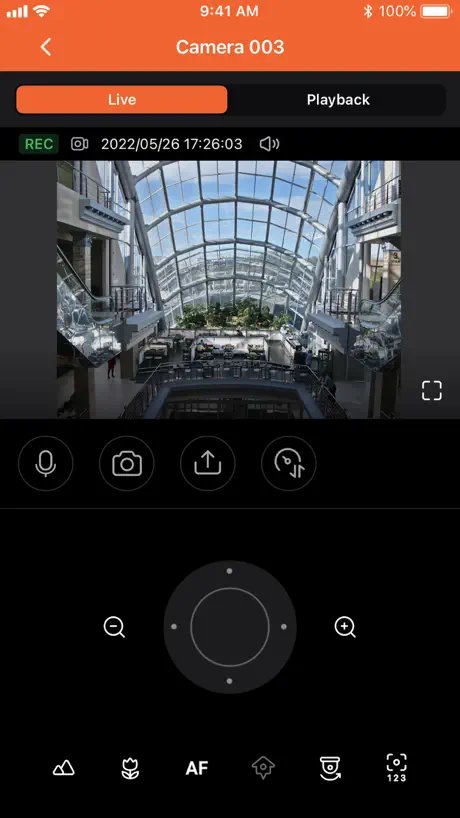
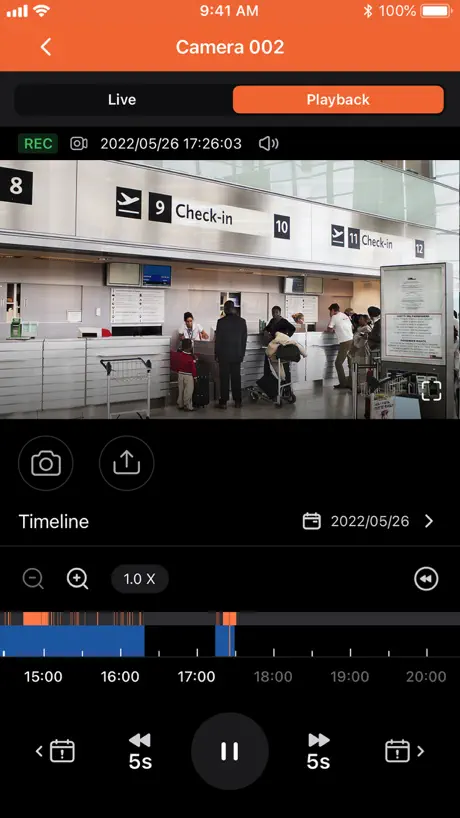
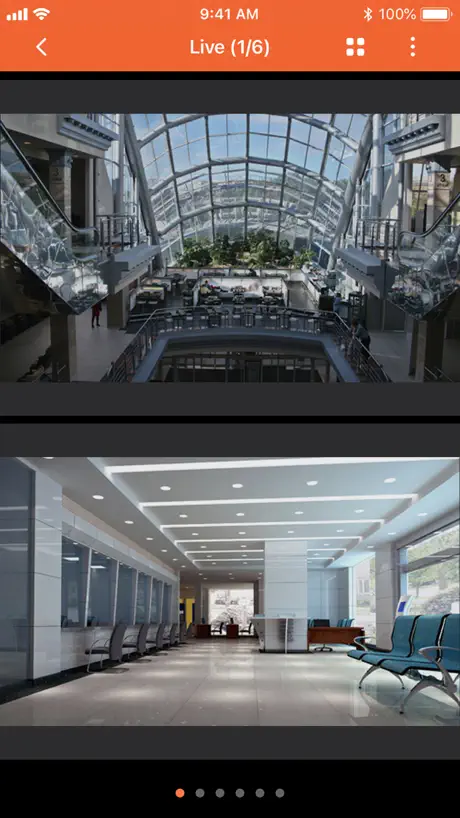
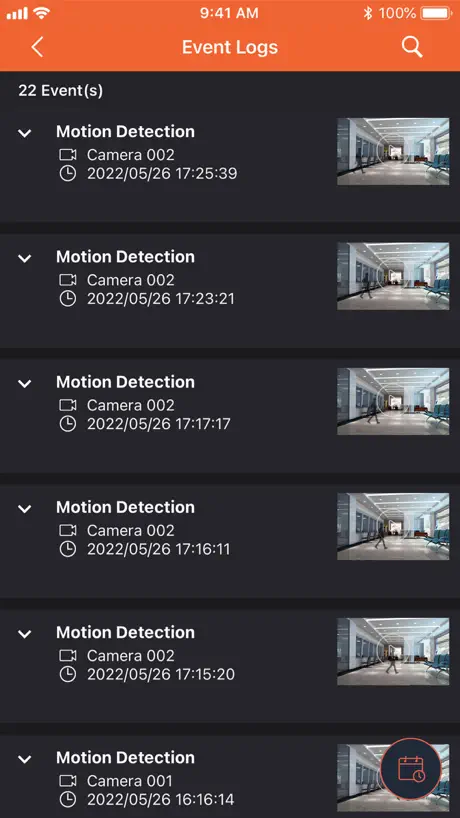
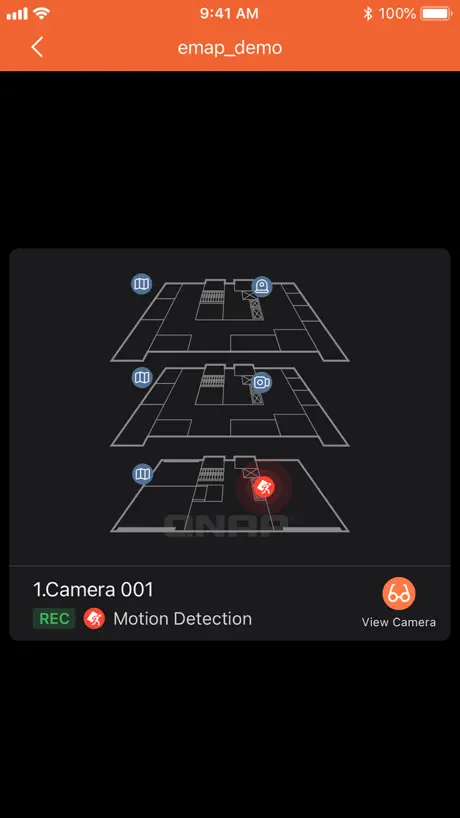
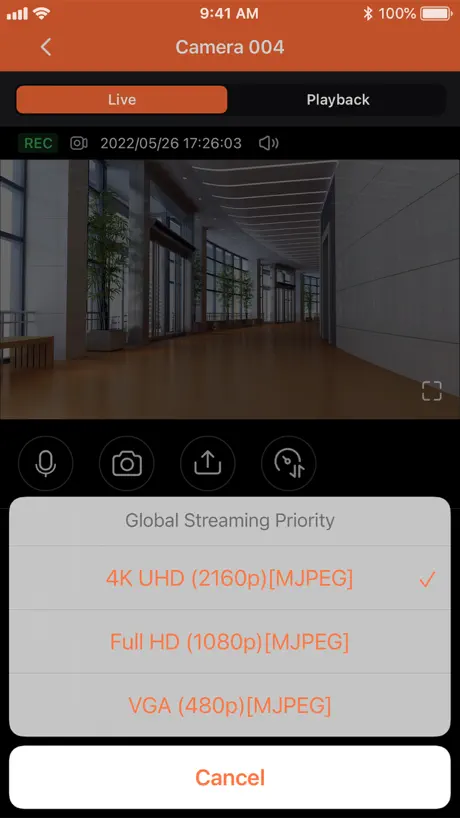
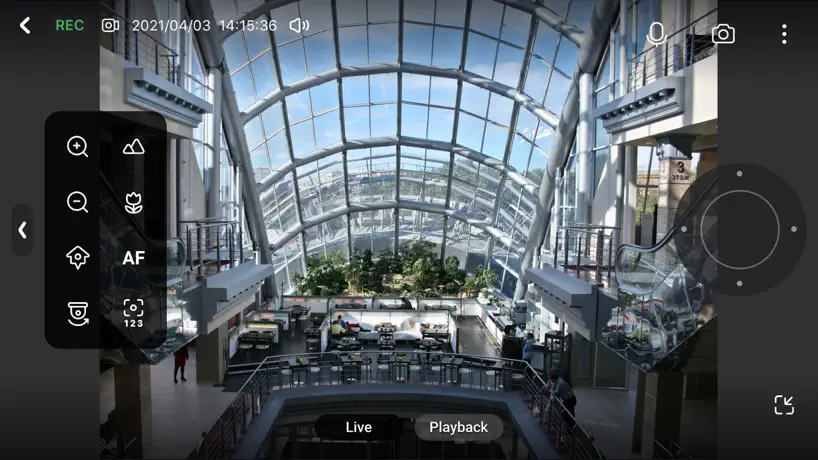
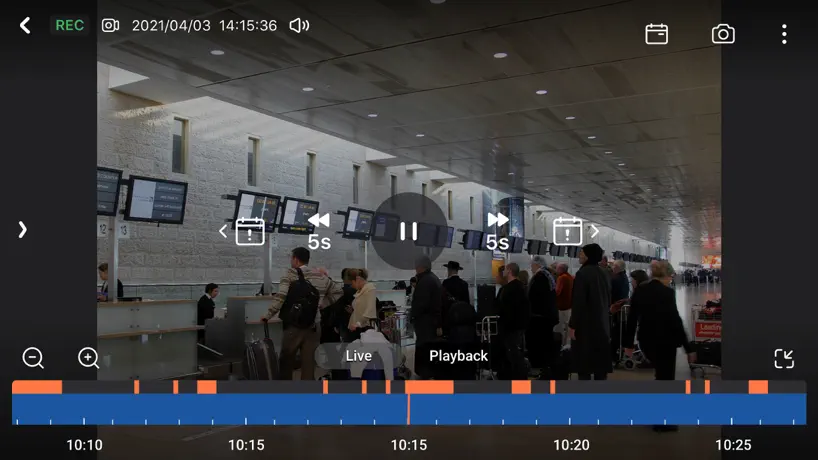
How much does QVR Pro Client cost?
Prices are current as of 17 Nov 2026.
QVR Pro Client has no in-app products on record in the United States.
10+ alternatives to QVR Pro Client
| QVR Pro Client |   Acronis Mobile |   DS cam |   QLoad Station |   Cisco Business |   AXIS Companion Classic |   Viewer for Frigate |   Scrypted |   QPhoto Backup |   Viewu |   AiSecure2 | |
|---|---|---|---|---|---|---|---|---|---|---|---|
| Rating / 5 | 2.6 | 4.3 | 2.9 | 4.2 | 4.2 | 3.1 | 4.4 | 4.1 | 4.4 | 3.5 | 2.5 |
| Reviews | 246 | 3.9K | 1.1K | 540 | 320 | 281 | 55 | 42 | 27 | 20 | 13 |
| Released | 2018 | 2015 | 2010 | 2021 | 2021 | 2014 | 2026 | 2024 | 2023 | 2024 | 2022 |
| Annual price | — | — | — | $4.49 | — | — | — | — | — | — | — |
| One-time price | — | — | — | $24.99 | — | — | — | — | — | — | — |
The going rate for each plan in United States, in its own currency, shaded from the cheapest price on the row to the dearest.
QVR Pro Client reviews
2.6 out of 5, based on 246 reviews.
What people like
- Works great with PTZ cameras
- Supports many different IP camera brands
- Can link multiple QNAP devices together
- Motion and alert features are excellent
What they complain about
- App crashes frequently during playback
- No audio works on iPhone
- Push notifications simply do not work
- Playback timeline is incredibly slow to use
Multi Mode
Beste App für jegliche Kamera…Mit dem Multi Mode lassen sich sogar mehrere Qnap QVR Pro Geräte koppeln..toller Support
Doesn’t work anymore for mobile
This used to be a really good app, but I don’t know what they did to but at some point they did some kind of updated screwed it all up and now it barely works for a mobile phone anymore. What a big disappointment!
Reliable but could be more responsive
Used ip cam apps tbat connect directly to camera and those were quick to load live view. QVR pro takes a couple seconds to 30 to load live view. Would be great to have a companion Apple Watch app, don’t need full functionality just swipe cameras to peek in.
Was working
The app stopped working one day. Push notifications stopped working. Updated everything and myqnapcloud login errors out with a no internet error. All the other apps work with the same NAS using the cloud. App is very stow and needs some cosmetic love; however, at this point I’d just like it to work.
Views crash the app
I have a view that has 8 cameras on it, unchanged for several years… always worked great in the app. This latest version crashes after 2 seconds of viewing this view now. Individual cameras fine… but the one with 8 cameras crashes every single time.
Great tool
Updated to the pro version on the Qnap and never looked back. This application is great!
lousy unfinished client app
No full screen for View on landscape mode. Must use the same port number for login is a joke! I would say this is an unfinished client app.
沒聲音
攝影機自家App串流有聲音, QVR Pro電腦版有聲音, 實際錄出來的檔案也有聲音, 就是手機版QVR Pro沒聲音
Aufnahmen Export Probleme
Seit einigen Wochen neuerdings werden beim auswählen von z.B. 1 Minute Aufnahme Export auf dem iPhone in der Galerie lediglich 2 Sekunden heruntergeladen und angezeigt.
4k stream has artifacts
4k stream has pixelated artifacts on random portions of the screen. This issue went away on macOS after enabling hardware acceleration, but i don't see a similar option on iOS so the issue remains on my iPhone 14 Pro. Using TS-464eU NAS with Reolink 842a camera, connected to QSW-M2116p-2T2S switch.
Awesome, quick fixes!
Thank you for listening and fixing! Appreciate it :)
Constantly Crashes
What good is a camera monitoring app that crashes every time during playback? They expect people to pay for this also — and it’s full of bugs.
No audio on my iPhoneXr
I really like the app. I would give it 5 stars except for the audio issue. The issue I have is no audio when monitoring my cameras on my iPhone app. Either live view or playback mode no audio is played from my iPhone. I use the Windows QVR Pro desktop app on my laptop with no audio issues. I can monitor my cameras using VLC and the audio works as well. Not sure why QVR Pro does not have audio with my iPhone.
Extremely limited, only good for live view
While the mobile app does let you watch alerts and live view, you cannot change the playback speed of recorded footage or even move 10 seconds at a time so trying to find when something occurred requires moving the timeline slider at the bottom (but the image won't update until you release the slider) which goes on for days so trying to move it just 1 minute or something to fine tune the playback is very challenging. All setup needs to be done in the Windows version of the same app and I rarely use my Windows desktop anymore, I tried loading it on my server but that runs headless and I just RDP into it and the QVR Pro client for Windows requires a GPU so it won't work through RDP so I cannot even do the setup that way.
Zoom function in playback mode gone v2.1
Hi the new version installed but I can’t now zoom in playback mode zoom is working in live mode - can you reinstate zoom in playback asap need this back asap Thank you so much for fixing this so quickly 😀
Neues Design, mehr Features, gute Stabilität
Das Update kam sehr überraschend und doch hat es diese App sehr verbessert!
Version 1.11
The upgrade to version 1.11 from 1.10 has disabled the abitity to access the camera views. Does anyone have a fix?
可以支援一下手機匯出影片嗎?
可以支援一下手機匯出影片嗎? 不能用app看完再手機裡匯出,少了這個功能有點麻煩!
Need to improve testing and quality control
Once again a useful feature comes out in v1.10.1 only for it to introduce another bug. Open the app slide from right to left to see another camera before the first has properly display and bang, the app just crashes. This took me 5 seconds to find, does QNAP do quality assurance before it releases anything? Sure you can raise a support request and the engineers are helpful but it takes yet more of my time to fix issues that should have been captured before release.
Please add password & fingerprint lock
Great App but missing basic security features. please add security settings to the app to block any unauthorised access. Thanks
Funktioniert wie erwartet
Stabil, alle Ansichten funktionieren stabil, einfacher Zoom und Wechsel der Ansicht.
Slow playback and live view
My playback and live view are always slow not sure how to fix it on my computer it is working great. I’m using the TS-473A
Big improvement on 26/10/2018
Finally! Thank you for giving this app the attention it deserves! Qnap makes great NAS units and I wish they put much more effort into their connected apps (like this one). This most recent update is a step in the right direction!
Audio non funziona
Con iPhone non si sente l’audio del Live. Provato su più iPhone.
Screen Sleep
I use the app on an iPad as a monitor since the redesign the app no longer prevents the screen from sleeping
Besser als die App des Kameraherstellers
Die Qnap Apps sind ja leider nicht immer so gut, Synology ist da weit voraus. Aber diese App ist wirklich SUPER. Sobald man die startet hat man das Bild der Kamera auf dem Display. Die Funktionen sind gut und erfüllt meine Zwecke.
Horrible let down
I selected QNAP for the surveillance camera capability. What a mistake. When it works, it is horribly slow. But that’s not the worst of it. Pretty much every single time I really need it, the system lets me down with connection issues. It offers several different ways to connect, some of which are nonsense (I.e., local IP addresses when you’re away). More often than not, I have to go in and re-enter the connection parameters to get the QNAP Cloud connection to work. It is frustrating, ineffective, and ultimately ineffective. I expect a surveillance system to be rock-stable. Connection should be reliable and quick. I can understand slow performance under some circumstances, but not the pain I have to endure just to connect.
Ok but very basic
Had to delete the Iphone app and re-install it to be able to view recordings. No ability to fast forward search through video making it very difficult to review an incident. Overall it’s pretty basic and lacks any functions.
I’d give it 5 stars but no audio on Apple
I love this app, but if I try to see the feed on my iPhone or iPad I have no audio what so ever. It’s really inconvenient and defeats the purpose.
Support QVR Center already!
I currently work for a company that uses y’all’s QNAP systems and QVR software a lot. Currently running 10 QNAPs with 400 camera spread out between them. Really would like to see support for a QVR center login on the IPhone app. We utilize this system a lot and are aggressively expanding this would go along way in helping us make the most use out of the system.
Better than Q-See, AvertX, and others!
I’ve owned probably 10 different camera systems over the last 6 years and this is by far the best. Compatible with the most amount of cameras and love all of the features. Especially the notification and motion features. Well done!
Super low frame rate
Can't get over .9 fps, no matter which stream or login I try.
Odd preview photo
One of the preview photos for the iPhone app is of a circuit board, not a floor plan. It says 1FMap as if it’s supposed to be a floor plan, but it’s a circuit board diagram with a few camera icons thrown in. The iPad app preview shows an actual floor plan however.
Not working 100% correct
Push notifications are not working as an action. This notification should have been sent to iphone. In log you can see continuous error. Also the rule thresholds are not captured. After saving these are updated again into initial value which is 10 seconds.
No QVR Face integration?
My feed either goes to Face, or to the QVR store. Says processing QVR videos is coming in later versions?
Kann umstieg nur Empfehlen
Bin bisher positiv überrascht der umstieg von Surveillance Station auf QVR Pro hat sich gelohnt. Kann ich nur jedem Empfehlen!
Still Garbage
When will this app ever work correctly? Ever time you try to watch a playback it errors out and shuts the app down.. If you’re lucky it will actually play for a few minutes. FIX IT!
Last update was a massive improvement!
Update 4/18/18: Starting to see the fixes. Todays version fixed slow logins, issue looking at time line for past recordings, auto login even if turned off, seems to run faster now, being able to disable events showing when looking at 1 cam, and even added some features. Finally getting to be a good app. Keep up the good work and hopefully look they add some key missing features. Missing features 1. Select views/layouts from server 2. See recording storage info 3. Event Management (even if its just to enable/disable already configured events) Update 3/16/17: They released a new version which said major bug fix but i do not notice any difference and all problems I called out above still exist. I have also submitted bugs to support team and the issues have not got resolved but tickets have been closed. Original Review: This app is full of bugs and lacks features. Hoping qnap fixes soon. I would have called this more of beta release vs production. Bugs 1. VERY slow to connect 2. When looking at past recordings will start randomly picking dates/times 3. A lot of events do not show up unless you have app open when event happens 4. Auto login happens even when unchecked 5. App starts getting really slow the longer it is open 6. App crashes for the first 24+ hours after qvr pro client is installed. Seems to work after 24 hours. Missing features 1. Select views/layouts from server 2. See recording storage info
Noch am Anfang
Nach dem ich einmal zu einem Ereignis gesprungen bin spinnt die Wiedergabe total und lässt sich nur nach dem Neustart der App wieder bedienen. Eine Export Funktion via iPhone wäre super.
Buggy with certain cameras
Thumbnails don’t show with axis m2026-LE mk11 cameras these show in desktop version
Solid App for My Set Up
Streams, has a few of the latest recordings, and overall good. My setup is this: two cheap Chinese POE cams using ONVIF >> POE router >> WiFi router >> Qnap Server. If users can’t get it to work... I’m willing to be it could be their network. I had some bandwidth held over for gaming and that choked the system down. Otherwise this is good app...of course not as powerful as the desktop application.
Horrible, seriously?!
I have had to call QNAP support numerous times trying to simply update a new NAS and that took two phone calls. Support prefers to log in and do things themselves and sometimes it conflicts with another support tech previous mess. After QNAP tried to remote access my NAS by opening up proper ports all failed. I called my ISP and they opened up ports, ports were also open up Google Mesh (router) and QNAP still couldn’t connect to NAS. Browser, Apps none of it works. I’ll return it to store and look for another NAS brand. Update: After hours researching and looking over every aspect in settings I figured it out. Ports defaulted incorrectly. 8080/8081 and 8081 was the culprit! 8081 was changed to correct, 8080. Another problem when using all QNAP app it takes multiple different login’s to begin using each app/NAS applications. That’s totally nail biting frustrating, because it seems theirs a trigger that presents login opportunity from the cloud-side itself within each app. Y’all developers really need to WAKE UP simplify this process cutting down steps. The worse thing about QNAP is their keyboard function with 2FA = crazy, thoughtless mind binding.... Google AUTH only provides seconds before changing code; however, within each QNAP app you must tap 1,2,3 numbers key on keyboard next to ‘space bar’ then tap number..... understand! Your doing this for every field! You gotta have a good memory and be super fast with keyboard. Not even Binance or any other 2FA I’ve experienced is this cumbersome as QNAP. It’ll make you hate life. Qnote3 app never updates. Uninstalled/reinstalled still it doesn’t update making it useless. Good luck with updates. My experience, QNAP IOS apps are thee worse when it comes to using their NAS. Nothing about any of them are intuitive. If QNAP in some way could make their NAS Server default to outside 3rd party app/software easily with simplified login with better 2FA process I could fall in love using it.
By far the best iOS software for CCTV
Allows for live and playback through phone app. (Obviously requires QNAP NAS but unlikely you're looking at this app if you're not running one Anyway). First release was buggy but seems good now, hope it continues to be well supported.
No Record Button
I can not find a button to record the live stream on demand.
Conceptually great
Pity the execution isn’t as good as the vision. It’s very buggy and it’s a bit hit and miss. The event listing by Camera is very buggy, the weird thing is it seems to work better beyond a firewall. Needs significant improvement
It works.. Even PTZ for my Cam works well
It works.. Even PTZ for my Cam works. I recently switched to QVR Pro which I found to have broader support for IP cams there.
QVR Pro push notification does not work.
QVR Pro push notification (from QVR Pro control panel) does not send notification to client app on iPhone. Submitted a ticket, and had a 1.5 hour meeting over TeamViewer, but the support technician could not figure it out. Ticket has been escalated. Will see what comes of it.
Long overdue
Had some trouble after setting it up but now that it’s up and running it seems to be a tremendous improvement over the older QVR client app.
Seit Update Schwierigkeiten
Ist dem letzten Update Schwierigkeiten mit der Wiedergabe. Satt die Zeit bei Wiedergabe zu verschieben, wechselt die Kamera. Und wenn sich die Zeit verschiebt, wird es nicht wiedergeben an der Stelle wo die Zeit steht. Bitte sofort beheben. Es ging alles vor dem Update.
QVR Pro Client FAQ
- Is QVR Pro Client free?
- Yes. The app is free, in all 175 countries it sells in, and it sells nothing inside it.
- Does QVR Pro Client have a free trial?
- No. None of its offers (US) come with a free trial.
- What are the best alternatives to QVR Pro Client?
- Acronis Mobile (4.3 from 3,896 reviews), DS cam (2.9 from 1,078 reviews) and QLoad Station (4.2 from 540 reviews, premium from $3.49).
QVR Pro Client download
Last updated 2 months ago.
QVR Pro Client sells in 175 countries. It was released 8 years and 9 months ago, on 5 Feb 2018. It holds a 2.6 rating from 246 reviews.
Supports 22 languages: English, Czech, Danish, Dutch, Finnish, French, German, Greek, Hungarian, Italian, Japanese, Korean, Norwegian Bokmål, Polish, Portuguese, Romanian, Russian, Chinese, Spanish, Swedish, Thai, Turkish.
How much does QVR Pro Client make?
Third-party estimates for the last 30 days, worldwide — not the store's own figures, which Apple publishes for nobody.