
SVS
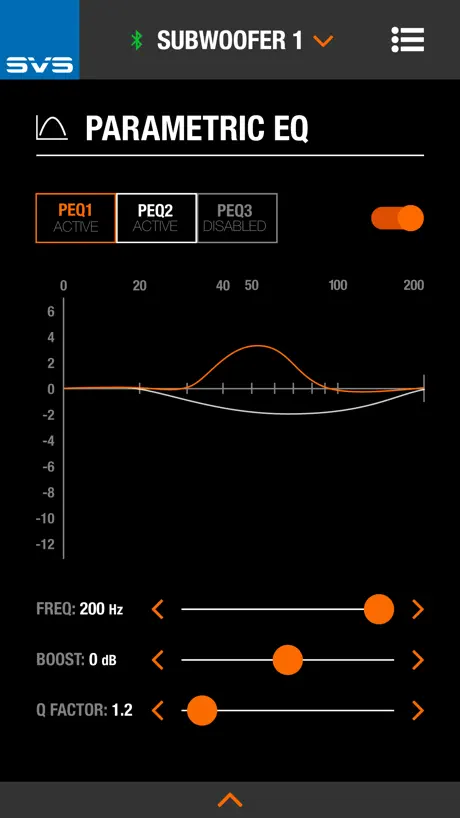
Subwoofer Control App
How much does SVS cost?
Prices are current as of 17 Nov 2026.
SVS has no in-app products on record in the United States.
10+ alternatives to SVS
| SVS | 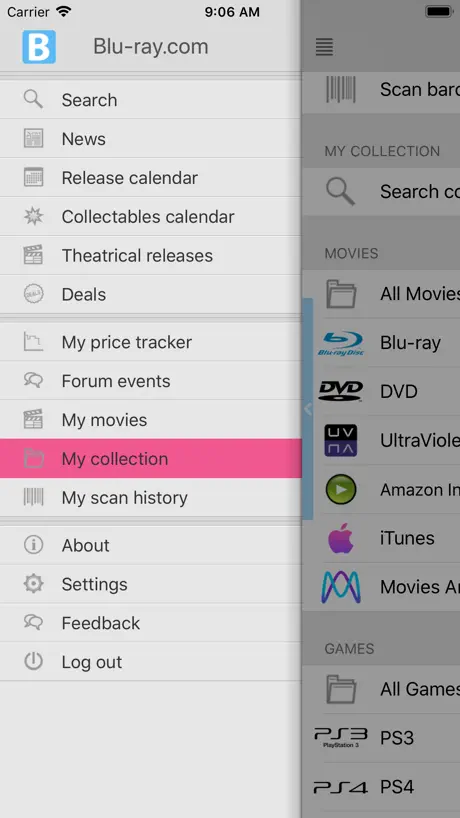  My Movies by Blu-ray.com | 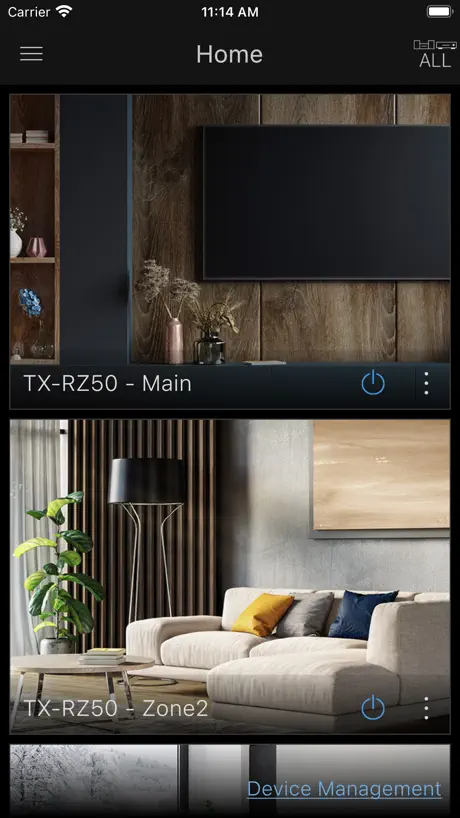  Onkyo Controller | 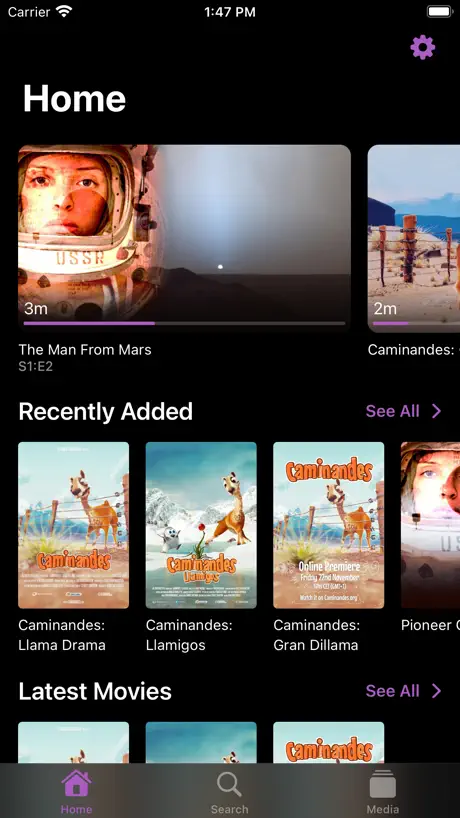  Swiftfin |   Pioneer Remote App |   HDHomeRun |   Anthem Remote |   Integra Control Pro |   Kaleidescape |   Anthem Wi-Fi Setup |   Dolby XP | |
|---|---|---|---|---|---|---|---|---|---|---|---|
| Rating / 5 | 4.2 | 4.7 | 2.4 | 4.1 | 2.4 | 2.5 | 2.4 | 2.3 | 4.3 | 1.0 | — |
| Reviews | 219 | 2.7K | 1.6K | 1.2K | 933 | 648 | 314 | 112 | 64 | 7 | — |
| Released | 2016 | 2012 | 2016 | 2022 | 2016 | 2017 | 2017 | 2016 | 2018 | 2025 | 2021 |
SVS reviews
4.2 out of 5, based on 219 reviews.
What people like
- Bluetooth range is excellent throughout the house.
- Customer service is responsive and helpful.
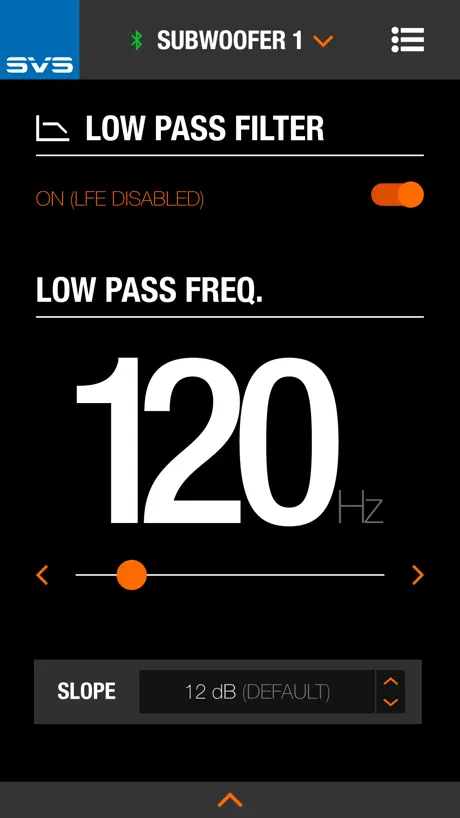
- Easy to dial in custom sound settings.
- Much better than the old LCD screen.
What they complain about
- App keeps crashing and losing connection.
- Saving presets often fails or doesn't work.
- Can't control multiple subs as a group.
- Swipe gestures block home screen and navigation.
Great App
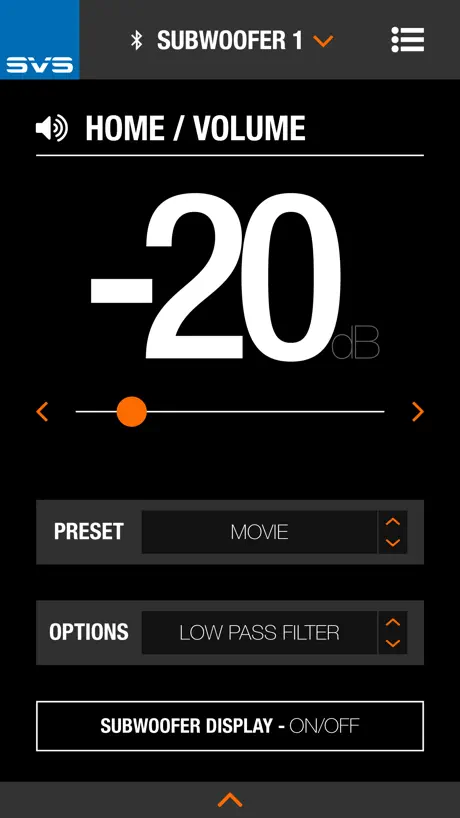
Great App - would love to see a way to group subs together to allow adjusting things like volume just once, instead of having to switch between subs.
Crashes trying to update 3000micro
Just got a new R|revolution 3000micro. First thing it says is there is a firmware update. Leave phone on subwoofer it gets to 100% gives spinner and crashes app. Now sub is in a firmware update loop can’t even use the 5 minute old subwoofer.
SB-16 App
Love being able to control with my phone but can you add my apple watch so I can adjust it from my exercise equipment, then 5 stars! Thanks. GWR
Not bad
Was very surprised to see that I can’t control both subs at the same time. This is a must feature in my opinion. Also no mute is a little strange. Hopefully these features will be added very soon considering the price of these subs. Thanks.
Connectivity Probleme
Ansich eine super App die aber leider immer wieder die Connection zum Subwoofer verliert. Es nervt, wenn man gefühlt jedes Mal die App neu starten muss, wenn man die Lautstärke verstellen möchte.
Best of the best
This is a God mode app for my 3 SVS subs. One of which being the PB17 ultra behemoth. The power at my fingertips and my wife’s! Amazing functionality and intuitive. No need for any complications. Real American know how. Nuff said.
Nieintuicyjna i niedopracowana
Czy aplikacja przewiduje możliwość wyłączenia subwoofera? Bo przydałoby by się
Group control, API would take this to 6 stars
Great app; a few small UX inconveniences and experience on iPad prevent me from giving it 5 stars. It's a pain to have to change the settings manually for each sub separately. Having a way to control as a group using incremental relative, and absolute changes, would significantly increase the user value in multi-sub systems. A way to natively control from Windows/Mac/Linux, or other home automation / control systems, would take this to a 6/5.
Auto Room Correction vaporware
Bought an SB17 months ago, and still no auto room correction in the app. It was listed as a feature in the sales info! Tired of hit and miss guessing on the EQ.
Svs
I would give this 5 stars if this app doesn’t crash all the time! Every time I open it this re sets it self. The sub is great and I love how it sounds but the app not so much.
Review edit
I have actually jumped the gun on my review due to my frustration with this app. Customer Service did actually contact me in a timely fashion. I was contacted two times by phone and twice by email with instruction on how to fix my problem. It turns out I had two phones with the same app that we're fighting each other. I'm very sorry for the lousy review and thank you all for your help and dedication.
Terrible
Sure, you can adjust settings, but it’s not very intuitive and terrible for setting up two subs. You can’t adjust them together and when swapping between, them the preset selection, although retained, is not properly shown on the screen. Lift your game SVS, you potentially have a good app but it needs a lot more work yet to be as useful as it needs to be.
It’s great, but can be improved
I wish SVS would program either the app or the sub to handle connections to more than 1 device at a time. I mainly use my iPhone, but it’s sometimes convenient to use the iPad, but if the iPhone has been connected I have to either fully close the app or disconnect manually.. which is an inconvenience. They also need to enlarge the app for tablet sized screens. Other than my “first world problems” it’s a great way to adjust the infrasonic settings of SVS subs …I hope they patented the idea.
Have 2 subs - can’t pair either
Not sure if they gave up on this but I have two subs that can’t pair whatsoever
Never saves presets
All dandy and fine. But never saves presets. Very annoying to reconfigure everything from scratch. Switching between movie, music and balanced etc.
Edit review
I may have jumped the gun in giving a less that favorable rating. I actually was contacted be phone twice, in a timely fashion, and contacted by email with instructions for a fix twice. I was absolutely wrong to give an unfavorable review just because of my frustration with the app. With SVS’ instructions, my app is working perfectly. Thank you guys and please accept my apology. Chris
App is a let down
Disclaimer: I LOVE the subwoofer. This app never reconnects to the sub even if I’m sat right on it when launching the app and the sub is on and in use. I always have to uninstall the app and reinstall it to get it to connect.
I really like this.
First, the reason I didn’t go 5, unless I’m missing something, is the explanations for each setting explained and up-sold on the download page are nothing but tool tips in the app. I have went out of the app and checked out some of the settings with my favorite search engine, but it still leaves me wondering what the heck exactly this or that does. 5-stars if the app developers expanded on the tool tips and also included a “Want to know more?” link that takes you to THEIR website where they explain how, why, and when to use the setting on THEIR product. As it stands, if I could, I’d mark it 4.5. I feel a Bluetooth functionality is an incredible idea for such high-quality bass. Man, if I had to get up and walk over each time to that thing…that…that would take a star off the product itself. That gets 5. Pb-2000 pro I think? Wow! Not to get off on a tangent, but I can feel the engine hum on the ships in Midway. Like I’m there, sitting on the ship. Incredible. That’s where parabolic equalization comes in. Just as I can feel that slight engine hum, I have to modify it (mainly for my wife, I ain’t bass shy!) with this wonderful app. But I mainly stay away from PE and use the room falloff starting from 12hz. Thing is, I bet I could feel that hum AND keep my wife happy with that parabolic equalizer. When I figure out how to use it correctly. Overall, bravo to the engineers, the app development/engineers, the UX/UI team and whoever decided “let’s put BT control in this thing. .” Smart move. I got my SVS for over half off at a second hand store (every dog) and when I upgrade to a larger room I will be getting another, full price if I must. Totally worth it. Such a great product. Thanks guys. Please keep in mind those expanded explanation links mentioned previously. I’m no audio pro, but I follow forums where they are, and SVS is the go-to, time and again brand mentioned. I can feel why now. The app needs a touch of work. But not much. Thanks again. This is my prized audio possession, even over my K RP’s.
Zero security, doesn't work with multiple devices
Anyone with the app can control your speakers if they are within 30' or 10m. The app maintains a phantom BLE connection in the background that locks out all other devices with the app, so you have to guess which one is using it.
Love the app. When it works…
The app worked great at first. Lately though I have to delete it and reinstall it in order to get the Bluetooth to connect my phone and the sub.
SVS App
This app is top notch in the way that you’re able to execute adjustments with your subwoofer. Excellent app! Well done!
Not optimized for iPhone 14 pro
Please update for iPhone 14 Pro. It’s been out for several months now and still not able to select the bottom button to show “Save to Preset”. The horizontal line for swiping to home and between apps covers it up. Also when I pick any of the Options on the Home Screen there isn’t an option to go back. The options button doesn’t show up anymore. Lastly would like to have a net frequency response when using all three EQs
Almost Perfect
Once you get your presets dialed in, switching levels on the fly based on content is a breeze. App would be five stars if it weren’t for the interface. The swipe up menu in the app makes it VERY difficult to go home or switch apps. Otherwise it would be perfect.
Saving presets frustration
A new user of less than 2hrs, March 2, 2023. The app works well on my iphone x, except when trying to save presets. It's worked 1 out of 10 tries and ends in frustration. SVS, there are many complaints about saving presets. Please fix the issue.
Great functionality but bad UI...
I love the level of control the app brings but the UI just feels slow and unintuitive. On my iPhone 12, swiping up to go home bring up the bottom drawer instead, which is annoying. Other than that it’s great!
Where is the auto room correction update?
Seems to keep getting pushed back. Maybe a TestFlight for those who are impatient like me?
presets could be so useful, but they don’t function.
the app has presets and it’s explained how useful it is, it doesn’t work. selecting a preset changes nothing. saving the preset acts as though it works as intended. then when i try to select the preset, nothing changes. fix the app please
App does not play nice with iphone gestures
The app functionality is excellent, the one drawback that i see is that it does not play nice with the iphone gestures and takes over the screen. There is no close command within the app.
train wreck
the user interface is just plain bad.
Ausbaufähig
Beim App schließen. Geste von unten nach oben wischen öffnet sich immer das Hilfe Menü. Das Wechseln zwischen 2 Subs ist lästig. Was macht man ein Dropdown-Menü?Ohne würde es deutlich schneller gehen
Good app needs widget
Enjoy having app control for my subwoofer. An iOS widget would be a nice addition for quick adjustments.
Subwoofer not in range
Wtf…
Great but…
The app is amazing for tuning my PB-3000, but the swiping up interferes with closing the app and the menu. Please fix it!
PB16 Ultra ported with full SVS ULTRA SYSTEM
The app has been perfect from day 1, which is about 6 years ago. The customer service, Jeff and team are elite. I have a full Ultra system with towers, center, rears, and height. Absolutely mind blown to this day. My PB-16 ultra paired with system hits so hard I feel it in my chest like u have no idea. The towers, and height speakers, to me are the best ever. So glad I built this Ultra system and would buy from nowhere else ever. I’d give 1000 stars if I could. Thx SVS team! PS. Get the legs if you have a pb 16 ultra ported. Game changer!
Can’t swipe to leave app
Swiping from the lower left will often raise the pull up menu rather than enter the IOS app chooser.
Great app! Could use a few improvements
As others have mentioned, it’s quite difficult to go back home or switch apps while the SVS app is open. Once this is resolved, it’ll be top notch. Suggestion: add a widget so we can adjust presets from the Home Screen.
Great App Request Standby/Active Mode Indicator
Great app but would like to see an indicator in the app showing if the subwoofer is presently in standby or is presently active.
Multiple subs
Needs to be a way to tie subs so that settings can apply to more than one at a time. At the very least, group for gain adjustments so I can turn all subs up or down at once.
Huge improvement over built in LCDs
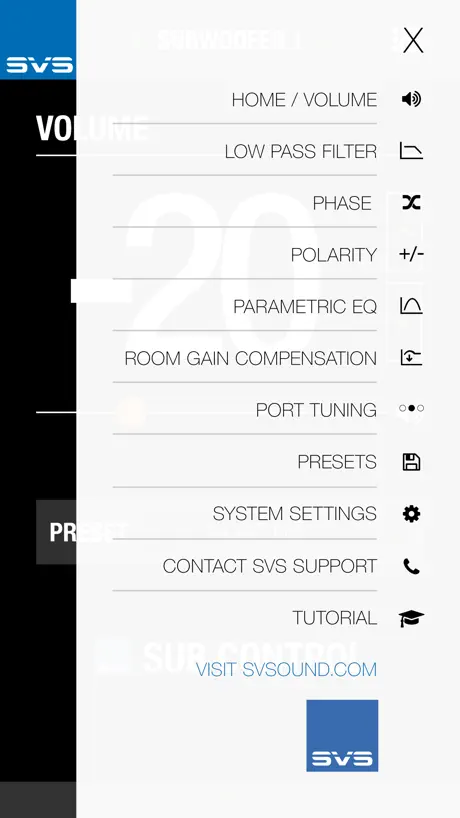
The app has a couple of oddities, but overall it is quite smooth and very functional. SVS obviously put a lot of work and polish into this app. You WANT to use this app. It really is the easiest way to setup and configure the sub. It is the only way to get to all the configuration options and preset profiles. Very easy to dial in basic parametric curves to tailor the sub. What don’t I like? It’s not obvious how to write updates to the presets (you need to use the sub-menu at the very bottom of the screen, and it’s a little tricky to select). I found the Bluetooth range to be excellent. I can use the app to control the sub from the other end of my ranch style home with no problem. The app is a huge improvement over the LCD screen on my old sub. Excellent work SVS!
Great app, but needs iPad support
This app is great. I’d give it 5 stars if it supported iPad.
SVS FAQ
- Is SVS free?
- Yes. The app is free, in all 175 countries it sells in, and it sells nothing inside it.
- Does SVS have a free trial?
- No. None of its offers (US) come with a free trial.
- What are the best alternatives to SVS?
- My Movies by Blu-ray.com (4.7 from 2,702 reviews), Onkyo Controller (2.4 from 1,564 reviews) and Swiftfin (4.1 from 1,181 reviews).
SVS download
Last updated 4 months ago.
SVS sells in 175 countries. It was released 10 years and 1 month ago, on 6 Oct 2016. It holds a 4.2 rating from 219 reviews.
Supports 1 language: English.
How much does SVS make?
Third-party estimates for the last 30 days, worldwide — not the store's own figures, which Apple publishes for nobody.