
JobWalk Construction Tracking
360 Progress Documentation
How much does JobWalk Construction Tracking cost?
Prices are current as of 13 Nov 2026.
JobWalk Construction Tracking has no in-app products on record in the United States.
10+ alternatives to JobWalk Construction Tracking
| JobWalk Construction Tracking |   Punch List & Site Audit Report |   Bluebeam |  BIM 360 Field |   Viewpoint Team™ |   FARO Stream |   Revizto Site |  Revizto V5 |   HoloBuilder JWA EU Version |   Asset Data Collection |   Track3D | |
|---|---|---|---|---|---|---|---|---|---|---|---|
| Rating / 5 | 4.7 | 4.6 | 1.6 | 2.6 | 2.3 | 4.1 | 4.4 | 3.9 | 4.6 | 3.3 | 5.0 |
| Reviews | 532 | 4.9K | 502 | 98 | 62 | 60 | 43 | 25 | 21 | 19 | 1 |
| Released | 2016 | 2016 | 2019 | 2010 | 2017 | 2022 | 2023 | 2020 | 2018 | 2018 | 2024 |
| Monthly price | — | $5.99 | — | — | — | — | — | — | — | — | — |
| Annual price | — | $35.99 | — | — | — | — | — | — | — | — | — |
| One-time price | — | $189.99 | — | — | — | — | — | — | — | — | — |
The going rate for each plan in United States, in its own currency, shaded from the cheapest price on the row to the dearest.
JobWalk Construction Tracking reviews
4.7 out of 5, based on 532 reviews.
What people like
- Makes creating virtual tours much easier
- Support team responds quickly to issues
- Great for tracking construction progress
What they complain about
- Must use WiFi to upload photos
- Cannot delete waypoints easily on phone
- App crashes or won't connect to camera
Glad project completed
My first project using Theta 360 and JobWalk. I have a few issues with length of downloads, check marked pictures moving freely with zoom on or out of drawing, and the battery life or WiFi for battery life is an issue. I was very happy to get all the photos up to the cloud. Will definitely be using again if you have any learning tips to my lessons learned from this first project. Thanks, Jim Fitzpatrick
Comparability issues with 360 camera
Tried using this app for work to mark locations of 360 photos during a walkthrough. Holobuilder works well enough, but the job walk feature is completely useless. Asked for my location. Gave it that. Asked me to walk around for some sheet scaling. Did that. But it still won’t let me take 360 photos where and when I want. All I need is to manually drop a pin and take a photo while I’m doing the walkthrough, but the coders overcomplicated this program to the point of 0 compatibility. Complete waste of storage space. You’ll want to upload all your 360 photos manually and place them in holobuilder one by one after your walkthrough is finished. App makes no sense. 1/5 star.
Onboarding experience is pretty bad
Keeps asking me to sign in to some api without giving me a chance to try the functionality of the app.
Great app with minor flaw
The system has been great and our company is rolling it out on multiple projects. There is however a minor issue that has been experienced by a couple of employees both using a iPad and iPhone. The issue arises when they delete a 360 image from a waypoint. They are then unable to take a new 360 image for the waypoint, further to this if they go back to the sheet view it then becomes impossible to re-enter the sheet. To resolve this you have to login on a pc and access holobuiler via website to delete the waypoint causing the issue. When out in the field this causes challenges. There appears no way to delete a waypoint via the app. Prior to going to the sheet view, holding down on the waypoint only allows you to move the location, a pop-up menu enabling either move or delete would overcome the need to go to a desktop to delete the waypoint. However the issue of not being able to access the sheet still remains if you go back to the sheet view without deleting the waypoint which also needs to be addressed some how.
PC
Really fun and easy to use!
Login issue
During login it goes to eu server and has no option for us server. Eu does not recognise my email and password
Awesome App
Great for documentation of progress and installation for inspections.
Must connect to WIFI
You can take photos offline and then you have to be on WiFi to upload them, you can’t use data on your phone. It’s annoying, and that’s fine, but to do anything you have to be on WiFi, so I have to go back and forth from the job site to the office to do anything.
Excellent field work tool
Though built for VR archiving of construction site progress, this is an excellent tool for scientific fieldwork. Unlike numerous other tools that I've used much of the photography, note-taking and data collection can be done in the field. In one instance I was able to complete much of the VRE creation at a coastal site and then upload it while eating lunch at a nearby restaurant. The definite pluses of the Holobuilder suite... - It is highly self contained in the field. - The on-line editor is robust and yet simple to use. - The user-friendly collaborative function means that it is readily doable to engage colleagues and students in a field project. - The company is highly responsive to suggestions for improving an already excellent tool. In short I give this one two thumbs up.
I have to use it every day, and to make it work I have to reinstall it.
I use an insta 360 camera which it claims is compatible. The alignment is terrible or the image is corrupt or something. But the app doesn’t work with that $500 camera despite it saying so. Other than that its not user friendly software. To change points on your phone you have to edit on the website, save, sync (but ONLY WITH WIFI… great concept for a job site) and then itll update my phone. Drop box is a more practical solution. This is an overly corporate way to make other people waste their time so they can watch the job from their desk.
Excellent for In-Wall Photography
I work for a large GC, and used the JobWalk app on my latest healthcare project for in-wall photography. We chose to use JobWalk over another photography service that is traditionally used in healthcare construction, because it is more cost effective, and we had more control over the photography schedule/number of photos we were able to take. The most important benefit for us on the construction side, was that we got more information from the 360 photos than we would have had with single photos of each wall, and we were able to reference those photos as needed throughout the project. It is very impressive to an owner to be able to see the project through 360 photos as it is progressing, and we definitely scored points with them when they learned that they would be able to reference the photos (still attached to the plans, as they are in the app) in the future, should they ever need it. I have had technical issues with a few aspects of the process, but the support team responded quickly when I reached out to them, and we were able to get the problems resolved; I was able to get back to using this tool with little delay. I will definitely be bidding this into my projects in the future, in lieu of traditional in-wall photography services.
Crashes Frequently
I’ve had multiple instances where the app cannot upload photographs to holobuilder. Waste of money.
Super fast!
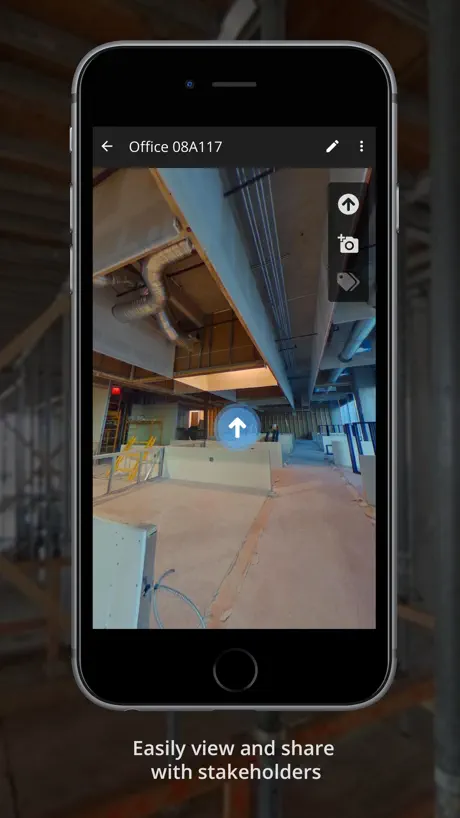
Fastest way to document your construction site! Really easy to use and share.
Big disappointment!
The app crashes or does not connect to Theta S via WLAN at all! Tested under iOS 10.0.2 iPhone 5.
Nice little helper
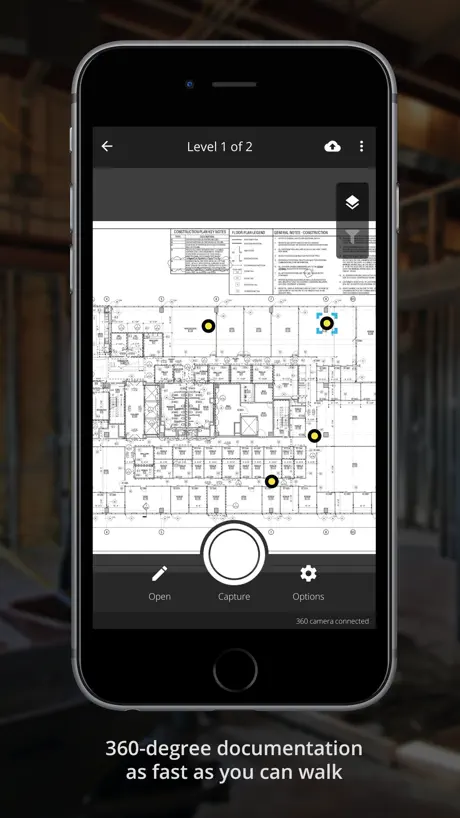
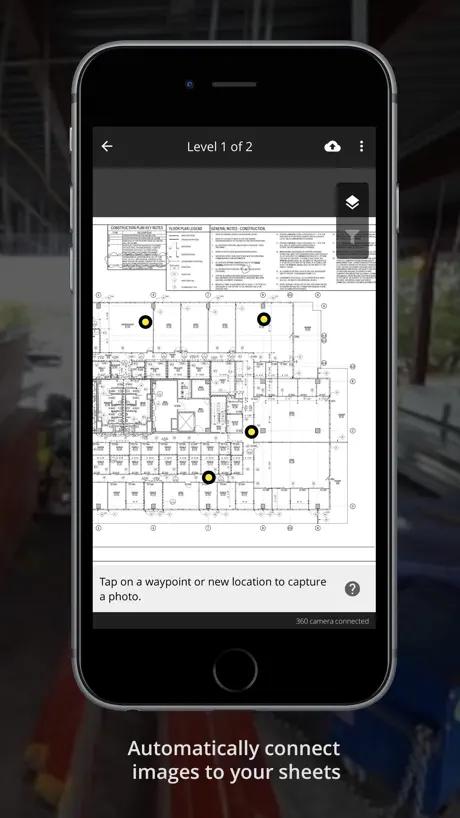
Great app! It makes it much easier to create virtual tours. The 360 photos are linked on a floor plan, which means you don't have to bother with finding out which photo belongs where in your plan afterwards
JobWalk Construction Tracking FAQ
- Is JobWalk Construction Tracking free?
- Yes. The app is free, in all 175 countries it sells in, and it sells nothing inside it.
- Does JobWalk Construction Tracking have a free trial?
- No. None of its offers (US) come with a free trial.
- What are the best alternatives to JobWalk Construction Tracking?
- Punch List & Site Audit Report (4.6 from 4,936 reviews, premium from $5.99), Bluebeam (1.6 from 502 reviews) and BIM 360 Field (2.6 from 98 reviews).
JobWalk Construction Tracking download
Last updated 16 days ago.
JobWalk Construction Tracking sells in 175 countries. It was released 10 years and 2 months ago, on 10 Sept 2016. It holds a 4.7 rating from 532 reviews.
Supports 1 language: English.
How much does JobWalk Construction Tracking make?
Third-party estimates for the last 30 days, worldwide — not the store's own figures, which Apple publishes for nobody.