Da Vinci Eye: AR Trace & Draw
Art Projector, Tracing, Sketch
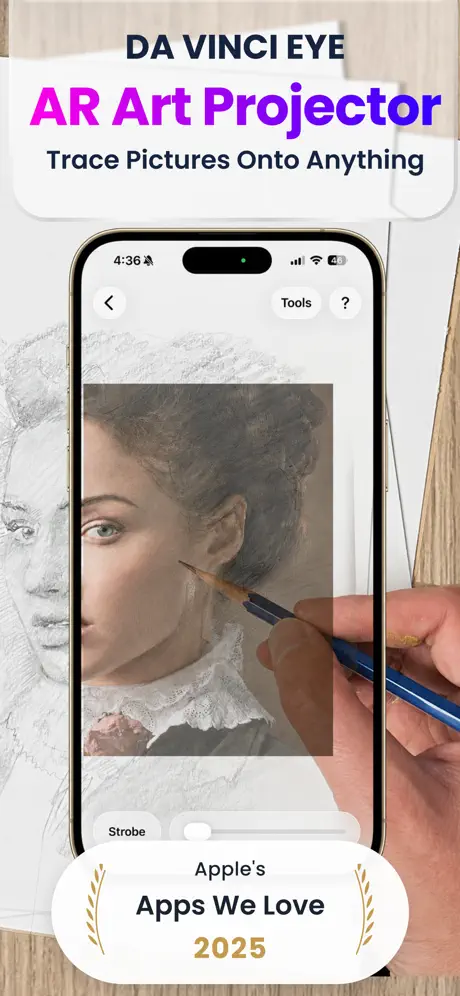
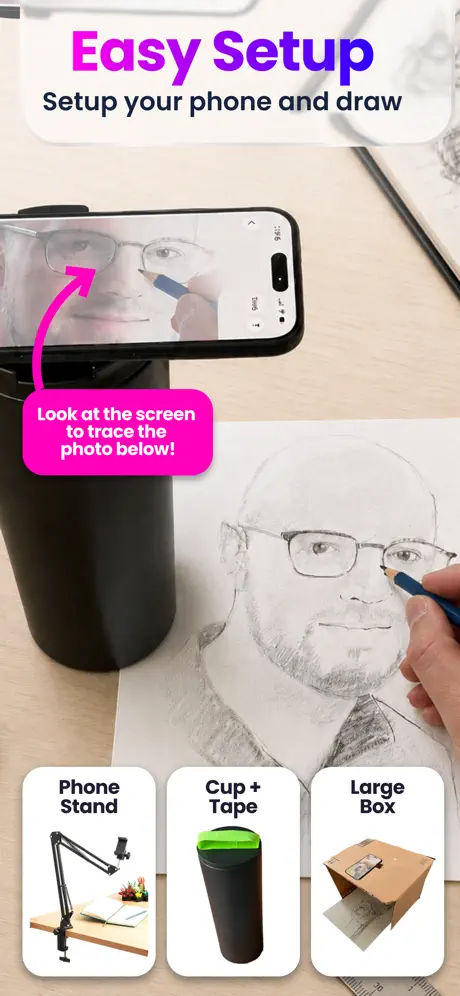
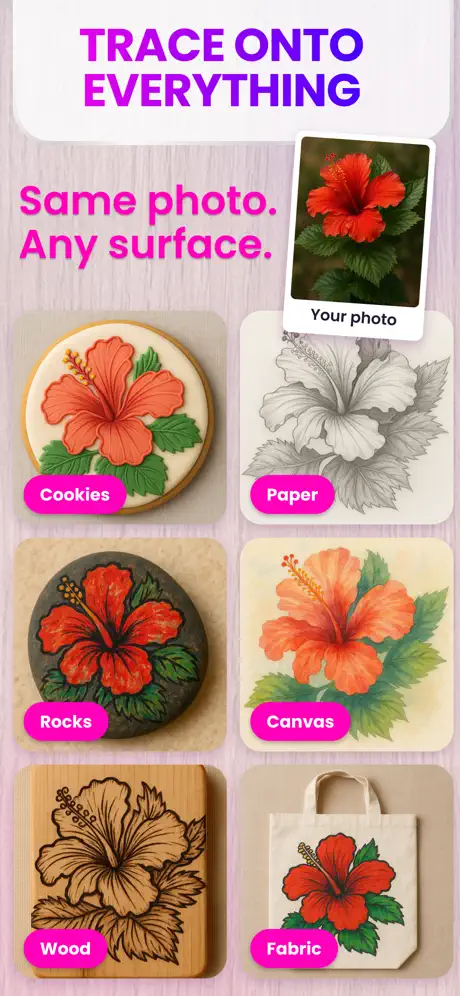
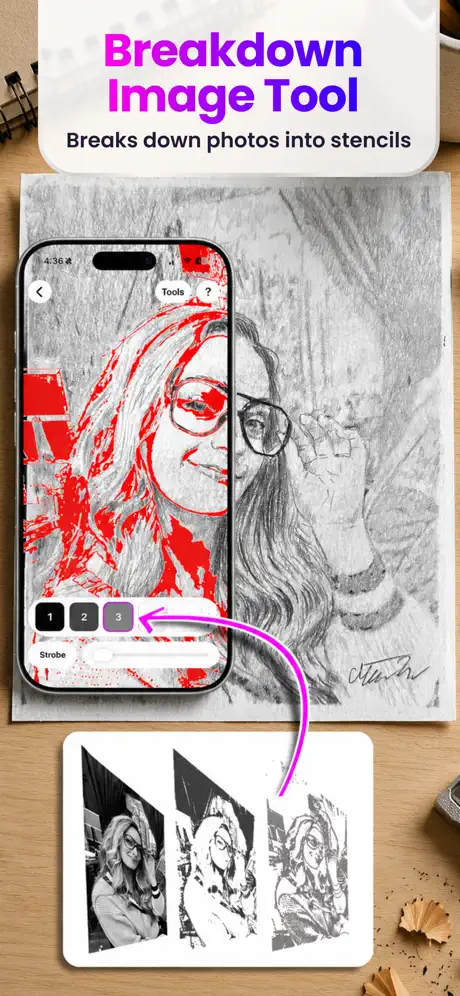
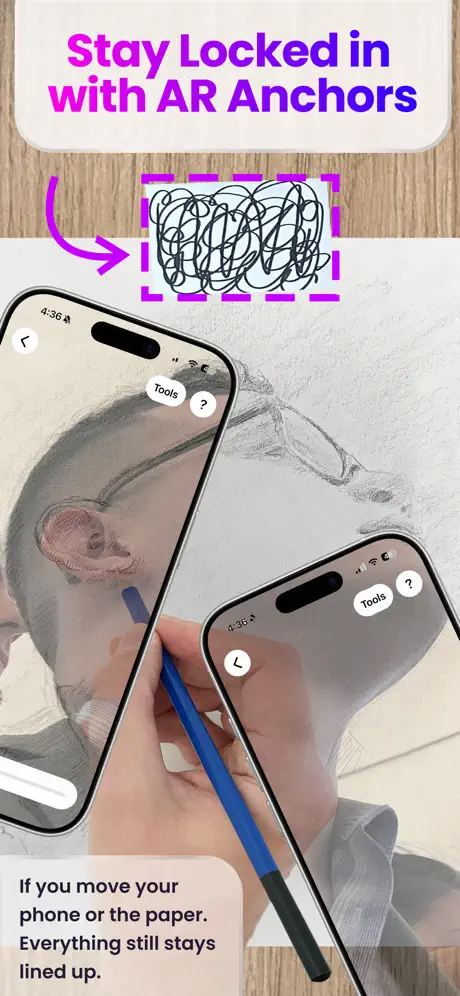
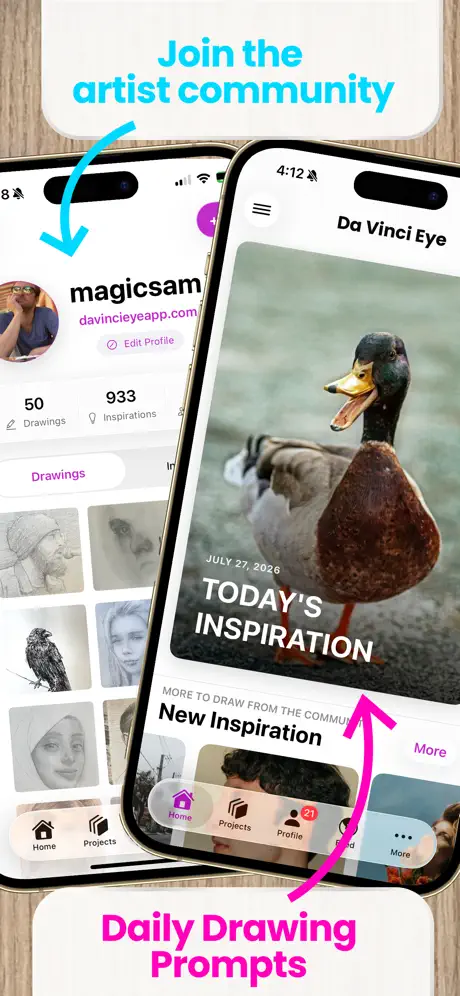
How much does Da Vinci Eye: AR Trace & Draw cost?
Prices are current as of 27 Sept 2026.
6 subscriptions from $1.99
In the United States, Da Vinci Eye: AR Trace & Draw has 6 subscriptions priced $1.99 – 49.99. It comes with a 7 days free trial.
| Subscription | Period | Price |
|---|---|---|
| Monthly Unlimited Access | MonthlyTrial: 7 days | $1.99 – 7.99 |
| Da Vinci Eye Pro Upgrade Month | MonthlyTrial: 7 days | $9.99 |
| Annual Unlimited Access | AnnualTrial: 7 days | $9.99 – 24.99 |
| Pro Access Yearly | AnnualTrial: 7 days | $29.99 |
| Da Vinci Eye Pro Upgrade Year | AnnualTrial: 7 days | $39.99 |
| Da Vinci Eye Upgrade Year | AnnualTrial: 7 days | $49.99 |
See what Da Vinci Eye: AR Trace & Draw costs in all 173 countries →
10+ alternatives to Da Vinci Eye: AR Trace & Draw
| Da Vinci Eye: AR Trace & Draw |   AR Drawing: Sketch & Paint AR Drawing: Sketch & Paint |   PicTrace: AR Drawing & Sketch PicTrace: AR Drawing & Sketch |   AR Drawing How to Draw Sketch AR Drawing How to Draw Sketch |   Painter Eye: AR Drawing App Painter Eye: AR Drawing App |   Sketchar: AR Drawing App Sketchar: AR Drawing App |   AR Projector Tracing & Drawing AR Projector Tracing & Drawing |   Flashloop: AI Video Generator Flashloop: AI Video Generator |   AR Tracing: Drawing by Tayasui AR Tracing: Drawing by Tayasui |   AI Video Generator - Vidmor AI Video Generator - Vidmor |   AR Trace Projector & Sketch AR Trace Projector & Sketch | |
|---|---|---|---|---|---|---|---|---|---|---|---|
| Rating / 5 | 4.5 | 4.4 | 4.5 | 4.6 | 4.6 | 4.2 | 4.3 | 4.7 | 4.2 | 4.4 | 4.0 |
| Reviews | 22K | 328K | 162K | 63K | 56K | 49K | 44K | 23K | 20K | 11K | 1.9K |
| Released | 2016 | 2023 | 2024 | 2023 | 2021 | 2017 | 2023 | 2025 | 2023 | 2024 | 2022 |
| Weekly price | — | $8.00 | $24.99 | $6.99 | — | $7.99 | $4.99 | $14.99 | $2.99 | $9.99 | $6.99 |
| Monthly price | $7.99 | — | $4.99 | $11.99 | $6.99 | $17.99 | — | $24.99 | — | — | $9.99 |
| Annual price | $29.99 | $35.00 | $55.99 | $29.99 | $24.99 | $69.99 | $39.99 | $129.99 | $49.99 | $39.99 | $39.99 |
| One-time price | — | $29.00 | — | — | — | $149.99 | $8.99 | $9.99 | — | $19.99 | — |
The going rate for each plan in United States, in its own currency, shaded from the cheapest price on the row to the dearest. Plans fewer than four in ten of the priced apps sell are left out.
Da Vinci Eye: AR Trace & Draw reviews
4.5 out of 5, based on 22,310 reviews.
What people like
- Professional artists find it incredibly useful and easy.
- It works great for tracing large canvases accurately.
- Many users say it changed their art practice.
What they complain about
- You must pay to use your own photos.
- The yearly subscription feels too expensive for many.
- It is hard to set up the phone stand.
- Instructions are confusing and not very helpful.
My favorite app
This app has been a game changer for me and my art. 10/10 no notes.
To complicated to use
He didn’t work for me. This app is too complicated for what I’m trying to do. Maybe works for somebody else, but not for me.
Good game but..
I have already written a review I just have a problem. Everyone is saying "oh it's a one pay to get premium." I want to look at the offer but it just says "free trial can cancle with one click." it says 29.99 yearly and 7.99 monthly. It is not a one pay y'all.
Enlarge
Just can’t get it to enlarge enough for my large canvas😩
“Simple idea”
If it’s such ”a simple idea” then y do I have to pay for a subscription to do something as “simple” as use my own photos to draw from? Need I say more
Awesome!!
This is single handily the best drawing/art app in the App Store. If you like art/drawing and enjoy looking at other artists work don’t walk but run to get this app.
Cumbersome
I really wanted to like this app but I've had no idea how to use it even after reading the instructions over and over.
Great tool
Great for sketching it moves and image disappears sometimes but very few times just some thing to work on but good tool so far.
??????
I dont have a problem with this app costing money, its neccessary to keep it up and running and for ad money, but uploading even ONE photo from my camera roll is a 'Premium feature'??? seriously?? i downloaded this app just to do one photo so i could colour it cause my printer doesnt colour right, but jesus?? i mean i'd understand if you made it cost money for a certain amount of photos traced, or for certain features like coloured photos, or even the app itself costing money, but no!! its just bad marketting and probably will turn people away rather than get them to buy premium.
Not bad but not good
One thing.. it doesn’t focus on the background and leaves it blurry which makes it hard to draw .
Great app
Love using it to get basic lines for compositions. Easy to use.
Hella money hungry.
You can’t use your own photos without buying premium. You have to use ones that are on the app.
This is a great app, butt🍑……………….
You have to have a subscription if you want to take ur own pictures and trace them butt other than that its great
Not what I was looking for!
If you are trying to find an app that lets you draw your own images. Don’t download this one!! And I despise how most anime pictures are AI! Stop Ai!!!
Questionable subscription tactics
This is a really useful app but not at £29.99 a year. Especially when I cancel my free trial and you can suddenly offer me an annual subscription at £19.99!! 33% off. Loyalty and integrity matter more than trying to present a bargain. If you can afford to offer me that then how low can you go? Appreciate that people need to make money, and the app is useful, but it only shortcuts the use of other artistic approaches to replicating or tracing an image onto different media. A shame to cancel my subscription but the follow up reduced price offer proves that you don’t have the kind of business subscription integrity that appeals to me. Sorry.
Game changer for artist
I wish i had found this app long ago! Best app ever
More lies
Once more a come on tease. Can’t use your own photos without a premium app. No way. So sick of these fake free apps. Suck on that sharks
Extending my skills
Using DaVinci Eye has allowed me to advance my painting experience way beyond what I ever imagined. It allows me to transfer images to canvas in scale and proportions that I could not achieve without the help. From there I can concentrate on the painting. I have found enormous healing in painting since the loss of my spouse. And would probably not continued without the help from DaVinci Eye. Thanks
Paywall of doom
It’s all payed and I guess can help learn to draw but like there’s no way slapping a png on your camera needs a membership at that point just spend the money on equipment or watch tutorials
This app rekindled me
This app rekindled my love of drawing.
DaVinchi Eye
Thanks You
Pay to draw insanity
I went to use it and what do you mean I have to pay to draw that’s insane!
It's ok
So it helps me draw a lot of things but also I need to pay just to put my own photos a might as well trace
No Updates
There are some things like camera and aspect ratio for anchors that need to be fixed. Been using this for 5 years but this gave too many headaches for things that could be fixed. Seems like the devs don't care besides the social aspect which doesnt make sense
Good idea
I think it’s good for what you get I just wish you could draw your pets without having to pay The inspirations are good ideas but I feel like it’s missing something
Truly innovative
This all should win awards for innovation for taking a very old idea and modernizing it with the phone but better is so many ways. I’m a professional illustrator and Senior Art Director and I was classically trained. I can say confidently I may never not use this app for transferring my digital comps to my surface. It’s just really easy and brilliant especially for larger works where you have the phone and iPad setup. Thank you!
Doesn’t work
Can’t make a new anchor point and help website doesn’t work at all
.
This app is soooo good I love all the selections of pictures but I wish there was more cute and Kawaii so I can have more fun but overall I love it but pls add this pls pls pls
Poor directions
I am struggling to figure out how to put together the swing arm for my phone. ( also same brand) . The directions are 0 help. So I can’t tell weather the app is good or a waste of money.
Nice but there’s no Zoey from K-pop demon hunters
Only main character Rumi
The best game ever
It was so great. I can draw straight lines now
Not free
Downloaded this app last yr and somehow got charged for $40. Don’t download
Great app
It’s a great app and I totally recommend but I think it would be better if you could take your own photos to draw without having to buy premium
Nothing is free
To use any feature to draw you have to pay. Don’t bother
good game, please read developer, and for iPad users need to read!
so this game is very good to me, but just one thing i only have a iPad. so it rotates the camera so it is very hard to trace. i downloaded a few games and they all have this rotation camera thing. so can you please fix this camera rotation. thank you 😊
Excellent for small paintings
Yay, good way to sketch small paintings
Not free
Really expensive p.s. my folgers cost .33 cents a day
Da Vinci Eye wow
J’adore cette apli. Tout simplement parfaites, faciles à utiliser et tellement efficaces.
Only for premium users
I was really exited to use this app and I got all set up, but then I tried to add a new drawing and it said I could only do that if I pay for premium?!
Does what it’s supposed to do but..
Why is it subscription based payments?
Hell yeah
Awesome app!
Not worth the hype
The instruction say to just put it on a glass or object over the paper. I tried so many different set ups, including a stand and could never get the image to line up on a paper to trace. It is difficult to size the image. Simply not worth the trouble. There may be tutorials I could watch but an application should not require a lot of time to learn it.
Max size
How big of a paper will it cover for tracing ? Can we do 10 x 15 papers with this app ?
Good but…
This app is good but you have to get a subscription to use your own photos with it
Zu teuer
Ich würde gern die App ausprobieren, aber dafür zu zahlen ist wirklich eine Frechheit. Ich will kostenlos malen können und nicht bei jeder App immer irgendwas zahle müsse um weiter zu kommen.
Best Drawing Assist Tool Out There
I’ve used everything in my art career from professional projectors to tracing directly from the computer screen. This App is so perfect for these types of projects. To have a tool like this at my fingertips and on my phone is priceless.
You have to pay to draw your own pics btw
Pay up or draw stock photos for free lol
Paying money
I can’t buy it, but I really want to post but it costs money and I can’t pay.
DaVinci App. I’m struggling to get it to operate. Could you make a How To video please?
DaVinci App. I’m struggling to get i to operate. Could you please do a How To video? Thanks
🧊🧊🧊
I personally don’t recommend this app for what I was attempting to achieve but if you are looking for this type of style than it provides everything that it said it was going to. Overall great app just not what I was looking for.
Da Vinci Eye: AR Trace & Draw price by country
A monthly subscription costs $1.88 in Nigeria and $11.99 in Nepal — 6× more for the same thing. Below is the going rate for each plan in every country that sells it — the middle price of what the app charges there, in the country's own currency with the dollar equivalent beneath it.
| Country | Weekly | Monthly | Annual |
|---|---|---|---|
| Afghanistan | $4.99 | $7.99 | $29.99 |
| Albania | $5.99 | $9.99 | $34.99 |
| Algeria | $4.99 | $7.99 | $29.99 |
| Angola | $4.99 | $7.99 | $29.99 |
| Anguilla | $4.99 | $7.99 | $29.99 |
| Antigua And Barbuda | $4.99 | $7.99 | $29.99 |
| Argentina | $4.99 | $4.99 | $29.99 |
| Armenia | $5.99 | $9.99 | $34.99 |
| Australia | A$7.99$5.63 | A$7.99$5.63 | A$49.99$35.20 |
| Austria | €5.99$6.82 | €5.99$6.82 | €34.99$39.85 |
| Azerbaijan | $5.99 | $7.99 | $34.99 |
| Bahamas | $4.99 | $8.99 | $29.99 |
| Bahrain | $4.99 | $8.99 | $29.99 |
| Barbados | $5.99 | $9.99 | $34.99 |
| Belarus | $5.99 | $9.99 | $34.99 |
| Belgium | €5.99$6.96 | €8.99$10.44 | €34.99$40.64 |
| Belize | $4.99 | $7.99 | $29.99 |
| Benin | $5.99 | $7.99 | $34.99 |
| Bermuda | $4.99 | $7.99 | $29.99 |
| Bhutan | $4.99 | $7.99 | $29.99 |
| Bolivia | $4.99 | $7.99 | $29.99 |
| Bosnia & Herzegovina | €5.99$6.82 | €8.99$10.24 | €34.99$39.85 |
| Botswana | $4.99 | $7.99 | $29.99 |
| Brazil | R$29.90$5.76 | R$29.90$5.76 | R$149.90$28.88 |
| British Virgin Islands | $4.99 | $7.99 | $29.99 |
| Brunei Darussalam | $4.99 | $7.99 | $29.99 |
| Bulgaria | €4.99$5.68 | €8.99$10.24 | €34.99$39.85 |
| Burkina Faso | $4.99 | $7.99 | $29.99 |
| Cambodia | $4.99 | $8.99 | $29.99 |
| Cameroon | $5.99 | $9.99 | $34.99 |
| Canada | CA$6.99$4.96 | CA$6.99$4.96 | CA$39.99$28.36 |
| Cape Verde | $4.99 | $7.99 | $29.99 |
| Cayman Islands | $4.99 | $7.99 | $29.99 |
| Chad | $4.99 | $7.99 | $29.99 |
| Chile | CLP 5,990$6.22 | CLP 4,990$5.18 | CLP 29,990$31.14 |
| Colombia | COP 24,900$7.64 | COP 29,900$9.18 | COP 129,900$39.88 |
| Congo | $4.99 | $7.99 | $29.99 |
| Congo, Democratic Republic | $4.99 | $7.99 | $29.99 |
| Costa Rica | $4.99 | $7.99 | $29.99 |
| Cote Divoire | $5.99 | $7.99 | $34.99 |
| Croatia | €5.99$6.82 | €8.99$10.24 | €34.99$39.85 |
| Cyprus | €5.99$6.82 | €8.99$10.24 | €34.99$39.85 |
| Czech Republic | CZK 129.00$6.03 | CZK 149.00$6.97 | CZK 799.00$37.37 |
| Denmark | DKK 39.00$5.95 | DKK 49.00$7.47 | DKK 249.00$37.96 |
| Dominica | $4.99 | $7.99 | $29.99 |
| Dominican Republic | $4.99 | $7.99 | $29.99 |
| Ecuador | $4.99 | $4.99 | $29.99 |
| Egypt | EGP 249.99$4.83 | EGP 129.99$2.51 | EGP 1,299.99$25.12 |
| El Salvador | $4.99 | $7.99 | $29.99 |
| Estonia | €5.99$6.82 | €8.99$10.24 | €34.99$39.85 |
| Fiji | $4.99 | $7.99 | $29.99 |
| Finland | €5.99$6.82 | €5.99$6.82 | €34.99$39.85 |
| France | €5.99$6.82 | €5.99$6.82 | €34.99$39.85 |
| Gabon | $4.99 | $7.99 | $29.99 |
| Gambia | $4.99 | $7.99 | $29.99 |
| Georgia | $5.99 | $9.99 | $34.99 |
| Germany | €5.99$6.82 | €5.99$6.82 | €34.99$39.85 |
| Ghana | $5.99 | $9.99 | $34.99 |
| Greece | €5.99$6.82 | €5.99$6.82 | €34.99$39.85 |
| Grenada | $4.99 | $7.99 | $29.99 |
| Guatemala | $4.99 | $4.99 | $29.99 |
| Guinea-bissau | $4.99 | $7.99 | $29.99 |
| Guyana | $4.99 | $7.99 | $29.99 |
| Honduras | $4.99 | $7.99 | $29.99 |
| Hong Kong | HK$38.00$4.85 | HK$58.00$7.40 | HK$228.00$29.08 |
| Hungary | HUF 1,990$6.21 | HUF 2,490$7.77 | HUF 12,990$40.53 |
| Iceland | $5.99 | $9.99 | $34.99 |
| India | ₹499.00$5.20 | ₹499.00$5.20 | ₹2,999.00$31.28 |
| Indonesia | IDR 89,000$4.97 | IDR 129,000$7.21 | IDR 499,000$27.88 |
| Iraq | $4.99 | $7.99 | $29.99 |
| Ireland | €5.99$6.82 | €5.99$6.82 | €34.99$39.85 |
| Israel | ₪17.90$5.89 | ₪29.90$9.84 | ₪99.90$32.86 |
| Italy | €5.99$6.82 | €5.99$6.82 | €34.99$39.85 |
| Jamaica | $4.99 | $7.99 | $29.99 |
| Japan | ¥800$5.08 | ¥800$5.08 | ¥4,500$28.58 |
| Jordan | $4.99 | $7.99 | $29.99 |
| Kazakhstan | KZT 2,990.00$6.44 | KZT 3,990.00$8.60 | KZT 17,990.00$38.77 |
| Kenya | $5.99 | $5.99 | $34.99 |
| Kosovo | €5.99$6.82 | €8.99$10.24 | €34.99$39.85 |
| Kuwait | $4.99 | $7.99 | $29.99 |
| Kyrgyzstan | $4.99 | $8.99 | $29.99 |
| Lao Peoples Democratic Republic | $4.99 | $7.99 | $29.99 |
| Latvia | €5.99$6.82 | €8.99$10.24 | €34.99$39.85 |
| Lebanon | $4.99 | $7.99 | $29.99 |
| Liberia | $4.99 | $7.99 | $29.99 |
| Libya | $4.99 | $7.99 | $29.99 |
| Lithuania | €5.99$6.82 | €8.99$10.24 | €34.99$39.85 |
| Luxembourg | €5.99$6.82 | €9.99$11.38 | €34.99$39.85 |
| Macao | $4.99 | $7.99 | $29.99 |
| Macedonia | $4.99 | $7.99 | $29.99 |
| Madagascar | $4.99 | $7.99 | $29.99 |
| Malawi | $4.99 | $7.99 | $29.99 |
| Malaysia | MYR 22.90$5.61 | MYR 22.90$5.61 | MYR 129.90$31.84 |
| Maldives | $4.99 | $7.99 | $29.99 |
| Mali | $4.99 | $7.99 | $29.99 |
| Malta | €5.99$6.82 | €8.99$10.24 | €34.99$39.85 |
| Mauritania | $4.99 | $7.99 | $29.99 |
| Mauritius | $4.99 | $7.99 | $29.99 |
| Mexico | MX$99.00$5.60 | MX$99.00$5.60 | MX$599.00$33.86 |
| Micronesia | $4.99 | $7.99 | $29.99 |
| Moldova | $5.99 | $9.99 | $34.99 |
| Mongolia | $4.99 | $7.99 | $29.99 |
| Montenegro | €4.99$5.68 | €6.99$7.96 | €29.99$34.16 |
| Montserrat | $4.99 | $7.99 | $29.99 |
| Morocco | $4.99 | $7.99 | $29.99 |
| Mozambique | $4.99 | $7.99 | $29.99 |
| Myanmar | $4.99 | $7.99 | $29.99 |
| Namibia | $4.99 | $7.99 | $29.99 |
| Nauru | $4.99 | $7.99 | $29.99 |
| Nepal | $5.99 | $11.99 | $29.99 |
| Netherlands | €5.99$6.82 | €5.99$6.82 | €34.99$39.85 |
| New Zealand | NZ$9.99$5.64 | NZ$9.99$5.64 | NZ$49.99$28.24 |
| Nicaragua | $4.99 | $7.99 | $29.99 |
| Niger | $4.99 | $7.99 | $29.99 |
| Nigeria | NGN 7,900.00$5.95 | NGN 2,500.00$1.88 | NGN 39,900.00$30.03 |
| Norway | NOK 59.00$6.20 | NOK 99.00$10.41 | NOK 399.00$41.96 |
| Oman | $4.99 | $7.99 | $29.99 |
| Pakistan | PKR 1,300$4.69 | PKR 2,200$7.94 | PKR 7,900$28.52 |
| Palau | $4.99 | $7.99 | $29.99 |
| Panama | $4.99 | $7.99 | $29.99 |
| Papua New Guinea | $4.99 | $7.99 | $29.99 |
| Paraguay | $4.99 | $7.99 | $29.99 |
| Peru | PEN 22.90$6.74 | PEN 29.90$8.79 | PEN 119.90$35.26 |
| Philippines | ₱299.00$4.79 | ₱299.00$4.79 | ₱1,790.00$28.69 |
| Poland | PLN 29.99$7.81 | PLN 29.99$7.81 | PLN 129.99$33.85 |
| Portugal | €5.99$6.82 | €8.99$10.24 | €34.99$39.85 |
| Qatar | QAR 19.99$5.49 | QAR 29.99$8.24 | QAR 99.99$27.47 |
| Romania | RON 29.99$6.48 | RON 29.99$6.48 | RON 149.99$32.40 |
| Rwanda | $4.99 | $7.99 | $29.99 |
| Sao Tome & Principe | $4.99 | $7.99 | $29.99 |
| Saudi Arabia | SAR 19.99$5.33 | SAR 19.99$5.33 | SAR 129.99$34.66 |
| Senegal | $5.99 | $7.99 | $34.99 |
| Serbia | €5.99$6.82 | €8.99$10.24 | €34.99$39.85 |
| Seychelles | $4.99 | $7.99 | $29.99 |
| Sierra Leone | $4.99 | $7.99 | $29.99 |
| Singapore | SGD 6.98$5.45 | SGD 9.98$7.80 | SGD 39.98$31.23 |
| Slovakia | €5.99$6.82 | €5.99$6.82 | €34.99$39.85 |
| Slovenia | €5.99$6.82 | €8.99$10.24 | €34.99$39.85 |
| Solomon Islands | $4.99 | $7.99 | $29.99 |
| South Africa | ZAR 99.99$6.13 | ZAR 99.99$6.13 | ZAR 599.99$36.79 |
| South Korea | ₩6,600$4.86 | ₩11,000$8.11 | ₩44,000$32.42 |
| Spain | €5.99$6.82 | €5.99$6.82 | €34.99$39.85 |
| Sri Lanka | $4.99 | $7.99 | $29.99 |
| St. Kitts and Nevis | $4.99 | $7.99 | $29.99 |
| St. Lucia | $4.99 | $7.99 | $29.99 |
| St. Vincent & The Grenadines | $4.99 | $7.99 | $29.99 |
| Suriname | $4.99 | $7.99 | $29.99 |
| Swaziland | $4.99 | $7.99 | $29.99 |
| Sweden | SEK 69.00$6.96 | SEK 99.00$9.99 | SEK 399.00$40.26 |
| Switzerland | CHF 5.00$6.03 | CHF 8.00$9.65 | CHF 25.00$30.16 |
| Taiwan | NT$150.00$4.72 | NT$290.00$9.13 | NT$990.00$31.17 |
| Tajikistan | $4.99 | $9.99 | $34.99 |
| Tanzania | TZS 14,900.00$5.61 | TZS 12,900.00$4.86 | TZS 89,900.00$33.84 |
| Thailand | THB 199.00$5.96 | THB 299.00$8.95 | THB 999.00$29.92 |
| Tonga | $4.99 | $7.99 | $29.99 |
| Trinidad and Tobago | $4.99 | $7.99 | $29.99 |
| Tunisia | $4.99 | $7.99 | $29.99 |
| Turkey | TRY 229.99$4.70 | TRY 249.99$5.11 | TRY 999.99$20.45 |
| Turkmenistan | $4.99 | $7.99 | $29.99 |
| Turks and Caicos | $4.99 | $7.99 | $29.99 |
| Uganda | $5.99 | $9.99 | $34.99 |
| Ukraine | $5.99 | $5.99 | $34.99 |
| United Arab Emirates | AED 19.99$5.45 | AED 29.99$8.17 | AED 119.99$32.69 |
| United Kingdom | £4.99$6.61 | £4.99$6.61 | £29.99$39.72 |
| United States | — | $7.99 | $29.99 |
| Uruguay | $4.99 | $7.99 | $29.99 |
| Uzbekistan | $4.99 | $8.99 | $29.99 |
| Vanuatu | $4.99 | $7.99 | $29.99 |
| Venezuela | $4.99 | $7.99 | $29.99 |
| Vietnam | ₫129,000$4.97 | ₫199,000$7.67 | ₫799,000$30.79 |
| Yemen | $4.99 | $7.99 | $29.99 |
| Zambia | $5.99 | $7.99 | $34.99 |
| Zimbabwe | $5.99 | $9.99 | $34.99 |
Da Vinci Eye: AR Trace & Draw FAQ
- Is Da Vinci Eye: AR Trace & Draw free?
- Yes. The app and its basic features are free, in all 173 countries it sells in. Premium features are paid: they start from $1.99 (US), across 6 subscriptions.
- How much does Da Vinci Eye: AR Trace & Draw cost per month?
- Da Vinci Eye Pro Upgrade Month is $1.99 – 9.99 (US). The annual plan works out cheaper per month: $9.99 – 49.99 a year.
- Does Da Vinci Eye: AR Trace & Draw have a free trial?
- Yes — a 7 days free trial (US).
- Where is Da Vinci Eye: AR Trace & Draw cheapest?
- A monthly subscription costs NGN 2,500.00 (≈$1.88) in Nigeria and $11.99 in Nepal, its cheapest and dearest countries.
- What are the best alternatives to Da Vinci Eye: AR Trace & Draw?
- AR Drawing: Sketch & Paint (4.4 from 328,239 reviews, premium from $5.00), PicTrace: AR Drawing & Sketch (4.5 from 162,477 reviews, premium from $4.99) and AR Drawing How to Draw Sketch (4.6 from 63,058 reviews, premium from $4.99).
Da Vinci Eye: AR Trace & Draw download
Last updated 13 days ago.
Da Vinci Eye: AR Trace & Draw sells in 173 countries. It was released 10 years and 3 months ago, on 16 Jun 2016. It holds a 4.5 rating from 22,310 reviews.
Supports 11 languages: English, Arabic, French, German, Hindi, Indonesian, Japanese, Korean, Portuguese, Russian, Spanish.
How much does Da Vinci Eye: AR Trace & Draw make?
Third-party estimates for the last 30 days, worldwide — not the store's own figures, which Apple publishes for nobody.
Revenue by plan
- Annual 62%
- Monthly 37%
- Weekly 1%
Revenue by country
- United States 62%
- Canada 7%
- United Kingdom 6%
- Australia 4%