micro:bit
How much does micro:bit cost?
Prices are current as of 7 Nov 2026.
micro:bit has no in-app products on record in the United Kingdom.
10+ alternatives to micro:bit
| micro:bit |   Tynker: Coding for Kids |   Tayasui Sketches School | 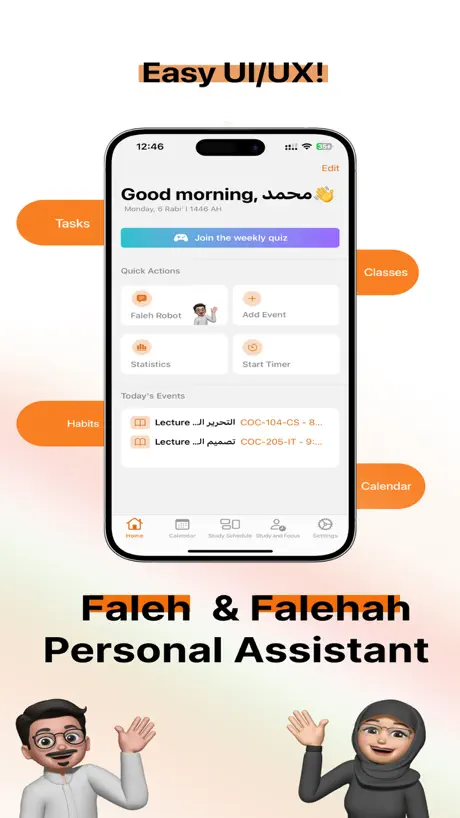  Faleh: Your Personal Assistant |   SPARKvue 4 |   Khotta AI: Plan & Study |   HK Chinese Lexical List |   Bee-Bot |   PictoBlox-Coding, Robots & AI |   1-Minute Maths |   Blue-Bot | |
|---|---|---|---|---|---|---|---|---|---|---|---|
| Rating / 5 | 3.4 | 4.6 | 4.5 | 4.6 | 2.3 | 4.5 | 3.6 | 3.7 | 3.3 | 4.1 | 3.4 |
| Reviews | 885 | 41K | 30K | 6.8K | 1.8K | 1.5K | 818 | 656 | 366 | 177 | 101 |
| Released | 2016 | 2014 | 2018 | 2022 | 2010 | 2020 | 2016 | 2012 | 2021 | 2022 | 2015 |
| Weekly price | — | — | £2.99 | £2.99 | — | — | — | — | — | — | — |
| Monthly price | — | £24.99 | £2.99 | £6.99 | — | £4.99 | £3.99 | — | — | — | — |
| 3-month price | — | £59.99 | — | — | — | — | £8.99 | — | — | — | — |
| Annual price | — | £119.99 | £69.99 | £24.99 | — | £39.99 | £29.99 | — | — | — | — |
| One-time price | — | £299.99 | — | £4.99 | — | £159.99 | — | — | — | — | — |
The going rate for each plan in United Kingdom, in its own currency, shaded from the cheapest price on the row to the dearest.
micro:bit reviews
3.4 out of 5, based on 885 reviews.
What people like
- Very easy for beginners to use
- Great for coding on the go
- Helpful tutorials included for learning
What they complain about
- Bluetooth pairing is often unreliable
- Frequent bugs cause crashes and freezes
- Code flashing takes too long or fails
Good
The microbit stimulator doesn’t show anything
👎👎👎👎👎👎👎👎🤬🤬🤬🤬
👎👎👎👎👎👎👎👎🤬🤬🤬🤬
It’s quite great
It’s a great app if you don’t know how to do hex files (especially on Apple Mac cuz I have a 10) it’s better for iPads but you can use it for your phone. The only thing is its starting page is very tacky and looks dodgy but it’s not. If you have a laptop DO NOT use this use the cable you get with it, then go on to google go onto make code then program it, if you have a chrome book then it’s easy but with a MacBook I needed to use a hex file which is easy. But remember to eject the micro bit out before pulling on the wire. You can use a micro bit on scratch but for a laptop you need to download scratch link otherwise your all setup!
Just make the user interface better
.
unfairness
Listen, I was doing one of the Java tutorials and I did what the tutorial said and it said I was wrong, so I went and put it in blocks and switched it to Java and it was the exact same that I did. I don’t know if it was my fault or the tutorials fault but other than that a good app!
Works sooo well!
This app helped me every time even helped me used to my Micro bit. It’s actually so good!
ipad air7无法连接
每次都提示失败
Some minor grammatical errors
The UI has some minor grammatical errors, such as when sending code to the Micro:Bit it says "Please do not interact with Micro:Bit" rather than "the Micro:Bit" or "your Micro:Bit" as one would expect.
我的无法打开makecode页面
有人知道解决办法吗
Stop wasting my time
so i have to install an app for a website i could easily go on?
Fab App
This is super easy to use and I was coding my micro:bit in less than 3mins. Looking forward to doing some more coding on it!
Rubbish (polite)
Well it free but personally having to reset the device every 5 mins ( or less) and then without success was very very poor in my opinion. If there is an easier way to pair and then use the device with my iPad 10 I would love to see it. Personally to avoid stress I would suggest in its current for “Stay away”
Like the app
I’ve owned my micro:bit (and this app) for about a year, and it is quite nice to flash files on the go. Some small pairing issues, but overall it works well.
Not MicroPython
It’s a shame. This app uses “makecode python” which it describes as “TypeScript surfaced with Python syntax”. So the libraries differ greatly. It would be great to use the iPad as an alternative to writing code on a computer. But for learning (micro) Python from the various excellent books & tutorials this will not help beginners
Needs many bug fixing
There are frequent bugs such as automatic variable duplication(making a variable of the same name or the name changed automatically to blockly-[number or letter]) and I need to quit the app and join again cuz when I select a block, I can’t do anything, and the block can’t match to the other block, making it an annoying bug and wastes much time just because of this bug.
Super great app!
I was introduced to this app by a workshop at school, so I started playing around with it during my free time. It’s easy to use, especially if you’ve used coding softwares like Scratch before. Also, there are even tutorials for people who are completely new to coding. My mom is learning how to code using them! If you’re used to coding with Java or Python, you can switch to their coding language easily! I think that people of all ages like children, adults, teenagers and elderly, can use this app for recreation and/or education.
No good
Joe Biden dolphin hair
Ios17连接错误
ios17'ipad9,连接不上
So slow to flash
I got it to flash a hex file but it took about a minute! So not a particularly viable option. Will have to use a laptop with usb cable again.
doesn’t work anymore
it used to work perfectly but it just shows a white screen
I ♥️ micro:bit
(:
Achin
Nightmare to connect and download a program
中文版
求求了
Needs to be updated
This was a very good app when first launched but needs to be updated so that ALL functionality can be accessed on tablets / iPads. I don’t know if this app is endorsed or sponsored by the BBC or Microsoft or any other micro:bit partner - if so this is NOT good enough a year +++ after launch. The app should be able to produce inline / native code (Block or JS) for it to be transferred or uploaded to the micro:bit. This is NOT a criticism of the original author / developer.
Pairing
At first I can’t pair this app with a new microbit. When I have eventually paired it, it works amazing.
Amazing
Amazing
Poor Bluetooth connectivity
Eventually got it working via Bluetooth after many hours of frustration. Now it doesn't flash via Bluetooth again. Great!!!
有没有中文版的?
每次都要蒙意思,有中文的就好了。
Nice and promising
But cannot log into my account, because authentication is broken…
Succesful flashing
When the micro:bit shows a tick, pairing is successful. Subsequent flashing may fail when a hex file from a previous download from the PXT editor is resident in the micro:bit. This is because PXT does not initialise Bluetooth. The solution is to set micro:bit to pairing mode (Hold down A&B, press and release RESET) BEFORE attempting Flash.
Problems with this App
Blue tooth pairing will not work if you have a program created by python already on the micro:bit. This app often causes Safari to crash on my iPad 2 which is a serious problem. I await further app updates to resolve these problems.
Doesn’t connect well
Although this app seems very fun and good for coding, the pairing takes a while and when I try to flash the code it doesn’t work very well. I would like future updates for The Bluetooth connection or some advice on how to keep it connected with the microbit. Other than that this app is fun and great for people who would like to code using a phone.
Doesn’t save
Good, but only saves for up to 2 months (About). 😤 Got two of my main projects deleted!😡😤😡
Amazing
I really think that the app is easier than doing it on a laptop or computer.
Would be good if pairing worked
The idea is that you can create and compile code on the website then this app handles pushing the hex file to the device. Unfortunately we can't get the Bluetooth pairing to work. The micro:bit shows a tick so it thinks pairing worked but the app always shows an error. The help advice doesn't work. It's a shame.
Text string not working
When I try to make a text string on the app it always shows up with an extra letter at the start that I didn't type
Good stuff😐
There are annoying bugs like screen freezes so that's why I can't give it five star.
Really Good
This app can help students build skills from away from the classroom and add them to their microbit. I would really love an interface that could allow you to create codes off of the website
Doesn't even connect
Terrible app
Arrows keys are not working on iPad+Bluetooth
In editor, the arrows keys are not working.
Safari Optimisation?
The editors don't play very nice with Safari. I wouldn't recommend using the micro bit with an iOS device until this issue is addressed.
Insanely Great!
Works like a charm. A shot in the arm for the micro:bit revolution.
Not an App
This is really not an app as all it does is throw the user out to Safari to code and the browser page is not optimised for iPhone screen, lazy coding at its best.
Martin Cottrell
This is marvellous allowing coding on iPhone or iPad then sending hex files to the micro:bit using Bluetooth. I do hope support for "device" statements to operate camera etc will be added in future.
Webkit - anyone?
Any reason why there is no webkit Safari view controller in the app? seems a shame that I have to drop out to a browser and back in - would make the experinece a whole lot nicer and save opening lots of tabs.
micro:bit FAQ
- Is micro:bit free?
- Yes. The app is free, in all 175 countries it sells in, and it sells nothing inside it.
- Does micro:bit have a free trial?
- No. None of its offers (GB) come with a free trial.
- What are the best alternatives to micro:bit?
- Tynker: Coding for Kids (4.6 from 41,436 reviews, premium from $32.58), Tayasui Sketches School (4.5 from 29,755 reviews, premium from $3.91) and Faleh: Your Personal Assistant (4.6 from 6,759 reviews, premium from $1.33).
micro:bit download
Last updated 1 year ago.
micro:bit sells in 175 countries. It was released 10 years and 7 months ago, on 31 Mar 2016. It holds a 3.4 rating from 885 reviews.
Supports 5 languages: English, Catalan, Croatian, Dutch, Japanese.