Roughly, the time in words
it's about…
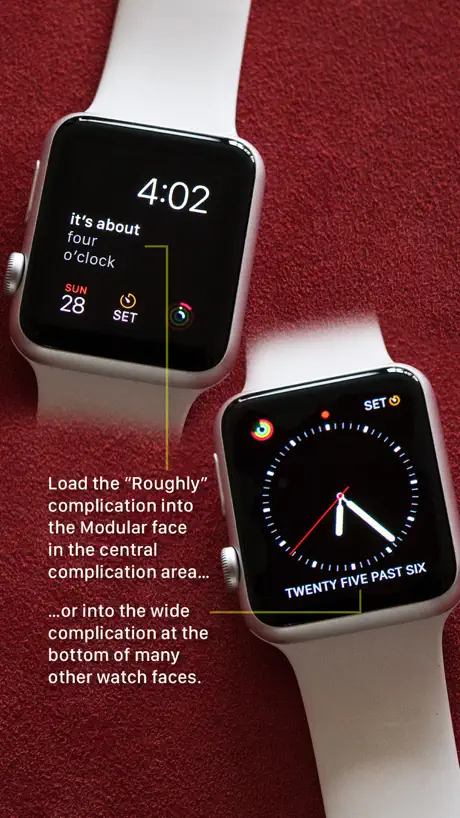
How much does Roughly, the time in words cost?
Prices are current as of 8 Oct 2026.
Roughly, the time in words has no in-app products on record in the United States.
10+ alternatives to Roughly, the time in words
| Roughly, the time in words |  Calendar Timeline Calendar Timeline |  TimeGlance - Complication TimeGlance - Complication | 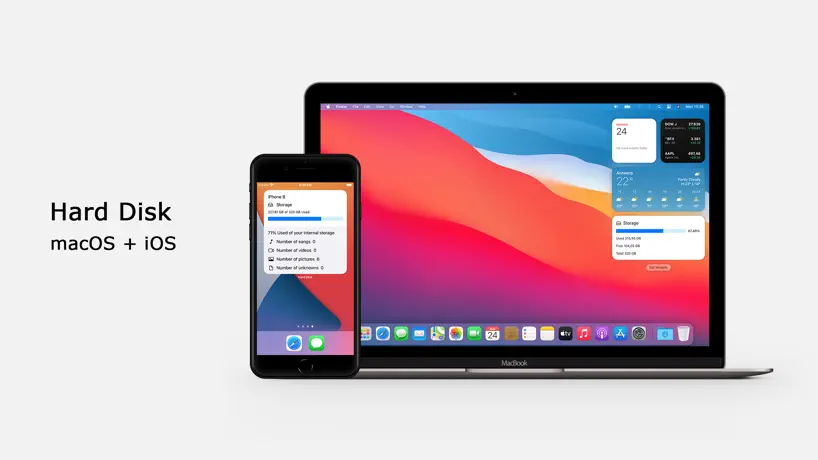  Hard Disk - Monitor Disk Usage Hard Disk - Monitor Disk Usage | 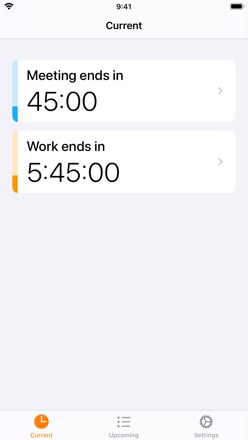  How Long Left How Long Left |   WatchTheTime: Custom Watchface WatchTheTime: Custom Watchface |   Chronomizer: Custom Watchfaces Chronomizer: Custom Watchfaces |   TextWatch: Complications TextWatch: Complications |  DateGlance - Complication DateGlance - Complication |   Custom Word Clock - TextTime Custom Word Clock - TextTime |  MonthDay MonthDay | |
|---|---|---|---|---|---|---|---|---|---|---|---|
| Rating / 5 | 4.5 | 3.9 | 3.8 | 3.9 | 3.9 | 3.8 | 3.9 | 3.9 | 4.0 | 5.0 | 3.5 |
| Reviews | 109 | 377 | 235 | 125 | 99 | 97 | 80 | 72 | 71 | 5 | 4 |
| Released | 2016 | 2020 | 2020 | 2015 | 2019 | 2019 | 2022 | 2020 | 2020 | 2024 | 2021 |
Roughly, the time in words reviews
4.5 out of 5, based on 109 reviews.
What people like
- Makes users smile with its charm.
- Looks great on analog watch faces.
- Easy way to read the time.
What they complain about
- Language selection often fails to work.
- Updates are unreliable and sometimes lag.
- Does not display in widget lists.
A must for any Apple Watch owner
I use this on all my analogue faces as I seem to have forgotten how to tell the time. The only thing I’d love to see added is support for the larger complications such as the central part of infograph modular.
Waste of time thus far
Lain, I’m not sure if Apple updates interferes with the proper functions of your app. I have it downloaded on my devices. iOS 26.0 currently. The orange rounded color circle is5 size smaller than previously on my ultra watch. When I click or press on it, it doesn’t direct me to settings on my watch. It doesn’t function in MODULAR or any other watch faces, but indeed, it allows you to change languages flawlessly, & never connect to any WATCH FACE. UNFORTUNATELY, your request to give you a positive review & change my previous, after years of waiting for you to respond, this is what you’re requesting as a developer? What are you smoking? Simply fix your dysfunctional product first at least, then get the accolades you deserve, you think? Instead you’re threatening to block me. How honorable is that? Who raised you? Come on man, block me. I want you to just block my review. Release me from trying to clean up your mess a few years later. ✨✨✨✨✨✨✨✨✨✨Here! Take as many twinkling stars you want.
please add it to be compatible with more watch faces!
i want this on all my watch faces it’s brilliant, not just the two that are available now. It would be 5 stars then
No title
I couldn’t figure it out, but that doesn’t mean it won’t work…
Poco práctica
Desde las 13:57 hasta las 14:03 “son las dos” Las 14:00 “son las dos en punto” Decir: “son aproximadamente las dos” o “it’s about 2 o’clock” y demás verborrea hace la que app sea poco útil, por desgracia
So much fun!
I love to look at my watch and see this description of the time. It’s so like my lifestyle. I love being able to change the language too (from the app settings in the Watch app). Note that the language changes only after you move to a different watch complication and back. Thanks for this!!
Not working
The application does not work, it is not displayed in the list of widgets in the clock.
Suggestion
On the info graphic face, instead of having a blank circle, show the digital time too.
Only works in English…
Despite the author’s assertions that this app is also able to work in languages other than English, it does not - whatever language I select, it only displays time in English.
Плохая русская локализация.
Добавили русский язык. Это определённо радует. Но исполнение могло быть и лучше. Пока что это выглядит очень сыро. К примеру, время 15:10, а на экран выводится «примерно десять третьего» (а должно быть «десять минут четвёртого», как вы понимаете…). Нужно исправлять. Наймите хорошего переводчика, что ли. Исправите русскую локализацию - будет 5⭐️.
Simple and fantastic
The Apple Watch needs more simple and effective complications like this. Highly recommend!
Not working
Can anyone tell me how it works ?
one minor quible
It's a cool complication, I like it and everything. But it's annoying that when I touch the complication, I get this big paragraph of instructions on how to install the app in tiny little letters. I already know how to install the app, that's why it's on my watch face for me to touch. Wouldn't it make more sense for the text of roughly time to fill the screen instead of those stupid instructions? Like, if it says "it's about half past nine" and you tap the complication, the words "it's about half past nine" should now fill the watch screen. Wouldn't that make more sense?
Needs better face support
Not all faces support this complication in all slots. Please update.
Love it. Simple and great
Thank you for a clever little app. Please update for watch four infograph. This would go great on the top of the dial.
Coole App mit Potenzial
Manchmal hängt die Anzeige aber sonst gut. Schön wäre eine Komplikation zu haben wie bei der Qclock wo die Minuten an den Rändern angezeigt werden und die Worte in der Mitte der Uhr stehen.
Idioma
No puedo cambiar el idioma en la que aparece la hora y la experiencia con la app no es la misma 😭
Absolutely love this...
It’s sometimes difficult to know the time immediately. This app changed that, for me.
Very useful when it updates
I love this complication, but I find that it frequently doesn't update the time without being tapped.
Russian language
Please, insert Russian language
Great workaround
This is a great work around for displaying time in 24 hours (watch default) and 12 hours (the roughly app) on my Apple Watch S4.
Funktioniert gut, leider nur Englisch.
Würde gerne 5 Sterne geben, leider erscheint die Zeit nur auf Englisch, deshalb nur 4 Sterne.
Gets stuck a lot.
Not reliable for telling time. Missed a meeting yesterday.
So fun
A little fun thing for your watch. This looks great either the new Fire face. Thank you!! P. S. Also looks great on the Vapor face! Thanks again
Great app!
Love it. It's the perfect complication if you like the look of analog watch faces, but we're raised on digital.
Fun
A silly, almost totally useless app that makes me smile. Thank you so much!
Approximately Awesome
The current time is about a quarter to five. That’s good to know because I have to be somewhere around five o’clock and it takes almost fifteen minutes to get there. If you’re used to using a word-based desk clock, this is a great addition to your Apple Watch.
Roughly, the time in words FAQ
- Is Roughly, the time in words free?
- Yes. The app is free, in all 175 countries it sells in, and it sells nothing inside it.
- Does Roughly, the time in words have a free trial?
- No. None of its offers (US) come with a free trial.
- What are the best alternatives to Roughly, the time in words?
- Calendar Timeline (3.9 from 377 reviews), TimeGlance - Complication (3.8 from 235 reviews) and Hard Disk - Monitor Disk Usage (3.9 from 125 reviews).
Roughly, the time in words download
Last updated 1 month ago.
Roughly, the time in words sells in 175 countries. It was released 10 years and 7 months ago, on 11 Mar 2016. It holds a 4.5 rating from 109 reviews.
Supports 13 languages: English, Czech, Danish, Dutch, German, Hungarian, Italian, Norwegian Bokmål, Portuguese, Russian, Spanish, Swedish, Vietnamese.
How much does Roughly, the time in words make?
Third-party estimates for the last 30 days, worldwide — not the store's own figures, which Apple publishes for nobody.