
Loyverse POS - Point of Sale
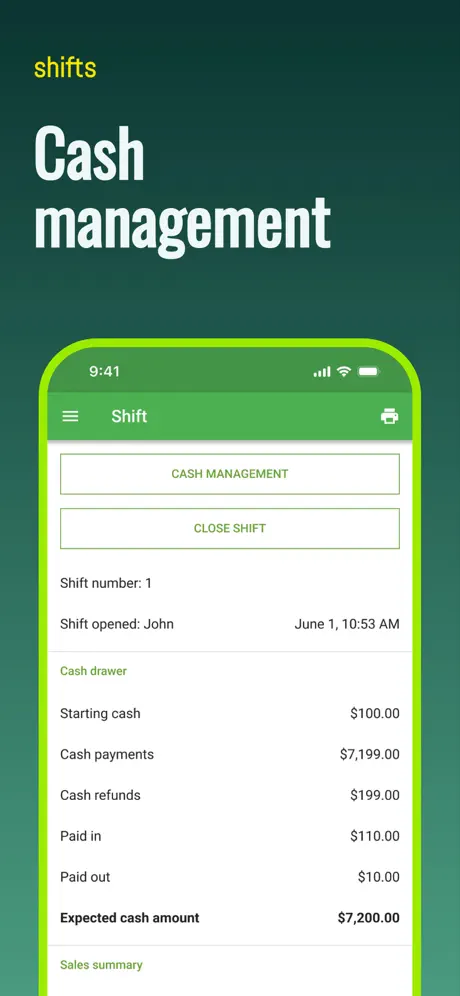
How much does Loyverse POS - Point of Sale cost?
Prices are current as of 12 Sept 2026.
Loyverse POS - Point of Sale has no in-app products on record in the United States.
10+ alternatives to Loyverse POS - Point of Sale
| Loyverse POS - Point of Sale | 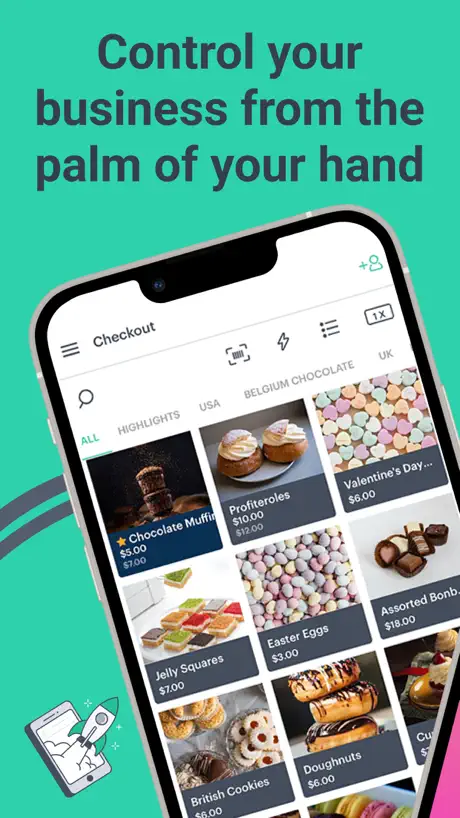  Kyte: POS, Inventory and Store Kyte: POS, Inventory and Store | 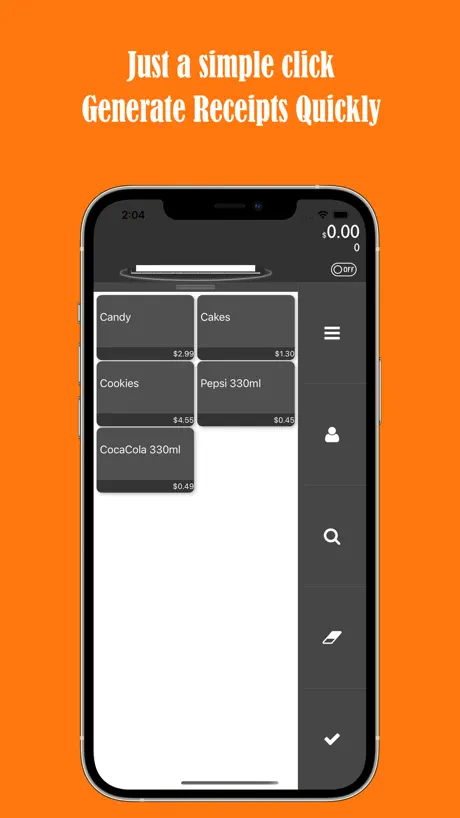  TinyPOS:Tools for Business TinyPOS:Tools for Business | 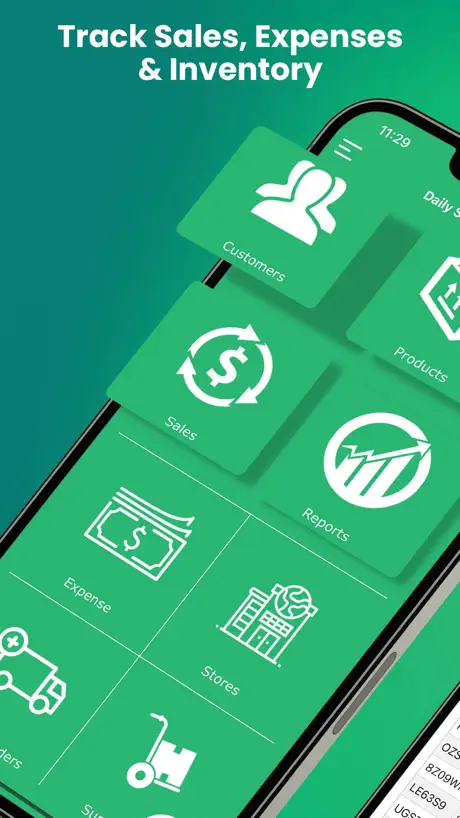  Daily Sales Record - POS, CRM Daily Sales Record - POS, CRM |   Peddlr POS, Inventory and Load Peddlr POS, Inventory and Load |   Silom POS - Point of Sale Silom POS - Point of Sale |   K SHOP (Kasikorn SHOP) K SHOP (Kasikorn SHOP) |   foodpanda partner foodpanda partner |   Maybank QRPayBiz Maybank QRPayBiz |   POSPOS : Buy & Sale System POSPOS : Buy & Sale System | |
|---|---|---|---|---|---|---|---|---|---|---|
| Rating / 5 | 4.5 | 4.3 | 4.7 | 4.7 | 4.7 | 4.8 | 3.6 | 1.6 | 2.5 | 3.9 |
| Reviews | 4.2K | 7.6K | 5.9K | 4.6K | 4.2K | 2.9K | 1.2K | 656 | 398 | 62 |
| Released | 2016 | 2018 | 2018 | 2011 | 2021 | 2017 | 2016 | 2023 | 2018 | 2019 |
| Monthly price | — | $29.99 | $17.99 | $9.99 | — | — | — | — | — | — |
| 3-month price | — | — | $34.99 | $27.99 | — | — | — | — | — | — |
| Annual price | — | $299.99 | $69.99 | $49.99 | — | — | — | — | — | — |
The going rate for each plan in United States, in its own currency, shaded from the cheapest price on the row to the dearest. Plans fewer than four in ten of the priced apps sell are left out.
Loyverse POS - Point of Sale reviews
4.5 out of 5, based on 4,190 reviews.
What people like
- iOS syncs inventory poorly or not at all
- Bluetooth printer support on iOS is limited
- App crashes or freezes frequently
- Missing features like bulk sales or custom receipts
What they complain about
- Support is prompt and helpful
- Very easy to use for small shops
- Great free option for basic needs
Unit correlation
Very nice , simple to use for a pharmacy but no unit correlations for each item. It will be perfect pos if added unit correlations function.
pos ค้าง เด้งหลุดตลอดเวลา
2/6/2026 เข้า pos แล้วค้าง แตะอะไรไม่ได้เลย ซักพักเด้งหลุดออกจากแอพ รวมถึงเปิดจอ pos ค้างไว้ กลับมาอีกที แอพเด้งหลุดอีก
รายการออเดอร์ไม่อัพเดท
บางครั้ง ข้อมูลออเดอร์จากเครื่องหลักที่ใช้ปริ้นใบเสร็จเพื่อเรียกเก็บเงิน ไม่ขึ้นรายการที่ พนักงานคีย์เพิ่มเข้าใหม่ ต้องซิ้งค์หรือปิดแอพหลายๆรอบมากๆ เกิดจากอะไรคะ ต้องนั่งเช็คทีละบิลเสียหาย และเสียเวลาพอสมควรค่ะ
อยากยิงราคาให้สะดวก
เมื่อไหร่จะใช้กับ iPad ได้อย่างสะดวกครับตอนนี้ไม่สามารถยิงราคาขายได้เลย
รองรับเครื่องพิมพ์น้อยรุ่น ไป
อยากให้อัพเดทรองรับเครื่องพิมพ์ขนาดเล็กพวก peripage มาก แต่ไม่รองรับ
Loy Lover
I have used Loyverse for the past years almost. It’s the most easy and convenient app I’ve ever used. I used different businesses including a food ingredient distribution, a Jewelry Store and a children’s clothing store. I just sent the link to my friend who is starting a motor oil and car detailing business. I happy and comfortable to share the app with my friends.
สต๊อกไม่ตัด
แก้ไขด่วนๆค่ะ ทำงานลำบาก
Owner
Nice apps but not for dining restaurant. Like square need to print out paper signature but I couldn’t find. If Loyverse add feature like this, definitely use for my restaurant.
Si se pudiera mover las imágenes de los artículos estaría perfecta
Si se pudiera mover las imágenes de los artículos estaría perfecta así nosotros pondríamos los artículos que más se venden arriba y los que no abajo
Inventory Stock Not Updating in Real-Time on iOS Devices
Hello Loyverse Support Team, We have found an issue with inventory synchronization on iOS devices. Issue Description: * When a sale is completed, the inventory stock is deducted correctly on the server. * Android devices update inventory quantities in real time without any problem. * However, iOS devices do not receive the updated inventory quantity automatically. * The inventory quantity on iOS remains unchanged until the user logs out and logs back into the Loyverse POS application. * After logging in again, the inventory quantity is displayed correctly. Steps to Reproduce: 1. Login to Loyverse POS on multiple devices (Android and iOS). 2. Sell an item from any POS device. 3. Verify that inventory is reduced correctly. 4. Check inventory quantity on Android device – it updates immediately. 5. Check inventory quantity on iOS device – it still shows the old quantity. 6. Logout and login again on the iOS device. 7. Inventory quantity is then updated correctly. Expected Behavior: Inventory quantities should synchronize and update in real time on all devices, including iOS. Actual Behavior: Inventory quantities on iOS devices are not refreshed automatically and require logout/login to display the latest stock level. Additional Information: * Android devices work correctly with real-time synchronization. * The issue appears only on iOS devices. * Inventory data on the server is correct. * Internet connection is stable on all devices. Please investigate whether this is a synchronization or cache refresh issue in the iOS ap
Great app
This helps my shop a lot
❌❌ สต๊อกไม่ตัด❌❌
แก้ไขให้หน่อยนะคะ ทำให้ทำงานไม่สะดวกค่ะ สินค้าขายออกไปแล้วแต่ระบบสต๊อกไม่ยอมตัดออกให้
お勧めです!
海外で新しくオープンしたお店で使うためダウンロードしました。初めの設定が中々わかりませんでしたが親切にわかるまで対応してくれてとても助かりました。まだ実際使い始めていませんが10月から使い始めるのが楽しみです。無料ですがスタッフ登録もしようかと考えています。使い始めてからどうなるかまだわからないので星4にしました。サポート対応は星5です。
They changed
Before we can track the back office for the sold items for a longer period but now you can only check it for the period of 30 days! You have to pay to use it now 🥺
Needs fixing
It’s excellent until it locks up after every sale and has to be closed out and restarted. Very frustrating.
Great App
I stumbled on this app after hearing a lady mention it. I have a boutique and this app is a life saver. Since then I have been sharing it with other businesses small and large. It is very user friendly and can be easily integrated for further expansion. I love Loyverse POS and will definitely continue to recommend it. 👍🏾👍🏾👍🏾👍🏾👍🏾
สต้อคไม่ตัด
เเก้ไขเเอปด่วนๆ สต้อคไม่ยอดตัด เป็นมาหลายอาทิตย์เเล้ว
Currency not shown on reciept
After the latest update currency is not shown on the reciept when its sent to email. Please fix it.
Is ok
Nice app missing lot custom information. Missing custom receipt number. Missing where bussiness owner can ad custom information in header and footer. Since is a pay app we should be able to change layout of receipt.
แอปใช้ฟรีมั้ยครับ หรือต้องเสียเงินค่าสมัครสมาชิก
อยากลองใช้แต่กลัวเสียเงิน
Perfect for our small vape shop!
Square dropped us after nearly 8 years! We didn’t know what to do! My husband found this app for us to try and it has been great. It has taken some adjusting, but this app has helped us tremendously! It works perfectly for our business!
สต็อกสินค้าไม่ตัด
คีย์ออเดอร์แล้วสต็อกสินค้าไม่ยอมตัด ต้อง log out login ใหม่ถึงจะตัดให้ แก้ไขด่วนๆ
Good free app but missing features
Nicest app for free except having to pay for additional users. Feature Suggestions: Wish you give us a way to draw table map so we can just use map to select the open bill. Ad hoc item; add item like “others” giving us way to fill description and price in Sale, like a special item not in menu. A way to provide feature suggestions from the app. Thank you for making such good app available to us, new small restaurant.
Ios error
There is no other bluetooth on printer on ios please be fix this
อยากให้เพิ่ม ฟีเจอร์ใหม่
อยากให้เพิ่มฟีเจอร์ ลดราคา ประมาณ ซื้อของราคา 20 บาท ซื้อครบ3 ชิ้นคิดราคาชิ้นละ 18 บาท แทน อะไรประมาณนี้ หรือว่ามีอยู่แล้ว หาไม่เจอ
Great! I have a suggestion, though.
I suggest adding a label printer that I can stick onto coffee cups. I currently am writing on the cups, but printing labels would be much easier.
อัพเดตเวอร์ชั่นใหม่ เข้าไม่ได้ พัง
อัพเดตเวอร์ชั่นใหม่ เข้าไม่ได้ พัง แก้ไขด้วยค่ะ
Good Square replacement but…
I need to print a receipt, ticket number, and a kitchen ticket. I can print the Kitchen ticket and the receipt but not a ticket number. As result a need to go back to the purchase history and reprint a new receipt slowing me down quite a bit. Is there an app a date that can take care of this issue. Square app does have this feature but I want to try this app on real life.
Problem.
Please add option to send receipt via viber or messenger.
เสียค่าใช่จ่ายไหมครับ
อยากทราบว่าเสียค่าอะไรไหมครับ หรือว่าฟรี
USER FRIENDLY BUT NEED TO FIX SOMETHING
everything is almost great but if we have few stores in one account, we should be able to pick either same or different currencies per store. and we should be able to add or remove products without it being added/removed automatically from the other stores.
App force closes
This app force closes and you lose all the work you’re working on. Very frustrating. Also, when you save a ticket, you can’t change any of the quantities unless it’s a separate line. No invoice numbers!
Really useful pls, but…
I love everything about this system, my problem though is that it doesn’t allow for bulk sales. If I’m selling nuts at $10 per lb and drop it to $8 per lb on orders over 30 lb, I can’t do that in the system. I found weird workarounds but it means I can’t keep track of inventory that way either.
NOTW WORKING ON IPAD 3
I really love this app however it’s not working on my Ipad 3. 😔
Printer
What sort of thermal Bluetooth printer is compatible for IOS¿
Customer Service Support is Top Notch
I cannot recommend the customer support high enough. It is prompt and up to the point.
No lo recomiendo en lo absoluto
Me sacó después de un mes de estar trabajando en él, no se metan aquí, si pudiera darle cero estrellas se la daba
Printers problem
Why is other printer model(bluetooth) not available for iOS?
Great App
Love it
Good app
Nice app but it still needs more generic printer options for iOS like the option on android to select other Bluetooth printers.
Great app
Great app! Fits my needs highly suggest this app. It would be even better if my printer would be able to connect. But it’s ok I can still print out receipts.
Bluetooth Printer
Please fix glitch, unable to connect to Bluetooth printer through app setup. App does no detect printer via Bluetooth but connects seamlessly with android devices. Thank you
Custom Check out
Update custom amount check out option, amount due option, other everything good
need improved!!!
Would be grateful if customers' debt and store credit to respective suppliers can be added.And could choose subscription of Advanced inventory managements for less monthly fees.Thinking of giving new rating and with best wishes
Printer issues
I’m running a small hobby business out of my home. There for I’m using a normal home computer and printer. Why when I try to print a receipt for a sale do I get a weird print out that only has my business name nothing else I have gone into the back office and everything but no progress. How about some assistant please.
Amazing app
Very good
Storage?
You have a shop but you can’t separate storage products from shelves products! It requires you to open another store!
Overall Good, wish there was an offline mode.
This app is very well built and is very nice, but sometimes I lose WiFi and when that happens, most features are disabled, I can’t create or edit items, can’t edit/add/remove customer accounts, and when that happens, there are some issues that occur, it would be nice if there was a way to make this iCloud or iPhone based storage to allow these kind of changes.
Ship to
This is a good application but didn’t have ship to or customer address option which is critical for business that have delivery service. Some time ago on the order field we use to have an order number but they changed to repeat the customer name which you already have on the customer field.
Baghdad
Its good app but just need add expired day to it
Loyverse POS - Point of Sale FAQ
- Is Loyverse POS - Point of Sale free?
- Yes. The app is free, in all 170 countries it sells in, and it sells nothing inside it.
- Does Loyverse POS - Point of Sale have a free trial?
- No. None of its offers (US) come with a free trial.
- What are the best alternatives to Loyverse POS - Point of Sale?
- Kyte: POS, Inventory and Store (4.3 from 7,568 reviews, premium from $19.99), TinyPOS:Tools for Business (4.7 from 5,856 reviews, premium from $17.99) and Daily Sales Record - POS, CRM (4.7 from 4,579 reviews, premium from $0.99).
Loyverse POS - Point of Sale download
Last updated 1 month ago.
Loyverse POS - Point of Sale sells in 170 countries. It was released 10 years and 5 months ago, on 2 May 2016. It holds a 4.5 rating from 4,190 reviews.
Supports 49 languages: English, Albanian, Arabic, Bangla, Bulgarian, Burmese, Khmer, Croatian, Czech, Danish, Dutch, Estonian, Finnish, French, Georgian, German, Greek, Hebrew, Hindi, Hungarian, Icelandic, Indonesian, Italian, Japanese, Korean, Kurdish, Lao, Latvian, Lithuanian, Macedonian, Malay, Mongolian, Norwegian Bokmål, Persian, Polish, Portuguese, Romanian, Russian, Serbian, Chinese, Slovak, Slovenian, Spanish, Swedish, Thai, Turkish, Urdu, Uzbek, Vietnamese.
How much does Loyverse POS - Point of Sale make?
Third-party estimates for the last 30 days, worldwide — not the store's own figures, which Apple publishes for nobody.