
NaviLink
How much does NaviLink cost?
Prices are current as of 12 Nov 2026.
NaviLink has no in-app products on record in the United States.
10+ alternatives to NaviLink
| NaviLink |   Comfort by Mitsubishi Electric |   Watts® Home |   Legacy View |   Flo by Moen™ |   Hubitat Elevation |   Sub-Zero Group Owner’s App |   KOHLER Konnect |   IntelliFire |   SPAN Home — for 32 |   Schluter® Smart Thermostat | |
|---|---|---|---|---|---|---|---|---|---|---|---|
| Rating / 5 | 4.1 | 4.2 | 4.5 | 4.7 | 4.0 | 4.1 | 4.4 | 3.9 | 4.3 | 3.6 | 1.7 |
| Reviews | 1K | 8.8K | 7.5K | 5.7K | 2.1K | 1.5K | 844 | 686 | 630 | 104 | 73 |
| Released | 2016 | 2015 | 2020 | 2016 | 2016 | 2024 | 2017 | 2018 | 2020 | 2020 | 2022 |
NaviLink reviews
4.1 out of 5, based on 1,043 reviews.
What people like
- Shows detailed energy usage and consumption data
- Remote control works well once connected
- Real-time temperature updates feel instant
What they complain about
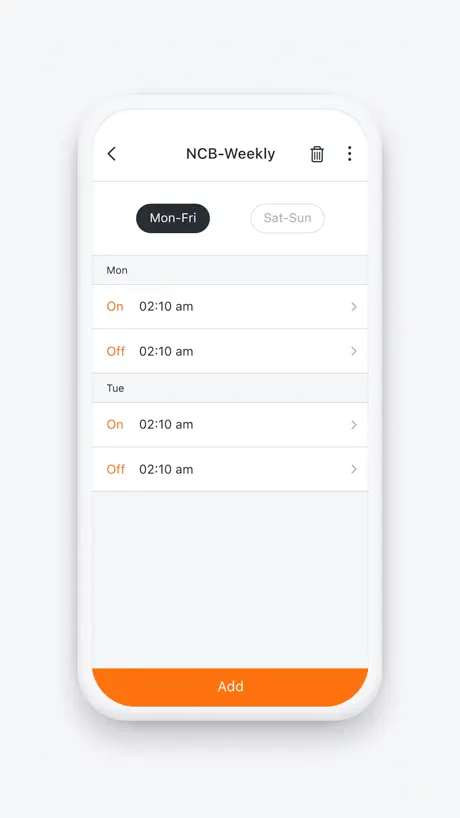
- Scheduling setup is confusing and clunky
- App often fails to connect to WiFi
- Support team cannot help with issues
- You cannot manually start the recirc pump
Remote control
When traveling I start the dishwasher and can shut down the tankless remotely after the cycle completes. I feel that the low cost of the WiFi connection has paid for itself.
Recirculating pump won’t stay on.
We install the option for a hot button and the application presents the hot button when selected it’s on for only a short period of time not enough to recirculate the water in our house. It’s a design flaw in the application.
So Much Potential
The app is good and what it does but there is so much more that could be built it. Instead of just scheduling the circulate pump, why not have a way to schedule different outflow temperatures as well. Morning may desire higher for showers and middle of the day less. I know it is only heating up a small volume of water at a time for the circulation pump but if it is going to run all day why not have a 100 degrees during the day and then when home is occupied it could be 120+ as desired.
No circ pump operation
For whatever reason, you cannot manually engage the circ pump through the app. Not sure what good the app is for except some statistical purposes. There is even a stat for how many times the Hot Button was used. WHAT HOT BUTTON? You don’t let us activate a hot button. No, this app needs some serious revamping.
UX could be better
The user interface is quite ordinary. Could be much better. It was also a big hassle to connect the app to the HPWH.
Exceptional
Love the schedule
Not user friendly
Outside of being able to set your DHW set temp from your phone, the app is useless. Yes, it shows usage rates, but in measurements that are hard to understand. I’ve had a few error codes come through on a notification, but you can’t find what the error was within the app.
Frustrating set-up
It took way too long trying to connect the app to a Navien heat pump water heater. I tried more than 10 times over a few hours trying to get it to work. The first time was a bad because the heat pump was running when the instructions told me to turn off the water heater. The heat pump slammed off and when it restarted it sounded bad. The setup/shut down should protect the heat pump. IRONICALLY after we finally got connected the firmware update included a heat pump protection update. The set-up issues: the app's instructions do not align with the water heater's set-up instructions. There's 2 different goals. The water heater wants to connect to wi-fi. The app wants to connect to the water heater's bluetooth. The app does not initially show any wi-fi networks, the app does not show a Navien bluetooth object, the water heater just sits there. Somehow after the +10th try the water heater said it had wi-fi and the app let you set the rest up. As far as the app: it's fine and shows more than I expected like heat pump and electric element kWh used, hours used for each. What it does NOT show is current tank temperatures which the water heater's screen does show. The water heater shows a good amount of info. (The water heater's buttons should be backlit with a screen that has better viewing angles). The app should mirror the water heater info. Schedules are very easy to set up in the app. As is switching modes. It seems like there's no delay between the app and water heater and the update felt instantaneous.
Unimpressed
Doesn’t do basic things easy. Trying to add a user and I continue to get errors. Can’t even add my spouse to have use the app. Schedule is weak. One schedule. There should be an option to create an “away”schedule or alter a schedule for when you’re not going to be home. While using the app, I am constantly having to restart the app because of connectivity issues.
Could do more
Can not directly turn on the recirculator. Probably because it would replace the awkward red button.
Turn your Navien heater into a smart home device
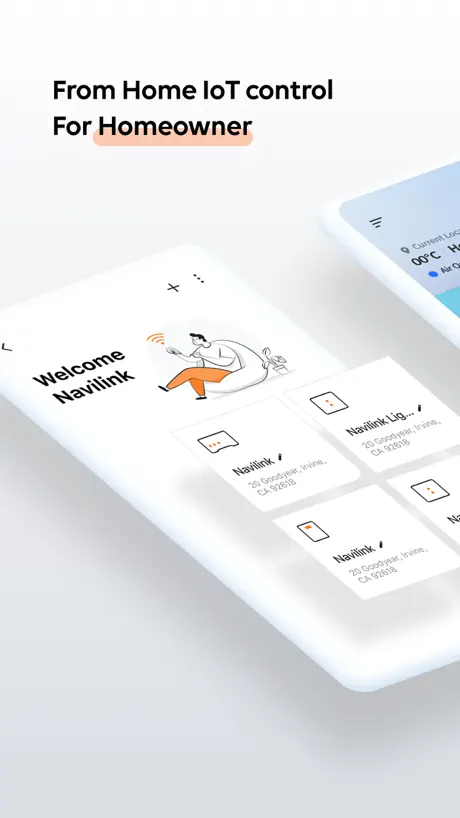
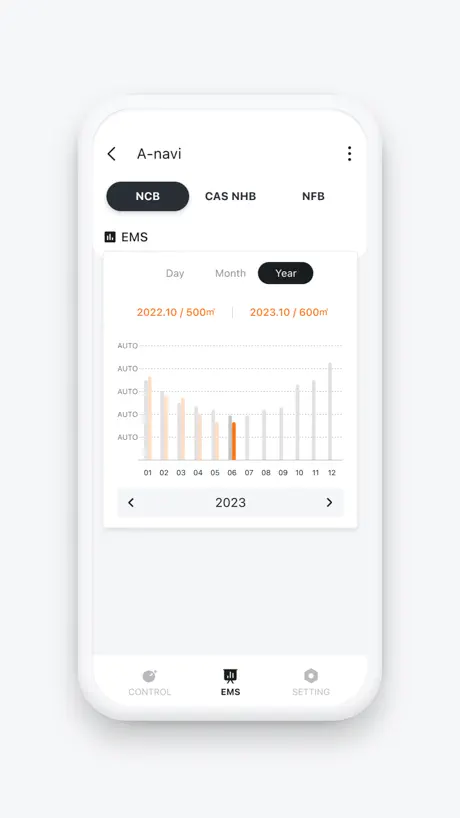
I install the NaviLink in the same week of the new heater and it has been working like a charm for the past year. While the hardware may sounds a little expensive, it enables mobile app operations and remote access of all key features of the heater including setup temperature or scheduling heat cycles and others. More importantly it offers the glimpse of your system usage, energy consumption, and your heating habits. You can see how much gas you used and how much water it processed by day, month, and year. The scheduling part needs a little trial and practice. But once done you don’t need to touch it. Overall it is an excellent value for your modern heater.
Terrible app terrible support
The only thing worse than the app which won’t connect my NaviLink lite to my network and keeps dropping is the app which is undocumented. No one in support knows anything about it in the US. I got in touch with the developers in Korea and they couldn’t really help either. The product barely works then regularly disconnects itself from my Asus wifi network and needs to be setup each time it’s really a bad wifi products and issue and hasn’t gotten any better after a year now
Faulty Software
I have a Navien heat pump water heater. One of the reasons I selected it over the popular Rheem model was due to its software support (there were other reasons as well) however I am disappointed in the NaviLink software. On the IPAD the EMS function crashes the system when trying to select another setting other than the heat pump time. On the iPhone, the heat element time reads 0 even when the heat element comes on. The time is useless since it seams to only indicate hours. It would also be nice if they would open their api to allow home automation software (like hubitat) to read data from the system.
Has potential but not very useful as is
The app just lets you see the temp and usage of the heater. It could have a lot of potential if it used your phone location and usage to predict when recirculating is needed similar to a thermostat app like ecobee .
Stopped working
Since the update they say need to register and when you register they say sending a confirmation email and they never send so you can’t register. Very bad app
Actual trash
Don’t waste your time
Minimal functionality
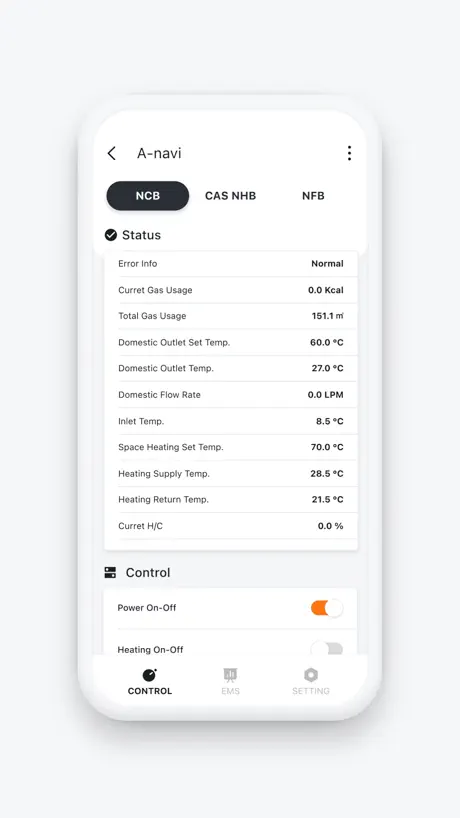
My expectation were higher than what this remote provides. It provides inlet temperature and outlet temperature and cryptic gas usage The manual doesn’t do any explanation of the functions available You cannot truly control the water heater remotely I bought it because I am new to the tankless water heater I think the company can do a whole lot better than this. Would I recommended? I’m not sure you need to look into this and decide.
Good but not Excellent
Scheduling is not intuitive or clear for multiple days. Love the data collection and analytics
Bare minimum
This is just a bare minimum app. The real time data is detailed. Sadly history data for the last 24 hrs, week, month, year is lacking. I expect a listing and graph for daily and weekly usage. The unit plus installation was quite expensive. NaviLink app does not provide enough usage information.
A mediocre app for a very good water heater
Clearly Navien is a hardware company and not a software company. The heater is excellent but the app is not intuitive. Took a lot of Googling to figure out the configuration but once I got it set up it worked fine.
Missing system pressure
My Navien CombiBoiler shows the hydronic loop pressure on the front panel but NaviLink does not report it at all. When traveling, the system pressure is something I really need to monitor. Love the informational use of this app, but it’s of limited use for remote monitoring without being able to see the pressure reading.
Bad connection
The unit is hard to pair with WiFi and will not stay connected.
No bugs, but very clunky
I find this app >extremely< clunky for setting up a schedule. I see no Hot Button to run the recirc pump, as promised in docs. There is an ‘EPS’ button top and center that does nothing. What would YOU expect an EPS button to do???
NaviLink remote
NaviLink works well for remote access, but doesn't sent notification by text or email if unit shut down due to error. No remote access to reset to clear error and restart. Bar graph for usage data is not accurate to get actual data, would like option to view data displayed as numbers.
App is junk
WiFi doesn’t work, can’t connect to or find the device. Extremely glitchy.
Works well when it’s connected
Frequently, even via wired connection, looses touch with the network requiring a restart.
Terrible app
App fails to connect to unit routinely. Have to delete unit and reinstall by pushing WiFi button even though it is connected (mxchip)to WiFi. Unreliable. All data is lost since it assumes it is a new install. App also fails to provide full menu access. Temp and scheduling only.
App just hangs
Am unable to get the status or the controls screen. Very frustrating
Social Security number collected????!
I don’t like reading privacy documents. This one says they may collect social security numbers!
NaviLink server down?
NaviLink server seems to have went down or they’re having problems with it. Everything works fine and is connected to the network but, no data is being shown from their end. *******Update***and fix*** Spoke with tech support several times and they could not help and said it may be a server issue due to the AWS Blackout. Nope… So, I decided to delete my Navien account entirely. Before deleting the app, delete your account with Navien. Then start fresh with a new account (you can use the same email). Reinstall everything again and register again. That fixed the loop to Nowhere-NaviLink-Land for me. Hope that helps.
No Useful Information
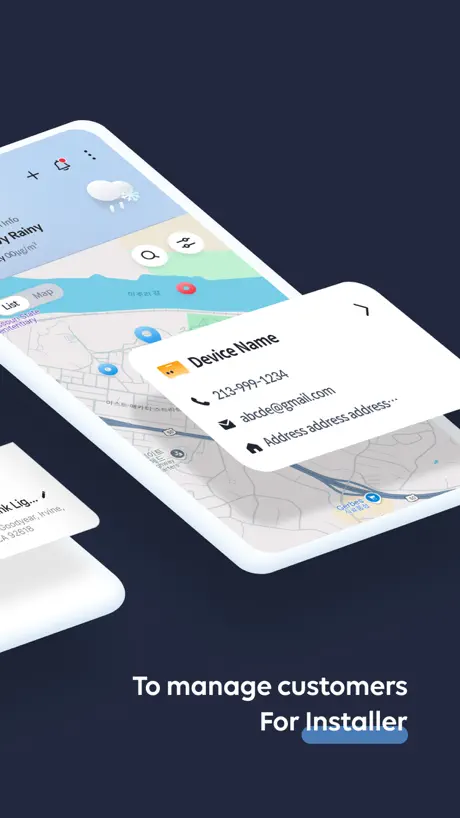
I cannot believe how limited the data is for a homeowner. I cannot see or control individual zones for example. When I attempted to get specific zone data I was told by the support telephone number that I needed to have my contractor present, on site, before they would assist me.
Old
This app would work really well if they had some basic features like allowing us to copy one day to the next, rather, we have to individually add an on and then an off time for each single day like a robot.
NaviLink FAQ
- Is NaviLink free?
- Yes. The app is free, in all 175 countries it sells in, and it sells nothing inside it.
- Does NaviLink have a free trial?
- No. None of its offers (US) come with a free trial.
- What are the best alternatives to NaviLink?
- Comfort by Mitsubishi Electric (4.2 from 8,811 reviews), Watts® Home (4.5 from 7,529 reviews) and Legacy View (4.7 from 5,745 reviews).
NaviLink download
Last updated 26 days ago.
NaviLink sells in 175 countries. It was released 10 years and 9 months ago, on 9 Feb 2016. It holds a 4.1 rating from 1,043 reviews.
Supports 1 language: English.
How much does NaviLink make?
Third-party estimates for the last 30 days, worldwide — not the store's own figures, which Apple publishes for nobody.