AdelFi Mobile Banking
FinanceBusiness

AdelFi Mobile Banking

AdelFi Credit Union · released 26 Sept 2015 · Open in App Store ↗

Revenue 30d not estimated
Downloads 30d not estimated
Rating 4.82 851 reviews

No in-app products collected for this app.

Rating
United States91%7764.82
India<1%55.00
Mexico<1%54.60
United Kingdom<1%45.00
Japan<1%44.75
Netherlands<1%45.00
Latvia<1%35.00
Romania<1%35.00
Ukraine<1%35.00
South Africa<1%35.00

The store shows a different set in every country

Description

AdelFi's Mobile Banking App allows you to easily and securely manage your accounts anytime, anywhere. With just a few taps, you can deposit checks, transfer funds, and access financial wellness tools to track your credit score, income, and expenses. Our state-of-the-art encryption methods and two-factor authentication ensure your information is always safe and secure.

Transfers: Move money between accounts.

Bill Payments: Set up and manage payees, schedule payments, and track due dates.

Check Deposits: Deposit checks directly into accounts.

Wire Transfers: Initiate and manage wire transfers.

Loan Payments: Make a payment from your AdelFi account or a linked external account.

Debit Card Management: Block/unblock, request a replacement, set up alerts, and place travel notes all online.

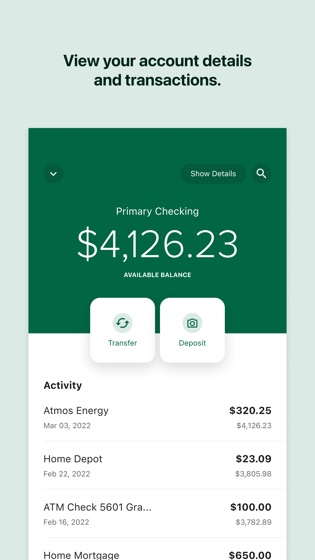
Live Account Activity: Monitor real-time account balances and transactions.

Transaction History: Access and search through posted transactions.

Security and Activity Alerts: Customize notifications for changes, transactions, and account activities.

Business Accounts: View transactions, make transfers, mobile deposits, send a wire to an existing payee, view statements, manage alerts, access bill pay.

ATM Locator: Find nearby ATMs and Shared Branch Locations.

Customer Support: Contact customer support directly through the app.

To sign in to mobile banking, use your AdelFi username and password. If you are not a member, apply now at www.adelfibanking.com.

If you need any help with our app, contact us by calling 800-634-3228.

Federally insured by NCUA.

Push, email, and SMS alerts and notifications must be enabled to be received. Message and data rates may apply.